
How Quickly Can A Navy Supercarrier Travel From The US To The Middle East?


Aircraft carriers are the largest and most complex warships ever built. These behemoths are capable of projecting military air power thousands of miles from home. China’s new aircraft carrier looks powerful, but the US Navy still has the largest and most technologically advanced fleet of aircraft carriers.  

These ships can travel vast distances without refueling thanks to their nuclear propulsion. But when tensions rise in regions like the Middle East, a question often arises — just how quickly can a carrier strike group actually reach the area from the U.S.? 

There are, of course, a multitude of variables to consider. Sea conditions, operational considerations, course deviations, and more will all affect this figure. But, for the sake of simplicity, if you throw all these factors overboard and look at the sea journey time to the Middle East in perfect conditions it’s fairly simple math. 

A reasonable starting point for the trip would be Naval Station Norfolk. From here, the most direct route would be across the Atlantic, through the Mediterranean and the Suez Canal into the Persian Gulf. Assuming a destination close to the Kuwait shoreline, this is a journey of around 8,560 nautical miles (9,850 miles). It’s believed that the USS Gerald R. Ford, which is the most powerful aircraft carrier ever deployed, has a top speed of over 30 knots, but let’s round it to an even 30 knots (about 35 mph). Apply some arithmetic, and we can infer that the optimum time for the journey is just shy of 12 days.

What factors can affect the journey time?

That time estimate dismisses some real-world factors that need to be considered. Perhaps most obviously, this time is only achievable if the carrier powers through the Suez Canal at that same 30 knots. While this would undoubtedly be a breathtaking spectacle, it’s neither feasible nor allowable.

The canal has a speed limit of about 10 mph for ordinary vessels and about 8.5 mph for larger vessels. As the Gerald R. Ford is the world’s largest aircraft carrier, it’s reasonable to assume it fits into the latter category. So, there would be a speed restriction for the 120-mile length of the canal. 

Another factor that can influence the journey time is the speed of the carrier group itself. While a nuclear-powered carrier may be capable of exceeding 30 knots, it rarely travels alone. Instead, it operates alongside a convoy of support ships. Rear Admiral Paul Lanzilotta, commander of the Gerald R. Ford carrier group, told Military.com, “Within one day, we can move this whole strike group 700-plus miles.” While this is impressive, it pegs the top speed to about 29 mph. 

Using these assumptions, the numbers obviously change. Applying an average speed of 29 mph to the 9,730-mile open-water stretch, then adding the slower Suez Canal transit, gives an estimated journey time of roughly 14.5 days. Of course, this is plain sailing without delays like when entering the canal, for instance. It’s therefore reasonable to assume a journey time of just over two weeks to be about right. 


Source link

Leave a Reply

Subscribe to Our Newsletter

Get our latest articles delivered straight to your inbox. No spam, we promise.

Recent Reviews


iPhone 17 Pro

Kerry Wan/ZDNET

Follow ZDNET: Add us as a preferred source on Google.


ZDNET’s key takeaways

  • Back Tap lets you trigger actions with double or triple taps.
  • You can customize it to open apps, controls, or shortcuts.
  • It works on most iPhones and even through many cases.

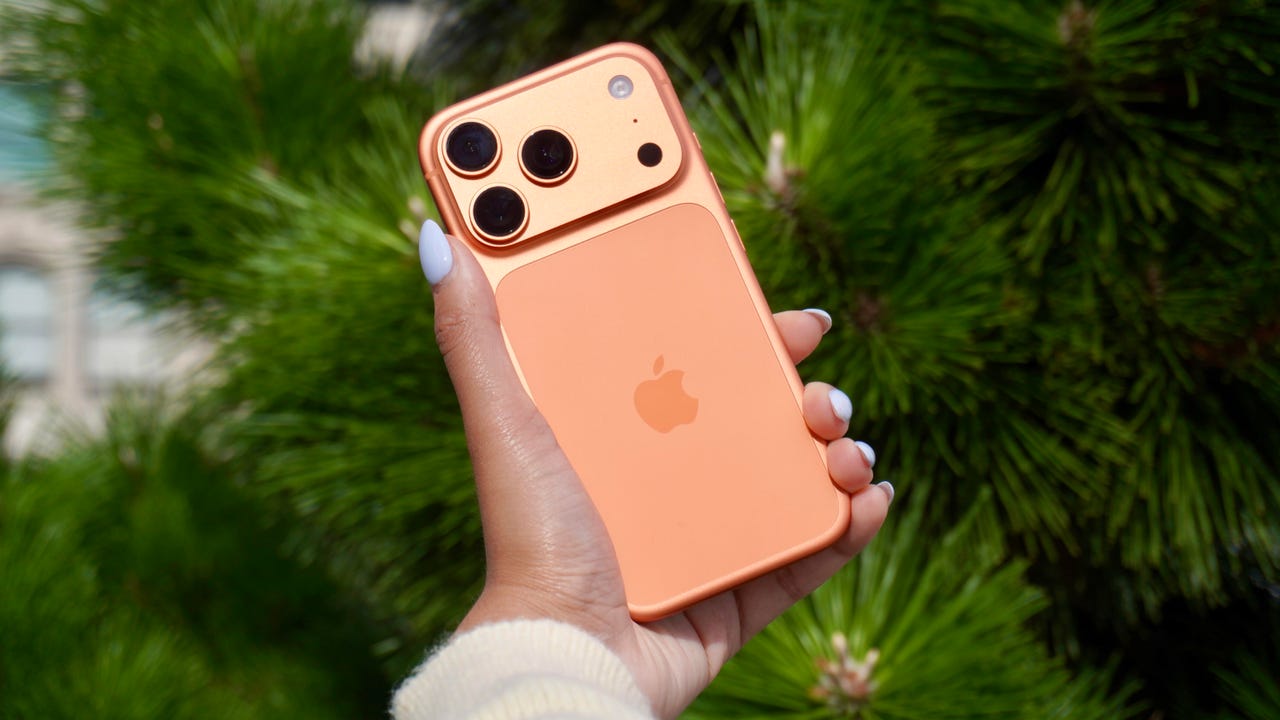
The iPhone has a button on its back. You can’t see it, but with a double or triple tap on the Apple logo, you can open an app, access a system menu, or launch a shortcut. This feature is called Back Tap, and it’s actually been available since iOS 14. The best part is it’s completely customizable. You can set it to do whatever you want, and change it at any time.

I first tried Back Tap years ago, and it quickly became one of those features I use every day. Instead of swiping through menus or hunting for apps, I just tap the back of my phone. It’s one of the fastest ways to get things done.

How to use Back Tap on iPhone

What you’ll need: An iPhone 8 or newer running the latest version of iOS.

1. Go to Accessibility in Settings

Elyse Betters Picaro / ZDNET
2. Open the Touch menu

Elyse Betters Picaro / ZDNET

Scroll to the bottom and select Back Tap. Now you can start customizing the back button on your iPhone.


Show more

3. Select Back Tap

Elyse Betters Picaro / ZDNET

You’ll see two options: Double Tap and Triple Tap. You can use one or both, and assign different actions to them.


Show more

Choose Double Tap or Triple Tap

Elyse Betters Picaro / ZDNET

There should be a long list of actions available under Double Tap and Triple Tap, including system controls, accessibility features, and even some apps. Pick one, and it’ll instantly be active. Just tap the back of your phone to trigger it.

Tip: Tap directly on the Apple logo (or near the center of the back of your phone if you’re using a case), and be quick and deliberate with your taps.


Show more

5. Assign an action

Elyse Betters Picaro / ZDNET

What can I do with Back Tap?

Back Tap supports a wide range of actions, but the best setup really depends on how you use your phone.

At a basic level, you can control system features, like opening Control Center and Notification Center. You can also trigger a screenshot, lock rotation, or adjust volume. Accessibility features are available as well, including VoiceOver, Zoom, AssistiveTouch, and Background Sounds. Popular apps are supported, too, including ChatGPT, Snapchat, Amazon, and more.

Also: Your iPhone’s USB-C port is so versatile – 14 features beyond charging

The most powerful option is probably Shortcuts. If you create a custom shortcut, Back Tap can run it instantly. That means you can combine multiple actions into one tap. For example, you could open ChatGPT and start a voice session, or take a screenshot and save it to a specific folder. This is where Back Tap goes from convenient to genuinely useful and fun to customize.

You get both double tap and triple tap, so you can use them differently. For example, you might use double tap for something you do constantly, like opening Snapchat, and triple tap for something less frequent, like triggering a shortcut.

Back Tap shortcuts

Elyse Betters Picaro / ZDNET

Will Back Tap work with the case on my iPhone?

Yes. It works through most cases, including thicker ones, though sensitivity can vary slightly. If you have a PopSocket or another grip covering the back of your phone, however, you likely won’t be able to trigger Back Tap.

Also: How to turn on Lockdown Mode on iPhone

Why is Back Tap not working for me?

Your taps need to be quick and deliberate. Slower taps, or tapping too lightly, can prevent Back Tap from triggering.

Is there any feedback when Back Tap activates?

There is no haptic feedback, but you can enable a banner notification in the Back Tap menu to confirm it has been triggered.

Also: How to free up your iPhone storage almost immediately

How do I turn Back Tap off?

Go back to the Back Tap menu in Settings and set both Double Tap and Triple Tap to “None.”


Show more


Source link