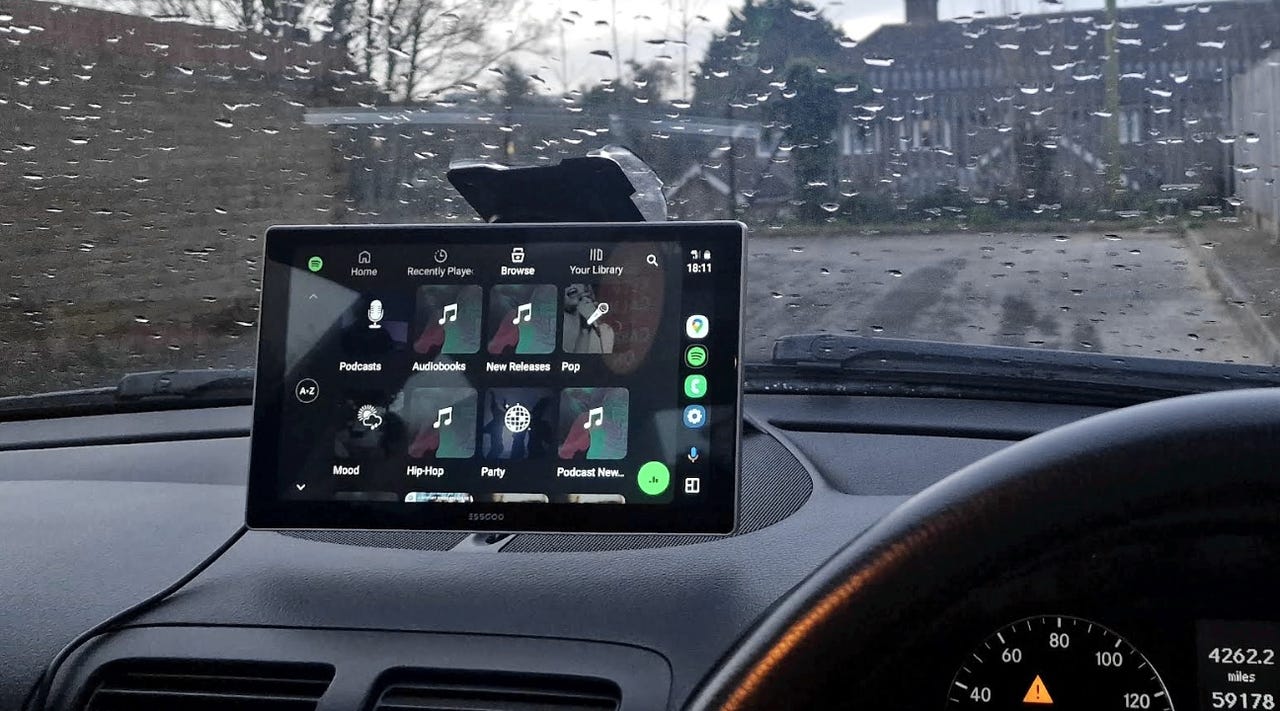
I found Android Auto’s hidden shortcut that automates any task in your car – and it’s brilliant


android auto display

Charlie Osborne/ZDNET

Follow ZDNET: Add us as a preferred source on Google.


ZDNET’s key takeaways

  • Android Auto’s Custom Assistant is an underutilized shortcut.
  • You can trigger multiple actions, and Gemini makes the shortcut more useful.
  • Custom Assistant takes only a minute to set up.

Android Auto is a highly convenient, albeit underused, feature available in most modern cars. Even if your vehicle doesn’t support it natively, you can buy an inexpensive Android Auto display and enjoy your phone’s features safely while driving. A relatively unknown shortcut, however, can help you easily automate these everyday tasks from your car. 

While Android Auto gives you safe access to your phone’s navigation, messages, calling, and more while driving, using the Custom Assistant shortcut lets you trigger preset actions and automations to control anything you can do with your phone.

Also: Having Android Auto issues? How users are handling persistent connection drops lately

And the recent addition of Google Gemini to Android Auto makes the interface even more useful for handling complex commands via shortcuts that are as easy to run as pressing a button.   

Imagine driving around and using Android Auto to prepare your home for your arrival by setting the A/C to a cooler temperature and turning on the lights. Here are some examples of shortcuts you could create with this feature:

  • “Navigate to the nearest X gas station.”
  • “Play the latest episode of Y podcast.”
  • “Tell Z that I’m on my way.”
  • “I’m coming home.”
  • “Navigate to work.”

Also: You can use Google Meet with CarPlay now: How to join meetings safely in your car

A simple “I’m leaving for work” routine can trigger your HVAC to go into Eco or energy saving mode, ensure all your lights are off, and run a robot vacuum while you’re out, for example. 

How to set up the Custom Assistant on Android Auto

The Custom Assistant shortcut is in the settings, so many people aren’t aware of it, but it only takes a minute to set up. 

  1. On your Android phone, open the Android Auto settings.
  2. Select Customize launcher. 
  3. Go to Add a shortcut.
  4. Tap on the Assistant action.
  5. Enter a custom command of your choosing.

To try it out, just connect your phone to your car or an Android Auto device, and you’ll find the new shortcut as an app icon you can tap to run it. The shortcut should work as intended, but you can always tweak your wording in the settings if it doesn’t. 

Also: Your Android Auto just got 5 useful upgrades for free – and Google isn’t done

Since these shortcuts are tied to your Google account, not your car or Android Auto display, they’ll be available in any vehicle where you use Android Auto. 

Keep in mind that these shortcuts require a cell signal, so they may fail in areas with no coverage.




Source link

Leave a Reply

Subscribe to Our Newsletter

Get our latest articles delivered straight to your inbox. No spam, we promise.

Recent Reviews


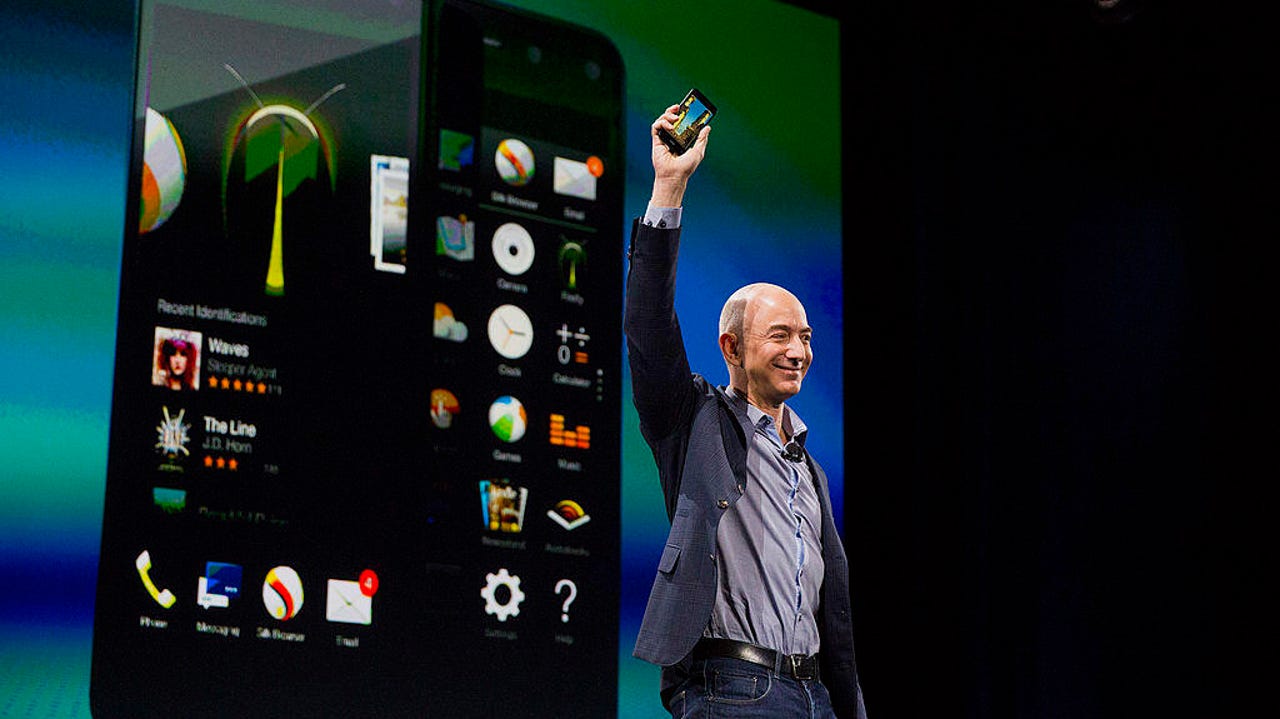
Amazon Fire Phone Jeff Bezos

Bloomberg / Getty Images

Follow ZDNET: Add us as a preferred source on Google.


ZDNET’s key takeaways

  • Amazon is reportedly developing a new Fire Phone.
  • The previous model had several issues, including an inferior app store experience.
  • Under new supervision (and with more experience), Amazon can do better this time.

Well, I don’t know about you, but I certainly didn’t have “new Amazon smartphone” on my 2026 bingo card. As it turns out, according to Reuters, the retailer may be developing a new smartphone, internally known as “Transformer.” 

Those familiar with the industry will instantly draw parallels to Amazon’s previous smartphone effort, the Fire Phone from 2014. Appropriately, that phone ended up as part of a fire sale about a year later.

Now, in 2026, with no fewer than five phone brands in the US — Apple, Samsung, Google, Motorola, and OnePlus — Amazon faces a lot of competition. In fairness, it also has two fewer platforms to compete against. In 2014, Windows Phone and BlackBerry were still very much part of the smartphone conversation; these days, not so much.

The AppStore problem

But there’s one mistake Amazon made in its first effort that will absolutely torpedo its chances at succeeding — the Amazon AppStore and specifically the decision to forego Google Play services. Google is simply too valuable in too many lives to not support the platform. Oh, and the Amazon AppStore is terrible.

Also: What’s right (and wrong) with the Amazon Fire Phone

It has admittedly been a few years since I last inventoried the Amazon AppStore, but when I last checked, the Amazon AppStore was a wasteland of half-supported or unsupported apps, with two notable exceptions. Finance, home control, and communication apps were either absent or had not received updates for years prior.

The only apps in the Amazon AppStore that remained up to date were productivity apps (largely powered by Microsoft) and streaming apps. Those two categories work very well on the cheap, underpowered hardware that Amazon usually launches, and that’s fine. A coffee-table tablet is a nice thing to have lying around.

A spark of hope

Amazon Fire Phone

Liam Tung/ZDNET

But a phone is another animal entirely. If a tablet is a device to entertain, a phone is a device for everything else. One of the key reasons Windows Phone failed was its lack of an app ecosystem. The Senior Vice President of Devices and Services,  Panos Panay, is very familiar with that saga, so I’m hopeful that he will make the same arguments to the powers that be at Amazon. 

Honestly, if there is anyone who I think can pull off an Amazon phone revival, it’s probably Panay, who understands design and product development better than most, and to be perfectly honest, he’s my absolute favorite product presenter.

Also: Amazon Fire Phone review: Not a great smartphone

Of course, all of this is early days. This phone is being worked on internally, and even Reuters reports that it could get the axe long before it sees the light of day. Personally, I’m intrigued by the idea, but I sincerely hope that Amazon doesn’t make this the shopping phone it tried to build in 2014. 

If Amazon just wants to make a nice, well-built smartphone, with a skin that pushes Amazon content to the fore, I’m fine with that. But leaving Google behind is a mistake that Amazon cannot afford to make again. Fool me once, and all that.

So, if this phone is to have a chance at success, it needs to embrace Google services so it can be a phone that everyone can use. Amazon has the brand power to make a phone like this work, even up against juggernauts like Apple and Samsung, but it needs to approach this correctly, lest it end up in yet another Fire phone fire sale.


Source link

