
If you’ve got an ageing PC but don’t quite have the cash to upgrade, then Google has developed a solution: ChromeOS Flex.
Google promises that ChromeOS Flex is a cost-free way to refresh your old Windows, Linux and even Mac devices, but how does it actually work? Is ChromeOS Flex really free and which computers does it work on?
We explain everything you need to know about ChromeOS Flex below. Keep reading to learn more about the operating system and decide whether or not it’s the right solution for you.
Or if you’d prefer to upgrade, we’ve rounded up the best laptops, best student laptops and best budget laptops instead.
What is ChromeOS Flex?
ChromeOS Flex is a cloud-based operating system by Google that’s designed to modernise older Windows, Linux and Mac PCs. Having said that, not all device models are certified to run ChromeOS Flex, so it’s advisable to check via Google’s support page.
Google promises Flex sees less than 10-second boot-up times and automatic background upgrades to keep things running smoothly.
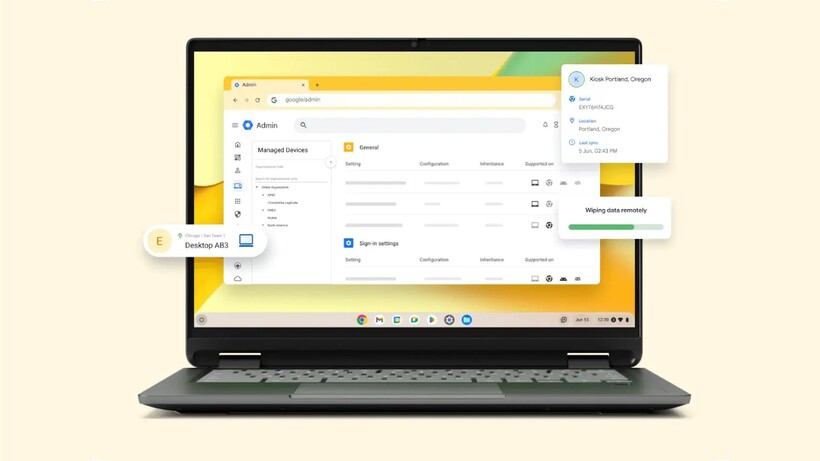
All ChromeOS Flex devices can be managed within the Google Admin console. Security is built-in, and there are IT controls present to protect data loss on misplaced or stolen devices too.

What’s the difference between ChromeOS and ChromeOS Flex?
Although ChromeOS and ChromeOS Flex share the same underlying technology and management tools, there are a few key differences to keep in mind.
Firstly, ChromeOS devices include Google’s security chips to help protect the system and check that hardware and OS are trusted, while ChromeOS Flex does not. This also means that ChromeOS Flex doesn’t enable the ChromeOS verified boot procedure. However, you can use ChromeOS Flex’s bootloader to optionally support UEFI Secure boot, which can maintain the same boot security as Windows devices.

In addition, ChromeOS Flex doesn’t offer managed Google Play and Android apps, while ChromeOS does.
Google also disclaims that while you should see performance, power and reliability benefits with ChromeOS Flex, it “cannot guarantee the same performance as ChromeOS devices”.
ChromeOS Flex supported devices
ChromeOS Flex is designed to support the “most common” PCs and Macs from over the last ten years, but only on certified models. Although Google does disclaim that many non-certified devices “might work”, it only guarantees those found on its official list. This list is pretty long, so we’d recommend that you visit it to check if your exact PC is supported.
Otherwise, Google states that you can run ChromeOS Flex on most computers with Intel or AMD processors, however it does not support ARM architecture.
How to download ChromeOS Flex
As mentioned above, there are a couple of ways to download ChromeOS Flex. If you only have one or maybe a few PCs, then it’s recommended to use a ChromeOS Flex USB installer. Once you’ve checked your PC is supported and meets all the conditions, all you’ll need is an 8GB or more USB and potentially a device to create the USB installer, if you need.
The steps are fairly straightforward. Perhaps the easiest way for most is to download the Chromebook Recovery Utility extension onto your Chrome browser. Once it’s enabled, simply launch the extension, enter your PC’s information and, when prompted, insert your USB.
For multiple PCs, the easiest way to upgrade is to use ChromeOS Flex remote deployment that allows your managed devices to automatically convert to the OS from anywhere, without requiring any complicated installation. To do this, you’ll need to contact Google.

Stephan is the sports journalist for the Maple Grove Report.