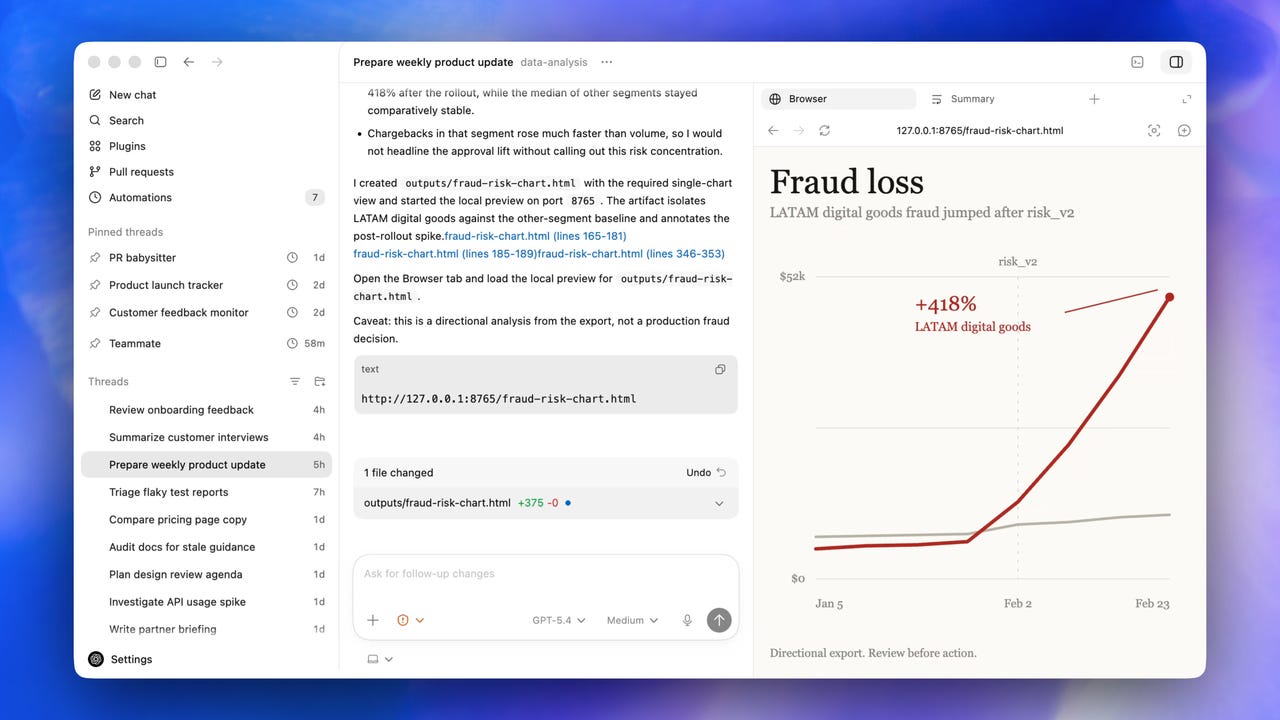
OpenAI’s Codex Desktop can run your computer now – and has its own browser


sidebar-with-artifact-panel.png

Image: OpenAI

Follow ZDNET: Add us as a preferred source on Google.


ZDNET’s key takeaways

  • Codex Desktop expands from coding into full productivity workflows.
  • Automation can generate images, charts, and workflow outputs.
  • The tool is still aimed at developers despite the broader productivity push.

Today, OpenAI announced a significant update to its Codex Desktop app. Codex started as OpenAI’s agentic coding tool, but Codex Desktop is now being positioned as an overall productivity tool, similar to Claude Cowork.

While the capabilities are undoubtedly powerful, the messaging is a little murky. In a briefing yesterday, OpenAI recognized that Codex Desktop is still targeted at programmers but includes additional productivity tools that go beyond code generation.

Also: 7 AI coding techniques I use to ship real, reliable products – fast

I quite enjoy OpenAI briefings because the excitement from the folks building the AI is tangible and genuine. They give off a “Check out what we did” vibe that’s refreshing among all the corporate speak we get from AI vendors every day.

However, I think there’s a law somewhere that all briefings must include slides. One of the company’s slides said that 80% of OpenAI’s staff use Codex, which highlights how non-programmers can use the Codex Desktop app.

Computer use

A key feature of the new Codex Desktop is computer use, which means the AI inside Codex Desktop can operate your computer.   

Also: How AI has suddenly become much more useful to open-source developers

This release lets the AI run applications in the background. So, while the technology runs an automation, you can do other tasks in other applications. The computer use feature is only available for MacOS, at least for now.

In-app browser

Codex Desktop now includes an in-app browser. OpenAI didn’t demonstrate the in-app browser performing automations, so we’ll have to test this feature out and let you know what we think once we get our hands on the app itself.

Also: I built two apps with just my voice and a mouse – are IDEs already obsolete?

One interesting (and long overdue) feature is the ability to click on an element in the browser and have the AI understand where you’re clicking. So, rather than trying to explain you want the font changed in the third headline in column two, you can click the item you want changed and tell the AI to “change this to that.”

If this feature is reliable, it will definitely save some serious time.

Image generation

ChatGPT has had excellent image generation capabilities for quite some time, but Codex Desktop has not. Now, however, you should be able to create an agent that generates an image, chart, or diagram automatically as part of the overall automation.

Also: I tested the new ChatGPT Images – it’s a stunning improvement, and enormously fun

This is another feature that needs to be tested to see how well it works. If the feature keeps pace with the improvements we’ve seen in competing Gemini offerings, the image-generation capabilities should prove handy.

Expanded automations

Automations can now be added to existing conversational threads, allowing the AI to pick up on context from earlier discussions and interactions. Codex can assign itself work that, according to OpenAI, means it can “wake up automatically to continue on a long-term task, potentially across days or weeks.”

Although ChatGPT has had a memory feature for a while, the Codex app was particularly problematic because it had to be brought back up to speed on every relaunch. Now, the app has a memory capability that, according to the company, can “remember useful context from previous experience, including personal preferences, corrections, and information that took time to gather.”

OpenAI said: “This helps future tasks complete faster and to a level of quality previously only possible through extensive custom instructions.”

Also: The overselling of AI – and how to resist it

Codex now has a nag feature that launches with the app. Here’s how the developers described this feature: “Codex now also proactively proposes useful work to continue where you have left off.” 

Basically, when you jump back into Codex, the AI will try to see what you were working on and will propose continuing those workflows.

Additional updates

The product has a bunch of developer-oriented features, including:

  • Support for addressing GitHub review comments
  • Multiple terminal tabs
  • Ability to connect to remote devboxes over SSH (this feature is in early-stage testing)
  • Ability to view files directly in the sidebar with rich previews for PDFs, spreadsheets, slides, and docs
  • A new summary pane to track agent plans, sources, and artifacts

Personally, I’m most excited about the multiple tabs feature. Unfortunately, as far as I can tell, you can’t color-code the tabs the way I do to keep track of my different projects in different terminal tabs. But, at the rate this feature is improving, it’s probably something we’ll see soon.

Also: Is Perplexity’s new Computer a safer version of OpenClaw? How it works

Finally, Codex Desktop is shipping with access to more than 100 plugins. In AI-speak, plugins are apps that combine skills, app integrations, and MCP servers for more in-depth capabilities.

Given OpenClaw’s problems with user-contributed skills that have led to a flood of malware, I asked the developers how they are addressing plugin issues. I was told that OpenAI curates plugins before they’re made available.

Availability

The new Codex Desktop is available to any OpenAI tier with Codex access. Obviously, running more automations and long-run projects will use up token allocations more quickly, so proceed with caution and test before you let an agent run unattended.

The new Codex Desktop is available for Mac and Windows, although the Computer Use feature is only available on MacOS and is not yet available in the EU.

Is Codex Desktop starting to feel like a true productivity tool to you, or is it still primarily a programmer’s assistant? Let us know in the comments below.


You can follow my day-to-day project updates on social media. Be sure to subscribe to my weekly update newsletter, and follow me on Twitter/X at @DavidGewirtz, on Facebook at Facebook.com/DavidGewirtz, on Instagram at Instagram.com/DavidGewirtz, on Bluesky at @DavidGewirtz.com, and on YouTube at YouTube.com/DavidGewirtzTV.



Source link

Leave a Reply

Subscribe to Our Newsletter

Get our latest articles delivered straight to your inbox. No spam, we promise.

Recent Reviews


We may receive a commission on purchases made from links.

Michelin is a French multinational company that many consumers consider to be one of the most satisfying major tire brands. This firm makes several tire models that offer comfort, performance, all-terrain prowess, and everything in between — including cutting-edge products like the $42,000-per-set Michelin Pilot Sport PAX that it developed specifically for the Bugatti Veyron. Aside from its own tires, Michelin also owns other tire brands that you might be familiar with, including BFGoodrich, Achilles, and Corsa.

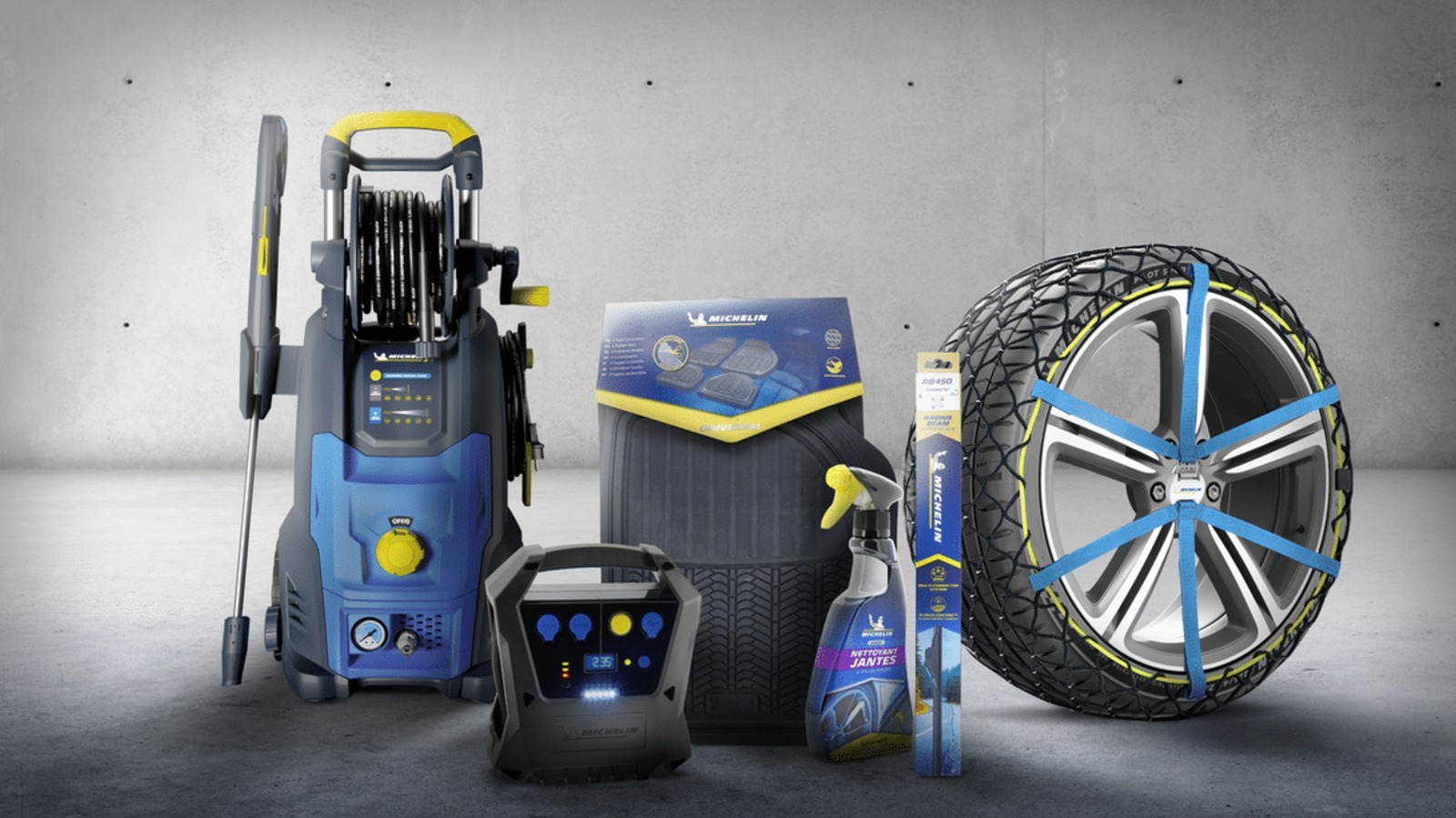
While tires are what Michelin is known for, the company has put its name to more than the rubber that wraps around your car’s rims. In fact, the company sells several other products that aren’t tires. So, we’re listing a few Michelin-branded items that you can buy online and in retail stores. While they might not all be made of rubber or even related to vehicles, these tools and accessories can come in handy when keeping your car — and even yourself — in good shape.

Michelin tire inflator

Since Michelin is primarily known for its tires, it makes sense for the company to sell a Michelin-branded tire inflator as well. That way, if you get a flat on one of the Michelin tires on your car or want to regularly top up your car’s tire pressure to maintain optimum performance, you can use a Michelin-branded pump to fill up your tires. The company actually sells several types of inflators on its Amazon page, but it only offers a single motorized unit — the Michelin Micro Tyre Inflator, which is available on Amazon for $98.99.

This little device is only slightly wider than an iPhone 17 and weighs about 400 grams, or 14 ounces. This means it’s easy to store in your car and to move to whichever tire needs topping up. More importantly, it takes power from a 12-volt socket, allowing you to run it using your car’s battery. It also has a USB port for charging your phone (or any other USB device) in case of an emergency.

Some users say that the device is slow, taking about 12 minutes to bring a tire from 10 to 32 PSI, but that’s not unexpected given its small size. Still, it should be good enough for regular weekly maintenance if you know your car’s proper tire pressure, or in case of an emergency. Its biggest downside is that you need a power source to run it, but having a dead battery and a flat tire simultaneously is likely a rare occurrence in many modern cars.

Michelin mini fridge

Taking a road trip during the summer can get you thirsty, and there’s no better way to quench that thirst than by drinking a cool can of soda (or your beverage of choice). If you want to ensure that you’ll always have a cold drink ready while you’re driving on the freeway, Michelin’s mini fridge will help you with that. This nifty little refrigerator is available on Amazon for just $99.99 and can be connected to either 110V AC or 12V DC power, ensuring that it will work on both your desk and in your car.

The mini fridge measures 6.9 x 9.45 x 10 inches (17.5 x 24 x 25.4 cm), meaning it can easily fit on a garage shelf or office desk. It should also be small enough to put on the floor of your car. Despite that relatively small size, it’s large enough to fit six 350-ml cans or four 500-ml bottles, and it will keep these items at a chilly 32 degrees Fahrenheit or 18 degrees Celsius. It also has an LED light on the door, so it can double as a night light if necessary.

Aside from keeping your drinks (and other food items) below room temperature, it also has a few other creature comforts. These include a removable shelf and door basket for flexibility and easy cleaning, as well as a retractable carry handle and a self-locking door to make transportation easier.

Michelin car floor mats

Heavy-duty car floor mats are often made from rubber for durability and water resistance, and since Michelin is in the business of rubber, it makes sense for the company to offer exactly that. So, if you want to protect your vehicle’s floor from dirt, dust, and mud, the company can help you with its Michelin all-weather car floor mats. This four-piece package is available on Amazon for $49.99 and comes in either black or tan.

The surface of these floor mats is specially designed to trap debris, snow, and water, preventing them from ruining the carpet on your vehicle. The mats have a cleat backing that grips your car’s floor and prevents them from slipping. The front row mats also come with what Michelin calls a Gripclip Retention System, allowing them to clip into your vehicle’s safety clips and adding even more reassurance that they won’t accidentally slip while you’re driving and pose a hazard to your safety.

These mats are universal and will work in most vehicles. However, they’re also easy to customize: If you find them a bit too large for the footwell of your tiny hatchback, you can use a pair of scissors to trim the edges for a perfect fit.

Michelin Stealth Ultra wiper blades

While Michelin’s Stealth Ultra wiper blades aren’t generally considered among the best windshield wipers, they appear to be a pretty good choice given their four-star rating on Amazon. These wipers cost $49.99 and are available in various size combinations for all sorts of cars. This ensures that no matter what vehicle you’re driving, you can probably find a set that will fit your needs.

These Michelin wipers are curved to conform to the shape of your windscreen for a clean, streak-free wipe. The company’s Amazon listing claims that these are designed to “withstand rain, wind, snow, mud, dust, or any other debris that might hamper your windshield’s visibility.” While you might think that windshield wipers are pretty simple items, and that you can just purchase any generic wipers off the internet, you must remember that they’re essential so that you have the best visibility possible during inclement weather. So, for your safety, consider investing in a set from a reputable brand like Michelin.

Michelin work boots

Michelin is known for making rubber tires to put on your car’s “feet,” but did you know it also makes shoes for the driver’s feet? The company makes sports & outdoor footwear, as well as shoes for work and safety. For this example, we have the Michelin HydroEdge Steel Toe waterproof work boot, listed for $210 on Amazon and at Georgia Boot. This shoe is available in U.S. sizes from 7.5 up to 14, ensuring that no matter what size you wear, you can get a Michelin work boot for yourself.

As the name suggests, this pair of shoes has steel toes to protect your feet from accidental impacts and is fully waterproof to help keep your feet dry, even in supposedly severe conditions. It also meets ASTM F2413 standards for electrical protection, meaning it has fully insulating soles to protect you from electrical hazards at work. Michelin also added what it calls an Advanced Rear Suspension system to its heel, ensuring proper shock absorption when you walk.


Source link

