
Follow ZDNET: Add us as a preferred source on Google.
ZDNET’s key takeaways
- Apple AirTags remain the most reliable and precise tracking option.
- Third-party tags work well for both iOS and Android.
- Any tracking tag dramatically increases the chances of recovering lost items.
Out of all the gear I’ve tested over the past few years, none has changed my life for the better like Apple AirTags. My grandpa had a saying — “a place for everything, and everything in its place” — but try as I might to be a tidy person like he was, I’m just never going to remember where I’ve put down my keys or in which bag or coat my wallet happens to be.
I guess nobody’s perfect.
Also: I bought an earwax camera for my toolkit and use it for everything but my ears
AirTags changed all that. It wasn’t long before I’d attached tags to my keys, wallet, and bags that honestly, my life was improved, reducing home frustrations and travel anxieties in one fell swoop. Since then, the third-party finder tags market has boomed.
I have AirTags attached to everything!
Adrian Kingsley-Hughes/ZDNET
The AirTag was ambitious: a tiny battery-powered tag that leveraged an ecosystem of over a billion devices to detect and anonymously report its position anywhere on the globe where there was an iPhone, iPad, or iPod Touch (remember that?). But rather than relying solely on Bluetooth, it also made use of another technology called Ultra-Wideband.
Prior to AirTags I’d been using Tile tags. While Tile were pretty decent Bluetooth tags, the network of people running the Tile app was pretty small, so the chances of finding them if you lost something away from home was low (the Tile tag network has since improved, but they still aren’t part of either the Apple or Google tag network).
Also: I carried this Bluetooth tracker card in my backpack for a week – and it withstood my clumsiness
While Bluetooth has limitations in terms of range, location precision, energy efficiency, and security, UWB brings improved range, centimeter-level precision, a high level of energy efficiency (because it can switch between UWB and Bluetooth Low Energy), and a much higher level of security to prevent spoofing and nefarious tracking. And because Apple had the foresight to add UWB support to its devices years in advance of launching AirTags, the ecosystem for UWB support was already in place.
How it all started
When AirTags were first released, I bought a pack of four and scattered then around Scotland to see just how well they were picked up by iPhones inside passing cars and the pockets of pedestrians.
I was blown away by how good the detection was. I managed to retrieve all of my tags back except one: not due to a failure of the tag, but because it had become a casualty of roadside mowing and was later detected for the last time at a landfill four hours away.
Also: This AirTag alternative with a 130dB siren and strobe light has my name written all over it
Five years on, AirTags have had an update. The second-generation AirTags feature upgraded Bluetooth, a better, louder speaker, and a U2 chip that allows for extended precision finding range and support for the Apple Watch. We also now have Google’s Find Hub, Android’s answer to Apple’s Find My network for iOS.
With new AirTags on the scene, along with a booming third-party tag ecosystem, what better time to try to replicate my experiment?
How it’s going now
I had to go on a road trip, so I took a handful of tags with the idea of scattering them around somewhere to see how well they worked. I was interested in testing a few things. First, I wanted to see if there was any difference between Apple’s Find My and Google’s Find Hub networks in terms of performance, accuracy, and general reliability.
A selection of tracker tags.
Adrian Kingsley-Hughes/ZDNET
I also wanted to see how well “lost mode” (the feature that notifies you whenever a lost tag is picked up by someone else’s device) works. I also wanted to see whether the AirTag was still the market leader or whether there’s something better. Additionally, because the weather took a bit of a turn for the worse, I’d get to test how weatherproof these modern tags are.
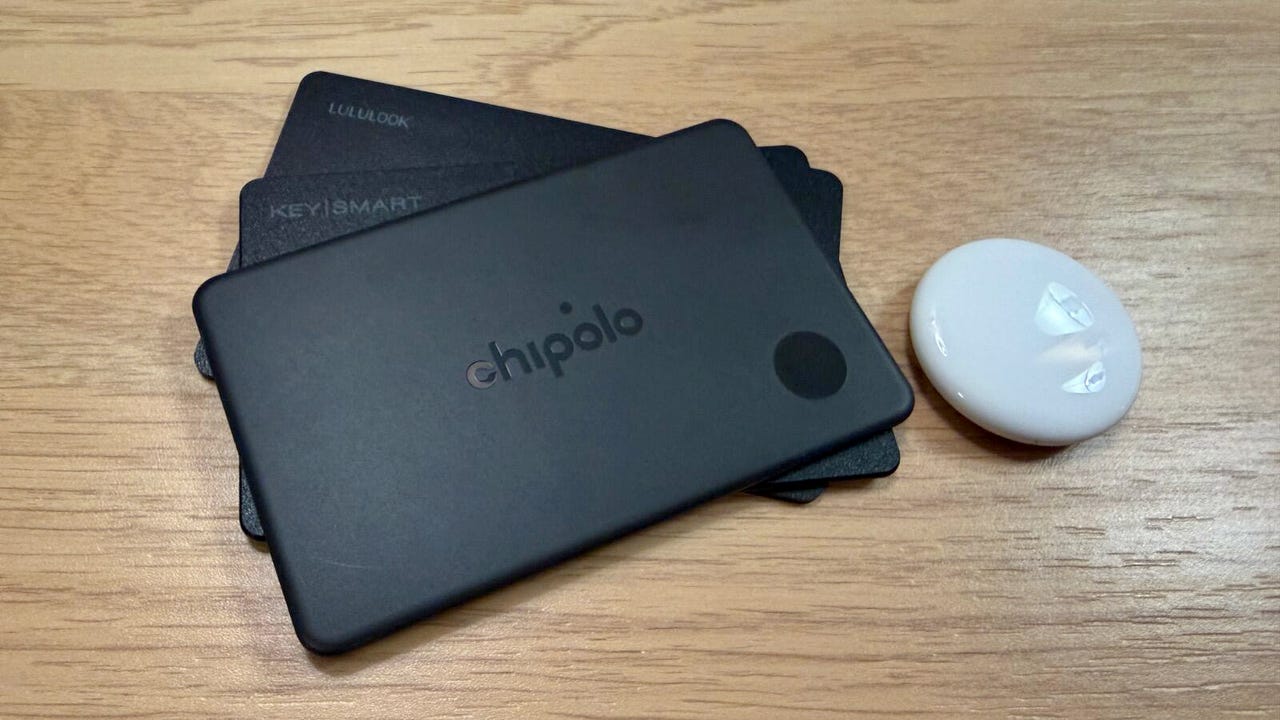
Along with a second-gen AirTag, I took with me a Chipolo Card, a KeySmart SmartCard, and a LuLuLook AirCard Pro.
Also: This Bluetooth tracker has effectively replaced my AirTag with its enhanced durability alone
Apart from the AirTag, these are all credit card-style trackers, and I chose these deliberately for the simple reason that they’d be easier to find than small tags if the tracking did fail — I didn’t want to contribute to the trash in an area. In my testing and personal experience, there’s no difference in performance between a key fob tag and a card-style tag, so this wouldn’t stack the deck in any way.
I took these trackers, unboxed them in my two-star motel room (fancy!), creating a mountain of cardboard trash in the process, gave them a quick charge using a portable wireless charger, connected them to either my iPhone or Android smartphone, and then scattered them around the parking lot of my motel.
Setting up the tags ready for the test.
Adrian Kingsley-Hughes/ZDNET
To make the test harder, I left both my iPhone and Android handset in the hotel room while I went on my tag-dropping mission. I left them in places where someone might drop or leave their wallet or keys, but not so obvious that someone would pick them up to steal or throw in the trash.
After some sneaking around in bushes, I went back to my room and waited a few hours before setting my tags to lost mode. As much as I want to bore you with all the details of this experiment, I’ll stick to the highlights.
Also: This quirky little device solved my biggest gripe with my Apple Watch
The best tag in terms of detection range, precision finding, and the frequency of how often it was detected by others while in lost mode was the AirTag. If I had to choose one tag, it would be the AirTag. This is the only tag that I could pick up from inside the motel, which is quite a feat considering that I was a story up and the tag was behind several walls.
All the tags on both networks pinged me their location on a regular basis.
Adrian Kingsley-Hughes/ZDNET
When it comes to third-party tags on the Apple Find My network, I found that they all worked pretty much equally well. None have precision finding, but when it came to being picked up by passing cars and pedestrians, it seems that they work well with Apple devices.
But what about all of you using Android?
The main difference I noticed with tags for Android devices is that I got fewer pings from them in lost mode, even though I always had one tag for iOS and another for Android close to each other. I’m not sure if there are just more iPhones around or if iPhones overall have a better (or perhaps more consistent) finder tag detection range.
These tags all survived a couple of days of heavy rain.
Adrian Kingsley-Hughes/ZDNET
That said, all the tags I tested for Android pinged their location to me multiple times a day, more than enough to let me find them if I’d dropped my keys or wallet.
As for finding all the non-AirTag tags, the tags beeped loudly enough to find them over road traffic noise and even if buried in undergrowth. This meant that I didn’t have to crawl around in bushes suspiciously for too long to recover all my tags.
The result
The TL;DR of all this is that any tag is better than no tag, and if you can’t use an AirTag, then using a third-party tag increases your chances of recovering your lost items dramatically. All of these tags would have given me the location of my lost items within an hour of putting them into lost mode and continued to ping me their location throughout the day.