
Luxury Car Shopping Spree Lands Miami Waitress In Seriously Hot Water


Everyone dreams of being able to spend money on a lavish shopping spree, but this is a dream for a reason. It’s financially unattainable for most, especially those with pretty regular, low-paying jobs. Thus, the headline that a Miami waitress went on a luxury car shopping spree sounds fake, and that’s because, in a manner of speaking, it was. 7 News Miami reported that 38-year-old waitress Dunia Sierra wasn’t making the kind of money that enables you to buy ten high-end cars in just over a week, but she seems to have done so anyway as part of a potential fraud scheme — and now she’s in seriously hot water.

Back in 2023, Sierra was said to have made a string of incredible vehicle purchases. 2023 Chevrolet Corvette Stingray, a 2018 Mercedes-Benz S560, a 2019 BMW i8, multiple 2023 Harley-Davidson motorcycles, and a whole lot more. She claimed to make around $180,000 per month as the general manager at the Miami Lakes restaurant, affording her the ability to buy, but this wasn’t true in the least. Investigators theorized she attempted a “credit bust-out,” which involves taking out multiple auto loans and nabbing the vehicles before credit reports can catch up. 

Ultimately, Sierra was taken into custody and faced charges such as organized fraud, grand theft, and vehicle-related fraud. As it turns out, she’s not the only Miami resident to be accused of trying and failing at such a plot as of late.

Miami has seen multiple supposed credit bust-out schemes at the start of 2026
The point of a credit bust-out scheme is to sneak away with multiple vehicles as fast as possible. Once the vehicles are acquired, they are dispersed into underground vehicle markets, sent to other states to have their records wiped and falsified, and ultimately brought to new owners. The Miami-Dade Sheriff’s Office Organized Crimes Bureau Auto Crimes Task Force has worked to crack down on these plots, with the Dunia Sierra case just one of many that didn’t pan out as the accused perpetrator seemingly hoped. The same can be said for another possible 2026 Miami bust-out attempt that apparently took the concept to an even higher level.

39-year-old Deinier Dominguez and 49-year-old Elizabeth Gamez Pardo were apprehended in February 2026 in connection with a failed bust-out scheme that encompassed 25 vehicles worth approximately $1.5 million collectively. NBC Miami reported that Dominguez allegedly used his status as a finance manager at two different dealerships to acquire the vehicles. Gamez Pardo was said to have falsely opened an identity theft case over the purchase of a 2024 Mercedes GLE AMG, worth $128,000. Investigators claimed that Dominguez originated the loan, and Gamez Pardo posted a picture of herself with the vehicle’s keys, tipping them off that something was amiss. 

Both individuals now face a litany of charges each. Florida may not rank among the U.S. states with the most conventional car thefts, but it looks like some folks are bumping up its attempted credit bust-out attempt numbers.


Source link

Leave a Reply

Subscribe to Our Newsletter

Get our latest articles delivered straight to your inbox. No spam, we promise.

Recent Reviews


iPhone 17 Pro

Kerry Wan/ZDNET

Follow ZDNET: Add us as a preferred source on Google.


ZDNET’s key takeaways

  • Back Tap lets you trigger actions with double or triple taps.
  • You can customize it to open apps, controls, or shortcuts.
  • It works on most iPhones and even through many cases.

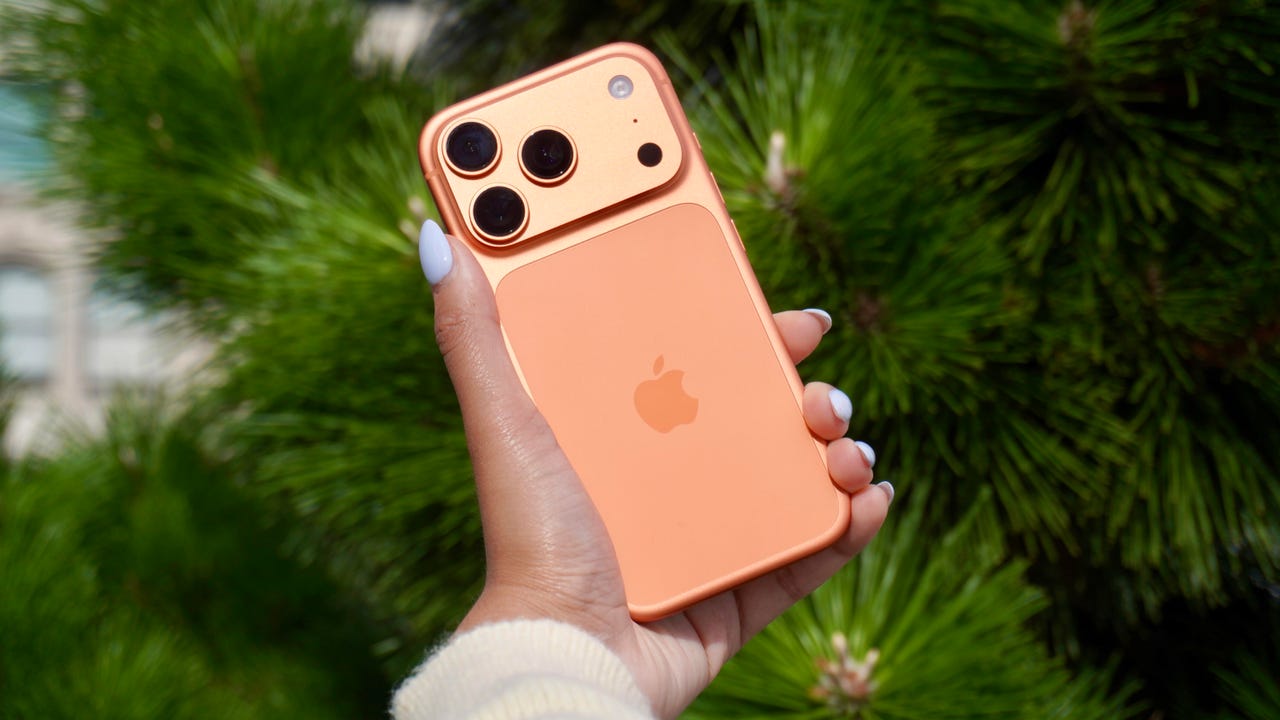
The iPhone has a button on its back. You can’t see it, but with a double or triple tap on the Apple logo, you can open an app, access a system menu, or launch a shortcut. This feature is called Back Tap, and it’s actually been available since iOS 14. The best part is it’s completely customizable. You can set it to do whatever you want, and change it at any time.

I first tried Back Tap years ago, and it quickly became one of those features I use every day. Instead of swiping through menus or hunting for apps, I just tap the back of my phone. It’s one of the fastest ways to get things done.

How to use Back Tap on iPhone

What you’ll need: An iPhone 8 or newer running the latest version of iOS.

1. Go to Accessibility in Settings

Elyse Betters Picaro / ZDNET
2. Open the Touch menu

Elyse Betters Picaro / ZDNET

Scroll to the bottom and select Back Tap. Now you can start customizing the back button on your iPhone.


Show more

3. Select Back Tap

Elyse Betters Picaro / ZDNET

You’ll see two options: Double Tap and Triple Tap. You can use one or both, and assign different actions to them.


Show more

Choose Double Tap or Triple Tap

Elyse Betters Picaro / ZDNET

There should be a long list of actions available under Double Tap and Triple Tap, including system controls, accessibility features, and even some apps. Pick one, and it’ll instantly be active. Just tap the back of your phone to trigger it.

Tip: Tap directly on the Apple logo (or near the center of the back of your phone if you’re using a case), and be quick and deliberate with your taps.


Show more

5. Assign an action

Elyse Betters Picaro / ZDNET

What can I do with Back Tap?

Back Tap supports a wide range of actions, but the best setup really depends on how you use your phone.

At a basic level, you can control system features, like opening Control Center and Notification Center. You can also trigger a screenshot, lock rotation, or adjust volume. Accessibility features are available as well, including VoiceOver, Zoom, AssistiveTouch, and Background Sounds. Popular apps are supported, too, including ChatGPT, Snapchat, Amazon, and more.

Also: Your iPhone’s USB-C port is so versatile – 14 features beyond charging

The most powerful option is probably Shortcuts. If you create a custom shortcut, Back Tap can run it instantly. That means you can combine multiple actions into one tap. For example, you could open ChatGPT and start a voice session, or take a screenshot and save it to a specific folder. This is where Back Tap goes from convenient to genuinely useful and fun to customize.

You get both double tap and triple tap, so you can use them differently. For example, you might use double tap for something you do constantly, like opening Snapchat, and triple tap for something less frequent, like triggering a shortcut.

Back Tap shortcuts

Elyse Betters Picaro / ZDNET

Will Back Tap work with the case on my iPhone?

Yes. It works through most cases, including thicker ones, though sensitivity can vary slightly. If you have a PopSocket or another grip covering the back of your phone, however, you likely won’t be able to trigger Back Tap.

Also: How to turn on Lockdown Mode on iPhone

Why is Back Tap not working for me?

Your taps need to be quick and deliberate. Slower taps, or tapping too lightly, can prevent Back Tap from triggering.

Is there any feedback when Back Tap activates?

There is no haptic feedback, but you can enable a banner notification in the Back Tap menu to confirm it has been triggered.

Also: How to free up your iPhone storage almost immediately

How do I turn Back Tap off?

Go back to the Back Tap menu in Settings and set both Double Tap and Triple Tap to “None.”


Show more


Source link