Minnesota Lawmakers Tried To Ban Classic Cars On Weekdays: Here’s How It Ended


Some people might look at cars — and the automotive hobby itself — as an escape from the constant political debates and arguments that seem to be everywhere in modern life. However, the reality is that politics are often heavily tied to both the industry itself and cars as a hobby.

Mandates, laws, and regulations related to safety systems, fuel economy standards, fuel types, and even a vehicle’s country of origin have all been part of federal politics in the past, and will likely feature in the future, too. Likewise, hobbyists and classic car owners sometimes need to argue their cases to state governments to protect or expand their hobby. For example, Jay Leno has been leading an effort in California since 2025 to have the state amend some of the notoriously restrictive smog laws that make classic car ownership difficult and expensive. 

The Golden State, however, is not the only place where classic car owners face restrictions. In Minnesota, a new bill aimed to limit the use of classic cars registered with the state’s collector plates — including potentially prohibiting owners from driving them on weekdays or at night. Naturally, this has caught the attention not just of classic car owners in Minnesota, but of observers nationwide. Thankfully for Minnesotans, however, the bill looks to have stalled out before getting to a vote.

One state with many plates
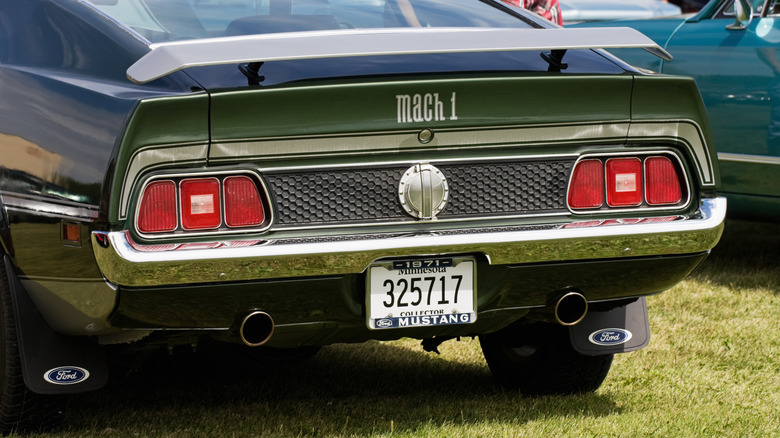
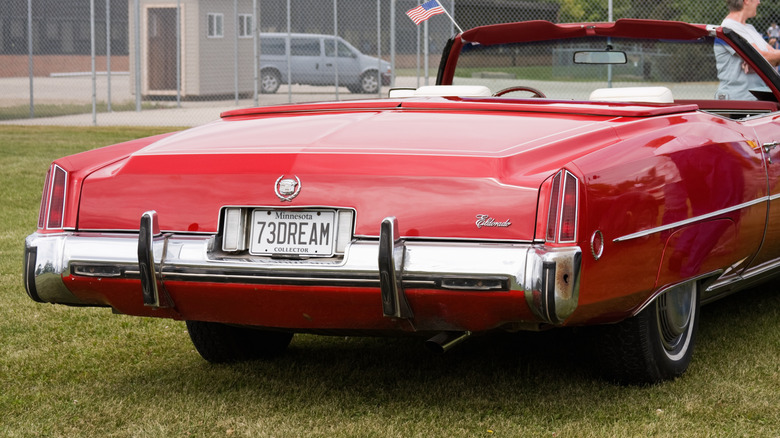
While it’s entirely possible — and potentially very enjoyable — to have a classic car as a daily driver, there are lots of pros and cons of daily driving a vintage vehicle, not least the cost of ownership. Minnesota, however, offers drivers some help here, with a few different collector plate options available depending on a vehicle’s age, all of which exempt the owner from annual registration fees. At the very least, Minnesota collector plates require a car to be at least 20 years old and for the owner to have another vehicle with standard plates. As stated in the current law, owners are also not to use cars with collector plates for daily transportation.

The new bill, HF3865, wanted to tighten these restrictions so that collector-plated vehicles could only be operated during daylight hours on Saturdays and Sundays, or specifically during collector club activities or parades. Now, the amendment might be understandable on the surface if its purpose was to clarify what does or doesn’t constitute daily transportation. It could also be useful if there were concerns over vehicle owners abusing the privileges that come with the plates. But some classic car owners fear it represents a significant encroachment on the hobby and could be a gateway for additional laws in the future.

The worst likely won’t come to pass

The bill’s wording would mark a huge departure from Minnesota’s current law, theoretically making it illegal to take a collector-plated car out for a casual Friday evening cruise or a Tuesday afternoon test run after replacing a part. The issue, of course, is that both scenarios are pretty common for classic car owners, especially those who spend their weekdays wrenching. More broadly, though, the concern is also less about the specifics of this one bill. Instead, it’s the seeming trend of lawmakers scrutinizing and attempting to legislate classic car and auto enthusiast hobbies that has this bill in the headlines.

Fortunately for classic car owners in Minnesota, the bill may not become law, as it has been stuck in Committee since early March, 2026. Opponents of the bill are likely hoping that lawmakers get caught up with more pressing matters than limiting which days classic car owners can drive their vehicles, causing HF3865 to sputter out before a vote. There are already many things to consider before buying a classic car, and on top of all the other expenses that come with the hobby, having strict rules on use are something most vintage car owners would prefer not to deal with — regardless of which state they live in.


Source link

Leave a Reply

Subscribe to Our Newsletter

Get our latest articles delivered straight to your inbox. No spam, we promise.

Recent Reviews


iPhone 17 Pro

Kerry Wan/ZDNET

Follow ZDNET: Add us as a preferred source on Google.


ZDNET’s key takeaways

  • Back Tap lets you trigger actions with double or triple taps.
  • You can customize it to open apps, controls, or shortcuts.
  • It works on most iPhones and even through many cases.

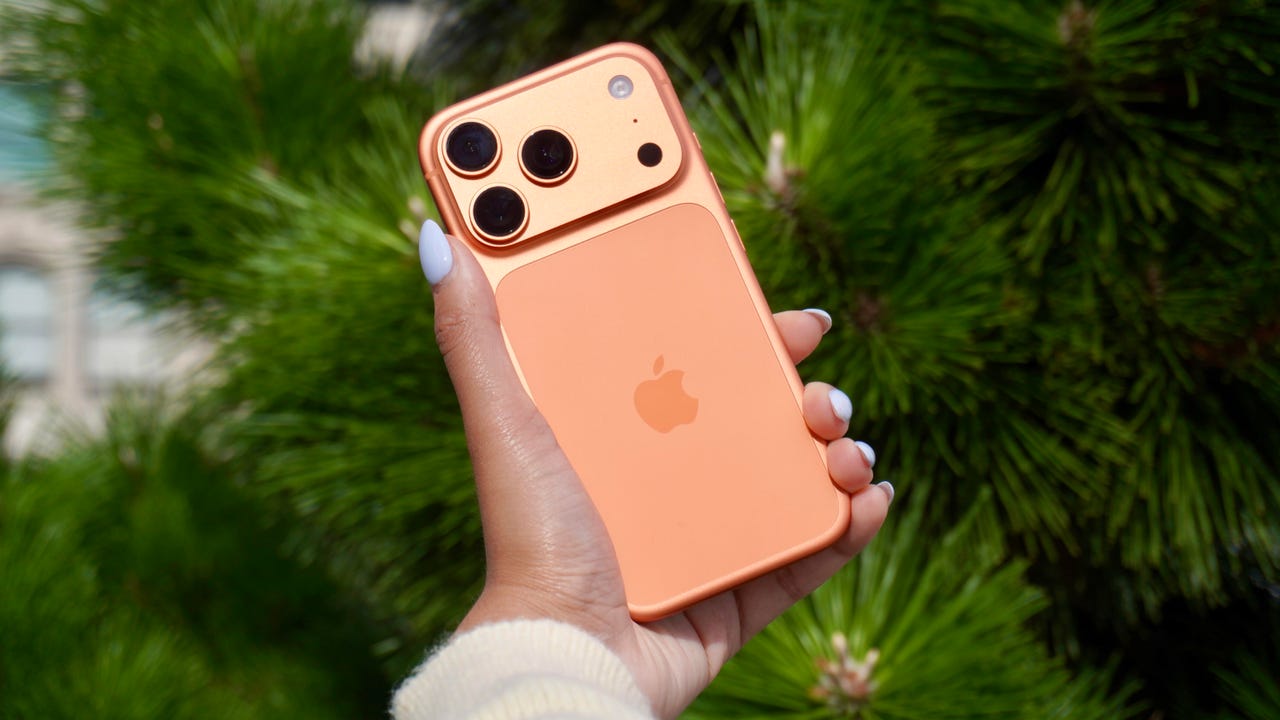
The iPhone has a button on its back. You can’t see it, but with a double or triple tap on the Apple logo, you can open an app, access a system menu, or launch a shortcut. This feature is called Back Tap, and it’s actually been available since iOS 14. The best part is it’s completely customizable. You can set it to do whatever you want, and change it at any time.

I first tried Back Tap years ago, and it quickly became one of those features I use every day. Instead of swiping through menus or hunting for apps, I just tap the back of my phone. It’s one of the fastest ways to get things done.

How to use Back Tap on iPhone

What you’ll need: An iPhone 8 or newer running the latest version of iOS.

1. Go to Accessibility in Settings

Elyse Betters Picaro / ZDNET
2. Open the Touch menu

Elyse Betters Picaro / ZDNET

Scroll to the bottom and select Back Tap. Now you can start customizing the back button on your iPhone.


Show more

3. Select Back Tap

Elyse Betters Picaro / ZDNET

You’ll see two options: Double Tap and Triple Tap. You can use one or both, and assign different actions to them.


Show more

Choose Double Tap or Triple Tap

Elyse Betters Picaro / ZDNET

There should be a long list of actions available under Double Tap and Triple Tap, including system controls, accessibility features, and even some apps. Pick one, and it’ll instantly be active. Just tap the back of your phone to trigger it.

Tip: Tap directly on the Apple logo (or near the center of the back of your phone if you’re using a case), and be quick and deliberate with your taps.


Show more

5. Assign an action

Elyse Betters Picaro / ZDNET

What can I do with Back Tap?

Back Tap supports a wide range of actions, but the best setup really depends on how you use your phone.

At a basic level, you can control system features, like opening Control Center and Notification Center. You can also trigger a screenshot, lock rotation, or adjust volume. Accessibility features are available as well, including VoiceOver, Zoom, AssistiveTouch, and Background Sounds. Popular apps are supported, too, including ChatGPT, Snapchat, Amazon, and more.

Also: Your iPhone’s USB-C port is so versatile – 14 features beyond charging

The most powerful option is probably Shortcuts. If you create a custom shortcut, Back Tap can run it instantly. That means you can combine multiple actions into one tap. For example, you could open ChatGPT and start a voice session, or take a screenshot and save it to a specific folder. This is where Back Tap goes from convenient to genuinely useful and fun to customize.

You get both double tap and triple tap, so you can use them differently. For example, you might use double tap for something you do constantly, like opening Snapchat, and triple tap for something less frequent, like triggering a shortcut.

Back Tap shortcuts

Elyse Betters Picaro / ZDNET

Will Back Tap work with the case on my iPhone?

Yes. It works through most cases, including thicker ones, though sensitivity can vary slightly. If you have a PopSocket or another grip covering the back of your phone, however, you likely won’t be able to trigger Back Tap.

Also: How to turn on Lockdown Mode on iPhone

Why is Back Tap not working for me?

Your taps need to be quick and deliberate. Slower taps, or tapping too lightly, can prevent Back Tap from triggering.

Is there any feedback when Back Tap activates?

There is no haptic feedback, but you can enable a banner notification in the Back Tap menu to confirm it has been triggered.

Also: How to free up your iPhone storage almost immediately

How do I turn Back Tap off?

Go back to the Back Tap menu in Settings and set both Double Tap and Triple Tap to “None.”


Show more


Source link