NBA Playoffs 2026: First-Round Matchups, TV Schedule, How to Watch Tonight’s Games


See at ESPN

ESPN

NBA playoffs for $30 a month

ESPN Unlimited

The NBA playoffs started right on time earlier this month, but while the playoff calendar hasn’t changed this year, the broadcast schedule has shifted for the 2026 playoffs. 

Under the NBA’s new media-rights deal, games this season were split across its three broadcast partners: Disney (ABC/ESPN), Comcast (NBC/Peacock) and Amazon (Prime Video). Each of these three entities has a part of the playoffs.

Here’s what you need to know to watch the 2026 NBA playoffs in this new streaming era for professional basketball.

Shai Gilgeous-Alexander #2 of the Oklahoma City Thunder dribbles the ball past a Phoenix Suns opponent. This was during Round One Game One of the 2026 NBA Playoffs on April 19, 2026, at Paycom Center in Oklahoma City, Oklahoma.

Shai Gilgeous-Alexander and the Oklahoma City Thunder have a first-round matchup against the Phoenix Suns as they attempt to repeat as NBA champions.

Zach Beeker/NBAE/Getty Images)

How to watch the NBA playoffs

The channel lineup needed for the NBA playoffs is different this year. Gone are games on TNT and NBA TV. Instead, you’ll need a TV subscription that has ABC, ESPN, NBC and NBC Sports Network — plus Amazon Prime. Or you can go the streaming route and use Prime Video, Peacock and ESPN Unlimited. 

NBC/Peacock has the most first-round coverage. It will show up to 23 first-round games and 11 second-round games as well as the Western Conference Finals. Every one of its games will stream on Peacock and also be shown on either NBC or NBCSN.

The rest of the first round games will be split between ESPN/ABC and Prime Video. This year’s Eastern Conference finals will be on ESPN/ABC. And in June, the NBA Finals will be broadcast on ABC. 

You can see all of the first-round matchups and TV schedule here.

Peacock/CNET

Peacock will stream NBA playoff games from the first round through the Western Conference Finals. Games on Peacock will also appear on NBC or NBC Sports Network, so you don’t necessarily need Peacock to have access to every NBA playoff game.

You can stream every NBA playoff broadcast with Peacock’s $11-a-month Premium plan. Read our Peacock review.

CNET

Prime Video will show first- and second-round games through May 17.

Prime Video is included with an Amazon Prime subscription for $15 a month or $139 a year. You can also subscribe only to Prime Video for $9 a month. Read our Prime Video review.

Zooey Liao/CNET

With ESPN Unlimited, you can watch every NBA playoff game that’s on ESPN or ABC. It will have coverage for every round of the playoffs, including the Eastern Conference Finals and NBA Finals.

The ESPN Unlimited plan costs $30 a month (or $300 a year) and lets you stream all of ESPN’s linear networks: ESPN, ESPN2, ESPNU, ESPNews, ESPN Deportes, SEC Network and ACC Network. You also get access to programming on ESPN on ABC, ESPN Plus, ESPN3, SECN Plus and ACCNX. Read our ESPN Unlimited review.

(There’s also a $13-a-month ESPN Select plan, which is basically a rebranding of ESPN Plus. With it, you’ll have access to thousands of live games — think small college conferences, whose games you can’t watch anywhere else — but not the NBA.)

Best live TV streaming service for the NBA Playoffs

If you are already an Amazon Prime subscriber, then you just need four TV channels to get full coverage of the NBA playoffs: ABC, ESPN, NBC and NBC Sports Network. The catch is NBCSN, which Comcast just relaunched late last year ahead of its coverage of the Winter Olympics. 

The five major live TV streaming services — DirecTV, Fubo, Hulu Plus Live TV, Sling and YouTube TV — each carry ABC, NBC and ESPN, but I can find NBCSN only on YouTube TV’s channel listings. So, that’s the pick for the NBA playoffs if you don’t want to miss a game.

YouTube TV

YouTube TV costs $83 a month and includes ABC, ESPN, NBC and NBC Sports Network. Plug in your ZIP code on YouTube TV’s welcome page to see which local networks are available in your area. There is a five-day trial, and the first three months are discounted to $68 a month for new subscribers.

Read our YouTube TV review.

Live TV streaming services allow you to cancel anytime and require a solid internet connection. Looking for more information? Check out our live TV streaming services guide and our picks for the best sports streaming services.


Source link

Leave a Reply

Subscribe to Our Newsletter

Get our latest articles delivered straight to your inbox. No spam, we promise.

Recent Reviews


iPhone 17 Pro

Kerry Wan/ZDNET

Follow ZDNET: Add us as a preferred source on Google.


ZDNET’s key takeaways

  • Back Tap lets you trigger actions with double or triple taps.
  • You can customize it to open apps, controls, or shortcuts.
  • It works on most iPhones and even through many cases.

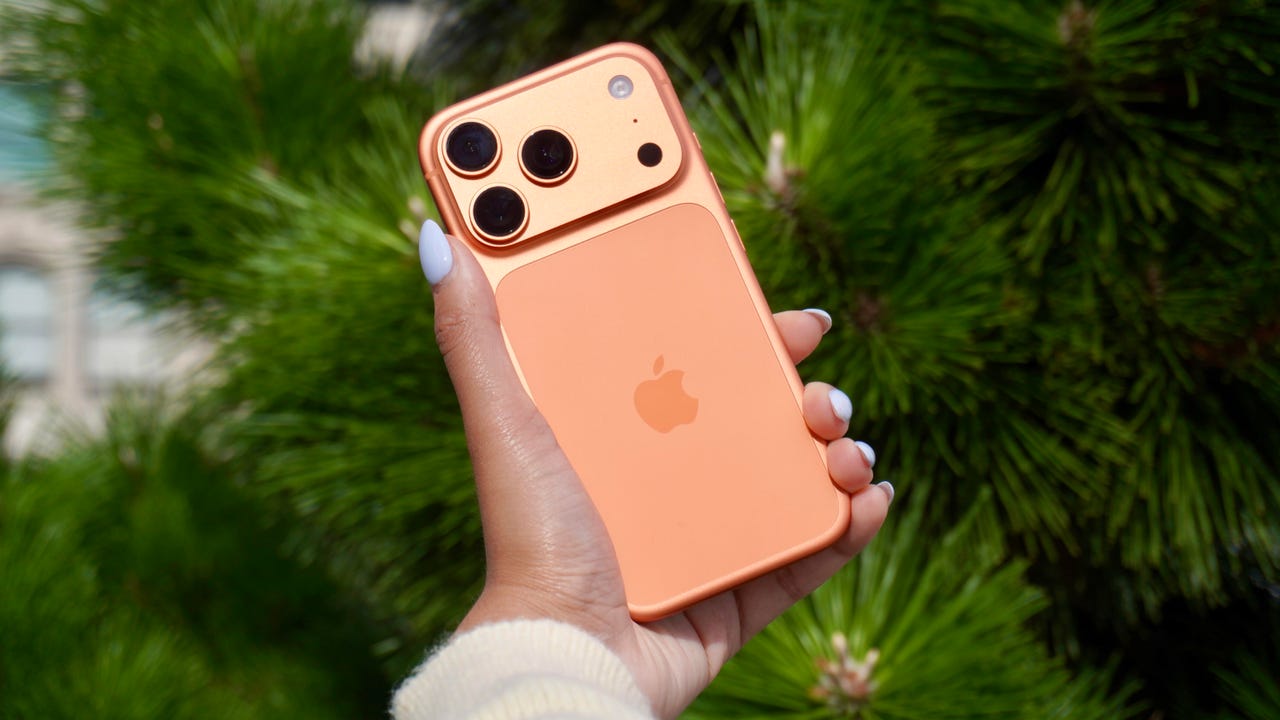
The iPhone has a button on its back. You can’t see it, but with a double or triple tap on the Apple logo, you can open an app, access a system menu, or launch a shortcut. This feature is called Back Tap, and it’s actually been available since iOS 14. The best part is it’s completely customizable. You can set it to do whatever you want, and change it at any time.

I first tried Back Tap years ago, and it quickly became one of those features I use every day. Instead of swiping through menus or hunting for apps, I just tap the back of my phone. It’s one of the fastest ways to get things done.

How to use Back Tap on iPhone

What you’ll need: An iPhone 8 or newer running the latest version of iOS.

1. Go to Accessibility in Settings

Elyse Betters Picaro / ZDNET
2. Open the Touch menu

Elyse Betters Picaro / ZDNET

Scroll to the bottom and select Back Tap. Now you can start customizing the back button on your iPhone.


Show more

3. Select Back Tap

Elyse Betters Picaro / ZDNET

You’ll see two options: Double Tap and Triple Tap. You can use one or both, and assign different actions to them.


Show more

Choose Double Tap or Triple Tap

Elyse Betters Picaro / ZDNET

There should be a long list of actions available under Double Tap and Triple Tap, including system controls, accessibility features, and even some apps. Pick one, and it’ll instantly be active. Just tap the back of your phone to trigger it.

Tip: Tap directly on the Apple logo (or near the center of the back of your phone if you’re using a case), and be quick and deliberate with your taps.


Show more

5. Assign an action

Elyse Betters Picaro / ZDNET

What can I do with Back Tap?

Back Tap supports a wide range of actions, but the best setup really depends on how you use your phone.

At a basic level, you can control system features, like opening Control Center and Notification Center. You can also trigger a screenshot, lock rotation, or adjust volume. Accessibility features are available as well, including VoiceOver, Zoom, AssistiveTouch, and Background Sounds. Popular apps are supported, too, including ChatGPT, Snapchat, Amazon, and more.

Also: Your iPhone’s USB-C port is so versatile – 14 features beyond charging

The most powerful option is probably Shortcuts. If you create a custom shortcut, Back Tap can run it instantly. That means you can combine multiple actions into one tap. For example, you could open ChatGPT and start a voice session, or take a screenshot and save it to a specific folder. This is where Back Tap goes from convenient to genuinely useful and fun to customize.

You get both double tap and triple tap, so you can use them differently. For example, you might use double tap for something you do constantly, like opening Snapchat, and triple tap for something less frequent, like triggering a shortcut.

Back Tap shortcuts

Elyse Betters Picaro / ZDNET

Will Back Tap work with the case on my iPhone?

Yes. It works through most cases, including thicker ones, though sensitivity can vary slightly. If you have a PopSocket or another grip covering the back of your phone, however, you likely won’t be able to trigger Back Tap.

Also: How to turn on Lockdown Mode on iPhone

Why is Back Tap not working for me?

Your taps need to be quick and deliberate. Slower taps, or tapping too lightly, can prevent Back Tap from triggering.

Is there any feedback when Back Tap activates?

There is no haptic feedback, but you can enable a banner notification in the Back Tap menu to confirm it has been triggered.

Also: How to free up your iPhone storage almost immediately

How do I turn Back Tap off?

Go back to the Back Tap menu in Settings and set both Double Tap and Triple Tap to “None.”


Show more


Source link