May Is the Worst Month for Allergies. This Is How Allergists Suggest You Prepare


April showers bring May flowers, but according to the Allergy and Asthma Network, they also bring elevated pollen counts, making May the worst month for those with allergies in most US regions.

“Allergies to airborne allergens such as pollen can cause symptoms including sneezing, a runny nose, nasal congestion, an itchiness in the nose and throat and red, watery eyes,” explains Dr. Stephanie Kayode, a consultant allergist at Allergy Care London, describing signs of hay fever or allergic rhinitis. “These symptoms occur because pollen allergens provoke inflammation and swelling within the nose, eyes and throat when inhaled.”

To find out how we can prepare and protect ourselves before the worst month for allergies, I spoke with allergists for their expert tips on how to allergy-proof our homes.

1. It’s air purifier time

If your air purifier has been sitting in the back of your closet collecting dust (yikes, another allergen), now is the perfect time to wipe it down and bring it out. 

“Indoor air purifiers, particularly those with high-efficiency particulate air filters, are effective at removing pollens and air pollutants from the air we breathe in our homes, thus improving allergy symptoms,” says Kayode. Air purifiers with higher airflow rates tend to be more effective for this purpose because they filter more air. 

HEPA filters are designed to capture airborne particles, such as pollen, dust, mold and even bacteria and some viruses, as we discovered when the CNET Labs team tested 12 air purifier models to find the best model for preventing illness

Health Tips

Capturing air pollutants other than pollen can help reduce allergies, as Kayode explains, because these pollutants can damage our airways and even alter pollen to make it more allergenic. This means that similar or lower pollen levels can cause more severe allergic reactions.

“Using a filter that’s an appropriate size for your space is important, and some people place them by entryways for maximum effectiveness,” adds Meagan W. Shepherd, founder of The Allergy Aesthetic and owner of Shepherd Allergy.

Placing an air purifier in a high-traffic area, such as a bedroom or living room, can be especially beneficial. However, you’ll want to ensure you replace your filters when needed, as dirty or clogged filters can actually become sources of pollutants and allergens

The top of a white air purifier on a wood floor.

Now is the time to put your air purifier in a high-traffic area of your home.

FanPro/Getty Images

2. Schedule an HVAC tune-up

HEPA filters aren’t just recommended for air purifiers. Your HVAC systems should use them, too, and they should be changed every three months or as needed. You can check your manufacturer’s instructions for this info.

“Make sure to schedule a tune-up before spring starts, and clear debris from around the outer unit,” Shepherd states. “Make sure the condensate drain lines [which remove excess moisture] aren’t clogged.” 

If applicable, set indoor humidity to 40%-50%. You can also do this if you have a humidifier

3. Keep an eye on the pollen forecast

You can keep track of pollen forecasts with apps including Allergy Plus, My Pollen Forecast and Zyrtec AllergyCast. Kayode recommends doing this and limiting outdoor activities when the pollen count is high. This typically happens in the summer and early morning, when warm air makes pollen rise. 

On cooler, rainy days, pollen counts are usually lower because rain washes pollen out of the air. 

An IQAir pollen forecast screenshot showing tree, grass and weed allergens.

What IQAir’s pollen forecast looks like for Los Angeles.

IQAir/Screenshot by CNET

4. Prevent the outside from getting inside

While it’s impossible to avoid pollen completely, there are certain steps you can take to lessen your indoor exposure. For one, Shepherd advises keeping windows and doors closed. If you keep track of the pollen forecast, ensure you do so on high-pollen days. 

“Change clothes after coming indoors, and keep your hair tied back or wear a hat when outdoors,” Shepherd says. Kayode adds that you can also wear sunglasses to reduce pollen exposure to your eyes. 

If you hang laundry outside to dry, you should shake it out before bringing it inside. 

Depending on how bad your allergies are, you may even want to arrange for someone else to mow your lawn or opt for a robot lawn mower to avoid pollen exposure.

Even when you get into your car, you can exercise precautions. “When getting into a hot car, turn on the recirculation system with the AC so cabin air is reused without drawing more pollen into the car,” says Shepherd. You can also keep your car’s windows closed to ward off pollen, Kayode adds.

5. Exercise caution after thunderstorms

While rain washes pollen out of the air, a particularly powerful thunderstorm combined with a high temperature can have unwanted aftereffects, worsening hay fever. 

“Thunderstorms can stir up pollen from the ground and cause bursts of pollen fragments in the air, which are highly allergenic,” explains Kayode. “During hot days, pollen builds up and is released into the air during storms, increasing the risk of severe hay fever and asthma symptoms.”

A person and baby looking out a closed door during a thunderstorm.

Keep your windows and doors shut on high-pollen days and during thunderstorms.

J_art/Getty Images

6. Stock your medicine cabinet

If you notice allergy symptoms or want to prevent them, you can use a saline nasal rinse to clear inhaled pollen from your nasal passages. My doctor recommended I use the Arm and Hammer Simply Saline Nasal Care Daily Mist for this reason. 

If that’s not enough and your symptoms are interfering with your daily life, Kayode advises you to consult your doctor to discuss starting allergy medications, such as antihistamine tablets and steroid nasal sprays. Your doctor may suggest taking a daytime antihistamine proactively, especially on days with a projected high pollen count. 

The bottom line

While you can’t completely avoid pollen, there are steps you can take to limit your exposure and minimize allergies when inside your home. Using a HEPA filter in both your air purifier and HVAC system can help — just make sure to change the filter and perform timely maintenance. 

If nothing helps and your allergies are running (and ruining) your life, it’s time to schedule an appointment with your doctor.


Source link

Leave a Reply

Subscribe to Our Newsletter

Get our latest articles delivered straight to your inbox. No spam, we promise.

Recent Reviews


Gemini on Android Auto

Kerry Wan/ZDNET

Follow ZDNET: Add us as a preferred source on Google.


ZDNET’s key takeaways

  • Gemini is now widely available in Android Auto.
  • It can integrate with Google services and other apps.
  • The AI answered both simple and complex, multi-step questions. 

Despite Google’s insistence on packing artificial intelligence into nearly every conceivable product, I haven’t really found too much day-to-day use for it. That might change now. 

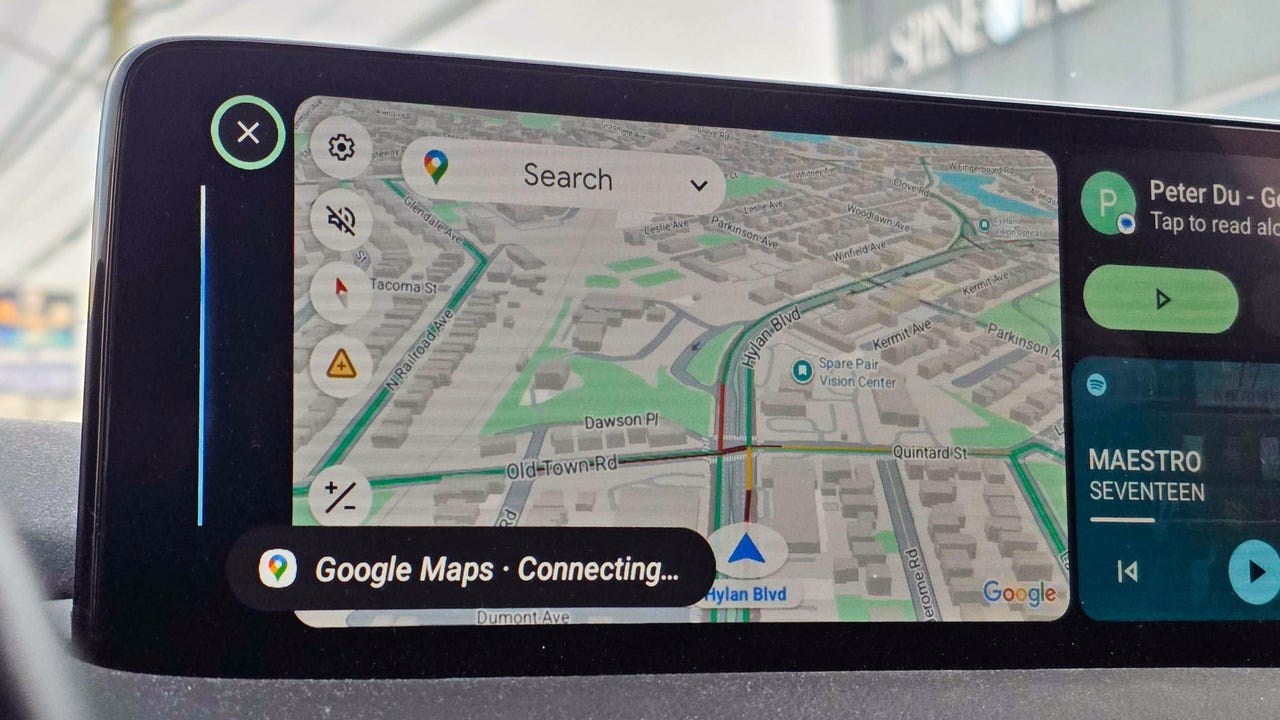
Over the weekend, I noticed my Android Auto had updated to include Gemini. I decided to give it a quick test, and it deftly answered my questions. When I started to dive deeper, though, I was surprised by just how much it could do and how easily it handled what I thought were more complex asks.

Also: Your Android Auto just got 5 useful upgrades for free – and Google isn’t done

Here are some of the best ways I’m using the new Gemini integration. To get started for yourself, you can either use the mic button on your steering wheel or say “Hey Google.” 

1. Finding hours or other information about local businesses

When using my phone in the car, most of the time I’m checking hours for a local business or researching nearby restaurants or stores. I found that Gemini is perfect for quick, simple questions like, “What time does Tony’s Ice Cream close?” But it’s also great for diving a little deeper.

I’m the type of person who likes to do a lot of investigating when I’m trying to find a new restaurant. I like to know what makes each one special and what people recommend — before I decide. Gemini does very well in situations like this. 

Also: Google just gave Android Auto its most significant update yet – and we tested it on the road

I asked for the best local spots to find ice cream. Instead of just showing a list, Gemini began detailing each spot, noting that the number one recommendation was “a legendary local spot with more than 100 years of history scooping up happiness.” It went down the list, offering up recommendations about each option, and then it even asked which one I wanted to navigate to.  

2. Tracking down info deep in your email

My wife and I had tickets to a show this weekend, and while I knew where I was going, I decided to see if Gemini would help. Without mentioning the theater or the show’s name, I just asked, “What’s the address for the show tonight?” Gemini thought for a few seconds and then replied that my confirmation email didn’t mention an address before asking, “Do you want me to find that information online?” When I said I did, it quickly found the address and offered to start navigation.  

I asked Gemini several other email-specific questions like “What’s coming in the mail today?” (thanks to USPS Informed Delivery) and even some vague ones like “When is that thing I ordered from the TikTok shop arriving?” or “I remember a coupon for a haircut in my email, when does that expire?” It handled each one perfectly.

Also: How to clear your Android phone cache – and why it greatly improves performance

Instead of opening my Gmail app, scrolling to find what I need or searching, and then opening the message, I can now get this info quickly with Gemini’s help.

3. Getting answers on the go, and keeping the conversation going

I’m the type of person who immediately looks up the answers to random questions that pop in my head — things like, “Where is the Australian Shepherd dog breed from,” “How do I make polymer clay earrings?” (my wife had seen some at a vendor fair), or “How do I make an electromagnet for an elementary school science project?”

Instead of Googling these queries, I asked Gemini. I wasn’t surprised to get a response, but I was surprised by how Gemini offered to keep things going. Every time Gemini offered an answer, it would ask if I wanted to talk more. I found myself having a conversation about my dog and why he doesn’t shed nearly as much as my other one, about the best way to present my son’s electromagnet, and even about different ways to make clay earrings and which option was best. 

4. Saving reminders and notes

I live by my Google Calendar, and if I don’t have something saved there, there’s a good chance I’ll forget it. The same goes for my reminder list in Google Keep. Quite often, while I’m driving, I’ll have a thought I want to remember later. Gemini, through Android Auto, was able to add things to my Keep lists and add things to my Calendar. It also gave me a rundown of what’s on my calendar and even asked if I wanted help getting ready for a meeting tomorrow (which was actually my wife’s event on our shared calendar). 

Also: The best AI chatbots: Expert tested and reviewed

5. Picking the perfect playlist

When it comes to the radio in my car, I’m constantly bouncing between podcasts, the song that got stuck in my head because it was viral on TikTok, whatever my kids request, or a huge variety of other songs. That means I’m often bouncing between Spotify, YouTube, and my XM radio. 

I often want to hear a specific song or album, and I was able to get Gemini to pull up specific songs using Spotify and YouTube and to stick to songs from that album. When I was in a more general mood, I got Gemini to tune to a specific XM station for me. 

I haven’t stumped AI yet

Overall, I’m finding that Gemini can handle at least 90% of tasks I’d otherwise pick up my phone for, from basic questions to more in-depth, multi-level questions. It was able to integrate with Google services like Gmail and apps, but also several other apps. 

Also: Google’s Gemma 4 model goes fully open-source and unlocks powerful local AI – even on phones

The basic questions are more common, but the ones that require research are where Gemini shines. I kept trying to think up new things to ask, and I had trouble finding something that would genuinely stump the AI. If, like me, you haven’t really embraced Gemini yet, Android Auto might just be your ticket in. 


Source link