
Built for a hostile internet: Canonical VP of Engineering on Ubuntu 26.04 LTS


canonical

Jon Seager, Canonical VP of Engineering 

Canonical/ZDNET

Follow ZDNET: Add us as a preferred source on Google.


ZDNET’s key takeaways

  • The latest long-term support edition of Ubuntu 26.04 is here. 
  • This version is safer and faster than ever.
  • It includes serious AI tool improvements. 

Canonical’s new Ubuntu 26.04 Long Term Support (LTS), which arrives on April 23, 2026, isn’t trying to be flashy for its own sake. This version is trying to be hard to break, easy to trust, and modern enough to matter for the next decade and a half. At a media briefing ahead of the launch, Jon Seager, Canonical’s VP of engineering for Ubuntu Linux, framed this release around a single word: resilience.

He could have called it safer or more reliable, he said, but that wasn’t enough. “I think resilience conveys a nice connotation of a system that is secure and reliable, but also durable, in a sense, like durable to the sorts of conditions that a machine may be exposed to on the internet these days, where a lot of our machines reside,” Seager explained. That theme, surviving a hostile internet while staying useful, runs through the entire release.

Also: 98% of IT leaders want digital sovereignty: Now SUSE is operationalizing it

With 26.04, Canonical wants Ubuntu to be a showcase for the best of upstream, even when it’s still “as yet unproven” — with a lot more engineering and auditing to make it ready for prime time.

At the same time, though, Seager is adamant that this release isn’t just for hyperscale customers. Sure, he said, Ubuntu is now something “the biggest enterprises in the world rely upon,” but it still has to work for educators, students, mom‑and‑pop shops, and startups. “I firmly believe that we can satisfy both ends of that spectrum with Ubuntu.”

Better toolchains for everyone

The most controversial and ambitious change lands deep in user space: Ubuntu now includes Rust rewrites of several core utilities. Over the past 18 months, Canonical has helped drive sudo-rs and Rust coreutils to the point where they’re now ready for default use in an LTS.

Why? Because Seager said, “More than 90% of the world’s security vulnerabilities, factually, are related to memory safety, and so by replacing core parts of the operating system with a language that makes it very difficult to write those memory safety vulnerabilities, it is beneficial to us from a financial perspective. We are in the business of selling security maintenance,” he said. 

But beyond Canonical’s balance sheet, Seager noted that Ubuntu runs in power stations, satellites, and other critical infrastructure, so “by dramatically reducing the attack surface in Ubuntu, I feel like that is a net good.”

Also: The new rules for AI-assisted code in the Linux kernel: What every dev needs to know

The sudo-rs rollout, he said, was “a rip‑roaring success,” and he praised the Trifecta/Prossimo foundation as “a complete delight to work with.” The Rust coreutils set will ship “99% there,” with only two or three utilities still falling back to classic GNU coreutils. 

Seager explained: “We’ve done two rounds of internal security audits with the Canonical security team, and also funded two rounds of an external security auditor… There were three outstanding [CVEs] that aren’t critical, but because it’s an LTS and quite sensitive, we decided to just not make three of the utilities default. It’s actually one fix that affects all three utilities. We just didn’t quite land the fix in time.”

He was keen to stress this approach isn’t about discrediting the old tools. Canonical has already pushed documentation fixes back into GNU coreutils based on Rust work, and there are cases where GNU still outperforms Rust and vice versa. The point, he said, is that both toolchains are improving: “The tools are all getting better for everyone.”

Also: I tried a command-line-only distro that can seriously improve your Linux skills

Next on his Rust hit list was ntpd-rs, which he said will provide “the first single source of truth for doing NTP, LTS, and PTP all in one place, all in one utility with memory safety,” turning what is currently a scar‑inducing exercise into something that’s “an absolute delight.” Canonical is also working with Rustls to deliver “browser‑grade PKI security primitives to Linux” at the system level.

Under the hood

Ubuntu 26.04 LTS ships a Linux 7.0 kernel. The release also has an aggressively current language stack: OpenJDK 25 LTS, Kotlin 2.0.4, updated Go, and .NET 10. There’s also a preview of the Zig language toolchain for you to check out. This chain is already used in Ubuntu 26.04 to package Ghostty, “Mitchell Hashimoto’s very shiny new terminal emulator,” for x86‑64 and ARM64. Support for architectures like s390x and ppc64el will follow as Canonical and the Zig community work through the missing pieces.

However, the title for developers is on the GPU side. Seager declared, “We now have the right to ship Nvidia’s CUDA and AMD ROCm in the archive with our long‑term support commitment. So this removes the need to struggle to figure out which versions of CUDA, Nvidia drivers, and PyTorch you need. It should all just be an apt install away,” for all your Nvidia-hardware-based AI work. 

Also: The once beloved PCLinuxOS is back – and it’s still a great Windows escape

The container and virtualization stack also receive a policy change. Instead of constantly rolling Docker, containerd, libvirt, and QEMU within an LTS, 26.04 ships a fixed stack by default, with an opt‑in rolling track for those who need the latest features. Seager compared it to Ubuntu’s HWE kernel model: you can stay stable, or you can chase new functionality, but you choose

On the desktop, Ubuntu moves to GNOME 50, swaps Totem for a new video player called Showtime, and continues its steady march toward Wayland‑only graphics sessions. Seager suggested this second attempt at Wayland has gone “a bit better” than the ill‑fated 2017 experiment, thanks to better drivers, a more mature app ecosystem, and a stronger relationship with Nvidia. “I think it is the only path forward at the end of the day… In my personal opinion, it’s overdue.”

Still can’t stand the idea of using Wayland? Seager was unapologetic about drawing a hard line at this LTS boundary. Ubuntu can’t support every legacy graphics setup forever, he argued, and 24.04 will still get 15 years of updates. If you truly can’t live without X11, you’re not “high and dry.”

More immediately visible for most users will be Android/iOS‑style permissions prompts for snapped applications. This setup required plumbing from the kernel and AppArmor up through snapd, GNOME, and GDM, but the result is simple: “This is what allows your computer to display a prompt like you would have become accustomed to on Android or iOS… ‘This app would like to use your camera. Would you like it to?” Seager said. Initially, this approach covers filesystem and camera access, with experimental microphone support and more interfaces coming now that the wiring is in place.

Also: This is my favorite Linux distro of all time – and I’ve tried them all

On the security side, TPM‑backed full‑disk encryption is now GA on the desktop, giving Ubuntu users a BitLocker/FileVault‑like experience without double passphrase prompts. Enterprises can escrow recovery keys in Canonical Landscape, and server support will follow once Canonical has nailed the more complex storage and network boot scenarios in that environment.

Canonical is also leaning harder on modern identity management through AuthD. This authentication approach enables users to log in with Azure AD, Google Cloud, or any OpenID Connect (OIDC) provider, with quality‑of‑life improvements like shorter usernames, automatic keyring unlock, and TPM‑backed token storage. The same mechanisms are being pushed into the cloud images. Seager said Ubuntu use on WSL is “absolutely rocketing”, making it an increasingly important part of the portfolio.

AI and more

This work was all done using AI tools. He said AI tools are now part of normal engineering practice, but Canonical is avoiding the “one platform to rule them all” story. Teams are encouraged to adopt the tools that make sense for them, as long as they pick something consistently at the team level. The company as a whole is leaning toward open‑source harnesses and open‑weight models that better fit Ubuntu’s values. There are no quotas on tokens or AI‑generated code. Instead, engineers are expected to educate themselves and use the tools with judgment.

Besides AI, Seager shared that there is now “significantly more automation than there was two years ago” and “much, much lower” human intervention in getting all the right bits into place. Core processes like main inclusion review and the Stable Release Update machinery have been tightened up, and the developer membership board is pushing more contributors through the pipeline.

On the regulatory side, with California‑style age‑verification bills spreading and a US‑wide proposal in the works, Seager said Canonical is taking a wait-and-see approach. Canonical has “no immediate plans to make any technological changes to Ubuntu” in 26.04. He flatly rejected the idea of rushing third‑party verification services into the OS and warned against “very shallow” measures that don’t achieve their goals while exposing user data. If Canonical does have to move, it will likely start with age ratings in the Snap Store and light‑touch enforcement in snapd, and it will talk to users publicly before it flips any switches.

Asked how his first LTS as VP of engineering feels, Seager was measured but positive. The release teams’ practices now feel “a lot more polished… a lot more modern,” and they “move with a lot more purpose,” he said. When he arrived, some engineers looked at his plans “like I was an alien”; now they’re bringing him ideas. There’s more automation still to do, but “we are in a significantly better place than we were 18 months ago,” in his view.

Ubuntu 26.04 LTS, in other words, isn’t just another point on Canonical’s calendar. It’s the first real proof that Seager’s “engineering Ubuntu for the next 20 years” agenda is landing — not just in Rust and Wayland, but in how Ubuntu itself gets built and shipped.

Me? I’ve just started to kick the new Ubuntu’s tires, but so far I like what I see a lot. You’ll be able to see for yourself now as the final bits are readied for download.




Source link

Leave a Reply

Subscribe to Our Newsletter

Get our latest articles delivered straight to your inbox. No spam, we promise.

Recent Reviews


The McCarthy Road opened as a passage to the greatest copper strike the world has ever known. More than one billion pounds of copper once traveled down this corridor from the Kennecott Mines to the coast. Today, travelers head the opposite direction—up the road—to experience staggering scenery, deep wilderness, and some of Alaska’s most authentic adventures inside America’s largest national park.

The road is as notorious as it is remote, with some sources recommending satellite phones as routine safety gear. We’re here to share not only what we learned firsthand from driving the McCarthy Road ourselves, but also insights from Neil Darish, McCarthy’s outspoken statesman and longtime steward of the area. He told us that from the 1970s until about 2006 McCarthy Road was a real struggle for most people. It’s simply not like that anymore but the old stories abound. We wanted to find out for ourselves.

Wilderness adventures always carry some level of risk. But understanding what you’re getting into—and how to prepare—can turn the McCarthy Road from an intimidating unknown into one of Alaska’s most rewarding journeys.

How Long Is the McCarthy Road?

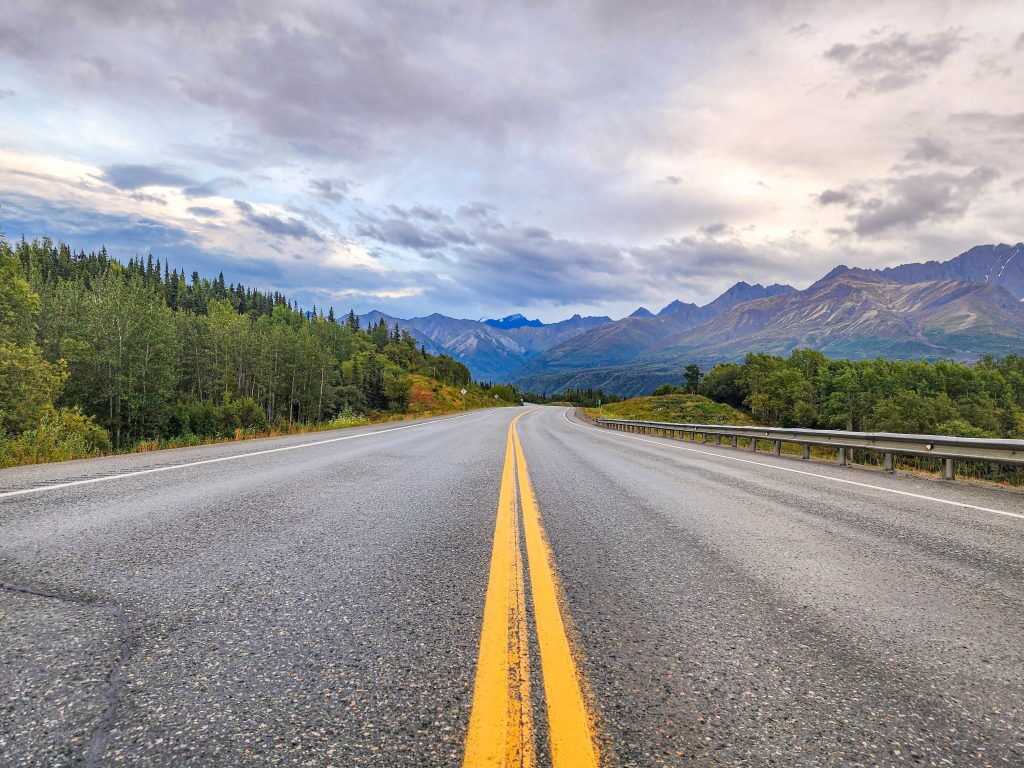
Yellow line on highway on the way to Road to McCarthy Alaska
Photo Credit: Jenn Coleman.

The McCarthy Road runs 59.4 miles from the State Wayside in Chitina (pronounced “Chit-na”) to the McCarthy Footbridge across the Kennicott River. It follows the route of the former 196-mile Copper River & Northwestern Railway, which once connected the mines to the port of Cordova.

When the mines closed in 1938, much of the track was salvaged for scrap. Floods, earthquakes, and time itself took out many bridges, leaving Kennecott and McCarthy isolated—preserved in a kind of remote time capsule that still defines the experience today.

Is the McCarthy Road Paved?

Signage on Road to McCarthy Alaska
Photo Credit: Jenn Coleman.

Mostly, no.

The McCarthy Road is primarily gravel, but for travelers willing to leave the pavement behind, it provides access to some of the most dramatic natural and historic landscapes in Wrangell–St. Elias National Park, including McCarthy and Kennecott.

Reconstruction began in earnest in the 1970s, when modern steel and concrete bridges replaced their wooden predecessors and fresh gravel was laid atop the old rail bed. What remains is rough but intentional, functional enough to reach the end, and wild enough to remind you where you are.

What Are the Road Conditions Like?

Blue bronco driving on Road to McCarthy Alaska
Photo Credit: Jenn Coleman.

The McCarthy Road is narrow and winding but relatively flat. The first few miles from Chitina toward the Copper River are paved, with occasional paved sections on steeper grades to reduce rutting.

Ironically, some of the worst potholes appear in those paved stretches, while the gravel sections are often smoother—albeit dusty and washboarded. According to the National Park Service, “under normal summer conditions, most passenger vehicles can make the trip.” That said, conditions can change quickly with weather.

How Long Does It Take to Get to McCarthy?

Highway on the way to McCarthy - Road to McCarthy Alaska
Photo Credit: Jenn Coleman.

Plan on 2–3 hours to drive from Chitina to the McCarthy Footbridge if you’re moving steadily and traffic is light. Summer weekends, especially around the Fourth of July, bring heavier traffic. It’s not gridlock, but passing opportunities are limited, and you’ll often move at the pace of the slowest vehicle.

Our advice? Drive patiently. Leave space. And when the dust gets thick, it’s often better to pull over for a photo than to white-knuckle it behind a convoy.

From Anchorage, it’s about 4.5 hours to Chitina without stops, but you’ll want to fuel up before committing to McCarthy Road. Once you park at the footbridge, it’s about a 20-minute walk into McCarthy proper.

What Is the Closest Gas Station?

Gas station - Road to McCarthy Alaska
Photo Credit: Jenn Coleman.

The closest gas station to McCarthy is in Chitina. It’s a 24-hour, credit-card-only pump with no additional services.

There is a full service station in Kenny Lake, about 90 miles from McCarthy (180 miles round trip), which offers a more comfortable fuel buffer for most vehicles. Glennallen is the last full-service town, but at 250 miles round trip, it leaves little margin unless you plan carefully, or only use it as one of the mandatory gas stops.

Can I Take a Rental Car on McCarthy Road?

Alaska 4x4 counter at Anchorage Airport
Photo Credit: Jenn Coleman.

Most national rental car companies prohibit driving to McCarthy altogether. We rented from Alaska 4×4 at the Anchorage airport and had no issues.

Not only was it permitted, but we ended up with a sweet Bronco that had excellent clearance and fresh tires. We never needed four-wheel drive, but it was reassuring to have a vehicle built for roads like this. It also made the washboard roll on the gentle cycle.

Darrish said that his guests at McCarthy Lodge Resort get scared by the warning signs at the start of McCarthy Road, but their fear isn’t justified. He said in 2006 the state DOT removed the railroad spikes by using a magnetized trailer behind a grader. When you see or read stories about taking extra tires, it’s based on 2006 and before information.

Also he said, when you see the warning sign at the beginning of McCarthy Road, telling you to take emergency equipment with you; and warning you not to travel this road because it’s “not advised” it’s important to note that’s a winter based sign!! not relevant for summer visitors!!

Is There Cell Service Along the Road?

Big bridge on Road to McCarthy Alaska
Photo Credit: Jenn Coleman.

Officially, coverage is “very limited.” Some sources go so far as to recommend carrying a satellite phone.

In practice, we had surprisingly usable Verizon service during our fall 2025 drive, though we wouldn’t count on it being consistent—or available in an emergency. Treat any cell signal as a bonus, not a plan and pay heed to the sections on car and wilderness emergency kits. Also, be sure to notify somebody you trust that you’re heading out into the wilderness, be it for hiking or driving the McCarthy Road. Darish confirmed that he finds that Verizon works on most of McCarthy Road.

What Can You See Along the Way?

Copper River Rest Area Road to McCarthy Alaska
Photo Credit: Jenn Coleman.

The McCarthy Road isn’t something to endure on the way to a destination—it is the destination.

Almost immediately after leaving Chitina, you pass through the Rock Cut, a former rail tunnel that’s now open to the sky which feels like a threshold between civilization and something wilder. At first, the road hugs the Copper and Chitina Rivers with expansive views, culminating at the Copper River Bridge.

Next, you’ll pass a chain of small lakes before reaching the single-lane Kuskulana River Bridge, often the most nerve-wracking moment for first-time drivers as you pass 238 feet above the raging Kushkulana River. The Chokosna, Gilahina, and Lakina Rivers are especially photogenic, with remnants of historic railroad trestles near the Gilihina Bridge. Long Lake lives up to its name, stretching alongside the road for more than two miles before you get your first views of the rocky Kennicott Glacier.

Darish gave us his best pro tip to truly enjoy McCarthy Road. Leaving the population centers like Anchorage Denali or Fairbanks while everyone is still asleep is a total Alaska Travel pro-tip. You’re far more likely to see wildlife along the way when the roads are empty. In addition, you’ll arrive on the McCarthy Road around 11am instead of 4pm- there’s less traffic – and you’re less likely to be behind another vehicle, even in peak July traffic.

What Services Are Available?

Available services - Road to McCarthy Alaska
Photo Credit: Jenn Coleman.

There are no service stations along the McCarthy Road, so self-sufficiency is key.

A small trading post in Chokosna sells limited snacks and drinks about halfway through the drive. Once you reach the end of the road, you’ll find espresso, food, and parking before the Kennicott River. Along the way, wayside pullouts appear roughly every 10 miles, offering parking, picnic tables, and vault toilets.

What Should You Pack in a Car Emergency Kit?

Blue bronco on Road to McCarthy Alaska
Photo Credit: Jenn Coleman.

The best emergency plan is prevention: drive slowly, check fluids, inspect tires, and make sure you have enough gas and windshield washer fluid to handle 120 dusty miles.

At minimum, you should carry:

  • A full-size spare tire
  • A working jack
  • Knowledge of how to change a tire
  • Phone charger

If you’re traveling Alaska backroads regularly, an expanded kit is wise:

What Should You Pack in a Wilderness Survival Kit?

Wilderness Survival Kit - Road to McCarthy Alaska
Photo Credit: Jenn Coleman.

With regular summer traffic, a true breakdown shouldn’t leave you stranded more than 24 hours, but preparation still matters.

Essentials include:

  • One gallon of water (for you or the vehicle)
  • Warm clothing and blankets (do not idle your car for heat)
  • No unsecured food—bear safety matters even in your vehicle (a good idea for parking too)
  • Toilet paper and a shovel
  • Essential medications
  • First-aid kit

If you’re unsure about how to keep food safe from bears, it’s best to err on the side of no food at all.

Is There an Interactive Map?

Google maps on phone
Photo Credit: Jenn Coleman.

We’re unapologetic map geeks at Coleman Concierge, so we built a custom McCarthy Road map with every stop mentioned here, and then some. We used native Google pins whenever possible for better metadata and crowd-sourced photos.

For next-level planning, open it in Google Earth to explore the terrain in 3D or drop into Street View for snapshots of the road from years past. On your phone, it works as a live navigation companion. Pair it with the National Park Service audio tour for an even deeper experience:
https://www.nps.gov/wrst/learn/photosmultimedia/audio-tours.htm

How Do You Get Into McCarthy?

Road sign on the road to McCarthy Alaska
Photo Credit: Jenn Coleman.

First: Google Maps lies.

You cannot drive directly into McCarthy proper unless you have access to a private bridge. Park at the end of the McCarthy Road and cross the footbridge on foot.

Paid parking is available at Base Camp Kennicott and McCarthy River Tours. McCarthy River Tours is slightly cheaper but farther away. Pro tip: drop passengers and luggage at the bridge first, then park. Carts are available to move bags across the bridge.

Shuttles operate from the far side of the bridge to McCarthy and Kennecott. Some activities include transportation and sometimes parking such as flightseeing with Wrangell Mountain Air, some wilderness adventures with St. Elias Alpine Guides, and stays at the Kennicott Glacier Lodge. McCarthy Lodge offers shuttle service for a fee on a per ride or per day basis. You can also walk the scenic ¾-mile road into town.

How Long Should You Stay?

Dog in McCarthy Alaska
Photo Credit: Jenn Coleman.

Our rule of thumb: stay at least as long as it takes to get there.

From Anchorage, that’s a full day each way, so plan for at least two nights in McCarthy. Fortunately, there’s more than enough to fill that time.

Two days allows for a flightseeing tour paired with rafting or hiking one day, and a glacier hike plus the Kennecott Mill tour the next. Leave time to wander Kennecott, soak up the history, and experience the Golden Saloon, the only saloon located inside a national park.

You can learn more about what to do in McCarthy from our practical guide or our photo heavy inspiration piece. You can even read both. We double dog dare you.

Are There Alternatives to Driving?

McCarthy Airport
Photo Credit: Jenn Coleman.

If the McCarthy Road still doesn’t feel right, you have options.

Flying is the easiest—scheduled service runs from Gulkana and Chitina, with charter flights available from Anchorage. It’s also the most expensive and comes with weight limits. While scenic, it doesn’t replace the experience of a dedicated flightseeing tour.

Shuttles from Chitina are another option and cost less than flying, though you still need to reach Chitina. Still, for travelers willing to leave the pavement behind, driving the McCarthy Road offers the best value—and one of Alaska’s most memorable journeys. It doesn’t just take you somewhere wild. It asks you to meet Alaska on its terms.

Disclosure: A big thank you to Alaska 4×4 for providing our awesome rental! For more Alaska 4×4 travel inspiration, check out their Instagram and Facebook accounts.

As always, the views and opinions expressed are entirely our own, and we only recommend brands and destinations that we 100% stand behind.

Ready to Book Your Trip? These Links Will Make It Easy:

Airfare:

Insurance:

  • Protect your trip and yourself with Squaremouth and Medjet
  • Safeguard your digital information by using a VPN. We love NordVPN as it is superfast for streaming Netflix
  • Stay safe on the go and stay connected with an eSim card through AloSIM

Our Packing Favs:

  • We LOVE Matador Equipment for their innovative products and sustainability focus. Their SEG45 is a game changer when you need large capacity while packing light.
  • Travel in style with a suitcase, carry-on, backpack, or handbag from Knack Bags
  • Packing cubes make organized packing a breeze! We love these from Eagle Creek

Like it? Pin it for later on Pinterest!

Hi! We are Jenn and Ed Coleman aka Coleman Concierge. In a nutshell, we are a Huntsville-based Gen X couple sharing our stories of amazing adventures through activity-driven transformational and experiential travel.


Source link

