Cybercab Begins Production, but Elon Musk Says It Will Be ‘Very Slow’ to Start


Tesla made it clear this week  — the Cybercab has begun production. But how quickly will the self-driving taxis be produced, and how many will the company make?

On Thursday, Tesla posted on CEO Elon Musk’s social media site X, stating, “Cybercab in production now at Giga Texas,” referring to a Tesla factory near Austin, Texas. The post shows a gleaming Cybercab rolling out of the factory and onto the streets. Then came another X post from the Tesla Robotaxi account that showed a video of a row of identical Cybercabs merging onto a highway.

It’s been two months since the first Cybercab was produced, and more than a year and a half since Tesla launched its first autonomous Robotaxi vehicle in October 2024. At the time, Tesla CEO Elon Musk said the production goal was 2 million Cybercabs per year, or about 38,000 per week.

The world’s richest person was much more tempered in his aspirations during this week’s Tesla earnings call for the first quarter of the year. Musk said that the early stages of Cybercab production will be “very slow” because of the time required to organize the supply chain and production. He said production would continue “ramping up” and eventually “(go) exponential,” but added the caveat, “to the best of our ability.”

Musk said, “The limiting factor for expansion is really rigorous validation, making sure things are completely safe. We don’t want to have a single accidental injury with the expansion of Robotaxi.”

A Tesla representative did not immediately respond to a request for comment.

The NHTSA is investigating 3.2 million Tesla vehicles with Full Self-Driving driver-assistance, citing concerns that Tesla’s camera-based system failed to detect common road conditions that led to several accidents. Tesla says its Full Self-Driving system allows a vehicle to steer, brake and accelerate automatically while a human is in the driver’s seat. The person can intervene instantly if needed.

Currently, Tesla operates a limited Robotaxi service in three Texas cities — Dallas, Houston and Austin — with its Model Y. Those vehicles are autonomous but do have a steering wheel and pedals. The company plans to eventually fill its entire fleet, in Texas and elsewhere in the US, with Cybercabs, which might not have a steering wheel or pedals.

The global driverless taxi market is expected to grow at an annual rate of 99%, reaching an estimated $147 billion by 2033, according to research firm Grand View Research. In the US, Waymo — owned by Google parent Alphabet — dominates with services in 10 major US cities, including Los Angeles, San Francisco and Phoenix. Zoox, owned by Amazon, operates in Las Vegas and San Francisco and plans to add Austin and Miami to its roster.

Tesla is far behind the competition

Tesla has a mountain to climb to catch up to its ride-hailing competitors, says CNET senior writer Abrar Al-Heeti, who once took a ride in a retrofitted self-driving Tesla in Vegas.

“It’s a highly competitive market that moves fast,” Al-Heeti said. “There’s still a lot of uncertainty and trepidation around Elon Musk’s approach to having the Cybercab rely solely on cameras for navigation, rather than a combination of cameras, lidar and radar like Tesla’s competitors.”

Autonomous vehicles currently rely on three major technologies to determine their surroundings — cameras, lidar and radar. Waymo and Cruise rely on lidar, or “light detection and ranging,” which creates three-dimensional pictures of the car’s surroundings. Radar, which has been around since World War II, uses radio waves that bounce off objects to determine their location.

Driverless ride-hailing cars are still a relatively niche market, but Al-Heeti says they could eventually dominate the taxi industry, though it may take several years.

“There are still many hurdles from a logistical, technical and regulatory standpoint,” Al-Heeti says. “Not to mention the wariness of many riders and drivers who aren’t yet convinced autonomous rides are the safest or most practical option.”


Source link

Leave a Reply

Subscribe to Our Newsletter

Get our latest articles delivered straight to your inbox. No spam, we promise.

Recent Reviews


Email addresses are highly vulnerable to data breaches, which is arguably the number one reason why your personal data may be all over the internet. Tech tips like using strong passwords and multifactor authentication will instantly make you safer online. There are times, however, when we make it easy for criminals to access our personal information through our email address, even without our knowledge.

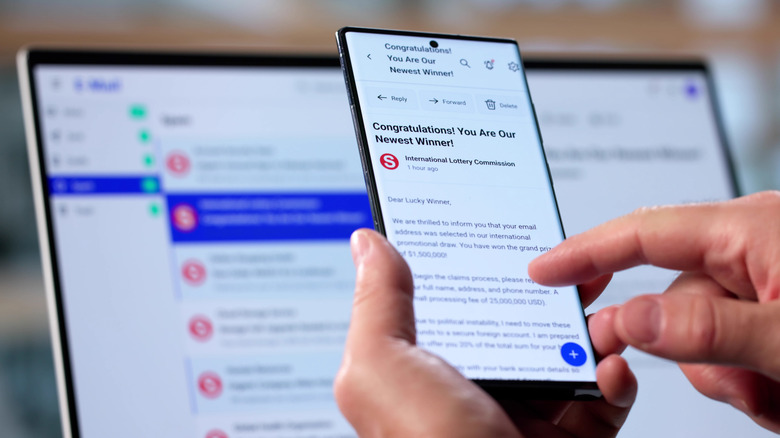
Each time you sign up for marketing emails, purchase goods online, or get free trials, you’ll probably be asked for an email address. If you use your permanent address to access these services, you’ll open the door for data brokers to collect your data and sell it to anyone willing to pay. With identity thieves and hackers on the loose, information that would normally be harmless could be used to carry out account takeovers, phishing attacks, fraud, and website vandalism. Criminals could even use your leaked email and password to access your social media accounts and digital banking services, especially if you’re using the same password on multiple accounts.

Luckily, if you want to keep your personal data safe without changing how you manage your email, there’s an answer: a burner email (also known as a throwaway email, disposable email, or an email alias). It is a decoy email address created for one-time interactions. Think about when you want a secondary email designated only for signups, to stay anonymous, or to keep your primary email clean.

To put an end to spam messages

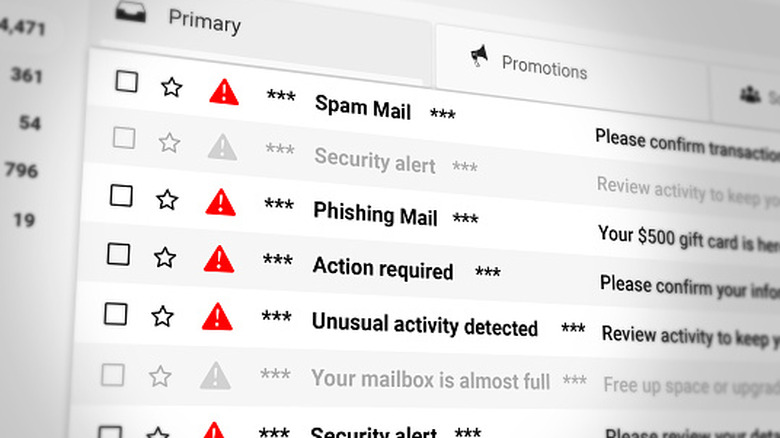
Unwanted emails are quite an annoyance, and that’s probably why most of us have hundreds of unopened emails. Emails from social media accounts, websites you’ve shopped at, and newsletters you’ve subscribed to can clutter your inbox, take up all your valuable space, and even mislead you into snubbing a couple of important messages. To clean up your Gmail inbox, you’ll probably mark items as spam or go through the trouble of zeroing out your email inbox. The only problem is that, even after you unsubscribe from unwanted emails, more often than not, messages will just keep coming, and you’ll have to repeat the tedious task almost daily.

Considering that maintaining an email account used for personal or business reasons can be quite challenging, the most effective way to stop spam emails is to use a burner email. Having a temporary email solely for signing up to websites, subscribing to online shopping accounts, and newsletters will keep your permanent email clutter-free and organized. The best part is that creating an email alias that links to your primary inbox is often very easy. If you’re using Gmail, for instance, you can just create an email alias by appending your Gmail username with a “+” symbol followed by a phrase or keyword. So, for example, you+junkmail@gmail.com.

Since there is no way to delete a Gmail alias, once you’re done using it, you can just create a filter to automatically archive or delete incoming messages sent to that address, or put a label on them to review later. Other mail providers will have other ways to create and manage aliases (be warned that some don’t offer them at all, though), so check with your provider to find out more details.

Reduce phishing risks and your digital footprint

Your permanent email box is more than just a communication platform. It can also double as a file storage repository, a digital identifier, and a task management tool. Knowing this, you’ll want to protect your personal email from data brokers, as it can be quite distressing if you receive an alert saying that your personal email address is floating around the dark web. While it doesn’t really mean your accounts have been hacked, as we mentioned earlier, having your email compromised can make you a target for credential stuffing, identity theft, and phishing.

Given that your primary email is your first gateway to your personal information, it’s wise that you avoid sharing your real email. If you’re asked for your email when you’re ordering something online, signing up for free resources, or participating in anonymous polls, don’t provide your personal or work email address. While an email alias like we described can make managing incoming email easier, it doesn’t actually obfuscate your email address. 

For that, you should instead use a burner email: an email address, usually anonymous, that is completely disconnected from your personal identity. It will allow you to send and receive emails without exposing your identity. The best part is that it’ll protect you from phishing attacks, a type of cyberattack that can trick you into offering sensitive information, such as Social Security Numbers and credit card numbers. Because the scammers have no information associated with your burner email address, their attack vectors become more limited.

To protect your personal information

A personal or work email address often has your first name, last name, or initials in it so it’s easier for people you want to hear from to find you. This means that if you want to communicate anonymously, your actual email will not provide the privacy you want. That’s why, if you need to truly hide your email address from someone, or just want to access a coupon or sign up for a free trial with a one-time verification code, you’ll want to use a full-on burner account. 

Unlike forwarding email accounts (email aliases), these burner account email services often use algorithms to craft unique email inboxes that contain a combination of numbers, symbols, and letters. This allows you to communicate with unknown people comfortably without worrying about your privacy. On top of that, some burner email addresses are designed to self-destruct after a few minutes or uses, and once the account is deleted, there will be no copies of your personal data in cached archives or broker sites.

As amazing and convenient as burner emails may sound, they are not ideal for every situation. Knowing when to use a temp email is just as important as knowing when to use your actual email. Many burner email services are meant to be simple and quick, so the accounts they create have no password protection, authentication, or encryption. Their primary defense is simply being deleted when they’re no longer needed. Before using a burner email service, experts recommend that you pay attention to the terms of service and privacy policies. You might think that there is nothing personal to share, but they can still access your IP address and use it to know more about you.


Source link