Samsung Wallet just got a travel feature that I hope Google Wallet copies ASAP


Samsung Wallet just dropped a feature that Google Wallet needs to copy immediately

Samsung / Elyse Betters Picaro / ZDNET

Follow ZDNET: Add us as a preferred source on Google.


ZDNET’s key takeaways

  • Samsung’s Trips feature builds an itinerary from wallet entries.
  • The feature is exclusive to Galaxy users.
  • Google Wallet is missing a similar option to organize your trip.

Samsung Wallet just dropped a major feature that’ll make you jealous if you use Google Wallet, especially if you travel often or have a big trip planned.

Also: Samsung is ending Messages in July: 5 replacements I’d switch to now

To this point, Samsung’s native wallet app and Android’s built-in wallet app have been so similar that most users probably default to Google Wallet because of name recognition. That might be changing soon, though, as Galaxy users are getting a big reason to use the Samsung app.

Trips

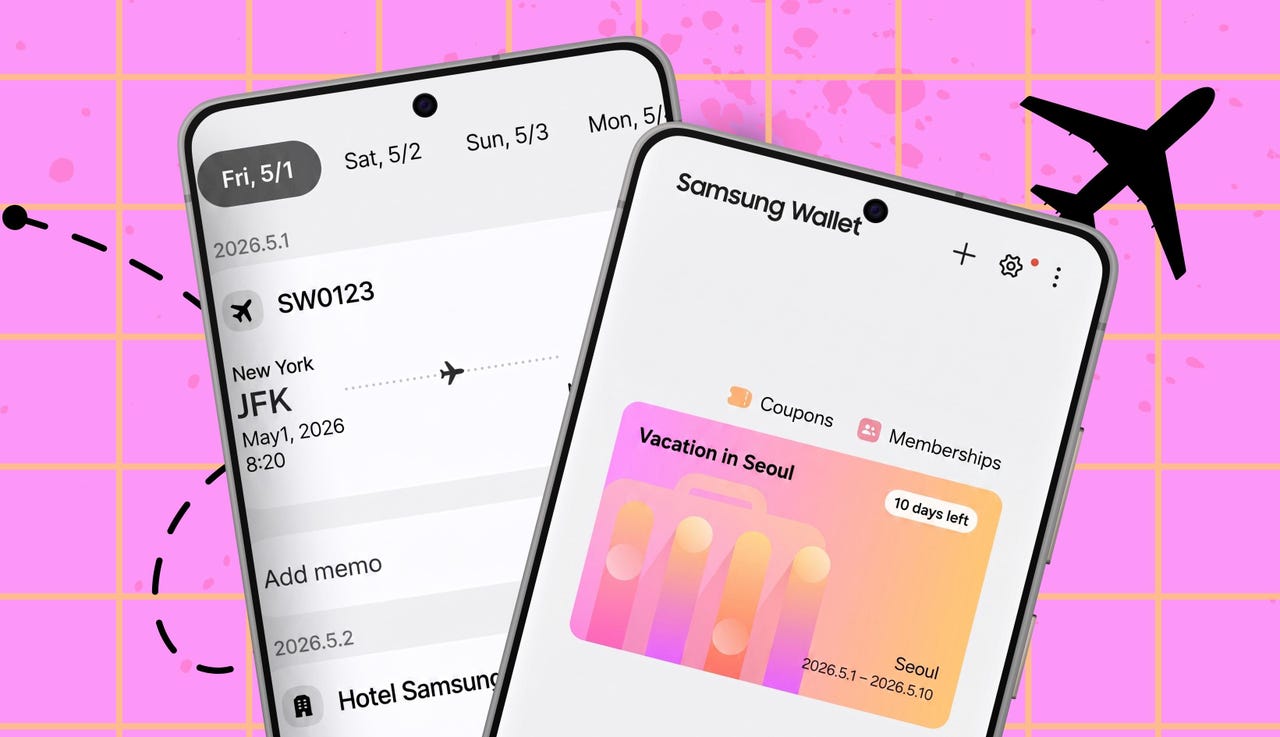
In an effort to make its wallet app more than just a place to store cards, Samsung has introduced Trips — a feature that takes all of your travel-related items you’ve added to your wallet, such as hotel reservations, flight itineraries, car rentals, transit tickets, and experiences like museums, theme parks, and sporting events, and automatically organizes them into a single itinerary view, with entries grouped together based on time and location.

Also: My new favorite AirTag alternative fits perfectly in my wallet – and is seriously durable

Instead of having to sort through your tickets to see when you need to head to certain places, Samsung says you’ll now have everything on one page, visible at the time you need it. Time-specific items will be grouped together, as will location-specific items. When you add travel-related items to your wallet (you can manually add items that don’t have an option of their own), you’ll have the option to add a memo beside each one.

Immensely useful

While there are plenty of apps that let you build an itinerary (I subscribed to one for my meticulously planned trip to New York City a few years ago), this is a pretty big perk for Galaxy users since there’s nothing like this built into Android. This is an immensely useful feature if you’re planning a busy trip in an unfamiliar area. Google Wallet lets you download all of these same items to your device for easy access, but it doesn’t do any organizing. If you pay for a third-party app, you still need to go through and add all of your tickets.

Also: Why I recommend this $450 Samsung phone over competing models by Google and OnePlus

Samsung says this feature will be rolling out in April on compatible Samsung Galaxy mobile phones, so if you don’t already see it on your phone, you should soon.




Source link

Leave a Reply

Subscribe to Our Newsletter

Get our latest articles delivered straight to your inbox. No spam, we promise.

Recent Reviews


Welding isn’t a practice to go into unprepared. It requires numerous tools to do the job correctly and safely, and it’s not a bad idea to invest in a dedicated surface to work on. Fortunately, they’re quite easy to come by; even a budget retailer like Harbor Freight has two different welding tables available. For those with tighter budgets, the Chicago Electric adjustable steel welding table costs $89.99, which is notably wallet-friendly for such a workshop addition. Even better, owner opinions seem to indicate that the low price doesn’t mean low quality.

At the time of writing, the Chicago Electric welding table has just over 2,600 reviews on the Harbor Freight website, with an average rating of 4.6 out of five stars. Over 1,800 of those gave it a perfect five stars, and over 600 gave it a respectable four, with many encouraging others to give it a shot if they’re on the fence. Common highlights include the Chicago Electric welding table’s easy storage and portability, price point, sturdiness, and versatility, and many customers think it’s especially good for anyone new to welding.

All in all, most Harbor Freight customers feel this table gets the job done without breaking the bank. With that said, these positive reviews aren’t the beginning and end of this welding table’s story. Some customers had less-than-stellar experiences that are worth noting.

Potential issues with this Chicago Electric welding table

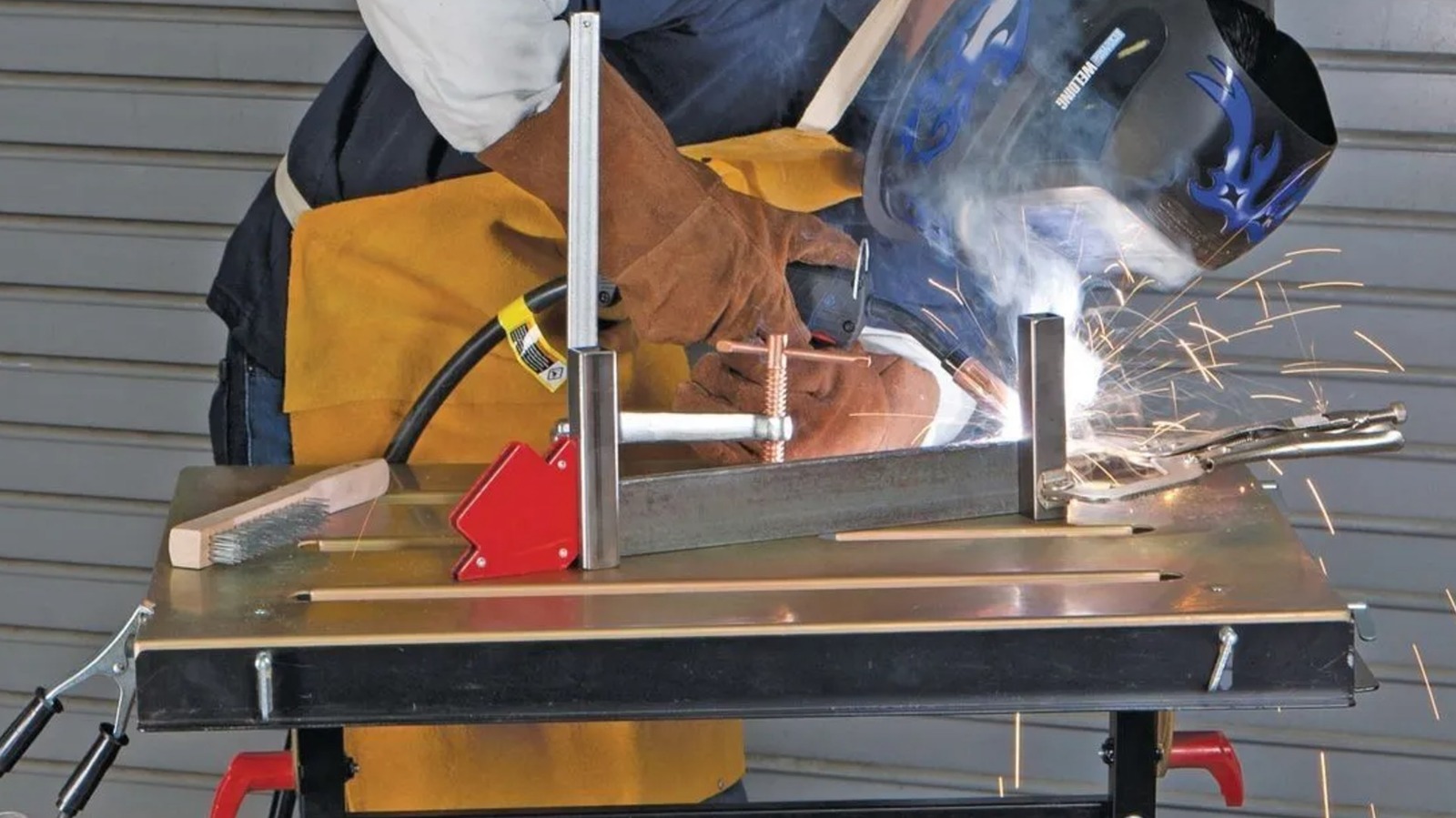
According to Harbor Freight, this zinc-plated steel Chicago Electric welding table has retractable edge guides, four slots for connecting clamps (and to prevent heat build-up), and can be tilted at five different angles. However, while the features and reviews make it seem like a surefire win at $89.99, it’s not perfect. While they’re in the minority, there are still a notable number of one- and two-star reviews that pinpoint some potential downsides.

One frequent problem is the table arriving warped right out of the box, which can make setting up and welding harder than necessary. The same can be said for the uneven legs, which many customers had to contend with. Some also warned of missing or completely incorrect hardware, preventing them from assembling the table. Elsewhere online, YouTuber Rob Pantridge wasn’t impressed with the build quality and found the design lacking in a few areas. Fellow YouTuber Jeff Estes Builds didn’t hate it, but also didn’t feel it was a necessary purchase for more serious welders.

Harbor Freight is the home of several useful welding accessories, along with table options like the Chicago Electric steel-top example to use them on. While it is cost-effective and many customers love it, this particular welding table may not be the right purchase for everyone. That is a matter only your wants, needs, budget, and experience level can decide.


Source link

