The 5 Highest-Rated Fuel Transfer Pumps At Harbor Freight (And What They Cost)


Gas-powered machines are limited by the capacity of their fuel tanks, but a fuel transfer pump can allow you to quickly refuel them on the go. This can be useful for topping off everything from lawn mowers and leaf blowers to snowmobiles and dirt bikes. 

In addition to refueling machines and generators, transfer pumps are helpful for moving gas from one container to another. If you bought a new mower, for instance, you can move gas from the old machine to the new one. Considering gas prices, you’ll want to salvage every drop you’ve paid for. You may also need a pump to remove bad gas from a tank and collect it in a bucket for safe disposal, since running a motor to use it up is not a smart or safe option.

Harbor Freight sells both manual and battery-powered fuel transfer pumps, though they’re smaller and more practical models that mechanics and homeowners are more likely to need, as opposed to industrial-sized ones or those used for boats and tractors. When shopping for a fuel transfer pump, make sure you’re getting one that best suits your needs. You can’t use tools like Milwaukee’s transfer pump for fuel when they’re only meant for moving water, considering gas has a different viscosity and, more importantly, is corrosive and flammable. Additionally, just because a pump can handle diesel doesn’t mean it’s compatible with gasoline. You’ll also want a product with consistently good reviews. Here are the five highest-rated fuel transfer pumps available at Harbor Freight and what you’ll have to pay for them.

Pittsburgh Multi-Use Transfer Pump

Over 7,300 Harbor Freight customers have given the Pittsburgh Multi-Use Transfer Pump an average of 4.3 out of 5 stars, making it the retailer’s highest-scoring fuel transfer pump that’s rated for gasoline. The company says the tool is designed to fill or empty tanks with “any low-viscosity fluid,” including oil and gas. It’s a manual pump, so if you’re willing to put in the effort, its max flow rate is 2.64 gallons per minute.

The Pittsburgh Multi-Use Transfer Pump weighs around one pound, making it highly portable. Its ½-inch hose is 51 inches long, which allows easier access to containers. Conveniently, the fuel transfer pump doubles as a small air pump for inflating bike tires, pool floats, and sports equipment, among other items. To enable this, it comes with a 16-inch-long air pressure hose with a snap-shut valve, an inflator nozzle, and a Schrader-style air chuck, along with two of the 51-inch fuel hoses and ½-inch slip-fit outlet and intake fittings.

Out of all reviewers asked, 87% recommend the product, with many positive reviews citing its quality and ease of use. One of the most frequently praised assets of the tool is its value, as it costs less than $10, including the aforementioned accessories. While thousands of customers have rated the Multi-Use Transfer Pump positively, it should be noted that at least one SlashGear writer who’s used it was left less than impressed. That’s why it’s on our list of Pittsburgh tools you should steer clear of or, at the very least, look closely at user reviews to decide whether or not it’s the right pump for you. The Pittsburgh Multi-Use Transfer Pump (SKU 63144) is currently available at Harbor Freight for $7.99.

Pittsburgh 12V Diesel Transfer Pump

Those looking for a motorized option might consider the Pittsburgh 12V Diesel Transfer Pump, which has an average customer score of 4.5 out of 5 on Harbor Freight’s website. This makes it the retailer’s highest-rated fuel transfer pump with over 500 reviews, a sample size large enough to consider the tool’s overall score to be pretty reliable. One downside to the product, however, is that (as its name states), the transfer pump is built for diesel and kerosene — not gasoline.

While they serve similar purposes, the way diesel is made is why it’s a distinct fuel from gasoline and can’t typically be used interchangeably with it. Anything with a flashpoint below 100 degrees Fahrenheit would be dangerous to use with Pittsburgh’s transfer pump, but those running diesel motors will find a lot of utility from the tool. That’s according to the many customers who left positive reviews for the device, with 93% of them recommending it. These reviews mention its quality and durability, as well as a compact size and lightweight design that make it easy to carry around.

The Pittsburgh 12V Diesel Transfer Pump comes from one of the tool brands made by Harbor Freight and is built with a die-cast aluminum body and heavy-duty cast-iron ¾-inch inlet/outlet ports. The battery-powered ¼-horsepower ball bearing mount motor allows fluid to flow up to 10 gallons per minute and utilizes a self-priming pump with a rotating vane and bypass valve. In addition to diesel and kerosene, the transfer pump is also compatible with other low-viscosity oils.The Pittsburgh 12V Diesel Transfer Pump (SKU 66784) is currently available at Harbor Freight for $139.99.

Battery-Operated Liquid Transfer Pump

For those not interested in manually pumping gasoline from one tank to another, Harbor Freight also offers a Battery-Operated Liquid Transfer Pump that has a solid 4.2 out of 5 overall customer rating. That’s based on over 8,900 user reviews, with 86% of customers recommending the tool. Multiple reviews highlight how fast the pump moves gas, making it a useful time saver, while others note that it’s easy to use and doesn’t make a mess.

Real-world applications mentioned by users include snowblowers, lawn tractors, and generators. According to Harbor Freight, it can also be used for changing oil and transmission fluid and even cleaning aquariums. The device is equipped with a durable impeller pump capable of moving over six quarts per minute. It only weighs half a pound and comes with a two-foot-long hose.

Since it’s battery-powered, the pump is great for use on the go or on jobsites away from electrical outlets, but one downside is that the batteries required are two D-cells. D batteries are bulky and heavy, and, since the USB-rechargeable revolution, harder to come by in the wild. Of course, you can still find them from plenty of retailers like hardware stores and Amazon, so just make sure you have two (and maybe a couple of spares) on hand when you need to use the pump. The Battery-Operated Liquid Transfer Pump (SKU 63847) is currently available at Harbor Freight for $13.99.

Pittsburgh 5-Gallon Pail Pump

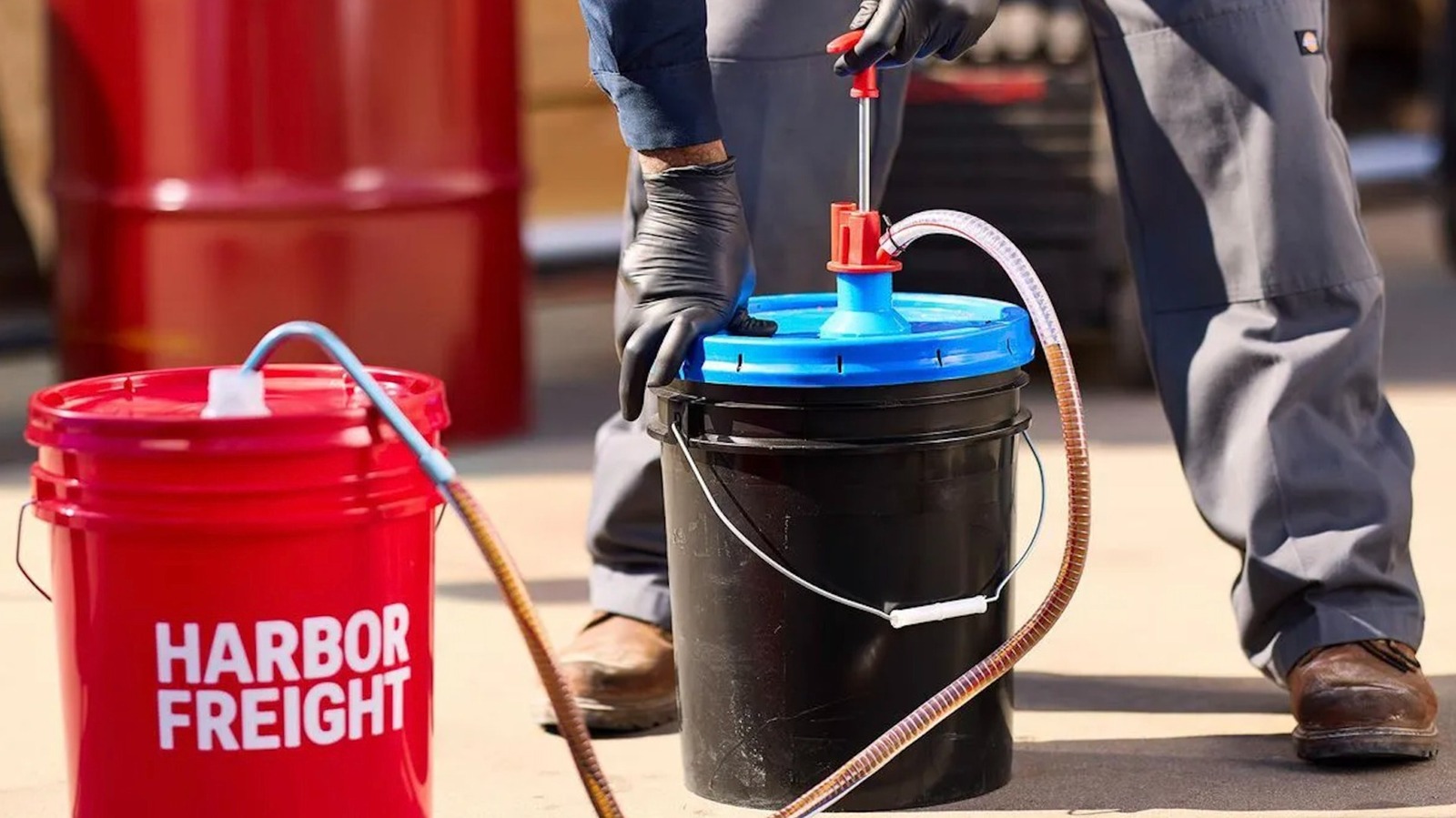
Technically, the highest-rated fuel transfer pump available from Harbor Freight is the Pittsburgh 5-Gallon Pail Pump, though that comes with a few caveats. For one thing, while its near-perfect 4.9 out of 5 overall user rating is very impressive, at the time of this writing, that average comes from less than 20 reviews, so it’s hard to say whether this score will hold up as more people use and review the device. For another, the product — like most of the transfer pumps the company sells — isn’t compatible with gasoline, though it does work with diesel fuel, as well as motor oil, gear oil, and transmission fluid.

The final caveat is that this is a specific type of fuel transfer pump that can only extract fuel from a 5-gallon bucket. While it’s very useful for dispensing diesel into the tank of, say, a tractor or generator, it only operates in one direction, and you’d need another tool to remove fuel from such containers. It also works well for transferring liquid from one pail to another, like when consolidating partially filled containers or mixing batches for optimal blends, among other applications. Two buckets and a pump can also be used for separating clean top-layer diesel from settled contaminants if you’ve determined your diesel is going bad.

The Pittsburgh 5-Gallon Pail Pump comes with four spout adapters and three threaded bung adapters, so it’s compatible with most types of 5-gallon buckets. It pumps on the downstroke at a rate of 1.9 fluid ounces per stroke and includes a steel nondrip nozzle that can be manually closed. The hose is four feet long for better reach when using deeper containers. The Pittsburgh 5-Gallon Pail Pump (SKU 73056) is currently available at Harbor Freight for $29.99.

Pittsburgh Dual-Direction Diesel Barrel Pump

Rather than 5-gallon buckets, the Pittsburgh Dual-Direction Diesel Barrel Pump is designed to extract from and fill larger drums and barrels. It can also be used with larger fuel tanks, such as those on construction and farm machinery. These larger vehicles almost always use diesel over gasoline, so it shouldn’t be surprising that the Dual-Direction Diesel Barrel Pump is not compatible with gasoline. It also should never be used with antifreeze, solvents, or other water-based liquids, but it’s fine for transferring kerosene, heating and lubricating oils, among other non-corrosive liquids.

Through hand-operated rotary action, the Pittsburgh Dual-Direction Diesel Barrel Pump can be used to move up to 5 gallons per 72 turns in either direction. It’s designed with a three-piece rigid pick-up pipe, standard 2-inch bung adapter, 1-inch inlet, and ¾-inch outlet. Based on over 200 user ratings, the product has an average rating of 4.2 out of 5 on Harbor Freight’s website, making it one of the highest-rated transfer pumps sold by the retailer. Over 85% of surveyed customers recommend the tool.

Many reviews from owners of the pump describe how easy it is to use and how effortlessly it moves dozens of gallons of oil or fuel. Some reviews also note its smooth operation and solid metal build. Multiple users specifically say it works great with 55-gallon drums. Others mention how simple the tool is to assemble, while many appreciate its relatively low cost compared to similar products. The Pittsburgh Dual-Direction Diesel Barrel Pump (SKU 40844) is currently available at Harbor Freight for $49.99.


Source link

Leave a Reply

Subscribe to Our Newsletter

Get our latest articles delivered straight to your inbox. No spam, we promise.

Recent Reviews


There are a ton of laptops on the market at any given moment and almost all of those models are available in multiple configurations to match your performance and budget needs. If you’re feeling overwhelmed with options when looking for a new laptop, it’s understandable. To help simplify things for you, here are the main things you should consider when you start looking.

Price

The search for a new laptop for most people starts with price. If the statistics that chipmaker Intel and PC manufacturers hurl at us are correct, you’ll be holding onto your next laptop for at least three years. If you can afford to stretch your budget a little to get better specs, do it. That stands whether you’re spending $500 or more than $1,000. In the past, you could get away with spending less upfront with an eye toward upgrading memory and storage in the future. Laptop makers are increasingly moving away from making components easily upgradable, so again, it’s best to get as much laptop as you can afford from the start.

Generally speaking, the more you spend, the better the laptop. That could mean better components for faster performance, a nicer display, sturdier build quality, a smaller or lighter design from higher-end materials or even a more comfortable keyboard. All of these things add to the cost of a laptop. I’d love to say $500 will get you a powerful gaming laptop, for example, but that’s not the case. Right now, the sweet spot for a reliable laptop that handles average work, home office or school tasks is between $700 and $800 and a reasonable model for creative work or gaming is upward of about $1,000. The key is to look for discounts on models in all price ranges so you can get more laptop capabilities for less.

Operating system

Choosing an operating system is part personal preference and part budget. For the most part, Microsoft Windows and Apple MacOS do the same things (save for gaming, where Windows is the winner), but they do them differently. Unless there’s an OS-specific application you need, get the one you feel most comfortable using. If you’re not sure which that is, head to an Apple store or a local electronics store and test them out. Or ask friends or family to let you test theirs for a bit. If you have an iPhone or iPad and like it, chances are you’ll like MacOS, too.

In price and variety (and PC gaming), Windows laptops win. If you want MacOS, you’re getting a MacBook. Apple’s MacBooks regularly top our best lists, the least expensive one is the M1 MacBook Air for $999. It is regularly discounted to $750 or $800, but if you want a cheaper MacBook, you’ll have to consider older refurbished ones.

Windows laptops can be found for as little as a couple of hundred dollars and come in all manner of sizes and designs. Granted, we’d be hard-pressed to find a $200 laptop we’d give a full-throated recommendation to but if you need a laptop for online shopping, email and word processing, they exist.

If you are on a tight budget, consider a Chromebook. ChromeOS is a different experience than Windows; make sure the applications you need have a Chrome, Android or Linux app before making the leap. If you spend most of your time roaming the web, writing, streaming video or using cloud-gaming services, they’re a good fit.

Size

Remember to consider whether having a lighter, thinner laptop or a touchscreen laptop with a good battery life will be important to you in the future. Size is primarily determined by the screen — hello, laws of physics — which in turn factors into battery size, laptop thickness, weight and price. Keep in mind other physics-related characteristics, such as an ultrathin laptop isn’t necessarily lighter than a thick one, you can’t expect a wide array of connections on a small or ultrathin model and so on.

Screen

When deciding on a screen, there are a myriad number of considerations, like how much you need to display (which is surprisingly more about resolution than screen size), what types of content you’ll be looking at and whether you’ll be using it for gaming or creative work.

You really want to optimize pixel density; that is, the number of pixels per inch the screen can display. Although other factors contribute to sharpness, a higher pixel density usually means a sharper rendering of text and interface elements. (You can easily calculate the pixel density of any screen at DPI Calculator if you don’t feel like doing the math, and you can also find out what math you need to do there.) I recommend a dot pitch of at least 100 pixels per inch as a rule of thumb.

Because of the way Windows and MacOS scale for the display, you’re frequently better off with a higher resolution than you’d think. You can always make things bigger on a high-resolution screen, but you can never make them smaller — to fit more content in the view — on a low-resolution screen. This is why a 4K, 14-inch screen may sound like unnecessary overkill but may not be if you need to, say, view a wide spreadsheet.

If you need a laptop with relatively accurate color that displays the most colors possible or that supports HDR, you can’t simply trust the specs — not because manufacturers lie, but because they usually fail to provide the necessary context to understand what the specs they quote mean. You can find a ton of detail about considerations for different types of screen uses in our monitor buying guides for general purpose monitors, creators, gamers and HDR viewing.

Processor

The processor, aka the CPU, is the brains of a laptop. Intel and AMD are the main CPU makers for Windows laptops, with Qualcomm as a new third option with its Arm-based Snapdragon X processors. Both Intel and AMD offer a staggering selection of mobile processors. Making things trickier, both manufacturers have chips designed for different laptop styles, like power-saving chips for ultraportables or faster processors for gaming laptops. Their naming conventions will let you know what type is used. You can head over to Intel or AMD for explanations so you get the performance you want. Generally speaking, the faster the processor speed and the more cores it has, the better the performance will be.

Apple makes its own chips for MacBooks, which makes things slightly more straightforward. Like Intel and AMD, you’ll still want to pay attention to the naming conventions to know what kind of performance to expect. Apple uses its M-series chipsets in Macs. The entry-level MacBook Air uses an M1 chip with an eight-core CPU and seven-core GPU. The current models have M2-series silicon that starts with an eight-core CPU and 10-core GPU and goes up to the M2 Max with a 12-core CPU and a 38-core GPU. Again, generally speaking, the more cores it has, the better the performance.

Battery life has less to do with the number of cores and more to do with CPU architecture, Arm versus x86. Apple’s Arm-based MacBooks and the first Arm-based Copilot Plus PCs we’ve tested offer better battery life than laptops based on x86 processors from Intel and AMD.

Graphics

The graphics processor handles all the work of driving the screen and generating what gets displayed, as well as speeding up a lot of graphics-related (and increasingly, AI-related) operations. For Windows laptops, there are two types of GPUs: integrated (iGPU) or discrete (dGPU). As the names imply, an iGPU is part of the CPU package, while a dGPU is a separate chip with dedicated memory (VRAM) that it communicates with directly, making it faster than sharing memory with the CPU.

Because the iGPU splits space, memory and power with the CPU, it’s constrained by the limits of those. It allows for smaller, lighter laptops, but doesn’t perform nearly as well as a dGPU. There are some games and creative software that won’t run unless they detect a dGPU or sufficient VRAM. Most productivity software, video streaming, web browsing and other nonspecialized apps will run fine on an iGPU.

For more power-hungry graphics needs, like video editing, gaming and streaming, design and so on, you’ll need a dGPU; there are only two real companies that make them, Nvidia and AMD, with Intel offering some based on the Xe-branded (or the older UHD Graphics branding) iGPU technology in its CPUs.

Memory

For memory, I highly recommend 16GB of RAM (8GB absolute minimum). RAM is where the operating system stores all the data for running applications and it can fill up fast. After that, it starts swapping between RAM and SSD, which is slower. A lot of sub-$500 laptops have 4GB or 8GB, which in conjunction with a slower disk can make for a frustratingly slow Windows laptop experience. Also, many laptops now have the memory soldered onto the motherboard. Most manufacturers disclose this but if the RAM type is LPDDR, assume it’s soldered and can’t be upgraded.

Some PC makers will solder memory on and also leave an empty internal slot for adding a stick of RAM. You may need to contact the laptop manufacturer or find the laptop’s full specs online to confirm. Check the web for user experiences because the slot may still be hard to get to, it may require nonstandard or hard-to-get memory or other pitfalls.

Storage

You’ll still find cheaper hard drives in budget laptops and larger hard drives in gaming laptops. Faster solid-state drives have all but replaced hard drives in laptops and can make a big difference in performance. Not all SSDs are equally speedy, and cheaper laptops typically have slower drives. If the laptop only comes with 4GB or 8GB of RAM, it may end up swapping to that drive and the system may slow down quickly while you’re working.

Get what you can afford and if you need to go with a smaller drive, you can always add an external drive or two down the road or use cloud storage to bolster a small internal drive. The exception is gaming laptops: I don’t recommend going with less than a 512GB SSD unless you really like uninstalling games every time you want to play a new game.


Source link