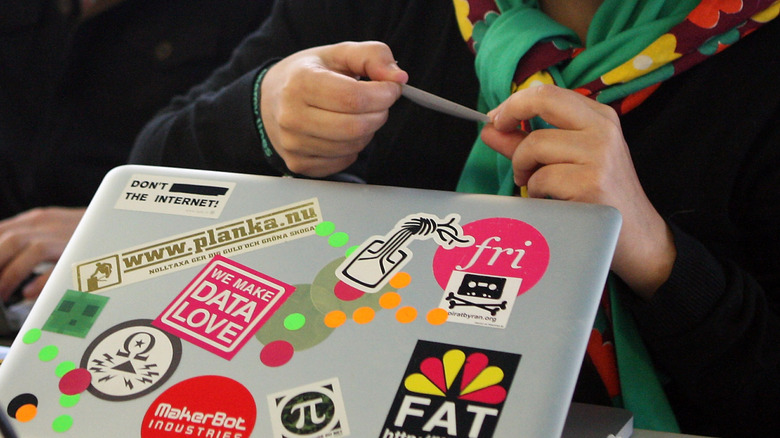

Computers are deeply personal objects for many people. Not only do we use them for work or school, but they also house our photos, videos, messages, games, and more. It’s no wonder, then, that many laptop users love to adorn their devices with stickers and decals — after all, what better way to broadcast your personality to those around you? If you’re the sort of person who loves making friends wherever you go, laptop stickers can even be a great conversation starter; just slap on a sticker from your favorite band, and fellow fans are sure to comment on it.
However, it’s important to know where you can and cannot place stickers on your laptop. At the end of the day, laptops are specialized equipment that can be easily damaged if you’re not careful with how you treat them — including applying stickers where you shouldn’t. The first (and hopefully most obvious) place you should never put stickers is over the intake or exhaust for your laptop’s cooling system. Blocking these vents can lead to overheating, which can cause catastrophic failure or permanent damage in some cases.
Beyond that, it’s also a good idea to avoid placing decals on your speakers, ports, or interfacing and input devices such as your trackpad, keyboard, microphone, or webcam. Obstructing these areas can degrade your machine’s functionality and may even cause damage due to the adhesives. Here’s what you need to know before you trick out your MacBook or Windows laptop with your favorite stickers.
Don’t obstruct your cooling system with stickers

Think of your laptop’s fans and vents like your body’s respiratory system. You wouldn’t put a sticker over your nose and mouth, and that goes for your laptop, too. Most laptops have fans to move air through the chassis and cool the processor, and the vents are essential for drawing and expelling this air. Obstructing these openings may result in overheating, which can seriously damage or even permanently destroy the computer.
Where you use your laptop matters, too: A soft surface like a bed or couch can block those vents and cause overheating, so you can imagine how much worse it is to have a sticker blocking them at all times. This may seem like common sense advice to most users, but there have been documented cases (via Tom’s Hardware) where laptops were brought in for repair due to overheating, only for the repair technicians to find stickers blocking the cooling vents.
There are other areas of your laptop where you should avoid applying stickers or decals. They can leave behind residue on the keyboard, for example, leaving keys sticky long after you’ve removed the sticker. The adhesive can also collect debris, such as desiccated skin cells, and become grimy over time. If you want to beautify your keyboard, pick up a set of keyboard decals specifically made to avoid these issues, or use a keyboard cover. Similarly, your laptop’s trackpad works through electrical resistance and can thus stop working consistently if covered by a sticker. It can also retain sticker residue even after you remove it.
Stickers over your speakers, ports, and more can degrade functionality

Avoid putting stickers over your speakers, as the sound will become muffled and tinny. You also risk adhesive leaking into the chassis when the laptop heats up. USB ports and other I/O are also a no-go zone. You’ll obviously lose the ability to use the port, but the sticker materials may also enter the port and damage it. In a similar vein, don’t cover up your microphones or webcam. If you’re security-conscious and worried about remote access to the mic or camera, you can pick up dedicated covers for these devices.
Because aluminum and other metals block radio frequencies, a laptop with a metal chassis (such as a MacBook) likely has antenna bands somewhere in the chassis to allow Bluetooth and Wi-Fi radios to communicate. Research the design of your specific laptop model to find out where those antennas are and avoid placing metal stickers over them.
Ultimately, the safest area of a laptop to place stickers and decals is the back of the lid, since it is the least likely to interfere with the functionality. If possible, get stickers that are advertised as safe for computers, such as vinyl skins made specifically for laptops. At the very least, avoid stickers made from uncoated paper, which can be nearly impossible to remove without doing cosmetic damage, or those that contain any RF-blocking metal. And if you’ve placed any stickers over your cooling vents, take them off immediately. Clean your laptop to prevent overheating, while you’re at it. Dust can build up in the vents and fans, causing the same issues as a sticker.

Stephan is the sports journalist for the Maple Grove Report.