What’s That Orange Light In Certain Power Outlets For?


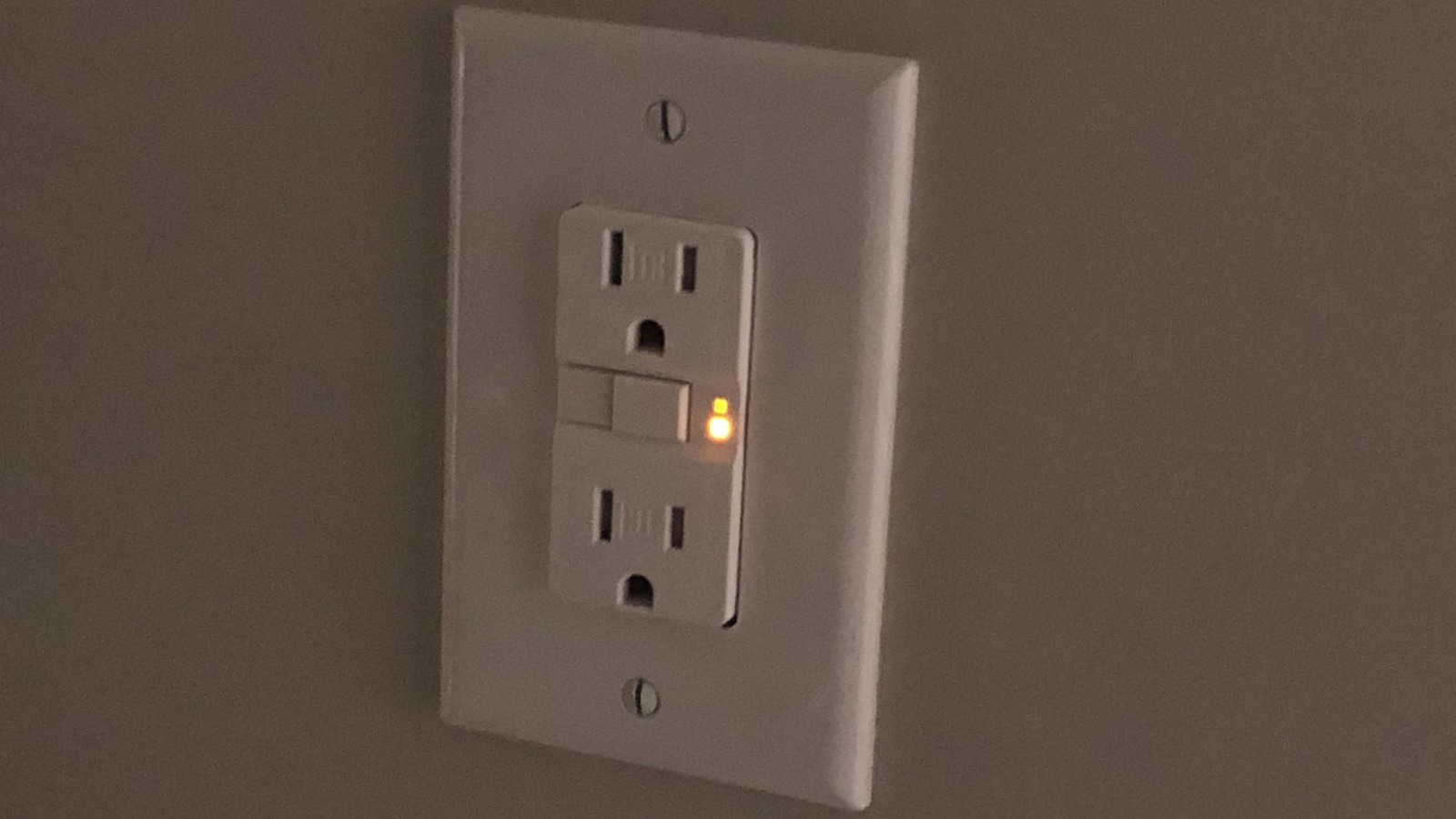
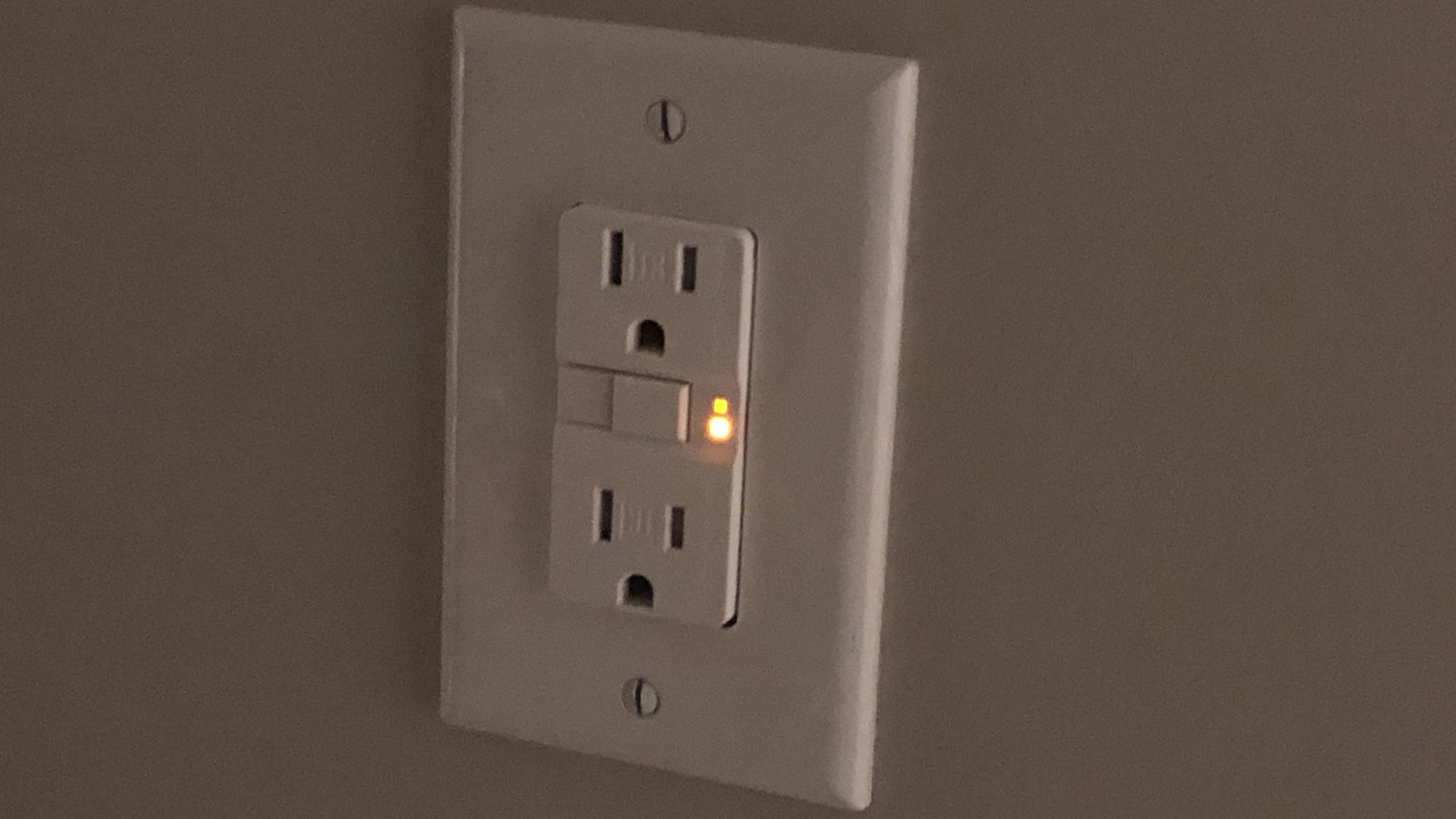
Many power outlets available on the market today can flash orange, but depending on the kind of outlet, that light can mean various things. Sometimes it’s a flagging problem with the outlet’s ground fault circuit interrupter (GFCI). Other times it’s a hospital grade socket that always glows orange or perhaps a surge-protected power strip telling you it’s on. We will go over these one by one to help you identify your outlet and what lighting up orange means for it.

First up is the GFCI. These are special outlets that are actually mandatory in parts of the house exposed to water, and their whole point is shock prevention. This means you’ll likely spot them in bathrooms and kitchens, plus garages, basements, and laundry rooms. You can tell an outlet is GFCI if it has those TEST and RESET buttons on its face. The way they work is immediately killing power — in mere milliseconds – upon detecting that electricity is leaking somewhere it shouldn’t.

If the light on this outlet flashes orange or amber, it means potential trouble. You only see that when the GFCI has tripped. It can also sometimes turn red, which typically means the outlet has hit end of life and it’s time for a replacement. The exact behavior can vary brand by brand, so it’s worth checking out the manual.

But one thing you can be sure of is that orange is bad news. When that happens, try resetting the outlet first. For that, unplug whatever’s connected first, press the RESET button until it clicks, and see if power comes back. If it doesn’t and orange keeps glowing then the outlet may need to be replaced. Normally, you can expect these types of outlets to last 10 to 25 years.

Other outlets around the house that might light up orange

That said, if the orange glow is coming from inside the outlet’s housing rather than a small indicator light on its face, then you’re likely looking at a hospital-grade illuminated power receptacle. These are designed sturdier than typical outlets and meet tougher standards for things like grip strength and impact resistance. The illumination comes from a tiny LED tucked behind the face, which can also light up in other colors besides orange. Models like the Leviton 8300-HLI and the Pass and Seymour 8300ILLA both do this. The whole point is so you can find the outlet in a dark room without flipping on the lights, which matters in places like patient rooms. Sometimes, you may even find these installed in a residential home.

Next, we have surge-protected power strips, which can also light up orange. This isn’t necessarily something you need to worry about, though — in fact, it’s one of the ways you can tell if the power strip is a surge protector in the first place. Surge protection refers to the ability of your outlet to guard you from sudden voltage spikes that could otherwise wreck electronics. As long as it’s connected to power and working, the little dot on them will shine orange, green, or even red, depending on make and model. It’s only when it goes dark that its defense against voltage spikes stop or completely stops working.

Finally, some smart Wi-Fi sockets, like those from HomeWizard, can also start blinking orange. They do that when whatever’s plugged into them pulls more amps than the outlet can handle. It’s a safety shutoff feature designed to keep appliances from overheating. Just flip the switch back manually to clear it.


Source link

Leave a Reply

Subscribe to Our Newsletter

Get our latest articles delivered straight to your inbox. No spam, we promise.

Recent Reviews


The Government’s ‘Company Accounts and Tax Online’ (CATO) filing service allows small companies with the simplest affairs to file their company accounts and corporation tax return simultaneously with Companies House and HMRC. However, if you run a small business and use this service things are about to change.

The Government is closing the CATO portal on 31 March 2026. After that date, companies will no longer be able to file their company accounts and corporation  tax returns for free via CATO. You’ll need to either use commercial software or work with a professional accountant to do it for you. For the many micro‑entities and small companies that currently file on their own, this is a significant shift.

Some businesses may still be able to use a free web‑filing service from Companies House for micro‑entity or dormant accounts, but that only covers the filing of your statutory accounts – not your corporation tax return to HMRC – and that service is also expected to close in the near future. So, it makes sense to address both needs together when planning how you navigate the CATO closure.

Acting early to make life easier

Although CATO shuts on 31st March, many companies and their directors won’t feel the impact until months later, when their next filing deadline comes around. If you wait until that crunch point, you may find yourself:

  • choosing and learning new software under deadline pressure
  • hurriedly migrating or re‑entering data
  • settling for “whatever works right now”, even if it’s not a good long‑term fit.

And the reality is that all of these things increase the risk of making mistakes, filing incorrect data or even filing late, all of which could lead to penalties or in extreme cases being struck off.

If you usually use the Government’s free service and your filing deadline falls between now and 31 March, it’s business as usual for this year. Now is the time to start preparing for the transition. We recommend getting your filings in as early as possible this year to avoid a last-minute rush. This also gives you the space to begin exploring how a professional accountant or bookkeeper can support your business through these changes. Preparation is the key to a successful, stress-free transition next year.

If your filing deadline falls not long after the 31st March, say April, May or June then it would be worth giving some thought, if practical, to trying to file a little earlier this year in order to avoid rushed decisions. If you could file before the 31st March in order to utilise CATO then you’ve effectively bought yourself  a year to make the right long term decision that’s the right strategic fit for you and your business. This isn’t going to be possible in all cases but it’s certainly worth thinking about!   

Regardless of how or when you plan to file your next set of accounts and tax return, the Government is encouraging all CATO users to ensure they download and save all their previously submitted accounts and tax returns via the portal before it closes. After the 31st March you won’t be able to access your historical submissions and you may find you need them in the future. The government has provided instructions on how to do this here.

Why an accountant or bookkeeper is still best practice

For many small businesses, the best route through this change will be to work closely with an accountant or bookkeeper. They can:

  • guide you through software choices and setup
  • help you understand whether your affairs really are “simple enough” to keep doing it yourself or whether it’s time to get expert help from a professional
  • advise on the most suitable approach for your size and sector
  • make sure your bookkeeping, accounts and tax all join up smoothly.

The right software choice and set up coupled with good digital record keeping throughout the year can lead to a streamlined, stress free year end process that’s more about review and approval than last minute data entry, re-keying of data and stressful reconciliations. An experienced advisor can design and run that system with you, as hands on or as hands off as needed, so you stay compliant and confident without needing to become a tax or software expert yourself.

Whilst CATO’s closure is undoubtedly frustrating for many, it’s also a timely reminder to take a step back and make sure your whole set up and year‑end process is fit for the future. Take the opportunity now to talk to an accountant or bookkeeper and put a simple, joined-up plan in place – so when the portal disappears, you’re already one step ahead.

Was this article helpful?

YesNo


Source link