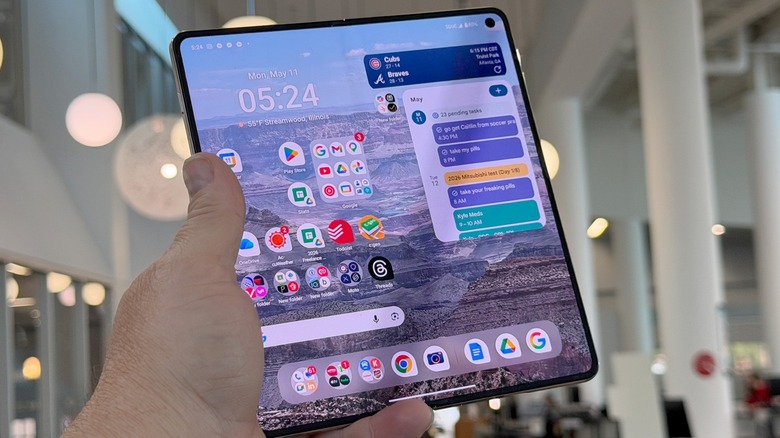

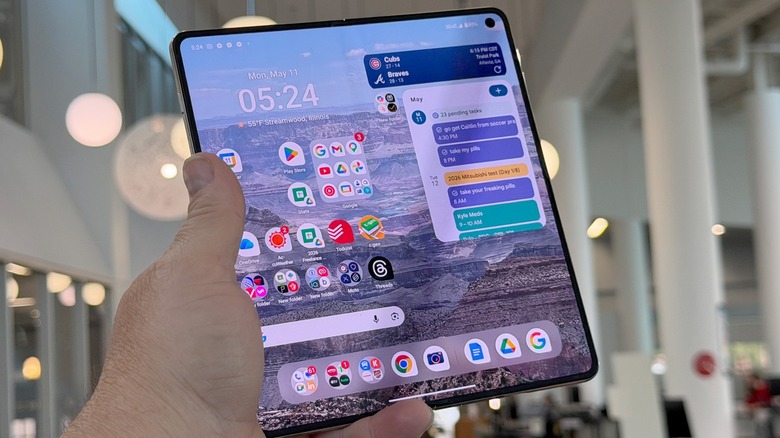
I have mixed feelings when it comes to the Motorola Razr Fold. I’m very happy it exists, but I also feel like it doesn’t go quite far enough. In most meaningful ways, it’s the best book-style foldable you can buy in the U.S. — and it commands a price that would suggest as much. But it’s not perfect.
Some of this isn’t really Motorola’s fault — it’s almost a victim of its own success, and it’s certainly a victim of Samsung’s. The U.S. is becoming a crowded market in foldables, and Motorola needed to do something to stand out. It did, but in very non-sexy ways. The Motorola Razr Fold stands apart from its competition in nondescript ways that won’t garner headlines, but its safe to say this is arguably the foldable to beat in 2026. Unfortunately for Motorola, Samsung hasn’t launched its next-generation (2026) foldable yet.
That is still to come, and right now, we have a foldable to work with right now. It’s a very good phone, and I’m excited to be using it. I’ve been carrying the Motorola Razr Fold for 10 days, and this is my full review.
Signature hardware
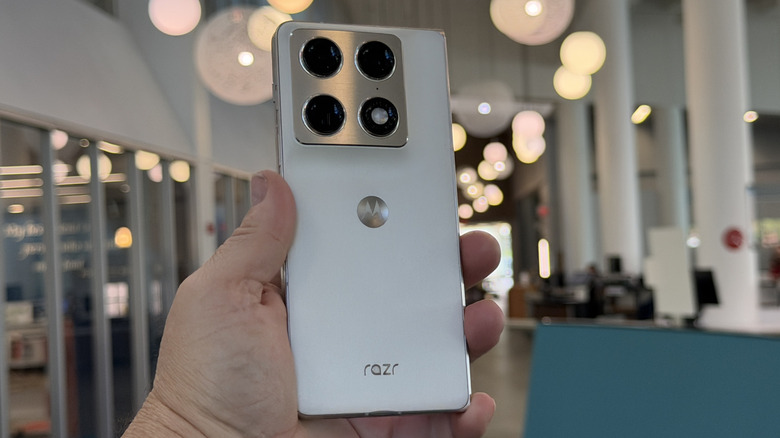
Motorola has developed something of a signature look, culminating in the appropriately-named Signature series, which won’t come to the U.S. That’s pretty okay though, because the Motorola Razr Fold is basically a Signature with an inner screen. I reviewed the Pantone Lily White colorway which has a silk-inspired finish — the actual material is silicone. Silk-inspired is the proper terminology because the back of the phone has a very silky feel.
The camera bump is a gradual rise to island, which gives you a good grip to hold when you’re holding the phone to read, or to watch the end of the battle versus the Wights in “Game of Thrones” when the internet goes out just as Theon charges the Night King and nearly causes a riot in our household.
Inside, the phone is less than impressive. There’s a Snapdragon 8 Gen 5 — note the lack of “Elite” in the name. The phone comes in any RAM/ROM configuration you want, as long as it’s 16GB and 512GB respectively. The phone is 4.55mm thick when opened and 9.89mm when closed. That’s a little bit thicker (and 10g heavier) than the iPhone 17 Pro Max. It’s thicker in both dimensions than the Samsung Galaxy Fold 7.
Extreme Displays
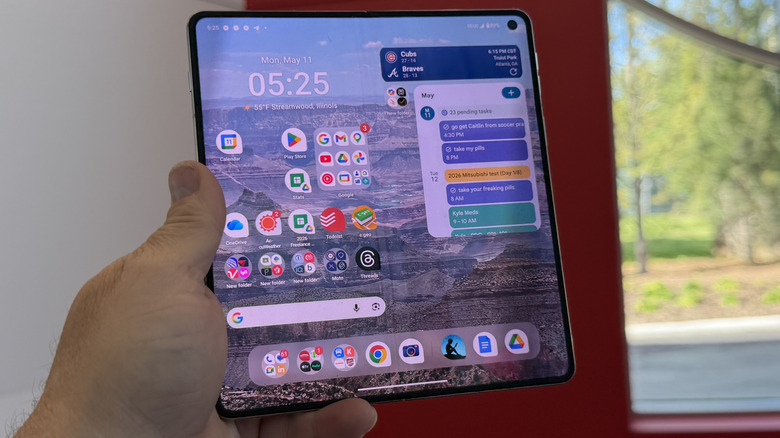
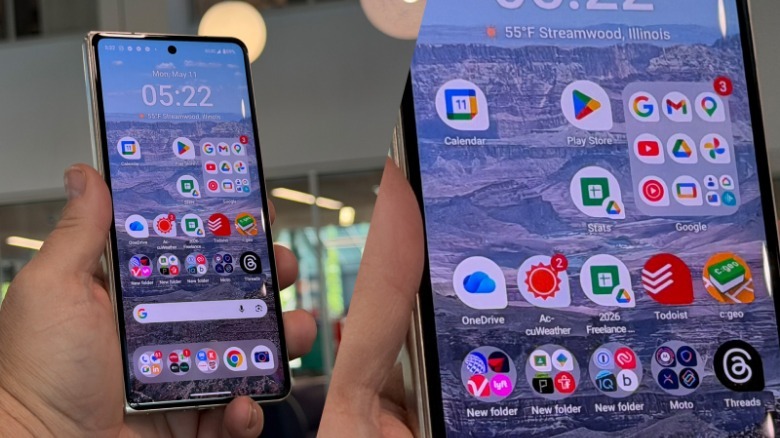
Both of the displays on the Razr Fold are Extreme AMOLED displays, with a peak brightness of 6200 nits on the inside and 6,000 nits on the cover screen. Both displays are beautiful with great color reproduction and responsiveness, which is also helpful when there’s a Game of Thrones episode on the line.
 Adam Doud/SlashGear
Both screens accept stylus input — specifically the Moto Pen Ultra stylus that Moto also sent over. The stylus is not garaged, so you need to carry it with you. The pen ultra also has a charging case you need to carry with it. That’s not terribly convenient, so most of the time I ended up leaving the stylus at home. That’s really the fate of most styluses that don’t slide into the phone, so I wouldn’t have lost any sleep had Moto not sent it over.
I like that the stylus works on both screens with this Razr Fold, though. Too often we’ll see foldable smartphones from other brands that will accept stylus input on one screen, but not the other. That is a nice change for those who like styluses enough to carry one around.
AI Posturing
This year’s Razr family came with a refreshing lack of AI features that nobody asked for in the first place. Of course, the reason for that is because this year’s AI features are the same as last year’s. Like the Moto Razr Ultra last year, the Razr Fold has a dedicated AI button, which is somewhat confusingly placed near the volume buttons, but on the other side of the phone, when opened. That means, when it’s closed, the buttons are all huddled together like puppies trying to stay warm. It’s not ideal.
You can program the button to either launch Moto AI or launch the “Catch me up” feature which summarizes any personal communication notifications that have rolled in recently. I’m going to insert the wholly unoriginal thought of, “if you have to include a button, at least make it programmable,” while at the same time acknowledging that most companies wouldn’t have do it either, so that’s just how it is. You don’t have to press it.
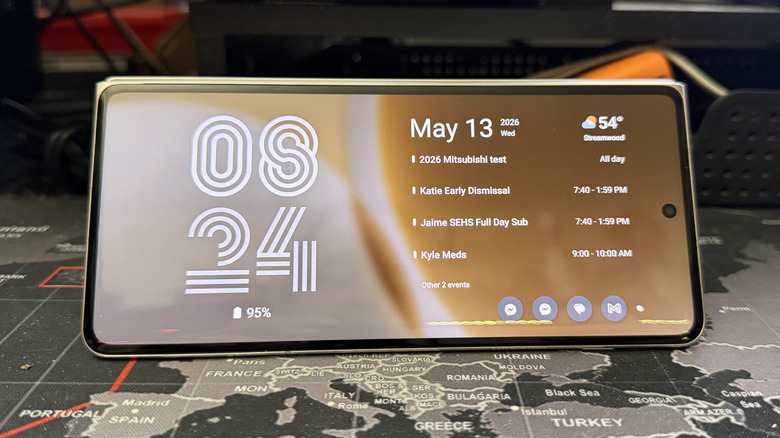
One cool thing that Motorola did was to build upon posture that it developed for the Razr. When you set the phone down in tent mode, you can have it display a few different screens all the time. I landed on a calendar, which also includes weather and notifications, but you can go with one that just looks like a desk clock.
Software is the same as everyone else’s
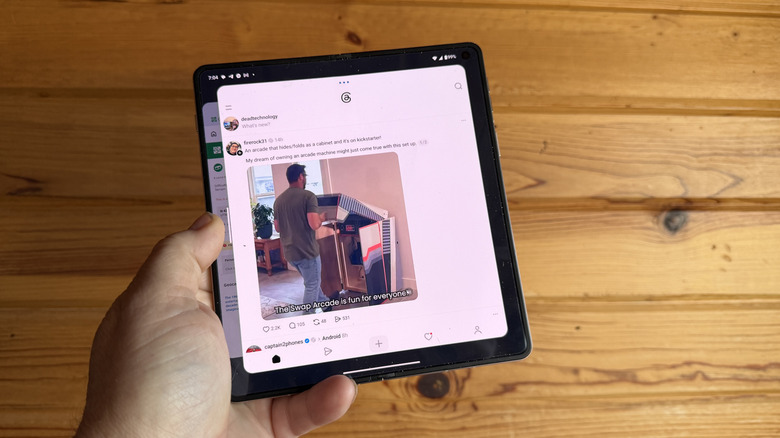
Unfortunately, that’s the end of the cool Motorola software, and that’s probably the most disappointing part of this phone — and it’s also not necessarily Motorola’s fault. Having seen three years of Motorola upping the ante on flip phone software — the cover screen widgets and panels, the postures, etc. — it was quite disappointing to see Motorola’s book-style foldable…doing the same thing as everyone else’s. There are pain points to address after all!
Motorola uses an unusual method for multitasking as well. You can line up three apps side by side or just two apps vertically. When you set up three apps, you can still expand the canvas to the 90/10 split that pushes other apps off the screen while leaving a small sliver exposed for task switching. But rather than pushing those apps off to the side, it pushes them behind the main screen in a sort of carousel of apps. Tapping on either side brings that app up to the front, instead of sliding apps left and right. I don’t hate it, but I definitely don’t prefer it.
It’s very possible that other manufacturers have wrung all the creativity out of the book-style foldable. When I thought about it enough, I realized that I didn’t have any new ideas myself of how to improve the software, either. It’s very possible we’re at peak foldable from a software perspective. But I just miss Motorola’s creativity here, and I’d hoped to see more, while at the same time facing the reality that there may not be more to be had.
Power and performance
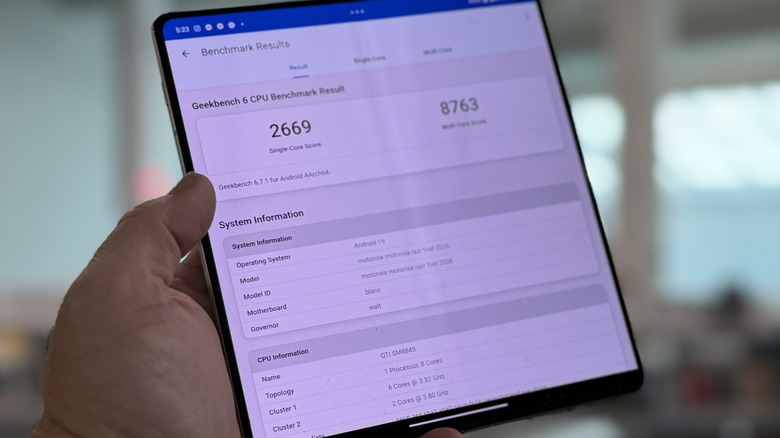
The Moto Razr Fold has a Snapdragon 8 Gen 5 processor in it along with 16 GB of RAM. That means it’s capable of some real power, for everyday tasks. I regret I’ve gotten to the point where the games I play probably don’t exercise a processor as much as others, but from a Geekbench 6 standpoint, this phone registers a 2,669/8,763 single/multi-core scores. Those are respectable numbers, comparable to the Fold 7, so there’s that.
From a power perspective, this phone is a beast. It has a 6,000 mAh silicone-carbon power pack, and that thing just lasts and lasts. If you’re careful, you can squeeze two days out of this phone. I took it on a press trip with me to the Grand Canyon and spent most of the day outside, in shoddy signal, shooting video and photos, and I still had over 30% left when I got back to the hotel that night. That was, by the way, after wirelessly power-sharing my daughter’s iPhone for about 20 minutes at dinner as well. Put simply, this phone addresses a major pain point from other foldables in the U.S. and can we all just embrace silicon-carbon from now on, please?
Daytime cameras are spectacular

I admit, it may have been the scenery, but taking the Moto Razr Fold to the Grand Canyon was one of the best decisions I made. These cameras are all very good. There’s a trip 50-megapixel camera setup in my personal favorite, ultrawide, main, and 3X telephoto configuration.
That gives you the whole gamut of .5x up to 6x telephoto which is just lovely. The Razr Fold can zoom up to 100x, with its super-res zoom feature that uses AI to clean up an image from far away and that too a very accurate.
 Adam Doud/SlashGear
But in terms of ultrawide and main cameras, they captured stunning images of the canyon and my daughter at the canyon. I couldn’t be happier with them.
 Adam Doud/SlashGear
Macro shots are equally good capturing excellent detail and very nice focus fall off in the background. I was also pleasantly surprised with Action mode, though those photos are really only good for social media wince they pixelate with any amount of zoom applied after the fact.
Nighttime photography is respectable

Nighttime shots are still Motorola’s weakness here, though it’s worth repeating that this is possibly the best set of cameras that Motorola has shipped on a phone. At night, focus can be a bit soft, especially with the ultrawide and telephoto lenses. Good photos are possible with unmoving subjects, so be sure to keep everyone still and smiling if you’re going to be grabbing selfies.
Motion takes a pretty big chunk out of your photos — it’s not really pretty. There’s also a pretty distinct color difference between the main sensor and the telephoto sensor. It’s not terrible, but certainly noticeable.
 Adam Doud/SlashGear
As for video capture, you still get the familiar judder with footsteps when filming and walking, but it’s not as bad as it has been in the past, which was a pleasant surprise. The bottom line for this device’s camera setup is that Motorola has improved considerably in this area, which is great to see, but there’s still some more work to be done.
Motorola Razr Fold Price, availability and final verdict
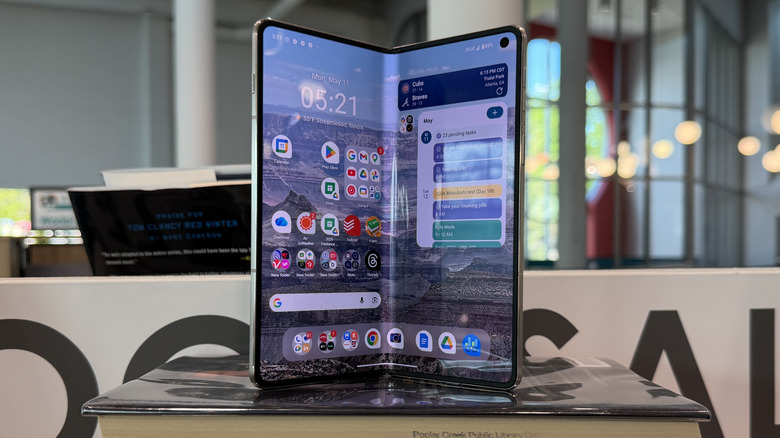
The Motorola Razr Fold is up for preorder starting on May 14, 2026 at Best Buy and Motorola.com for $1,899.99. Preorders will be a free Motorola Pen Ultra included, which is a nice perk. Please remember that this is Motorola, and it’s very likely this phone will be on perma-sale within the next few weeks or months, so if you don’t need a new phone today, you might be better off waiting. But you should definitely consider it.
This is, simply put, the best book-style foldable you can buy today. Whether or not that will be the case after summer has passed with one or potentially two competitors launching in that time frame, we’ll have to wait and see. But as things stand right now, this is a phenomenal phone that can stand up to any other foldable phone on the market today.
I wish, considering the price, Motorola had gone with the more powerful Snapdragon 8 Elite Gen 5, if for no better reason than futureproofing, and justifying the $1,899.99 price tag. But it’s understandable. But if you’re looking for the best foldable you can buy, the Motorola Razr Fold is your only choice.

Stephan is the sports journalist for the Maple Grove Report.