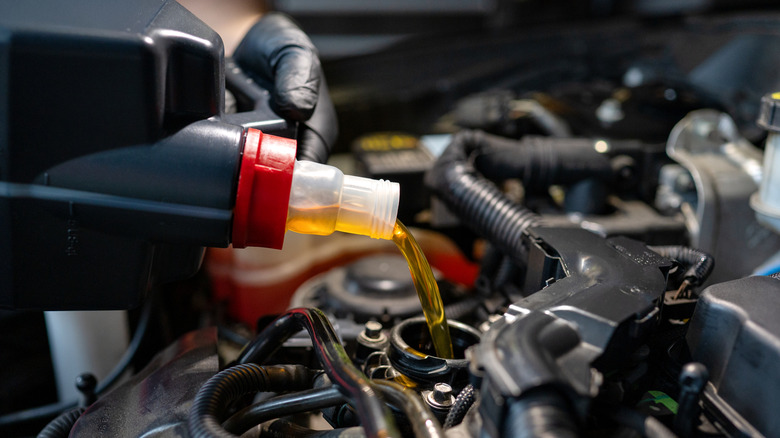
This Oil Change Service Gets JD Power’s Highest Customer Satisfaction Score In 2026


Exactly when you’ll need to get your oil changed will depend on factors like the car you drive, the type of driving you’re doing, and whether you use synthetic or conventional engine oil. All owners of internal combustion vehicles will need fresh oil sooner or later, and many of those owners rely on oil change service chains to get the job done. A recent report by J.D. Power surveyed more than 10,500 customers who used national quick oil change services and found that some chains were better than others at keeping customers satisfied.

According to the report, Express Oil Change and Tire Engineers was the highest-rated oil change service for customer satisfaction, scoring 854 points out of a potential 1,000 points. The second best-ranked service chain according to survey respondents was Take 5, while Jiffy Lube and Valvoline Instant Oil Change shared the third place spot.

Among other things, the survey asked respondents to score each chain on factors like service advisor courtesy, quality of work, and the fairness of the price they paid. Overall, 2026 saw quick oil change services deliver slightly higher customer satisfaction than the year before. In contrast, customers were less satisfied on average with other types of aftermarket service, like auto repairs and tire changes.

When do you need to get your oil changed?
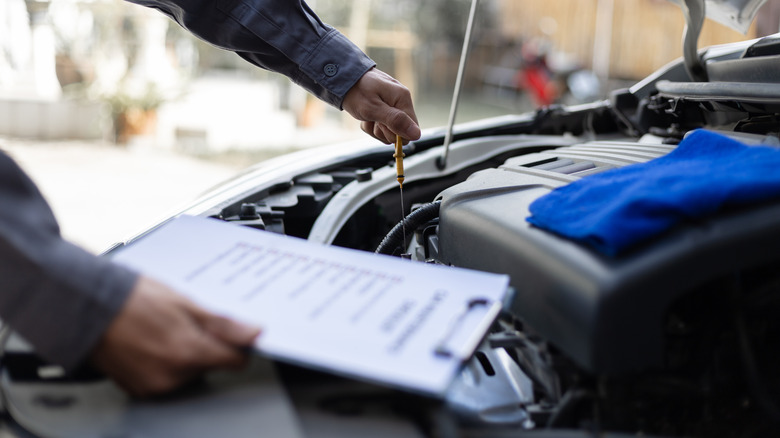
Picking the best quick oil change service is important, but knowing when you need to visit it is even more crucial. If you get your oil changed too frequently, you’ll end up wasting money, but skipping oil changes is never a good idea either. Without fresh oil, the engine’s components can wear prematurely, which could lead to a significant repair bill down the line.

As previously mentioned, there’s no one-size-fits-all interval when it comes to oil changes. It’s advisable to check your car’s owner’s manual and follow the recommended interval, which will often be somewhere between 5,000 and 7,500 miles. If your car uses synthetic oil, its recommended oil change intervals could be significantly longer, perhaps 10,000 miles or more.

It’s a good idea to regularly check your car’s oil levels in between changes, because excessive engine oil consumption can indicate there’s a problem that needs fixing. Small leaks might not be immediately noticeable but can still cause oil levels to drop over time, and various mechanical issues can also lead to increased consumption. If you notice you’re suddenly needing to add oil much more regularly than before in between changes, it’s worth getting the issue checked by a professional.


Source link

Leave a Reply

Subscribe to Our Newsletter

Get our latest articles delivered straight to your inbox. No spam, we promise.

Recent Reviews


Google is experimenting with a new policy restricting the amount of free storage provided to some accounts. New Google accounts (including new Gmail accounts) created in certain regions will be limited to 5GB of free storage when they’re first set up. That’s only one-third of the amount of storage that has been typically offered. There is a way of increasing the amount of free storage you get when setting up a new account, though: you can unlock it by linking your phone number.

When approached for comment by Android Authority, a Google spokesperson confirmed that the new policy was being tested to “help us continue to provide a high-quality storage service to our users, while encouraging users to improve their account security and data recovery.” The statement didn’t clarify which regions the policy is being tested in, nor for how long the testing period will last.

Notably, a Google One Help support page about account storage has been updated to state that each Google account contains “up to 15 GB of storage”, as noted by 9to5Google. Previously, the page didn’t say “up to”; it simply stated that accounts come with 15 GB of storage. So far, the experiment doesn’t appear to stretch to pre-existing accounts.

Per a screenshot shared by Reddit user Sungusungu on R/DeGoogle (a subreddit dedicated to finding alternatives to Google services and products) Google is collecting phone numbers to make sure that the full 15 GB of storage is only redeemed once per person. Of course, that’s easily evaded by using a burner phone to set up multiple accounts, should you want to. The pop-up directs users to a webpage to learn more about storage management. However, at the time of writing, the link redirects to the help center landing page instead.

How to link your Google account with a phone number

If you’re in the process of setting up a new Google account in an impacted region, then you might be prompted with the option of unlocking an extra 10 GB of storage using your phone number via a simple pop-up menu. If so, you can go ahead and follow those steps. However, if you want to link your phone number with a pre-existing Google account, then here’s what you need to do. Using your computer, you need to:

  1. Open your browser and head to myaccount.google.com, then navigate to “Security and sign in” on the left-hand toolbar. This should open a list of security options.

  2. Select “Use your phone to sign in” and then “Set it up”. 

  3. Add a phone number using the “Recovery phone” option.

  4. Follow the on-screen steps to verify your number and finish linking it to your account.

Your options might look a little different if you already have a recovery number set up with your account.

Alternatively, you can connect a phone number to your Google account from your Android device, iPhone, or iPad. Much like on a computer, you connect your number by adding it as a recovery phone. First, head over to myaccount.google.com. Then select “Personal info”, followed by “Phone”. From there, you should be able to add or edit your phone number by navigating to the “Recovery phone” section.


Source link







