How to Turn Off AI Notification Summaries for News Apps on Your iPhone


Apple brought AI notification summaries for news and entertainment apps back to Apple Intelligence-enabled iPhones when the company released iOS 26 in September 2025. Apple disabled these summaries in early 2025 after the BBC pointed out in December 2024 that the feature twisted the media organization’s notifications and displayed inaccurate information.

Tech Tips

What’s different about these summaries in iOS 26 is that your device’s settings warn you that the summaries might be inaccurate. Your device will note that you should verify the information in these summaries, and the best way I can think of to do that is to tap into the notification and read the story. This might defeat the purpose of the summaries for some people, but it could also ensure people read past a headline.

You have to enable AI summaries on your device. If you do, here’s what to know about them and how to turn them back off.

iOS 26 warns about summary inaccuracies

After I updated to iOS 26, I was greeted by some splash screens asking for various permissions. One splash screen was for the AI notification summaries. When you see this screen, you have two options: Choose Notifications to Summarize or Not Now. If you tap Not Now, the splash screen goes away. 

The first Summarize Notification menu on an iPhone screen

Apple/Screenshot by CNET

If you tap Choose Notifications to Summarize, you’re taken to a new page where you’ll see three categories: News & Entertainment, Communication & Social and All Other Apps. Tapping one of these categories allows notification summaries for apps in that category. Beneath the News & Entertainment category, there’s a warning that gets outlined in red if you tap it.

The AI notification summary menu in iOS 26.

Apple/Screenshot by CNET

“Summarization may change the meaning of the original headline,” the warning reads, adding, “Verify information.”

There’s also a warning across the bottom of the screen that reads, “This is a beta feature. Summaries may contain errors.”

After tapping the categories you want, tap Summarize Selected Notifications across the bottom of your screen. If you selected all the categories, this button will read Summarize All Notifications.

And if you don’t want these summaries, you can tap Do Not Summarize Notifications. If you allow these summaries and don’t like them, you can easily turn them off. Here’s how.

How to turn off AI notification summaries

1. Tap Settings
2. Tap Notifications.
3. Tap Summarize Notifications.

The Notifications menu with Summarize Notifications outlined in red.

Apple/Screenshot by CNET

4. Tap the Summarize Notifications toggle.

The Summarize Notification menu.

Apple/Screenshot by CNET

Now you won’t see any summarized notifications. And if you want to turn AI notification summaries back on, follow the above steps again. You’ll have to select which categories you want these summaries for again, too. 

For more iOS news, here’s what to know about iOS 26.5 and iOS 26.4. You can also check out our iOS 26 cheat sheet for other tips and tricks.

Watch this: The New Gemini Isn’t the Siri We Need


Source link

Leave a Reply

Subscribe to Our Newsletter

Get our latest articles delivered straight to your inbox. No spam, we promise.

Recent Reviews


We may receive a commission on purchases made from links.

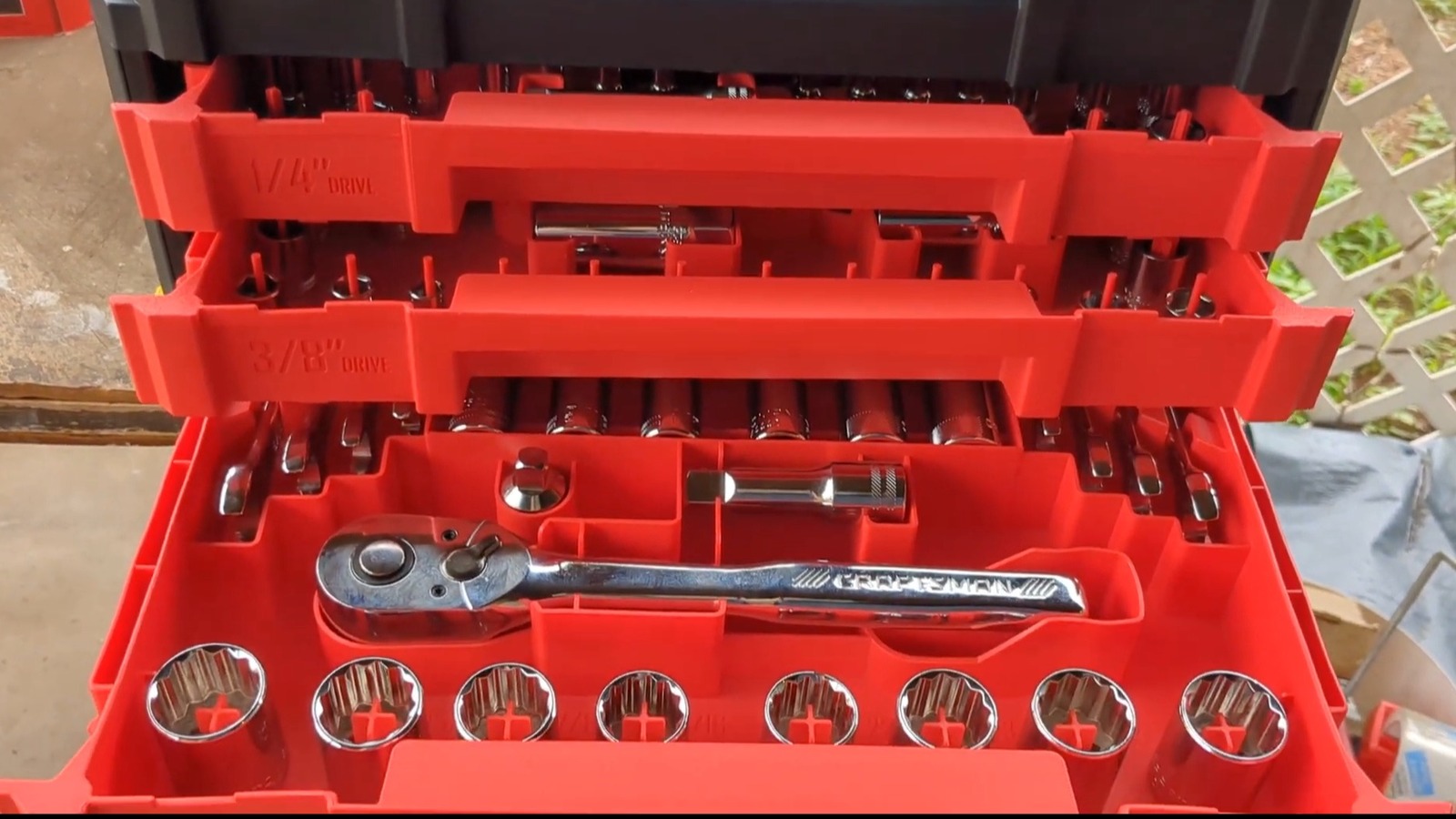
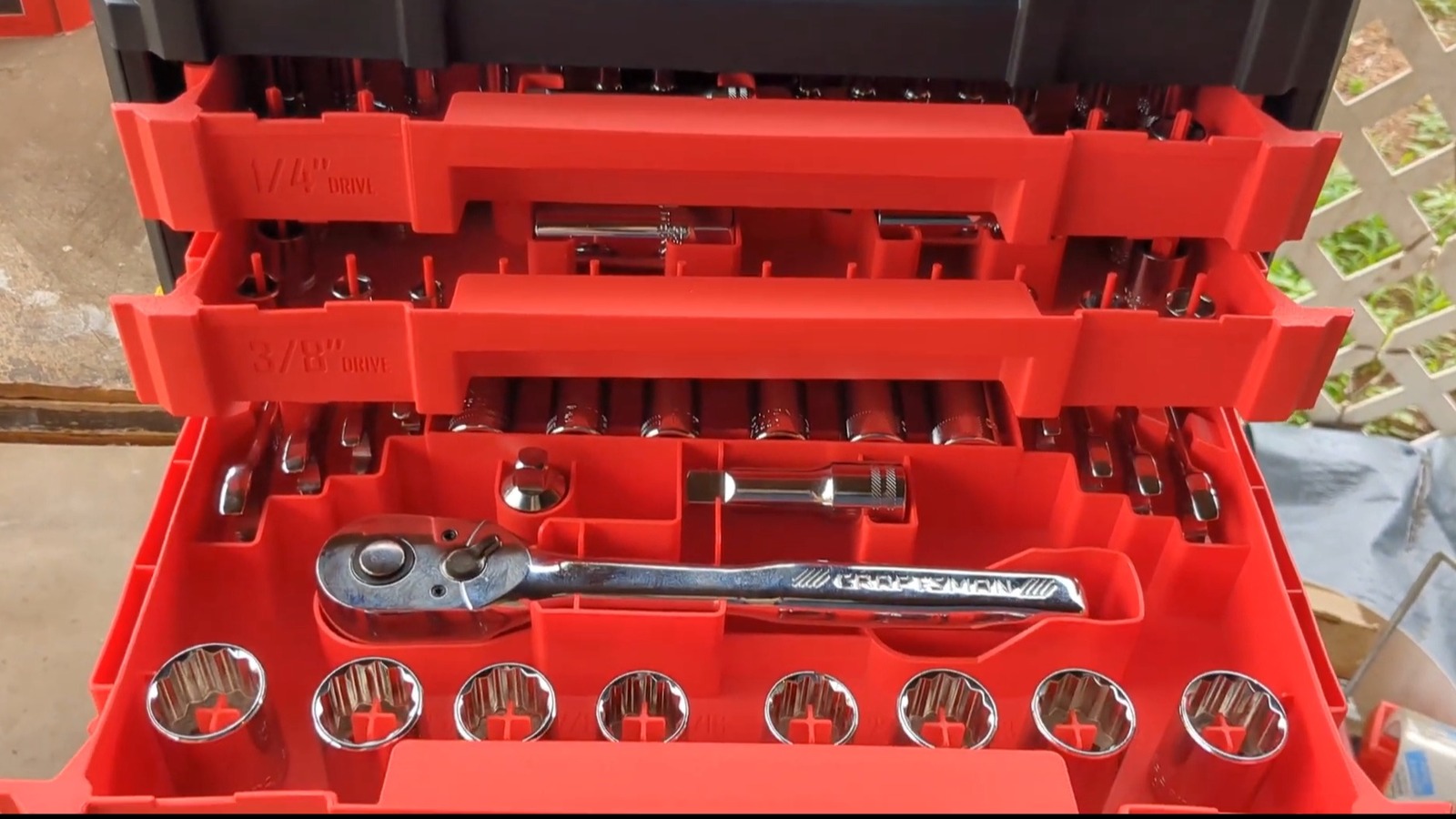
A toolkit can go a long way toward helping you stock up on essentials. All of the major tool brands offer different kinds, including the longstanding power and hand tool favorite, Craftsman. Its products can be found in many online stores, and Amazon is currently holding a major sale. At the time of publication, a 262-piece Craftsman hand tool set is on a massive markdown of 40% off, saving you $100 at checkout.

The collection currently costs $149, which is still a lot of money, but is a big budgetary improvement over the $249 regular price. With the discount, you’re getting more for your dollar, and this kit includes 118 sockets, three ratchets to use them on, 24 wrenches, 44 hex keys, 66 specialty bits, and seven extra accessories. The set comes in a three-drawer, handled toolbox that’s part of the Craftsman VersaStack modular storage system. You’re also getting a full lifetime warranty.

While the price and quantity of tools may seem right, what is there to say about the quality of this Craftsman kit? According to most customers, it’s a worthwhile buy for any DIYer, even without a huge sale to sweeten the deal.

How online buyers feel about this Craftsman tool kit

On Amazon, the response to this specific Craftsman tool kit has been resoundingly positive. There are currently close to 300 reviews discussing this specific variant and over 10,000 for the overall product, and the vast majority gave it five stars. Most found the quality of the tools and sockets more than up to par, the VersaStack toolbox sturdy and great for organization and protection, and the price adequate. Still, it’s often said this is more of a beginner or around-the-house kind of kit, so if you want it for professional use, it’s not considered the strongest option on the market.

Elsewhere online, this kit has continued to garner largely positive press. On the Craftsman website itself, almost all of the 18 reviews gave it five stars. Some applauded the functionality of the VersaStack case and its ability to connect to other boxes in the line, while others praised the versatility of the tools within. Meanwhile, most of the 289 reviews on Lowe’s website are five-star and approve of the kit’s piece selection and durability.

There are a lot of great mechanic tool sets for anyone’s budget, and there could be a case to make that this Craftsman 262-piece set belongs alongside them. At its sale price or otherwise, it’s a hit across several retailers. Whether it’s the right set for you and your hand tool-related needs, though, is a question only you can answer. 


Source link