
Follow ZDNET: Add us as a preferred source on Google.
ZDNET’s key takeaways
- You have a few options for Android Auto weather apps.
- The two main options provide much deeper info than the default.
- MyRadar has one extra feature that makes it my top pick.
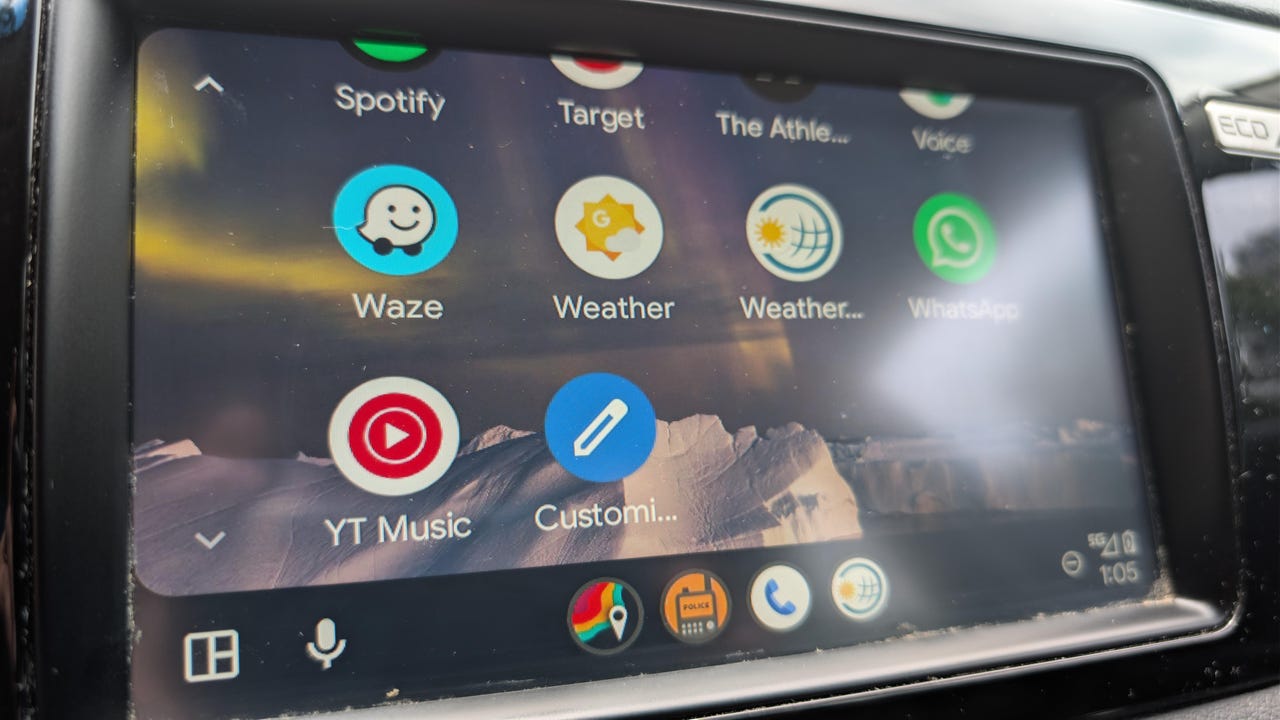
Android Auto has a fairly deep roster of useful apps you probably haven’t downloaded, but there’s one area it’s surprisingly limited — weather. If you’ve ever hit a huge storm on a road trip, though, or seen ominous clouds piling up in the sky ahead of your commute, you know how useful weather insight can be.
I’m a bit of a weather nerd, and I love taking a peek at the radar and forecasts even if I don’t expect storms to have a direct impact on my day. When I tried to see what apps I could add to my car’s screen for easy access, though, I was a bit disappointed.
Also: I saw the future of Android Auto, and now Google has me dreading my own car
I only found two main options: MyRadar and Weather & Radar. There are a few other choices that don’t have full Android Auto integration, some more apps for the confusingly named but different Android Automotive, and of course, you can mirror your phone to show any app.
After testing both apps for about a week, I found both useful, but one had a few features that set it apart. If you’re looking for the best weather app for Android Auto, here’s my pick.
MyRadar
The MyRadar app isn’t just the best Android Auto weather app; it’s also one of the most robust weather apps I’ve used. It’s as easy to use as any other weather app, but it provides a lot more information. At its core, it’s a radar app that lets you see live weather radar for your location or any other location you search for, making it a useful tool for tracking approaching storms. The real value in this app goes beyond basic radar.
The default map is either flat or globe-shaped, showing rainfall and storm intensity, but you can pull up a number of other maps, like road, aerial, or topographical. The layers menu lets you add a wide range of options, including air quality, winds, clouds, fronts, weather outlooks, and even videos from storm chasers.
Also: 6 Android Auto apps I wish I found sooner, because they make every drive easier
Most app functionality is free, but a few features are premium. My favorite of these is RouteCast, which shows projected weather conditions along your entire route, not just where you are now. You can enter a starting location and a destination, and you’ll see what the weather will be along the way.
You will need a subscription to access RouteCast, but it also gives you other features. A subscription is $4 a month or $30 a year, but there’s a free 3-day trial if you want to test it out on your next road trip.
Weather & Radar
This is another great app that offers much more than the default option. Weather & Radar, as the name implies, offers hourly and daily forecasts, interactive weather maps that show rain, snow, wind, and lightning, severe weather notifications, and more. The interface is clean, and the radar is easy to understand, especially in split-screen mode with Maps.
Also: My 4 favorite Android Auto settings are seriously useful – but hidden by default
The main benefit here is that you can pull up specific radar data, such as rain, temperature, lightning, and wind. It’s not quite as advanced as MyRadar and doesn’t offer weather projections for your route, but it’s a great choice if you want to see current radar conditions.
Weather
I’m only including this because it’s an available option, but there is a Weather widget for Android Auto. When you tap it, it doesn’t even open an app; it just triggers Gemini, and you get the same results you’d get if you asked, “What’s the weather?” It’s good for finding the high and low temperature forecast for the day, and I might use it to see if there’s any rain expected, but that’s it.
Also: I’ve used Android Auto for years, and these 5 changes solved my biggest issues
I was able to get an estimate of when it might rain by asking when it said light rain was in the forecast, which could be useful, but it’s very surface-level information. If you wanted to go this route, it’s better to save a tap and just use voice control to ask Gemini directly.