Is The Google Pixel 9a Still A Good Buy In 2026?


Google’s Pixel series is pretty infamous for performance and battery endurance — the in-house Tensor chips simply aren’t as powerful or as efficient as Qualcomm’s or Apple’s silicon. Yet, the Pixel enjoys a very loyal user base owing to its clean Android experience, solid camera performance, and day-one software updates. The Pixel 10 Pro series, starting at $1,000, is currently the best that the company has to offer, but there are more affordable ways to get into Google’s ecosystem. 

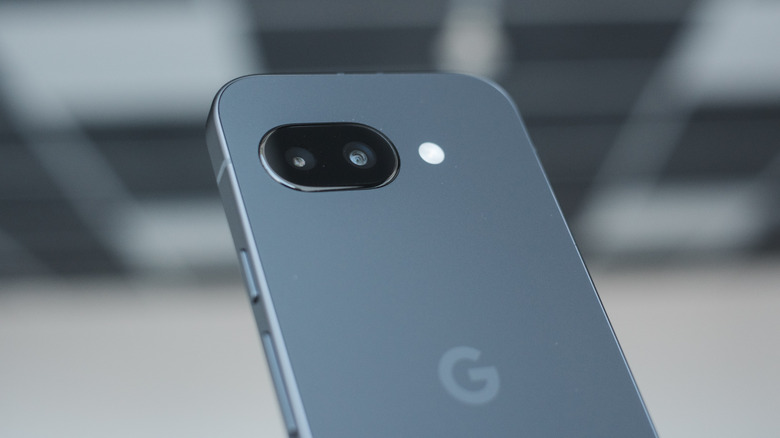
The Pixel 10a we reviewed is an affordable $500 smartphone that gets you most of the experience. You get decent performance, two solid cameras, and the same seven-year software update commitment as the expensive models. However, if you’re looking for an even cheaper way to enjoy the Pixel experience, last year’s Pixel 9a remains a solid purchase if you can find it at a discounted price. In fact, there are practically no meaningful differences between the 9a and 10a that would justify spending the extra money.

Both phones are powered by the same Tensor G4 chip, have an identical dual-camera setup, a 5,100 mAh battery, and the same storage and RAM configuration. On paper, the only things you’d be missing out on are a slightly brighter display, faster charging, and one fewer year of Android updates. If there’s not a big price difference between the two, the Pixel 10a is the way to go. The 9a is essentially the same device, just cheaper.

Why the Pixel 9a still holds up
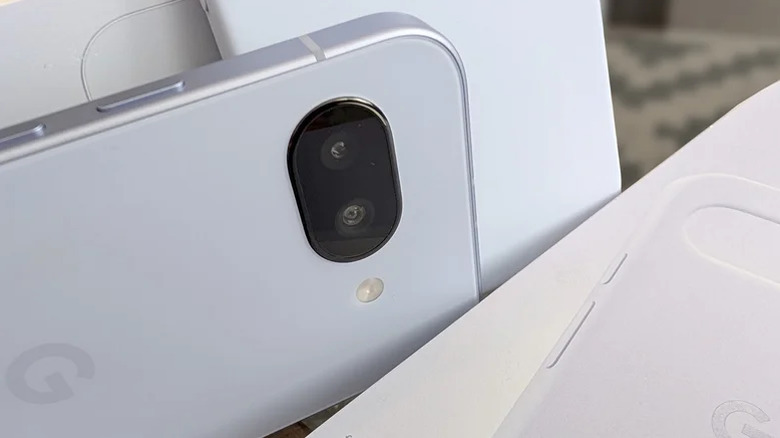
Unlike in other markets, the budget smartphone segment in the U.S. doesn’t really have fierce competition. Samsung has a few options, but the Pixel has them beat in camera quality. Similarly, the $600 iPhone 17e asks you to make do with a single camera and a 60Hz display in 2026. Despite being a year older, the Pixel 9a ensures you receive day-one software updates and is expected to be supported until the year 2032. You are much more likely to run into performance or battery life issues before Google officially drops support for the Pixel 9a.

The Tensor G4 is noticeably slower than comparable Snapdragon chipsets or the Apple A19 chip powering the iPhone 17e, but it manages to run a pure Android experience at consistent frame rates. While we wouldn’t recommend the Tensor-powered Pixel 10 Pro for $1,000 if you’re primarily looking for raw performance, in a budget-oriented smartphone, the Pixel 9a manages to outpace other $400 or $500 smartphones. 

Moreover, in our review of the Pixel 9a, we reported excellent battery life, with the phone sometimes lasting up to two days on a single charge — which makes sense given that it has a larger battery than the Pixel 10 Pro. The 48-megapixel primary camera also captures great shots — paired with Google’s computational photography, the Pixel 9a is likely to be the best camera experience on a sub-$500 smartphone you can get.


Source link

Leave a Reply

Subscribe to Our Newsletter

Get our latest articles delivered straight to your inbox. No spam, we promise.

Recent Reviews


Google is experimenting with a new policy restricting the amount of free storage provided to some accounts. New Google accounts (including new Gmail accounts) created in certain regions will be limited to 5GB of free storage when they’re first set up. That’s only one-third of the amount of storage that has been typically offered. There is a way of increasing the amount of free storage you get when setting up a new account, though: you can unlock it by linking your phone number.

When approached for comment by Android Authority, a Google spokesperson confirmed that the new policy was being tested to “help us continue to provide a high-quality storage service to our users, while encouraging users to improve their account security and data recovery.” The statement didn’t clarify which regions the policy is being tested in, nor for how long the testing period will last.

Notably, a Google One Help support page about account storage has been updated to state that each Google account contains “up to 15 GB of storage”, as noted by 9to5Google. Previously, the page didn’t say “up to”; it simply stated that accounts come with 15 GB of storage. So far, the experiment doesn’t appear to stretch to pre-existing accounts.

Per a screenshot shared by Reddit user Sungusungu on R/DeGoogle (a subreddit dedicated to finding alternatives to Google services and products) Google is collecting phone numbers to make sure that the full 15 GB of storage is only redeemed once per person. Of course, that’s easily evaded by using a burner phone to set up multiple accounts, should you want to. The pop-up directs users to a webpage to learn more about storage management. However, at the time of writing, the link redirects to the help center landing page instead.

How to link your Google account with a phone number

If you’re in the process of setting up a new Google account in an impacted region, then you might be prompted with the option of unlocking an extra 10 GB of storage using your phone number via a simple pop-up menu. If so, you can go ahead and follow those steps. However, if you want to link your phone number with a pre-existing Google account, then here’s what you need to do. Using your computer, you need to:

  1. Open your browser and head to myaccount.google.com, then navigate to “Security and sign in” on the left-hand toolbar. This should open a list of security options.

  2. Select “Use your phone to sign in” and then “Set it up”. 

  3. Add a phone number using the “Recovery phone” option.

  4. Follow the on-screen steps to verify your number and finish linking it to your account.

Your options might look a little different if you already have a recovery number set up with your account.

Alternatively, you can connect a phone number to your Google account from your Android device, iPhone, or iPad. Much like on a computer, you connect your number by adding it as a recovery phone. First, head over to myaccount.google.com. Then select “Personal info”, followed by “Phone”. From there, you should be able to add or edit your phone number by navigating to the “Recovery phone” section.


Source link