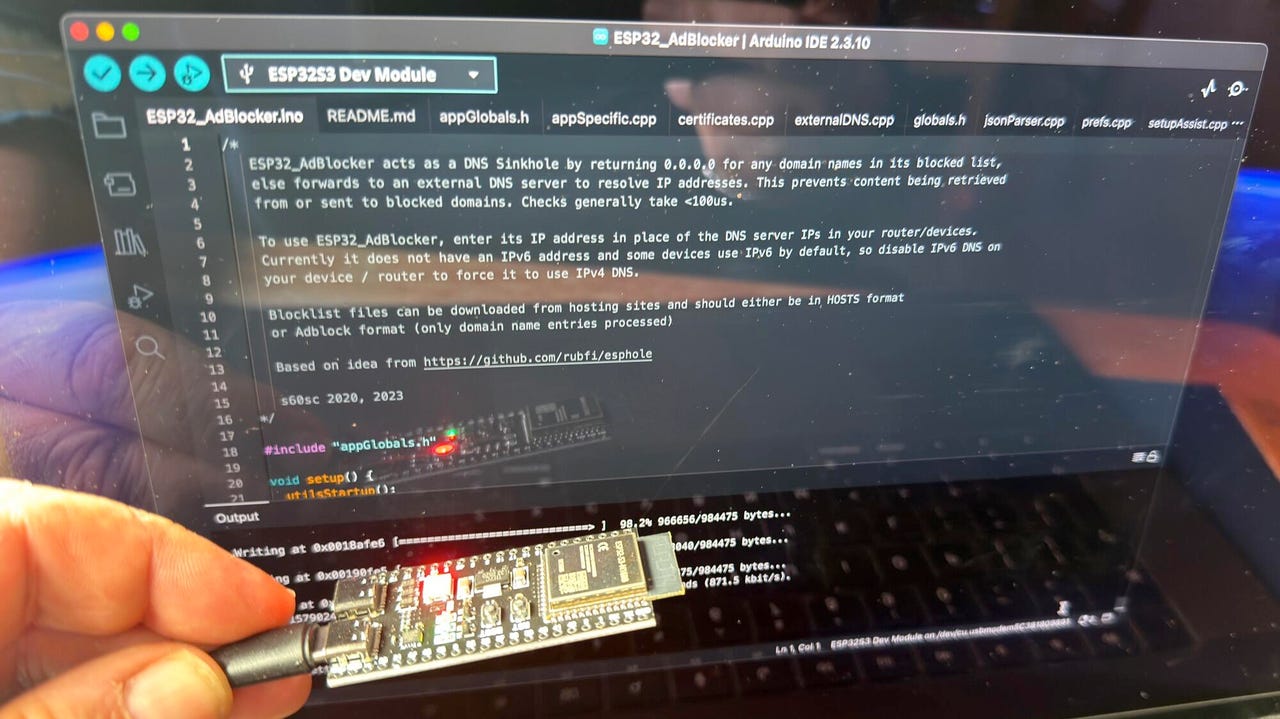

No coding needed. Just load existing code onto the ESP32-S3.
Adrian Kingsley-Hughes/ZDNET
Follow ZDNET: Add us as a preferred source on Google.
ZDNET’s key takeaways
- A cheap $7 board can turn its hand to ad blocking.
- It works as a DNS sinkhole, stripping out ads before download.
- Other options include using a Raspberry Pi and buying hardware.
They say that necessity is the mother of invention, and the skyrocketing prices of Raspberry Pi boards have definitely been the kick in the pants that I’ve needed to look at cheaper, perhaps also better-suited, alternatives. I mean, the Pi is a great board, but for a lot of applications I’ve used it for over the almost 15 years that they’ve been around, it’s also been overkill.
The other day, I needed to put together an ad-block solution, not because I dislike ads, but simply because I was working with quite a limited bandwidth. I reflexively reached for a Raspberry Pi board, but stopped when I remembered how much they cost nowadays and put it back.
Also: I tested a Bluetooth tracker that leverages LoRa mesh networks to find things – and it’s so accurate
I was going to use PiHole on the Pi, but then I remembered coming across an ad-block project that worked on an ESP32 board. And the good news is that you can pick up one of those boards for under $10.
ESP32-S3 (left) vs ESP32 (right).
Adrian Kingsley-Hughes/ZDNET
Introducing the ESP32-S3
There’s a huge difference between a Raspberry Pi 5 and an ESP32 board (specifically the ESP32-S3 board). The Pi 5 is powered by a 2.4 GHz quad-core Arm Cortex-A76 64-bit chip, gigabytes of RAM, and the ability to use microSD or fast NVMe SSD storage, while the ESP32 makes use of a dual-core Tensilica Xtensa LX7 32-bit processor that can run at up to 240 MHz, 520 KB of RAM, and up to 16MB of flash storage.
Also: I built my own Wi-Fi router with a Raspberry Pi for Starlink and solar control – here’s how
A Pi 5 can use as much as 12 W of power (and that’s before you hook up various HATs and such), while an ESP32 board uses milliwatts.
For this project, I’m happy to go with the ESP32, but there are a few compromises that I’ll have to live with — more on those later.
What you need
First, you need an ESP32 board. Look for the ESP32-S3 with 8MB of PSRAM (there’s a 4MB version too, but using this board will result in compromises) rather than the classic ESP32. The ESP32-S3 is faster and more efficient, and you need this power to run the ad-block software. The cheapest way to buy these boards is in a 3-pack for $20.
When you get an ESP32-S3 board for the first time, it’s normal to think, “Wow, this is tiny, there must be more to it,” but there isn’t. It really is a computer you can balance on a finger.
Well, you will need a USB-C cable to transfer data and power the board. However, you don’t even need a microSD card for the board to work.
Also: I installed a $17 solar panel onto my doorbell camera, and it’s easily my best smart home investment
Talking of the software, you’ll also need to download ESP32_AdBlocker, which does all the hard work. You’ll also need the Arduino IDE utility to install the software onto the board. Installing the software is easy — configure the Arduino IDE application to work with the ESP32 board, open the product in the application, connect the board to your PC, and click upload.
Note that when you connect the ESP32-S3 board to your computer, it has two USB ports. You want the one marked as COM or USB/Native (looking down at the board with the ports at the bottom, this is the port on the right). Alternatively, try a different port.
If you get into trouble, there’s no end of help available. One of the biggest issues I find people run into is trying to connect the ESP32 to their computer using a charge-only USB-C cable. I also had to fiddle with the compile and board settings in the Arduino IDE software. I’ve added a screenshot below of the settings I used to get things working.
And finally, if you need a case for the ESP32-S3 board, you have options. You can buy one, 3D print one, or do a MacGyver and wrap it in a bit of electrical tape or large-diameter shrink-wrap tubing (about 1.5 inches across).
Setting up the board
OK, so you’ve loaded the software onto the ESP32. Now it’s time for a first boot and to get the board set up. Your ESP32 board is now a network appliance.
On first boot, the ESP32 starts in Wi-Fi access point mode with an address that starts: ESP32_Adblocker_XXXXXXXXXXXX (where each X is an alphanumeric character).
Once you’ve connected to the Wi-Fi, go to 192.168.4.1 and add the Wi-Fi SSID and password for your router. After another reboot, it’s time to specify the URL of the blocklist you want to use (you can find a massive repository of blocklists here), and then you’re pretty much done with the board.
We’re in. ESP32_Adblocker successfully installed.
Screenshot by Adrian Kingsley-Hughes/ZDNET
The only other thing to do is configure your devices to send DNS requests (more on this in a moment) to the ESP32 board. To do this, you need to take that earlier address — 192.168.4.1 — and use it as the DNS address. A good way to find out how to do this task is to check out CloudFlare’s excellent documentation for the platforms (remember to set the DNS to your ESP32’s address, not CloudFlare’s 1.1.1.1 address).
But how does it work?
When you type a URL or click a link, your browser needs to know where on the internet that web page lives. To find this information, your browser consults an online directory called a DNS server via DNS lookup (DNS stands for Domain Naming System).
Think of DNS as a phone directory, but for server addresses. The web page, and all the components of that web page — the images, any videos or sounds or animated under-construction GIFs, and, of course, the ads — can all be at the same location or come from different servers scattered all around the world. The browser looks up the addresses of where all these parts of the webpage are stored to build the page that it shows you.
Now, here’s the clever bit. Because you now told your smartphone, PC, or router to ask the ESP32 board for DNS information (which is why you had to change the router’s DNS setting for this approach to work), every DNS lookup that happens is filtered by that tiny ESP32 board first.
Also: My 7 essential laptop-bag items after decades of working remotely
The ESP32_AdBlocker software holds a blocklist of millions of addresses for internet ads, and, put simply, every time the browser requests something that’s in the blocklist, the software tells the browser that it can’t be found by pointing it to the 0.0.0.0 DNS address, and the blocked ad never loads, saving you a bit of internet bandwidth. If the address is not on that list, the board passes that DNS lookup to a proper DNS server.
What you’ve built is a DNS sinkhole for the majority of the ads that you see on the internet.
There are limitations. For example, the strategy doesn’t work with YouTube ads because they’re served from the same server and at the same address as the videos you want to watch, so blocking these ads would block the videos. The approach also doesn’t work with newer IPv6 internet addresses.
But this project still shows what’s achievable with a tiny board costing under $10.
The ESP32-S3 in action, filtering ads.
Adrian Kingsley-Hughes/ZDNET
Not the only option
For the application I needed — a temporary solution to work with a limited-bandwidth internet connection — this approach works. And it was one of those interesting projects to play with. If I wanted a long-term solution, or I didn’t want to put a speed bump on a fast internet pipe, a Raspberry Pi Zero 2 W running PiHole is a good solution.
Also: I tested a $15 smart switch and found a coffee maker wasting $1,500 a year in electricity
But that approach already pushes the cost up to at least $15 for the bare board, plus a microSD card. Nothing that’s going to demand a second mortgage, but it’s a different level for sure.
You could run PiHome on a totally separate computer, or in a virtual machine on a computer. Or buy an appliance that supports ad blocking out of the box. But what’s the fun in that? Different horses for different courses.