This is your last chance to grab a Ninja Foodi Dual Air Fryer for under £99


Ninja’s dual-drawer air fryers have become the benchmark for anyone who wants two different dishes finished at the same moment.

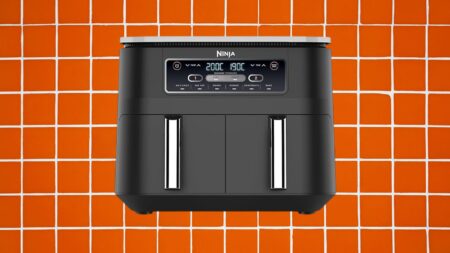
eBay currently has a certified refurbished Ninja Foodi Dual Zone 7.6L Air Fryer that has dropped from £149.99 to £98.99, a saving of £51 or 34%.

Ninja Foodi Dual Zone 7.6l air fryer

Last chance today to grab a certified refurbished Ninja Foodi Dual Air Fryer for under £99

With the listing flagged as a limited time offer, today is the moment to decide before the discount disappears and the price returns to normal.

View Deal

That price now buys two independently controlled drawers, each fitted with its own crisper plate, so a batch of homemade chips can crisp away while a burger cooks through in the other drawer at once.

The Sync function takes that a step further, timing both drawers so they finish together even when they are running completely different modes, meaning two dishes never compete for attention at exactly the wrong moment.

That kind of scheduling matters most when cooking for a full table, and the 7.6 litre capacity backs it up, since each drawer is roomy enough to fit a chicken weighing up to 1.6 kilograms.

Advertisement

The Ninja Foodi Dual Zone backs that capacity with four cooking modes, covering Air Fry for everyday meals, Max Crisp for the sort of shatteringly crunchy finish frozen food rarely achieves, Roast, and Reheat too.

The Whatsapp Logo

Get Updates Straight to Your WhatsApp

Join Now

Cold pizza goes back in crisp at the base and gooey on top rather than turning rubbery, and that same setting rescues yesterday’s roast dinner without drying out the meat or turning the vegetables soft.

The only real limitation shows up here too, since each drawer only holds around two slices of pizza at a time, so bigger reheating jobs will need a bit of patience or a second batch.

None of that changes the fact that this particular Ninja Foodi Dual Zone unit is certified refurbished, arrives in plain packaging, and still carries a full one year guarantee for genuine peace of mind regardless.

That reassurance matters most for anyone who cooks for more than one person, or simply hates babysitting two separate pans on the hob, since they will get more from it than most other buyers ever.

Advertisement

With the listing flagged as a limited time offer, today really is the moment to decide before the discount disappears and the price climbs back toward its usual £149.99 asking price for good this time.

SQUIRREL_PLAYLIST_10148964


Source link

Leave a Reply

Subscribe to Our Newsletter

Get our latest articles delivered straight to your inbox. No spam, we promise.

Recent Reviews


How to get Siri AI - join the waitlist today

Apple / Elyse Betters Picaro / ZDNET

Follow ZDNET: Add us as a preferred source on Google.


ZDNET’s key takeaways

  • Siri AI requires the iOS 27 developer beta and a waitlist.
  • A free Apple Developer account is enough to install the beta.
  • Apple says Siri AI will launch in beta later this year.

Apple finally gave Siri the major update everyone has wanted for years, moving it from the voice assistant era to the intelligent AI era.

At WWDC 2026 in June, the company introduced Siri AI, a new version of Siri “powered by Apple Intelligence.” Apple said Siri AI is more conversational, understands personal context, can answer broader questions, and can take action across apps. It can also use my information from messages, emails, photos, notes, and the screen itself to get more done on my behalf.

Also: The two biggest iOS 27 features at WWDC for me had nothing to do with Siri AI

The catch? (There’s always one, right?) The iOS 27 developer beta needs to be installed first, and even then, there is a waitlist.

How to get Siri AI

What you’ll need: An iPhone 15 Pro or Pro Max, any iPhone 16 model, or any iPhone 17 model running the iOS 27 developer beta.

Install the iOS 27 developer beta on a secondary device, but be sure to back it up first. Remember, developer betas are unfinished software. Apps can crash or glitch, battery life can drain, and features can disappear.

The good news is Apple no longer requires a $99-a-year Apple Developer Program membership just to get access to beta software. A free Apple Developer account is enough. To join, if you haven’t before, simply go to Apple’s Developer website or use the Apple Developer app, sign in, and agree to the developer terms.

Also: 3 new MacOS 27 features make it worth upgrading right away for me – Siri included

Once that’s done, any new developer beta will automatically appear for the iPhone associated with that Apple Account. To check for iOS 27 and install it now, open Settings > General > Software Update > Beta Updates. From there, select iOS 27 Developer Beta, go back to the Software Update screen, and install the update.

Need help? Check out ZDNET’s guide on installing the iOS 27 developer beta.


Show more

Install the iOS 27 developer beta

Elyse Betters Picaro / ZDNET

After the iOS 27 developer beta is installed, the iPhone will reboot, but Siri AI will not automatically be available to try. Apple is using a waitlist. To join it, open the Settings app, go to Apple Intelligence and Siri, and select “Try New Siri.” Follow the prompts to opt in. Once a spot opens, a notification will appear saying New Siri is available.

Also: Getting real about WWDC and Siri AI – Video

Apple has not confirmed how long the wait will take, but it has said Siri AI will be available in beta “later this year.”


Show more

Join the Siri AI waitlist

Elyse Betters Picaro / ZDNET

Should you wait to try Siri AI?

Maybe. The iOS 27 developer beta is the only route to Siri AI right now. But it’s meant for developers testing apps and APIs, not for most people who need a stable daily phone. Only install it on an iPhone that’s not used every day, or wait for the iOS 27 public beta. That’s expected in July and is easy for anyone to try. An official release for the general public isn’t expected until this fall.

Also: How Data Can Improve Your Health and Wellness

As for me? I joined. I have a spare iPhone running the iOS 27 developer beta right now, and the first thing I did was get on the waitlist to try Siri AI. But that’s because I’m usually excited to try AI tools, and I want to play with the new Siri and be able to write about it. 

Should you join Siri Ai waitlist?

Elyse Betters Picaro / ZDNET

What can Siri AI do?

Apple said the new Siri AI is “a dramatically more capable and conversational assistant” that can help you “find information and get things done throughout the day.” That’s nice, but what, specifically, can it do? According to Apple, the new Siri AI can:

Also: Will your iPhone support Siri AI? The answer is complicated

  • Access “broad world knowledge for up-to-date answers” on any topic.
  • Provide “detailed responses” and “natural back-and-forth conversation.”
  • Use “personal context” in messages, emails, and photos to help find what you need.
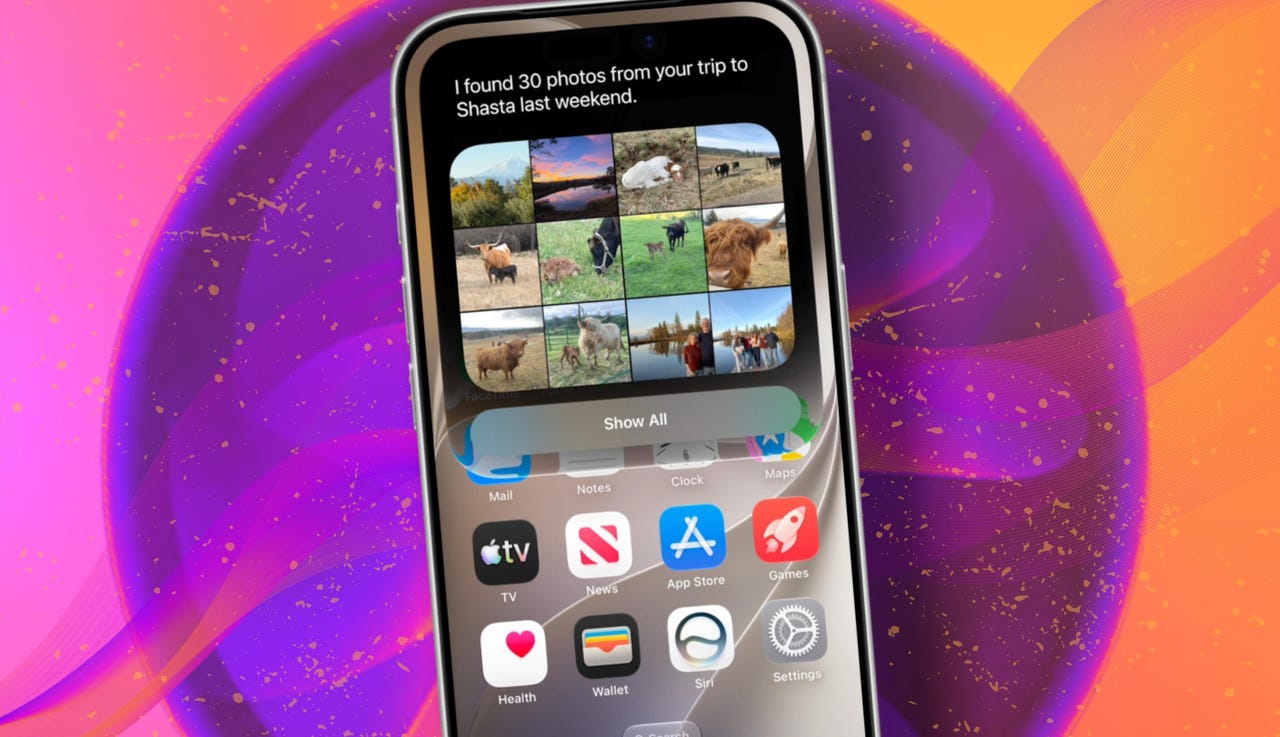
  • Find details like restaurant tips, hotel confirmations, and trip photos.
  • Understand what’s on screen and answer questions about it.
  • Use “Visual Intelligence” in Camera and screenshots.
  • Take actions across apps, including drafting emails and editing or sharing photos.
  • Let you ask about images, files, and text from context menus.
  • Generate, rewrite, and proofread text systemwide.
  • Match punctuation and tone in Mail and Messages based on how you usually write.
  • Save “conversation history” in a dedicated Siri app.
  • Offer more expressive voices and better dictation.
  • Help split bills with Apple Cash.
  • Run across iPhone, iPad, Mac, Apple Watch, CarPlay, AirPods, and Vision Pro.
  • Work from Spotlight on iPad and Mac.

When will Siri AI be available?

Apple said it will be available in beta “later this year,” starting in English.

Which iPhone models support Siri AI?

The answer is complicated, but here’s my best guess:

  • iPhone 15 Pro and iPhone 15 Pro Max
  • All iPhone 16 models
  • Any later iPhone models

Apple hasn’t provided a supported device list, but its iOS 27 page shows Siri AI requires “an Apple Intelligence-enabled device.” Apple’s support page for Apple Intelligence also lists “iPhone 15 Pro models, and iPhone 16 models or later.” Apple’s iOS page uses similar wording for Apple Intelligence in iOS 27, as well: “all iPhone 16 models and later, iPhone 15 Pro, iPhone 15 Pro Max.”

There are also regional limits. Apple said Siri AI will “not initially” be available in the EU on iPhone and iPad.


Show more


Source link