
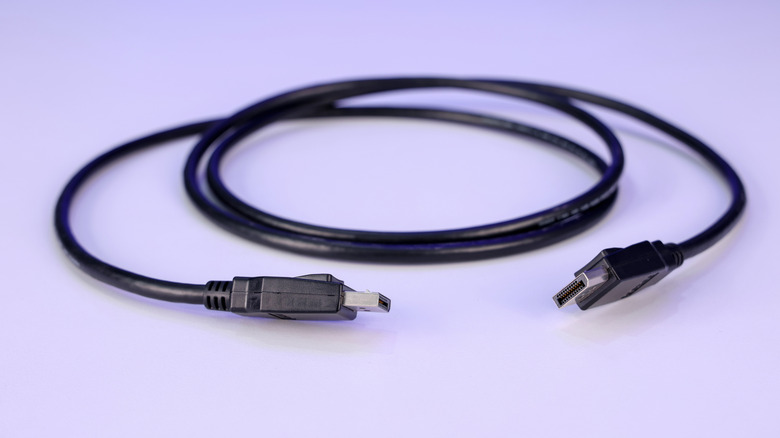

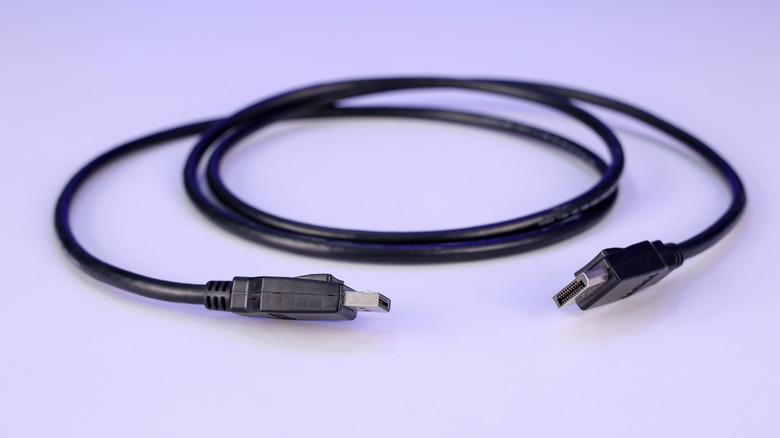
The Video Electronics Standards Association (VESA) announced a significant evolution to the DisplayPort standard in the form of DisplayPort 2.1 back in 2022. Since then, VESA has rolled out two more updates to the 2.1 standard, in the form of DisplayPort 2.1a and 2.1b, which should keep the connector and interface future proof for some time to come while it continues to compete with HDMI.
The marquee feature of DisplayPort 2.1 is the 80 Gbps of theoretical bandwidth, made possible by a new transmission mode called Ultra-High Bit Rate (UHBR), which builds on the previous High Bit Rate 3 (HBR3) mode of older DisplayPort generations. The UHBR transmission mode comes in three configurations: UHBR10, UHBR13.5, and UHBR20. The numbers at the end denote the per-lane bandwidth; standard DisplayPort has four lanes, so these numbers are multiplicative.
These modes can be used to run high-end refresh rates and resolutions with 10-bit color on a single cable with no compression, which is a feature some users seek out. Though, it’s important to understand that just because you have a monitor and graphics card that are DisplayPort 2.1 capable, doesn’t mean you’ll automatically get the highest transmission mode –- that’s determined by the cable. This creates a limitation that you might not know about, and you’ll need to shop accordingly.
The DisplayPort 2.1 limitation is the cable trap
As Tim Schiesser from Monitors Unboxed adroitly demonstrates in a YouTube video, it’s important to understand what a DP cable is and what specifications it supports. After all, expensive UHBR20-capable DisplayPort 2.1 monitors paired with Nvidia’s RX 50-series UHBR20-capable GPUs will not translate into an 80Gbps uncompressed experience without the appropriate cable. One of the early limiters on DisplayPort 2.1 adoption was that the supported DP80 cables bundled with the monitors were ridiculously short — often 1 meter or less — which posed a problem for desktop PCs that were a even short ways away.
In the video, Schiesser uses an Asus ROG Swift PG32UCDM3 monitor and an Nvidia RTX 5090 graphics card, connected with the included DP80 cable, and then verifies a true UHBR20 connection; 4 lanes at 20 Gbps. When connected using a longer, non-DP80 cable, the connection fell back to UHBR10, which is four lanes at 10 Gbps. In the video and accompanying Techspot article, Schiesser notes that this configuration changes silently in the background. To be clear, what he’s referring to is the means by which a DisplayPort source and sink device negotiate a link, or transmission mode. This is called Link Training.
The DisplayPort Link Training process will determine the highest supported transmission mode, and if that mode isn’t stable, it will fall back to a lower one that is, and that mode will most likely use Display Stream Compression (DSC) to account for the lack of bandwidth. The display and GPU would still continue to work just fine, but you wouldn’t be getting the true UHBR20 uncompressed connection, and you may not know that without verifying it through a utility like GPU-Z.
Look for DP80 certified cables and UHRB20 branding
Until the release of DisplayPort 2.1b, passive DP80 cables were limited to 1 meter in length, but it’s become possible to get a passive cable up to around 2 meters, or roughly 6.5 feet. DisplayPort 2.1b also introduced the new DP80LL (Low Loss) cable standard, which allows for active cables that are 3 meters long (roughly 9 feet). This goes a long way in addressing most of the placement challenges of shorter cables. So if you’re set on an uncompressed signal, then you need to be shopping for VESA-certified cables, which you can find at DisplayPort’s website using its product database.
Also, while here’s nothing wrong with pursuing a DisplayPort UHBR20 experience, DSC tends to be unfairly maligned. It is a ISO/IEC 29170 tested, visually lossless compression codec, and testing has found it to be accurate down to 8-bits per pixel. The negative reputation mostly stems from minor compatibility issues, where the source and sink device, along with the cable, aren’t all matching the desired output mode. Historically, there have been some issues when toggling monitor settings or alt-tabbing between windows, where a brief black screen would appear. Though those problems seem to be largely fixed when using Nvidia’s 50-series cards.
At time of writing, Nvidia’s RX 50-series cards are among the only devices supporting DisplayPort 2.1b — AMD’s most recent RX 9000-series still caps out at 2.1a. There is no functional bandwidth difference between the two versions, with the longer cables for UHBR20 being the primary upgrade. So, keep that in mind when comparing Nvidia vs AMD graphics cards.

Stephan is the sports journalist for the Maple Grove Report.

