
We may receive a commission on purchases made from links.
Virtually all Americans will be intimately familiar with Walmart. The superstore-type retail chain has long stood at the forefront of bulk consumer purchasing needs. Walmart carries a raft of household goods alongside the grocery section found in most locations today. Among those household items that can make a big difference for repairers, mechanics, and home improvers more generally, Walmart’s catalog of hand tools is particularly interesting. The big box store carries many products, including a smattering of off-brand options and private-label manufacturers like Hyper Tough. Craftsman, DeWalt, and even a range of Ryobi tools are also found on Walmart’s shelves.
These and other brands make a range of quality solutions that can help support all kinds of tasks from basic home maintenance to setting up a campsite for a weekend of adventure in the great outdoors. These 12 hand tools make for interesting and valuable additions to a growing tool collection. Roughly half of them come highly recommended by a large volume of previous buyers. The other half I’ve used personally in my own renovation work or during repair tasks. These have all given me plenty of value and can be found at favorable price points at Walmart.
Hyper Tough Heavy Duty SAE and Metric Combination Wrench Set (32-Piece)
The Hyper Tough Heavy Duty SAE and Metric Combination Wrench Set is wide ranging kit featuring both standard and stubby sized tools. This offers plenty of coverage across a wide range of tasks you might encounter when seeking to turn fasteners by hand. The wrenches are built with chrome vanadium steel and are heat treated to finish off the construction process. This gives them quality fundamentals and solid durability with a promise to last for quite some time. The wrenches are also mirror polished with a nickel chrome plating to add corrosion resistance and a shiny, sparkly look that will make reaching for one of these hand tools a pleasure rather than a burden.
The kit also includes both SAE and Metric sizes as well as an organizational tray to keep your gear easy to access and always ready for the next job. This is a highly-rated hand tool product at Walmart, and the price almost certainly has a lot to do with the high praise users give it. You’ll pay less than a dollar per wrench with a total price of $24 for the set. This affords a significant amount of capability added to a tool collection at a surprisingly low cost. If you’re in the market for a new set of wrenches, this is a solid choice that fits firmly within the budget-friendly arena without sacrificing quality.
Stanley 5-Inch Needle Nose Pliers
This is a tool I own personally. I purchased mine at least a 10 or 12 years ago to help with the job of soldering in new guitar pickups. I’ve since upgraded my beginner’s soldering setup, with both a cordless option and a more robust tool that more closely adheres to the specs of some of the best soldering irons and station layouts out there. Yet, even though I have since added quite a few Knipex pliers to my rotation of hand tools, My trusted Stanley 5-Inch Needle Nose Pliers remain at the forefront of my kit. The tool is available from Walmart for $11, and it features hardened cutting edges with a double dipped handle that makes getting a firm grasp on your workpiece a little more comfortable.
There’s not much that can be said about needle nose pliers beyond the obvious. This is a tool that won’t always be your first choice when you require gripping solutions, but it’s the only way to get into certain recessed areas or to pull wire through tight gaps. This makes the tool one that’s invaluable in any collection, even if you only use its sparingly. This Stanley model features a spring-loaded handle that snaps smoothly back open when you release your grip. Its rust resistant finish will keep the tool looking great for a long time, although mine has recently started to show its age in that department!
Hyper Tough Universal Socket with Power Drill Adaptor
The Hyper Tough Universal Socket with Power Drill Adaptor is a tool that easily veers into the territory of gimmicky (we’ve tested one from another brand and found some interesting results). It’s a piece of equipment that operates as a capability extender and acts in support of your drilling and fastening tasks, specifically. The solution features a grid of pins that retract into the socket to fit the fastener you’re targeting. It offers a range of size capabilities between ¼-inch and ¾-inch measurements and 7mm and 19mm Metric sizes. The tool is compatible with both ratchet handles and powered drilling implements, and it comes with both a connection socket adapter and the socket itself. The tool is available from Walmart for around $8 and can be a solid gift option for a tool enthusiast or a direct purchase that adds plenty of new capability to your tool box.
The socket’s adjustability makes it a great option for handling multiple fastener sizes without having to change out your accessory attachment. The result is a faster workflow, for starters. This solution also makes it possible to attack fasteners from a slightly obscured angle rather than needing to hit the head straight on. This allows for greater accessibility in tighter areas, potentially offering a game changer to your capabilities when things don’t quite line up perfectly.
Suizan Ryoba Double Edge Japanese Pullsaw
The Suizan Ryoba Double Edge Japanese Pullsaw is another tool that has been a staple in my personal collection for a few years. The Suizan brand is one that’s firmly accessible to the U.S. market, and its products can be found in a few high profile outlets, including Walmart. Here, the 9.5-inch saw is listed at $49. Admittedly, I bought mine as a sort of reaction to the hype going around a few years back on YouTube, where numerous woodworking channels seemed to put out explainers on the tool all at the same time. These saws were everywhere in the media, but after just a few uses (probably two) it became clear why so many people were talking about them. Japanese pullsaws cut on the opposite stroke from the standard Western-style hand saw. As a result, it takes a little getting used to when making the switch, but for many tool users, myself included, the change is well worth the effort. I’ve found that you gain a bit of extra control while cutting this way, and because of the natural construction of the tool it features better flexibility. The alternative configuration also lends itself to another point of functionality that a Western saw can’t match: The tool’s double-sided blade offers both specialized rip cut and cross cutting capability in one tool.
I’ve found the solution particularly helpful when handling long or deep cutting requirements. Its blade is thinner than most might expect, allowing for a smaller kerf and therefore greater precision across the entirety of a cut. These tools have had considerable hype attached to them in the past, but that celebrity status is well earned, at least in my opinion.
WorkPro 125-Piece Repair and Maintenance Kit
The WorkPro 125-Piece Repair and Maintenance Kit is a collection of hand tools from a notable brand at a great price. It’s available from Walmart for $50 and gets great reviews from buyers who’ve invested in it. The collection features chrome vanadium steel forged hand tools for solid durability and plenty of high quality performance. The kit is rounded out by a toolbox with a top handle to keep your gear organized and easy to carry with you. It features three drawers in which all of the equipment fits nicely together.
The kit includes just about every kind of hand tool you might require for a basic maintenance job. It comes with ratchet and sockets, a few pairs of pliers and an adjustable wrench, scissors and two utility knives, a hammer and level, and much more. The breadth of the kit paired up with its low price tag makes for a fantastic option for a new homeowner seeking rangy repair coverage in one purchase. It’s also a potentially solid option for a renter looking to put together a condensed toolkit for use in routine maintenance needs.
Knipex Cobra Adjustable Pliers Set (5-Piece)
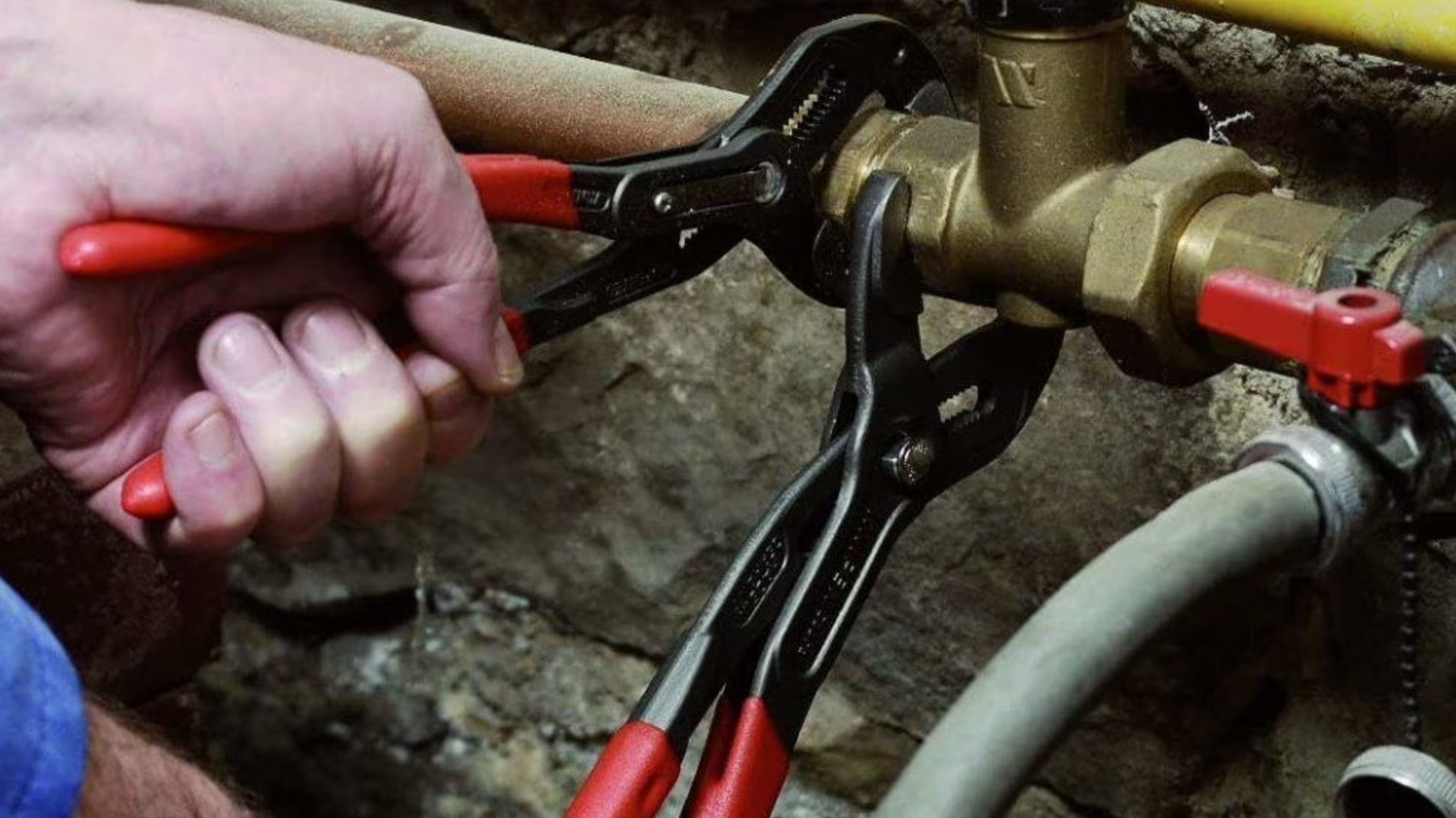
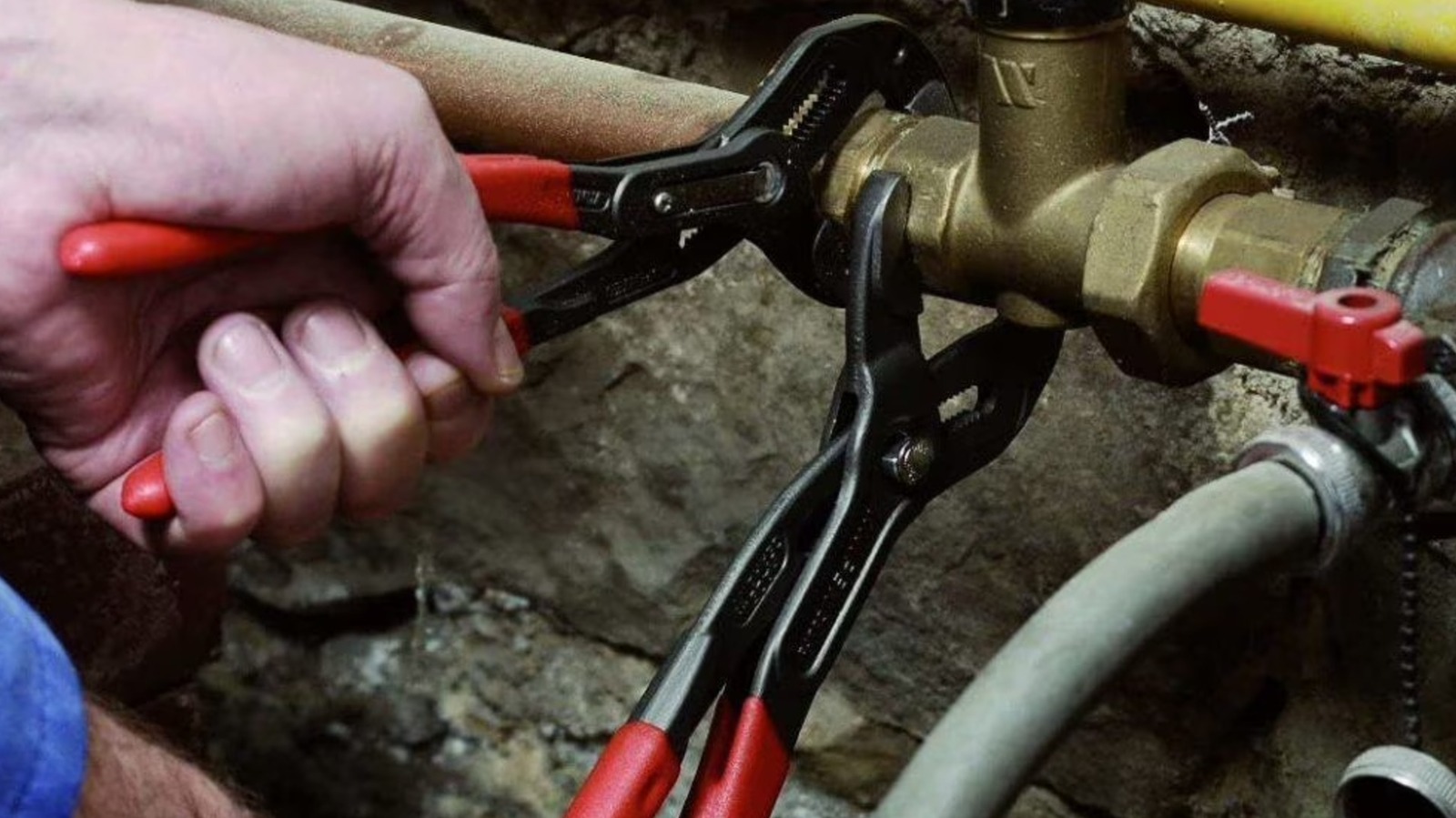
Among the hand tools I personally use most often, the Knipex Cobra pliers are certainly high up the list. I have two pairs of these pliers, specifically one small and one large, that combine to offer solid coverage across a range of needs. A 5-piece Knipex Cobra Adjustable Pliers Set is available at Walmart for $160, offering a good price on a set of great tools. The kit also comes in an organizational sleeve that rolls up for easy transportation.
Knipex is a high quality German tool brand, and it’s frequently touted as one of the best options on the market specifically when it comes to pliers. This set ranges from 125mm (5 inches) up to 300mm (12 inches). This provides users with plenty of coverage across a wide range of tasks. Moreover, these pliers feature a 30% increase in jaw capacity over a standard pipe wrench, with an easy adjustment mechanism to further enhance their capabilities. The tools offer a firm grip and a no-nonsense approach to handling any task you might throw at them. They feel solid in your hand, too, and are built for the long haul.
Ozark Trail 12-Piece Camping Toolset
Hand tools aren’t always built for maintenance or repair, and the Ozark Trail 12-Piece Camping Toolset is a great example of a collection that offers a different take on this part. It’s available at Walmart for $37 and features a dozen total pieces of equipment including a machete, hex wrench hatchet, flashlight, and fixed blade knife. Each of these solutions can make a big difference as you gather up your gear for the next camping trip on your calendar.
The set is an inexpensive option for those looking to bundle up a range of critical hiking or camping equipment in a single purchase. A fire starter, 50 feet of paracord, and more come together to round out a kit with huge utility across a range of routine needs while exploring all that your local or regional environment has to offer just outside your front door.
Hyper Tough 77-Piece Precision Tool Kit
The Hyper Tough 77-Piece Precision Tool Kit features a magnetic screwdriver that allows each of the precision driving bits to snap into place with ease. The bits themselves are constructed of chrome vanadium steel to offer plenty of durability and strength, and the whole set comes in a plastic case that makes organization easy. The kit’s components are all fairly small, but they offer plenty of versatility across many different kinds of tasks you might face. It’s available from Walmart for $15, and it gets great reviews from users.
A precision screwdriver kit is a must-have hand tool solution for DIY repairers and tinkerers. Electronics of all types frequently utilize small screws that your typical driving tools simply aren’t compatible with, requiring a different approach altogether. For this, the precision screwdriver is essential. Although the Hyper Tough model isn’t one I’ve used before, it looks identical to an Amazon branded kit I bought a few years ago after misplacing my existing set. It performed admirably and the snap of the magnetic base when sticking a bit into the screwdriver was a reassuring touch that added a nice robust feeling to the toolkit. I can only take an educated guess without handling this branded model personally, but the experience is likely the same given its mirror image quality to the one I’ve used.
DeWalt Pro Wood Chisel Set (3-Piece)
DeWalt chisels are something I have lots of personal experience with. Surprisingly, even though many of the chisels I use frequently are vintage models that exist among a subset of my tools that are older than me, DeWalt-branded cutting implements are frequently the ones I use when performing a range of jobs. I’m particularly fond of the side strike chisel, which is among some of the DeWalt tools that even haters of the brand will love.
However, other chisels in the brand’s range are equally noteworthy. This solution in particular, the DeWalt Pro Wood Chisel Set, is one I gifted my father-in-law for Christmas a few years ago. I’ve used them personally, and both he and I are big fans of the experience you get from a DeWalt chisel. This three-pack features sizes ranging from ¼-inch to 1-inch, and they feature an ergonomic handle with a strike cap on the back end. The set is available from Walmart for $24, making for a cost-effective solution that’s sharp right out of the packaging and offers a robust, tempered carbon steel blade for long lasting performance. There’s a lot to like about DeWalt chisels, and they make for a great option for buyers seeking a versatile solution for renovation projects rather than a more expensive, premium brand aimed at finer woodworking tasks (although these may be capable of performing admirably in this setting, too).
Craftsman Right Angle Bit Driver Tool Set (24-Piece)
Walmart offers a wide range of Craftsman tools, and many of them would be excellent additions to a anyone seeking to build longevity and performance in their own garage or workshop. The Craftsman Right Angle Bit Driver Tool Set is one I have personal experience with. Even though you may not reach for it on a frequent basis to handle standard fasteners, the increased access you gain from a ratcheting right angle solution is unbeatable under certain circumstances. The tool features a full polished chrome finish with a 15-degree offset to its head for enhanced clearance when working in difficult recesses. The tool is available at Walmart for $33 and comes with a range of driving bits in standard sizes and drive shapes.
It’s also worth noting that the tool is backed by Craftsman’s lifetime warranty on hand tools. Even though some elements of the brand’s legendary warranty policy have been eroded in recent times, its coverage of hand tools remains intact and so this solution gains a particular advantage over alternative options. If you manage to break the tool under normal usage conditions, you can get it replaced without hassle. That adds plenty of value all on its own to your tool collection. The kit is rounded out by a storage case that makes organization and transportation simple.
Irwin ProTough Coping Saw
Irwin is among the best hand tool brands you’ll find. It matches low pricing with high quality construction, and Irwin gear can be found across the spectrum from clamps to cutting implements. The brand’s ProTough Coping Saw is a cutting solution that I have in my own collection. I love the tool, as it’s easy to use and has a comfortable handle. A coping saw is something of a niche piece of equipment so it doesn’t come out of the drawer too often, but it’s a consistent performer when the job calls for this particular solution.
The saw is available from Walmart for $17, making it a cost effective option featuring plenty of enhancements that go beyond what you might expect from a budget-friendly implement. It’s a 6-½-inch saw featuring DuraSteel pins that hold the blade in place. The ergonomic handle is a particular highlight and the tool is a joy to use.
Hart 110-Piece Screwdriver Set
The Hart 110-Piece Screwdriver Set is a great choice for a buyer seeking individual screwdrivers over a single multibit driver. There’s a lot to be said about the multibit screwdriver, and numerous excellent multibit options exist on the market. However, individual drivers in a set can make a big difference in any workflow. Instead of having to change out bits as you handle different sized screws or alternative screw head geometry, leaning on a set while working through a variety of needs can often be simpler. This is also a classic take on fastening jobs that is sure to provide comfort to those looking for a more throwback experience in their working environment. The primary offering in this kit is its individual drivers, but the set does feature a multibit handle, allowing users to stop and change their approach when necessary instead of being shoehorned into just one tool option.
In truth, there’s space for both screwdriver sets and multibit alternatives in any tool collection. This solution is in an inexpensive option, making it particularly eye catching for Walmart buyers. It’s available from the outlet for $34 and features a wide range of precision screwdrivers, standard drivers, Allen keys, and a magnetic tray. It also features nut driving bits, a collection of screwdriving bits, and the multibit head with ratcheting function for added versatility.
Methodology
I currently own or have at least used roughly half of these tools personally. Each one has made a big impact on the way I approach repairs and renovation tasks, and I would absolutely buy all of the tools I have experience with again. Some of them are favorites in my collection and come out to support jobs on a regular basis. The rest of the tools on this list have been reviewed by at least 100 buyers with the lowest score coming in at a 4.5 star average rating out of 5. Even without personal experience handling these specific products, I’ve used similar tools before and have hands-on experience with how useful they can be.

Stephan is the sports journalist for the Maple Grove Report.