3 Useful Tips For Protecting & Lengthening The Lifespan Of Your Car’s Rims


We may receive a commission on purchases made from links.

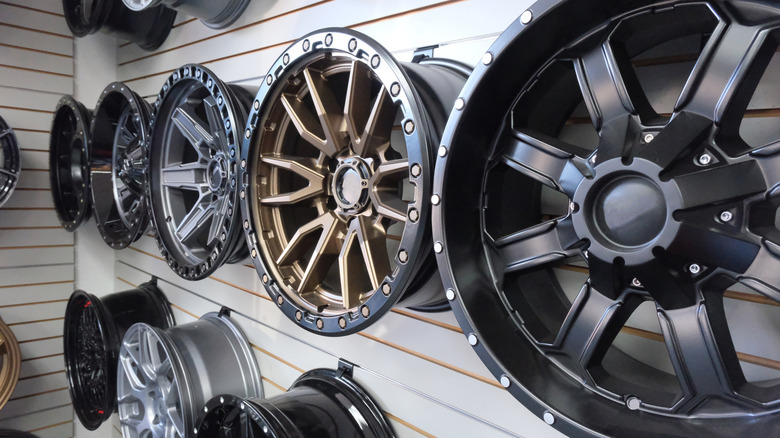
Rims, also known as wheels, are automobile features that we often take for granted. Yet they are actually quite valuable, and maintaining them should always be a priority. After all, rims act as the structural foundation that houses your tires. This means they can significantly affect your car’s handling, ride quality, braking performance, and fuel economy. They can also make or break your car’s look. In fact, if you want an easy car customization that can make your ride feel more “you”, you might consider installing a new set of aftermarket wheels.

While rims are built tough just like other car parts, they’re not built to last forever. On average, you should expect them to have a reliable service life of about 10 years. However, that’s not always guaranteed. Corrosion, side scraping, and driving with tires that aren’t inflated enough could reduce that lifespan. Common mistakes that even experienced drivers make on the road, like hitting potholes at full speed, could also shorten their lifespan. The good news is that you can usually avoid replacing your rims prematurely with just a few tweaks to how you drive and maintain your car.

Keep up with wheel alignment services
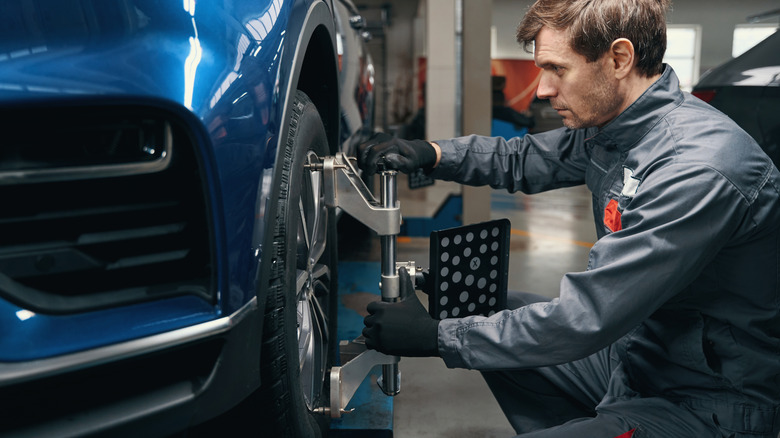
Wheel alignment is one of many auto maintenance services that often fall by the wayside for busy drivers. However, it’s one of those things you should be doing to extend the life of your tires and wheels. As a general rule of thumb, you should get a wheel alignment once every 6,000 miles. However, regularly driving through rough terrain and hitting curbs or potholes at full speed could dramatically affect that timeline. If you find that your car feels super shaky at 60 MPH or more, or it is pulling to one side, it’s a good idea to go get your alignment checked.

Ignoring these signs will introduce uneven wear on your tires, which can then impact your rims. Just like a tire with low pressure, a damaged tire won’t absorb road shocks effectively. This means that when you accidentally hit a curb, the impact will be transferred more directly to the rim. This could cause them to crack or bend. To avoid this and get as much mileage as possible from your car’s rims and tires, make it a habit to visit your local repair shop before you notice signs that your wheels need alignment.

Clean your rims the right way
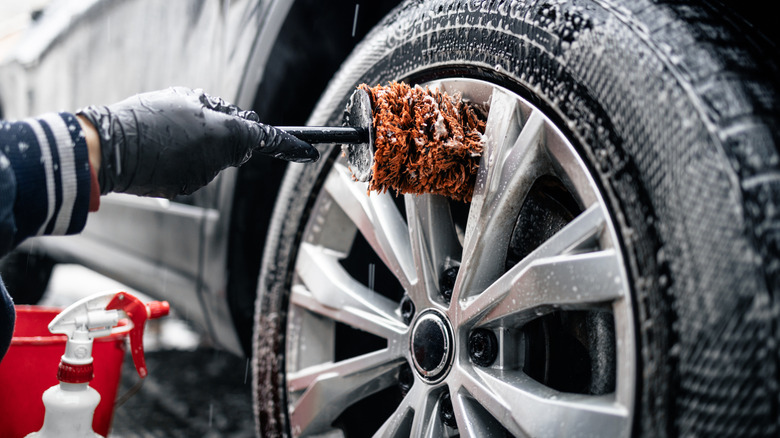
Keeping your wheels and tires spotless can sometimes feel like a losing battle. They’re tough to clean and can get filthy very quickly, as they’re absolute magnets for dirt, grime, and mud. However, keeping them clean will help them last longer. For one, corroded or rusting rims could suffer structural damage that requires you to get replacements. Brake dust, or the material that gradually comes off your wheels as they hit the pavement over time, can also accumulate on the rims. Regular cleaning can help prevent all of these potential hazards from forming.

With that said, restoring your wheels to their former glory is not as simple as it seems. There are several things you need to watch out for, as they can ultimately damage your rims. First, you’ll have to choose the right cleaning products depending on what material your rims are made of. You’ll want to have a soft brush, clean, soapy (pH-balanced) water, and a specialized wheel cleaner like Griot’s Garage Heavy Duty Wheel Cleaner.

Once you’ve got your supplies ready, park your car in the shade and let the rims cool before rinsing them with a strong stream of clean water. Next, spray your cleaner onto the wheels before grabbing the soft brush and gently scrubbing them. Then, rinse the wheels again and dry them using a dedicated microfiber cloth. Lastly, don’t forget to coat your wheels with wax. This way, you’ll create a protective barrier that repels road grime, dirt, and brake dust.

Avoid potentially damaging roads when you can

In addition to providing your rims with this basic care, you should also avoid certain situations that could put you more at risk for damage to save yourself the stress of paying for a new rim sooner than you have to. That includes driving over rough terrain or over unevenly paved paths. While there are steel rims designed for off-roading, you’ll want to be careful because they can still bend under pressure.

It’s also best you avoid pothole-ridden city streets. Why? Even if you have been caring for your rims just the way you should, intense impact from a pothole could bend or crack the rims. It may be more likely that this would damage your tires or suspension, but this could ultimately impact the rims as well. If you have to drive over potholes, be sure to drive slowly and avoid braking while you’re directly on top of one. In the case that you have an unlucky day and end up hitting one, check for signs of pothole-induced damage and schedule an appointment with your local repair shop.


Source link

Leave a Reply

Subscribe to Our Newsletter

Get our latest articles delivered straight to your inbox. No spam, we promise.

Recent Reviews


We may receive a commission on purchases made from links.

For TV owners, High-Definition Multimedia Interface (HDMI) technology is the gateway to accessing endless content and maximizing your viewing experience. Whether it’s watching films from physical media, streaming content via your preferred subscription platform, or playing games, there are plenty of gadgets you can connect for the perfect entertainment setup in your home.

Apart from investing in the right HDMI cable, choosing the right port makes all the difference. Depending on how old your TV is, you can expect anything from the legacy HDMI 1.0 to even the most recent HDMI 2.2. However, while there’s a big jump in terms of quality between HDMI 2.1 and 2.0, there are plenty of gadgets that can still work perfectly with your HDMI 2.0 port. This is great news if you aren’t so particular about getting the best picture possible. In fact, unless you’re a hardcore gamer or have a TV made for high resolution, it’s likely you’ll be able to get the most out of what you already have without HDMI 2.1 or 2.2 ports.

To help you get the most out of your existing HDMI 2.0 port, we’ve listed broad categories of gadgets that work with it. Next, we share specific models that either maximize the port’s capabilities or still offer a great viewing experience despite the bandwidth limits. To learn how we selected the models that work well with HDMI 2.0 ports, you can skip to our methodology at the end.

1. Streaming sticks

If you own an older TV model but don’t want to trash it yet, streaming sticks are among the most affordable ways to access modern entertainment options on a budget. In fact, the HDMI 2.0 port will already let you maximize the performance of even newer streaming sticks, like the Fire TV Stick HD, which supports 1080p Full HD. So, if your TV can’t do 4K anyway, you don’t really need to get a more expensive model. An Amazon’s Choice product, the Amazon Fire TV Stick HD has an average rating of 4.7 stars from more than 62,000 reviewers.

While many newer smart TVs have built-in streaming capabilities, there are still many benefits to using a streaming device, such as regular security updates. These days, many streaming sticks are marketed as 4K-capable, like the Amazon Fire TV Stick 4K. While we’ve recommended plugging it into an HDMI 2.1 port for the best experience, an HDMI 2.0 port is also perfectly fine for most modern 4K movies and shows. If you have the extra budget, it can be an investment for future upgrades. As of March 2026, over 75,000 Amazon users have rated the Fire TV Stick 4K Max an average of 4.6 stars. However, you can also consider options like the Roku Express 4K, Apple TV 4K, and Google TV Streamer 4K.

2. Sync boxes

There’s something incredibly dramatic about having the lights match the scenes on your TV, and you can do that with a sync box. Whether you’re watching a movie, playing games, or listening to music, sync boxes help elevate your entertainment experience. While many of the latest sync boxes are designed for HDMI 2.1 ports, these are generally backwards compatible with HDMI 2.0 ports, so you can still enjoy them with their reduced capacity, such as the Philips Hue Play HDMI Sync Box 8K, which generated an average rating of 4.2 stars from more than 230 Amazon customers.

Priced at $384.99, you can connect up to 4 input devices. Unless you buy a kit, there’s also the price of the lights, which will vary depending on your screen size. The Philips Hue Play Gradient Smart TV Light Strip is available in three sizes: 55-inch ($274.99), 65-inch ($296.99), and 75-inch ($329.99). In general, many people seem quite satisfied with it, as over 2,000 Amazon users rated it 4.3 stars. 

Lastly, you will need to factor in the cost of the Philips Hue Bridge, which lets you enjoy its integration with smart home ecosystems, like Amazon’s Alexa, Google Home, and Apple HomeKit. With over 11,200 Amazon reviews, it has generated a pretty positive 4.5-star rating. Given that it tops our list of smart lighting brands, it can be a great investment if you’re already using other Philips smart lights in your home.

3. DVD and Blu-ray players

Although many people have turned to streaming to optimize their content viewing, there are still people who like owning physical media. Whether you’re a film buff, a parent of young children, an elderly person, or just someone who doesn’t want to deal with subscriptions, owning a DVD or Blu-ray player can keep all your favorite TV shows and films within reach, without the need for internet connectivity. For many old DVDs and some Blu-ray discs, they don’t max out HD resolution anyway, so you’re likely to get the most out of their content with even the older HDMI 2.0 port. In fact, even premium 4K Ultra HD Blu-ray players run flawlessly on HDMI 2.0.

On Amazon, the #1 Best Seller in its DVD category is the ELECTCOM PRO DVD Player, with over 40,300 customers rating it 4.2 stars on average. With prices starting at $41.99, it comes in different set variations that include HDMI and RCA cables, and even remote controls with large buttons designed for the comfort of seniors. But take note, this model doesn’t support Blu-ray discs. Alternatively, there’s the Panasonic Blu-ray player that retails for $89.95.An Amazon’s Choice product, more than 2,100 users gave it an average rating of 4.4 stars. Apart from playing Blu-ray discs, it can also work with CDs, DVDs, and even compatible files on your thumb drive, such as photos and videos. You may even find similar media players in secondhand or vintage stores if you’re on a tighter budget.

4. Gaming consoles

For gamers who get a little overstimulated with the latest releases, the HDMI 2.0 port already lets you experience games that run on 4K at 60 fps. So, if you’re one of those people who still enjoy older-generation consoles, like the PlayStation 4 Pro or Xbox One S, you’ll be happy to know it’s built to work perfectly with the HDMI 2.0 port. These days, you can still get secondhand models of the PlayStation 4 Slim 1TB ($199.99) or the PlayStation Pro 1TB ($240.95) from the official PlayStation store on Amazon. Despite being released years ago, both models still enjoy an average rating of at least 4.6 stars from more than 12,000 Amazon customers.

Among the devices that should always be plugged into an HDMI 2.1 port, many newer gaming consoles can benefit most from high resolution and 120Hz frame rates. But, since HDMI 2.0 supports 4K resolution at 60 frames per second, a powerful console like the Sony PlayStation 5 will still run massive, modern AAA games flawlessly in stunning ultra-high definition. Despite its price tag, it boasts a ton of satisfied customers with 2,400+ Amazon users rating the PlayStation 5 Pro around 4.6 stars.

5. HDMI switch

If you find yourself attaching several devices to your TV via the HDMI port, you may need to use an HDMI switch to free up space, like the UGREEN HDMI Switch. An Amazon’s Choice Product, it boasts a positive 4.3-star rating from 5,200 customers. Available in two colors, the switch comes in black or grey with discounts for Amazon Prime customers. With 5 input ports, you can connect all kinds of devices, such as the ones above: PCs and laptops, streaming sticks, and TV boxes. To switch devices, you can either press the buttons on the unit or use the remote, which is powered by two AAA batteries. The unit itself has an LED indicator that shows which device is active. On the other hand, its single output port is compatible with displays such as TV screens, monitors, and projectors.

But, if you’re on a budget and only really need one extra slot, the Anker HDMI Switch might be better for you. An Amazon Overall Pick product, the Anker HDMI Switch has an average rating of 4.5 stars from more than 4,000 customers. Priced at $15.99, this HDMI switch measures just 2.17 inches by 2.17 inches by 0.57 inches, so you can easily take it with you when you’re traveling, too. It comes with a pair of input ports and a single output port for displays. Unlike the UGREEN model, this doesn’t need an external power supply.

Methodology

To help you understand what your HDMI 2.0 port can do, we’ve highlighted gadgets that either maximize its capabilities or provide a great experience despite the port’s bandwidth limits. We selected devices that have averaged at least four stars from more than 200 reviewers, indicating a general trend of user satisfaction. While it didn’t affect their inclusion on the list, we also noted whether they are top-selling products in their respective categories and mentioned additional features you may enjoy beyond their primary functions.


Source link