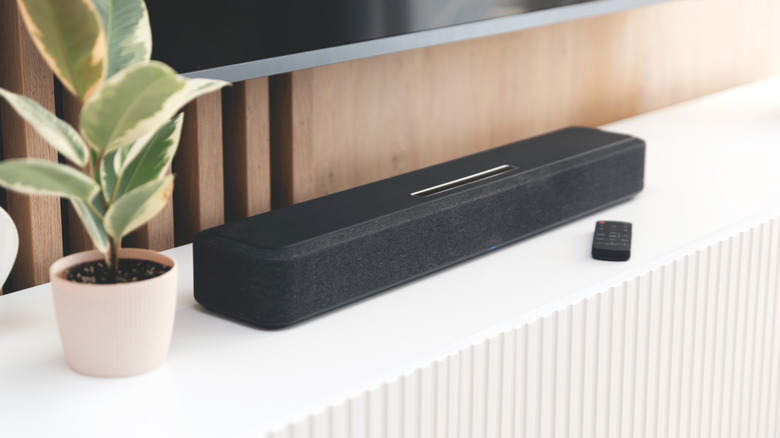

More often than not, a device’s built-in speakers will serve you just fine, but there’s nothing wrong with upgrades. One improvement option is a soundbar, which is quite effective at boosting audio from a TV, computer, or mobile device. They tend to connect via Bluetooth or cables, commonly HDMI, depending on the situation. Speaking of connections, many of the best major soundbar brands around today equip their models with multiple HDMI ports. While one is typically needed to connect a soundbar to a TV, what possibilities could these additional HDMI ports offer?
Before digging into what the extra HDMI ports on a soundbar can do, it’s important to clarify which HDMI cables should be used here. HDMI ARC specifically allows communication between the TV and the soundbar, rather than just one device sending information to the other. Ultra High Speed HDMI cables (often labeled as HDMI 2.1) are also ideal, given their support of eARC’s multiple audio formats and improved audio/video syncing. Branching off of this, modern TVs have specific ARC or eARC ports, so it’s important to utilize these when setting up. Non-ARC ports lack dual-data transfer functionality, so getting TV audio through your soundbar won’t work.
For soundbars that have them, extra HDMI ports offer a bit more. Here are just a few examples of how to get the most from them and how to set everything up.
1. Making gaming audio more immersive with a soundbar
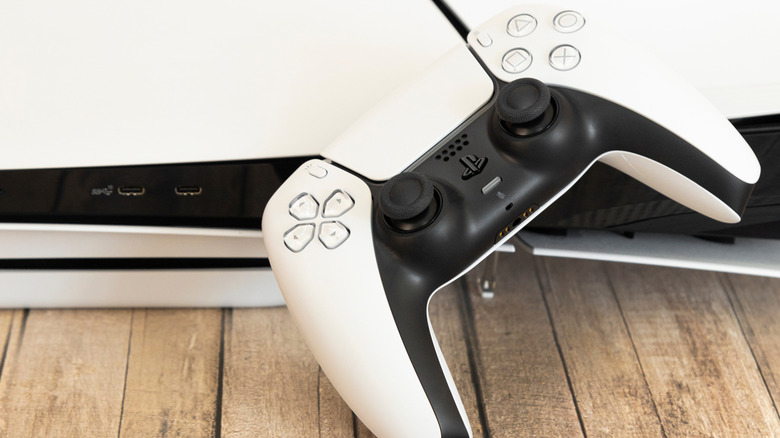
On paper, it might seem like connecting a soundbar directly to a TV via the HDMI ports on both is enough to improve audio quality. However, if the soundbar and TV are part of a wider gaming setup, there’s more potential to boost audio. Soundbars are typically equipped to enable major audio enhancements like the top two surround sound formats, DTS:X and Dolby Atmos, which TV speakers alone lack the ability to deliver. Fortunately, setting up a console-to-soundbar-to-TV connection isn’t difficult, and it makes effective use of a soundbar’s additional HDMI port while making gaming sessions more immersive.
1. Connect one end of the first HDMI cable to your console of choice.
2. Connect the other end of the cable to the HDMI In port on your soundbar.
3. With a second HDMI cable, connect one end to the HDMI Out port on your soundbar.
4. Connect the other end of the second HDMI cable into the HDMI ARC or eARC port on your TV.
5. Go into your console’s audio settings and ensure it’s set to send audio to the HDMI-connected soundbar.
With that, your console’s audio should play just fine through the soundbar and stay in sync with the visuals on your TV.
2. Increasing device connectivity with a soundbar
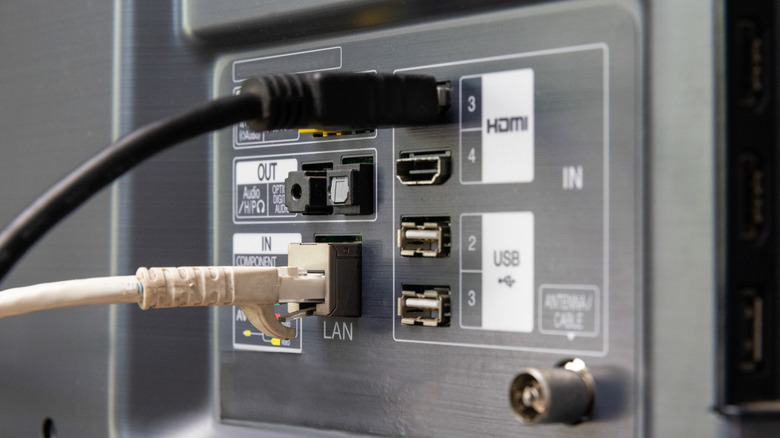
On average, modern TVs have HDMI ports limited to two or three at most. If you have many devices that need slots, such as cable boxes, gaming consoles, disc players, and streaming sticks, you may need to move some things around to accommodate them. This is where a soundbar with multiple HDMI ports could be a big help, as these additional devices could have their HDMI cords routed through it to reach the TV. Thus, depending on the number of devices involved, you don’t have to swap cables anymore, and you can enjoy improved sound through the soundbar itself.
With that said, if this is a main reason why you’re considering adding a soundbar to your setup, you might want to rethink it. For one, most soundbars have only a couple of extra HDMI ports, aside from the one needed to connect to the TV. This means limited port-count expansion, leaving you to still juggle cables on the back of your TV once those ports fill up. If you already have a soundbar with extra HDMI ports, then by all means, take advantage of the added connectivity. Otherwise, picking up the best HDMI switch that fits your budget is likely a wiser choice.
3. Improving the home theater experience with a soundbar

Given their exceptional audio improvement capabilities, a soundbar can be a great enhancement for video game consoles and streaming devices, but that’s not where its benefits end. At a time when physical media interest is on the rise, many will be delighted to know that extra HDMI ports on a soundbar mean it can be an asset in a disc player-reliant home theater setup. Fortunately, it doesn’t take much effort, as a Blu-ray player-to-soundbar-to-TV connection is accomplished with the same layout as the one outlined for gaming console connections. All it requires is the player’s HDMI cable to be connected to one of the extra ports on the soundbar.
Additionally, if you are running a 4K UHD disc player through this setup, you need tech that can actually handle and present 4K media. All devices in the chain must support 4K — most importantly, your soundbar must explicitly feature 4K Passthrough; otherwise, it will downgrade your video quality. Furthermore, the HDMI cable connecting the player to the soundbar, and the cable connecting the soundbar to the TV, must both be high-speed 4K cables. Otherwise, you lose out on the improved quality of 4K at best, or don’t get any video or audio at worst.

Stephan is the sports journalist for the Maple Grove Report.