5 Easy Raspberry Pi Projects – No Soldering Required


From automated cat shelters to unique video game controllers, a quick look online reveals a treasure trove of Raspberry Pi projects that sit somewhere between mad science and marvels of engineering. Sure, they are of dubious utility at best, but that only makes them look cooler. They also look extremely intimidating. The idea of building your own micro PC with an integrated Blackberry-style keyboard is exciting, but the reality of picking up the individual components, soldering them together, and writing the code necessary to make it all work? Honestly, it still sounds cool, but that doesn’t change the fact that it’s hard work.

But it doesn’t have to be like that, at least not for your first Pi project. Not only do the Raspberry Pi projects in this article require zero soldering, they need basically no tools beyond the Pi itself, a micro SD card for storage, and (in some cases) a computer to prepare the software before installing it. You may also need HDMI cables, a mouse and keyboard, game controllers, and other common supplies. That’s not nothing, but shopping for the right USB-C cable is not quite comparable to soldering, so you’ll probably be fine.

Before getting started, we should acknowledge that, at the end of the day, a Raspberry Pi is just a small computer. All these projects are about installing custom software on a custom PC, which is why they can all be replicated with an old spare laptop, often for cheaper. The advantage of the Pi is that it takes less space and consumes less energy, which could be worth the extra cost. Plus, taking on a project like these can be a fun challenge for a technically minded person who wants to learn the basics of programming on a cute little computer.

Take care of ads with a Pi-Hole DNS sinkhole

For this project, you’ll need a Raspberry Pi with at least 512 MB of RAM and a micro SD card of at least 2 GB, ideally more. Installing a DNS sinkhole like Pi-hole sounds like a complicated tech project, but in its simplest form, it’s something anyone can do and understand. In basic terms, a DNS request is the first step a server takes when it wants to connect to your computer. Sinkholes like Pi-hole just filter DNS requests based on a preexisting (and configurable) list of websites, denying certain services the ability to interact with your network. This can be used to increase internet safety, but let’s be honest, it’s mostly a convenient way to reduce ads online.

Blocking ads is a thorny topic. Most of the web is virtually free, but someone has to pay to host the servers, maintain the websites, and create content. The industry relies on ads to survive. On the other hand, online advertisement as it exists now is extremely distracting and invasive. Plus, there are lots of reasons to use an ad-blocker beyond removing ads. So, why would you use a Pi-Hole instead of an app or a browser extension?

The simple reason is that Pi-Hole works on an entire home network, since it interacts with the router and not individual devices. One installation can benefit computers, phones, and even smart TVs. You could also increase your network performance, although just slightly, because blocking ads before they’re downloaded lets the network focus on more important functions. Plus, the installation is quite simple, as the hardest part is installing and updating the OS on your Raspberry Pi.

Host a private media center

Streaming services have gotten a bad rap lately, with Netflix raising prices over and over again and the content becoming more and more fragmented in a million different subscriptions. Some found a streaming service that works for them, while others retired into physical media, but there is a third option: running a private media center. And as you’d expect, our friendly Raspberry Pi can help us here, too, thanks to the lightweight LibreELEC OS and the open source entertainment center Kodi.

For this project, you’ll need a Raspberry Pi (users recommend the Pi 3 or above) and a decent amount of storage in the form of a large micro SD card. You’ll also need an internet connection, cabled or otherwise. The first step will be to install LibreELEC on your machine. This shouldn’t be too challenging, as long as you follow the steps on the project’s official website. LibreELEC includes both the OS and Kodi, so there’s no need to install the second separately.

Once LibreELEC and Kodi are installed and set up, you only need to load content on the device and connect it to your TV or monitor. The software will then ask you to connect to the local network and perform some procedures the first time it boots up, but it’s all quite intuitive. Once you’re done, you can install some plugins to add support for streaming services, simple retro-gaming capabilities, and more. With a bit of effort, you can even upload files to the Pi wirelessly through the local network.

Run a friends and family Minecraft server

You don’t need us to explain what Minecraft is. If you step into a toy store or the kid’s area in a clothing shop, you’ll also know that the brand is still relevant today. It even has its own branded breakfast cereal. That’s because Minecraft is fun, and it’s even better with friends.

What’s not fun is paying $7.99 a month to rent a Java Edition server (on top of the price of the game) and then jumping through a million hoops to install simple mods, just to have a private multiplayer Minecraft world. If you want to mess around with just two friends, with no mod support, and you all happen to have the newer Bedrock edition, it’s $3.99/month instead. Or, you could dedicate a machine to running a server with nearly unlimited functionality ­— minus the cost and effort of setting up a Raspberry Pi, of course.

For this project, you’ll need a Raspberry Pi 2 or above, a micro SD card, and an internet connection (ideally a cabled connection). The specifics of this project vary a lot. You may need more than 4 GB of RAM and a large micro SD card, depending on what Minecraft version you want to use, if you want to install mods, and how many concurrent players you’re expecting. There are also a lot of ways to install and run a server, so we won’t explain how to do so here. Scott Hanselman’s blog has one of the easiest guides on the topic you could find, so if you want to minimize coding, you may want to start there.

Make a retro gaming console with RetroPie

Sure, these portable retro handhelds like the Miyoo Mini Flip look nifty, they’re cheap, and they come already set up and ready to go (and are often loaded with games which they probably didn’t license). But receiving a game console in the mail scarcely counts as a project. RetroPie, on the other hand, manages to feel like a bona fide expedition into the world of DIY, while having clean and clear documentation that guides you through the installation process in just a few paragraphs.

This project requires a minimum 8GB micro SD card, a video out connection (HDMI or RCA), a way to connect to the internet, and a controller (plus a way to connect it to the Pi). Most users suggest a Pi 4 or above with at least 2 GB of ram, but more is definitely better, in this case. While not explicitly stated by the project’s documentation, we also suggest you come equipped with humble expectations. This is an affordable (read: underpowered), DIY retro console, and you’ll be lucky if you manage to play half the games on the original PlayStation or Nintendo 64. Don’t expect it to load PS3 or Xbox 360 games, even if these are now considered retro. Anything from the Atari 7800 to the Sega CD and some more should work just fine. Just make sure you know how to play these games on emulators legally.

If you have a capable PC or a (now way too expensive) Steam Deck in your home, you can upgrade your retro console by streaming any game from your main game machine to the Raspberry Pi with the Steam Link app, which is compatible with Raspberry Pi 3 or newer.

Keep home automation local with Home Assistant

If you care about your privacy, a smart hub might not sound like a great idea. Smart home hacking is very real, and while it’s possible to minimize the risks, a smart home hubs connected to the internet can always become a liability. And that’s ignoring the data collection that happens directly on the smart hub. Recent changes to the Amazon Echo smart hub privacy policy even made sending voice recordings to Amazon’s servers pretty much mandatory, as opting out disables quite a few of the voice assistant’s functions.

Enter Home Assistant, an open source smart home solution with no internet connection required. To install Home Assistant on your Raspberry Pi (one of many ways to implement this software), you’ll need a Raspberry Pi 4 or above with at least 2 GB of RAM, a good power supply, and at least a 32GB micro SD card. You’ll also need an Ethernet connection during setup.

The easiest way to install Home Assistant on a Raspberry Pi is to use the official guide found on the smart home solution’s website. The steps are all quite simple and require no coding experience, while setting up smart home automation might be more complex, depending on your situation. Using Home Assistant locally comes with some limitations. Many smart devices require an internet connection even if the smart hub is run locally, and ease of use is not comparable to other smart home hubs. If you’re willing to put in the work, however, running your own hub can be both helpful and satisfying.


Source link

Leave a Reply

Subscribe to Our Newsletter

Get our latest articles delivered straight to your inbox. No spam, we promise.

Recent Reviews


Harbor Freight tools have become one of the primary points of purchase for DIYers looking to tackle various jobs on the home front without spending too much money on the tools required to accomplish each task. Over the years, the family-owned hardware chain has continued to build out its lineup of offerings, and these days even offers a full range of trailers, heavy garage gear, and even tow packages fit for off-road adventures.

You may not realize it, but Harbor Freight has also secured ownership rights over many of the most notable tool brands you’ll find available through its brick-and-mortar stores and its online retail outlet. One of the more respected names you’ll find among Harbor Freight’s in-house offerings is that of Icon Tools, which makes a full line of non-powered hand tools for virtually any job you can imagine.

While the budget-friendly pricing make Icon Tools ideal for the non-professional workers of the world, the brand’s offerings are, by and large, considered professional grade in quality. That fact alone should make them hard to resist for any DIYer in need. It’s worth noting, however, that some of those pro-graded Icon tools are a little more budget-friendly than others. Some can currently even be purchased for less than $50 through Harbor Freight Tools outlets. Here’s a look at 5 tools in that category that users have deemed to be well worth buying.

Professional 4-Piece 10 mm Socket Set – $9.99

Whether you’re putting together your first mechanic’s tool set, or just adding on to the kit you’ve already assembled, any home tinkerer would be wise to keep an eye out for a good socket or two. That is particularly true of 10 mm sockets, which some Harbor Freight Tools shoppers insist you just cannot have enough of in your tool kit. If you find yourself searching for 10 mm sockets from Harbor Freight, Icon’s 4-Piece Socket Set is as highly-rated an offering as you’ll find, and the set will cost you just $9.99.

As for what you get in that small socket set, it includes one shallow and one deep 10 mm socket in both 1/4-inch and 3/8-inch size. Those sockets are made from hardened chrome-moly steel to provide extra strength and torque, and given a high-polish finish to reduce the risk of corrosion. Their thin-walled design and chamfered openings are designed to provide easy fastening and a firmer hold during use. They’re also backed by Icon’s lifetime manufacturer’s warranty.

If all that wasn’t enticing enough, this 10 mm socket set currently holds a 5-star rating from Harbor Freight customers, which is itself based on 264 reviews of 4-stars or higher. Only 8 of those are 4-star, by the way, and even those admit the set is extremely well-made, with one even comparing them favorably to Snap-on sockets. The 5-star reviews are, obviously, equally glowing, with many praising Icon for not only having the foresight to offer a standalone 10 mm socket set, but making it in such high quality.

Professional 4-Piece Mini Screwdriver Set – $14.99

Speaking of essential items for any homeowner’s tool kit, a good set of screwdrivers is high on the list. Not all screwdrivers are the same, of course, with some slotted (AKA flat head) and Phillips head models proving too large for use in tight spaces. Thus, it can be smart to have a set of smaller screwdrivers around for those occasion when space is at a premium. In such a case, Icon’s 4-Piece Mini Screwdriver Set may be an ideal choice at a cost of just $14.99.

This set is designed for use in small spaces, with Icon capping their length at just 6-inches. Each of those drivers is made from special alloys to increase durability, and fit with an ergonomic handle for comfort during use. They’re also chrome plated for corrosion resistance and fit with precision-machined magnetic tips to hold screws tight while driving. There are also drivers in wider and slimmer sizes, the latter of which are small enough for use with JIS (Japanese Industrial Standards) gear.

This set is well-liked by many home tinkerers like YouTuber MECHAWORKS, with several 5-star user reviews from Harbor Freighters specifically noting they bought this set to use with Japanese made engines or electronics. Others claim the drivers are unexpectedly high quality for the price, with one admitting that fact led them to consider buying a full Icon tool set. There were, however, a pair of 1-star reviews bringing the overall rating to 4.8-stars, with one claiming their driver broke during usage, and the other questioning the claims of a magnetic tip.   

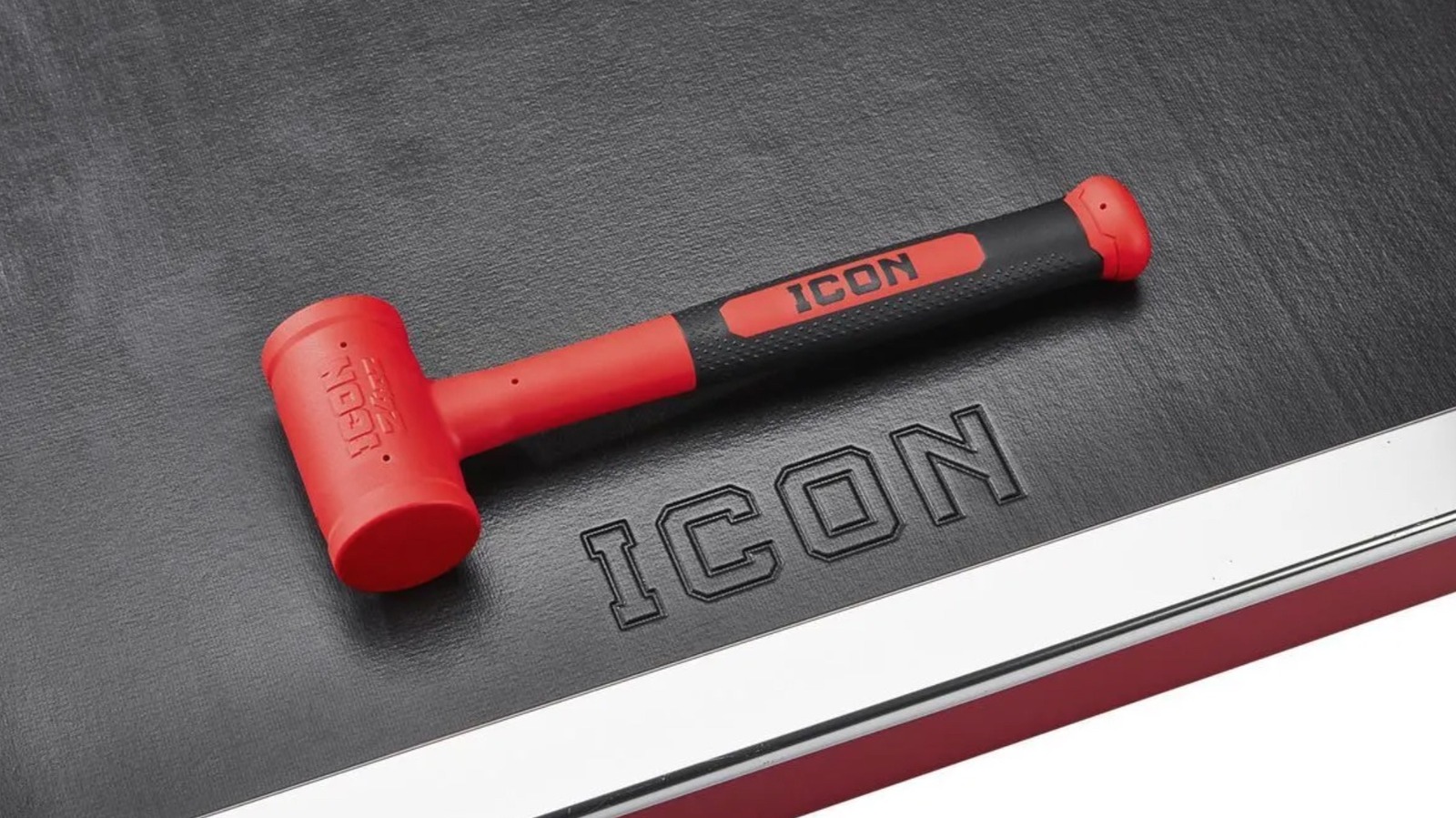
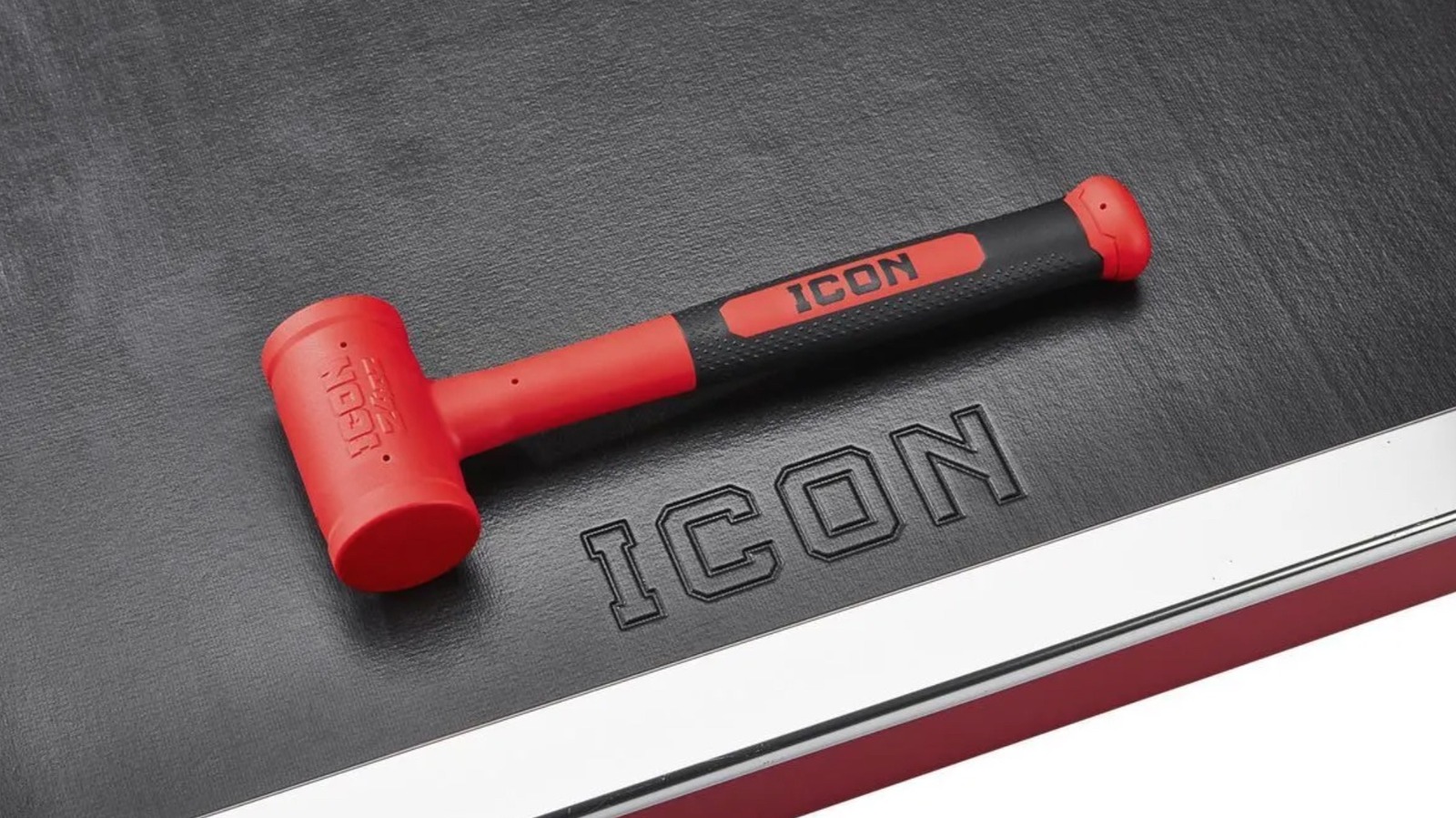
Soft Face Dead Blow Hammer – $24.99

While it can be used to perform the functions of a traditional hammer, a dead blow hammer is a strike device designed for different areas of usage. More specifically, it is a mallet-styled tool designed to reduce the level of bounce-back from each strike via a shot-filled head and a rubberized coating. The increased control makes it an ideal option for use in automotive endeavors like chassis work and suspension jobs, as well as woodworking projects and certain machining gigs. While Harbor Freight carries dead blow hammers from other brands, few are quite as well rated by customers than the 24-inch model made by Icon.

At present, a total of 274 users have chimed in on their Icon Dead Blow Hammer, bestowing upon the hammer an overall rating of 4.9-stars. As for that lone 3-star rating, the user questioned the materials used in its making to the point that they claimed it isn’t a dead blow hammer in the truest sense. Few of the other reviewers agreed, with most hailing it as a first-rate dead blow option that is ideal for automotive work and easy to manage in hand. One even hailed the hammer as, “the best product Icon sells.”

Apart from the shot-filled head and rubberized face, they also boast a steel shank and are covered in Polyurethane materials that make them resistant to many chemicals common to garages and workshops. The hammer is also backed by Icon’s lifetime warranty, and can be purchased for just $24.99. As YouTuber Last Best Tool points out, that considerably less than a similar Snap-On hammer for about the same quality.

35-Piece Locking Flex-Head Ratchet and Bit Set – $34.99

We already covered a well-rated socket set from Icon, so it seems fitting that we also cover a ratchet and bit set. This 35-Piece Ratchet and Bit Set features far more pieces than the other, of course. To that end, it understandably costs more, with Harbor Freight pricing it at $34.99. For the record, the kit is also not quite as highly rated as the socket set, though its 4.9-star rating is, arguably, more impressive as it is based on a whopping 2,387 user reviews.

Not all of those reviews are positive, with complaints ranging from soft bits and rusting to faulty parts and design and excessive back-drag from the ratchet head. Some of the positive reviews also note similar issues, by the way, even as the bulk of users and YouTube reviewers praise the kit for being durable and effective. Many Harbor Freight shoppers claim the inclusion of so many bits makes the kit incredibly versatile too. Several also claim its size makes it not only ideal for engine work, but easy to stow away in your car or even a motorcycle.

If you’re breaking down the cost, the $34.99 basically prices each piece of the kit at $1. So, if you’re curious as to what is included, the 1/4-inch chrome-vanadium steel Flex Head Ratchet is the biggest piece, though the kit also includes a 4-inch extender. As for the S2 steel bits, there are 11 TORX bits, 2 slotted bits, 3 Phillips bit sizes, 13 hex bits, and 3 Pozidrive bits, all of which fit inside a handy carrying case.

11-Piece SAE Professional High-Torque T-Handle Hex Key Set – $44.99

As previously noted, screwdrivers are a legitimately essential part of any tool kit, but not every fastener is fit with either a slotted or Phillips head. And yes, if you find yourself staring at a head with a hexagonal opening, neither type of driver will do you much good. In fact, only a hex key will suffice in that scenario, and even then, only the exact right size of hex key can move that fastener.  It stands to reason, then, that if you often deal with hexagonal fasteners, it might be wise to have several sizes of hex tipped drivers on hand when you need to tighten or loosen them.

Enter Icon’s 11-Piece T-Handle Hex Key Set, which is currently selling for $44.99 through Harbor Freight Tools. The keys in that set are designed for fasteners in SAE measurements, and range in size from 5/64-inch, 3/32-inch, 7/64-inch, 1/8-inch, 9/64-inch, 5/32-inch, 3/16-inch, 7/32-inch, 1/4-inch, 5/16-inch, and 3/8-inch. Each of those hex keys is made from black oxide coated steel for durability, and the T-Handle design allows for a short hex tip on the end of the ergonomic handle, as well as a longer shafted tip for heavier torquing jobs.

Users are overwhelmingly impressed with the set as well, rating it at 4.8-stars through Harbor Freight. Of the happy users, many praise the set for its variety as much as they do for the overall quality and design of the tools, noting that the T-handles are not only comfortable to use, but allow for extra torque. They also love the lifetime warranty that comes with them.

How we got here

In assembling this list, we scoured the Harbor Freight Tools website to examine every tool bearing the Icon branding that is currently listed with a sticker price under the $50 marker. We also limited our selections to Icon tools that have earned a user rating of at least 4.8-stars and currently show reviews from at least 50 Harbor Freight customers. Whenever appropriate, some reviews may have been cited directly to ensure accuracy. If possible, additional reviews were also consulted to prop up the consumer point of view. 


Source link