
We may receive a commission on purchases made from links.
Spring is here, bringing with it longer days, warmer temperatures, and plenty of seasonal deals. Home Depot’s latest Spring Deals promotion sees a range of products from top-rated brands drop in price, from outdoor power tools to cleaning essentials. Many of the latest deals offer relatively small savings compared to regular retail prices, but hidden among the laundry list of unremarkable discounts are a few hidden gems.
In a few cases, popular products have been cut by up to 50%, including some that rarely get discounted significantly. Sorting through the thousands of products on sale to find the best deals can be very time consuming, but we’ve combed through the latest promotional prices to cherry pick five of the best bargains. Whether you’re looking for power tool discounts from top brands like DeWalt or Milwaukee or cut-price kits from tech leaders like Ring, we think all of these Home Depot deals are simply too good to pass up on.
DeWalt 20V Max 2Ah Battery 2-Pack
Cordless tools can be more convenient than their corded counterparts, but only if you have enough batteries to power them. Most major cordless power tool brands use their own proprietary battery systems, and DeWalt is no different, with its 20V Max and 60V Max battery lines powering its current range of tools.
The 20V Max line is particularly appealing to DIYers and professionals alike, since it features a huge range of job site, lifestyle, and outdoor power tools, but it’s rare to find 20V Max batteries for any significant discount. Rare, but certainly not impossible, since Home Depot is offering a two-pack of 20V Max 2Ah batteries at a 41% discount as part of its Spring Deals sale.
From an original retail price of $169, the pack is down to just $99. The batteries feature a straightforward LED charge indicator to help users keep tabs on their remaining charge, and DeWalt says that they can be recharged in as little as 45 minutes. The brand also throws in two years of servicing and a three-year warranty at no added cost. Like all DeWalt 20V Max battery packs, they can be used with any tool within the brand’s 20V Max cordless tool line.
Shark Rocket Bagless Corded Stick Vacuum
Shark’s varied lineup of vacuums is more affordable than rivals like Dyson, but its cordless stick vacuums can still cost hundreds of dollars. Sticking with corded is a great way to bring down the price, and Home Depot currently has a deal that sees Shark’s Rocket corded vacuum down to under $100.
Available for $99.98, a full 50% less than its original retail price, you can use the Rocket stick vac to clean both carpets and hard flooring, and as a hand vacuum. The included crevice nozzle will help clean household furniture or the inside of your car, while the swivel carpet attachment increases the vacuum’s maneuverability on flooring. It’s also designed with pets in mind, and can remove dog or cat hair from carpets.
Although it relies on an outlet for power, its long 25-foot power cord means you won’t be compromising too much compared to cordless. Clocking in at just over 8 pounds, the vacuum doesn’t suffer a significant weight penalty compared to its battery-powered rivals either. As a bonus, Shark’s competitive five year warranty should help alleviate any concerns about the vacuum’s longevity.
Ring Starter Set with Battery Doorbell and Indoor Camera
Home security brand Ring offers a starter set that includes a battery-powered smart doorbell and an indoor camera, and it usually retails for $139.99. As part of this batch of promotions, Home Depot has reduced the kit’s price down to $69.99, making it even more of an appealing option if you’re looking to install your first Ring security system. Since the doorbell runs on battery power alone, there’s no need to hardwire it into your home’s electrical system. Instead, it can be snapped out of its mount and recharged with a USB-C cable when needed.
Even if you already have a Ring doorbell, the latest starter set might be worth the upgrade. The brand says that this latest version of the doorbell features a 66% bigger vertical field of view than the previous generation Ring doorbell, allowing you to get a more complete picture of who’s visiting your home. The doorbell records in 1080p and includes night vision, and its video feed can be viewed from a smartphone or from Alexa smart home devices.
The indoor camera is similarly useful, although rather than using a battery for power, it will need to be plugged into an outlet. When you’re setting up the camera, there are a few settings worth immediately changing, but both devices are generally designed to be as quick and hassle-free as possible.
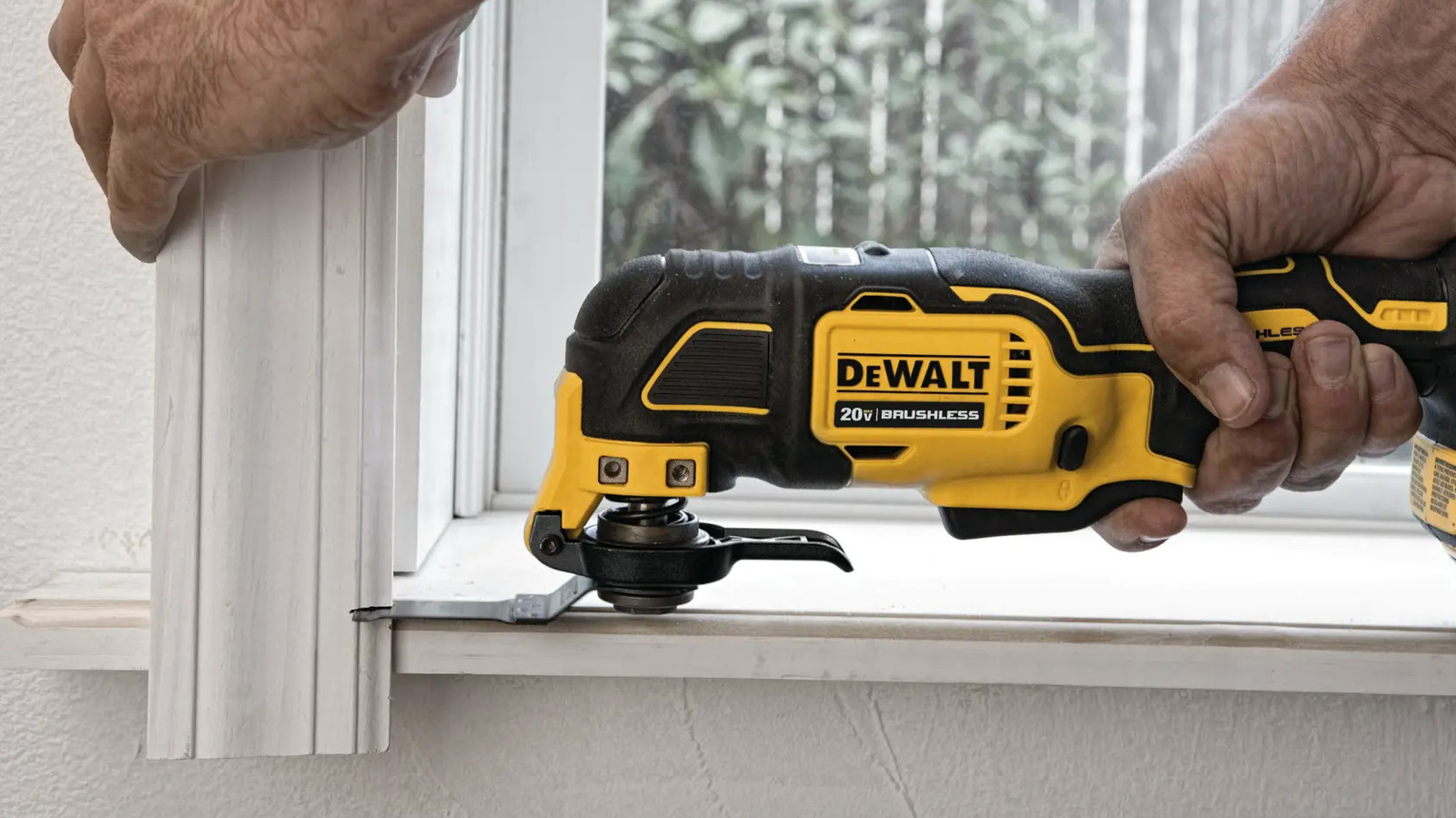
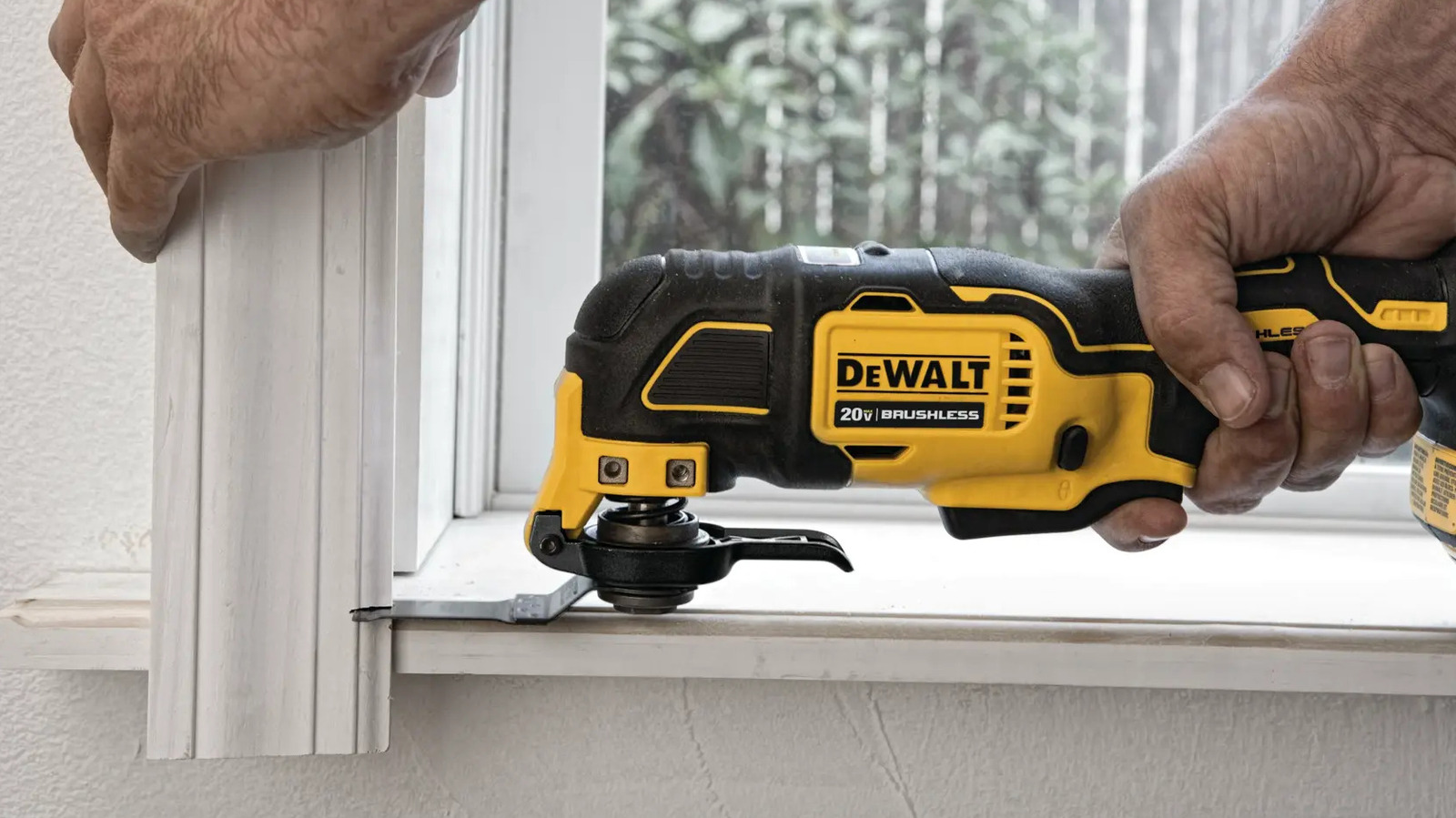
DeWalt Atomic 20V Max Oscillating Multi-Tool
Whether you’re looking to purchase your first oscillating multi-tool or upgrade from your existing tool, DeWalt’s Atomic 20V Max oscillating multi-tool should be appealing. It’s part of the brand’s cordless 20V Max tool line and it’s just as capable as you’d expect a DeWalt tool to be, with a maximum output of 18,000 opm.
The tool ought to be plenty durable, but it’s also backed by a three-year warranty in the rare case that the one you buy isn’t up to the brand’s usual standard. Normally, the tool retails for $179 in standalone form, but it’s currently available for just $89 at Home Depot. That represents a 50% saving over the standard price.
The multi-tool is designed to be easy to use, since it includes a quick-change system to make it easy to swap between accessories and an LED work light to illuminate the area surrounding the cut. It’s also designed to be straightforward for novice users, so if you’ve been but if you haven’t used one before, we’ve put together a beginner-friendly guide of DeWalt multi-tool tips and tricks to help you get started.
Milwaukee M18 Fuel 16-Inch Quik-Lok String Trimmer/Pole Saw Kit
Buying bundles is a great way to save cash on power tools, and you can save even more cash when those bundles get discounted. The Milwaukee M18 Fuel string trimmer and pole saw kit is getting a particularly hefty price cut at Home Depot this spring, with $170 of seasonal savings to be taken advantage of. It now retails for $379 and includes both tools with all the accessories you’ll need to use them.
The string trimmer and pole saw are both part of Milwaukee’s Quik-Lok system, which also includes a range of other outdoor tools from blowers to bristle brushes. Once you’ve bought a compatible Quik-Lok power head, which is included with this discounted kit, you’ll be able to use any Quik-Lok attachment with it. Alongside the power head and both the tools, the kit also includes an 8Ah Milwaukee M18 Forge battery pack and a charger. Milwaukee says that battery should be enough for half an hour of runtime, with the power head delivering the same amount of power as a 31cc gas-powered tool.
Setting the trimmer’s adjustable swath to 14 inches rather than the maximum 16 inches will help increase runtime, while a larger swath increases the tool’s cutting capability. The pole saw features a 10-inch Oregon bar, and based on Milwaukee’s first-place finish in our ranking of major pole saw brands, it should also be a capable addition to your outdoor tool arsenal.

Stephan is the sports journalist for the Maple Grove Report.