5 Things You Should Know Before You Buy Google’s Fitbit Air


Google recently released the Fitbit Air after years of controversy. Post-acquisition in 2021, Google pretty quickly lost a lot of goodwill with brand loyalists. It effectively gutted Fitbit by getting rid of favorite community features, ending multiple popular device lines, and kiboshing the website — all while putting its beloved Pixel Watch lineup on a pedestal. Now we have the Fitbit Air, a seeming competitor to popular Whoop fitness trackers that makes you wonder if Fitbit is back, baby. It is. Kinda. But there are some things you should know before you buy.

All in all, the Google Fitbit Air looks like an excellent device, but we wouldn’t rush out to buy it just based on the marketing alone. If you’re reading this, you’re probably trying to make up your mind, so you are no doubt already well aware of the AI-heavy health coach side of the device. We won’t discuss if that part’s worth it. Instead, we’ll consider some caveats — some less obvious, some hidden in the documentation — that might make or break this device for you.

Your smartphone is basically the only way you interact with it

While a good chunk of people buy a smartwatch for their fitness journey, another equally large chunk just buys it to get notifications on their wrist. Smartwatches do an excellent job of being an extension of your smartphone. The Google Fitbit Air does not. Obviously, you can see with your eyes that there’s no screen on the device like previous Fitbit versions, and consequentially, there’s almost no way to interact with it. The Fitbit Air conveys virtually everything through the Google Health app on your smartphone.

And that’s going to be the beauty of it for some people. Just put the band on your wrist and forget about it, letting it quietly and unobtrusively track your activity in the background. Many would argue that in a world of so many distracting screens, a device without yet another attention-grabbing screen is a good thing — and to others, a dealbreaker.

The Google Fitbit Air isn’t entirely bereft of user interaction. There’s a status light that tells you the charge levels and update status. Additionally, the watch vibrates for your morning alarm, which is also the only time that you would physically interact with it; double-tapping turns off the alarm. Aside from that one small exception, there’s no tapping or swiping to start workouts, or vibrations to tell you you’ve got a new notification. It all depends on you. But the simple inability to check the time, for example, could make this a no-go.

It works without a subscription

The $99 price tag of the Fitbit Air looks to some like a great deal, and to others like a concerning indicator that the real cost is a subscription shoehorned in later. That is true to an extent. To experience your Google Fitbit Air to its “fullest,” you need to spend $9.99 a month (or $100 a year) for the Google Health Premium plan. Here’s the good news: depending on your view of AI, you may not actually be missing out on much.

Google Health Premium is largely AI features. Your subscription buys you full access to the AI coach, the bespoke fitness plans it creates, and other health trends that it opines on, like your sleeping habits. For all intents and purposes, Google Health’s Premium plan is just a chatbot built around your health. You do also get access to some human-curated workouts and mindfulness sessions, but that’s only icing on the cake.

If you don’t subscribe, you’ll still get a fully functional device. The watch can be used for free just to see the raw numbers of your activity, your sleep, your vitals, and any other personally logged information. Google Gemini struggles dearly with objective, factual things (as all LLMs do), so if you’re skeptical of chatbots, then Google Health Premium is more of a dodged bullet than a paywalled feature.

Water sports do not seem to be a primary focus

Make no mistake, the Google Fitbit Air can be used for swimming. Its spec sheet boasts water resistance up to 50 meters of depth, and you can buy a silicone band rather than the default fabric one. It does also support different strokes when swimming, as well as laps and pool length. In the footnotes, however, Google says it does not “guarantee continued water resistance for the lifespan of the product.” None of the promotional imagery for the Google Health app shows anyone swimming, and anecdotal user evidence seems to suggest it doesn’t do well in that realm. For those who plan to do a lot of water-based workouts, plenty of other waterproof smartwatches will better suit water sports.

Compare it to something like the Apple Watch, which has dedicated swim workouts and a built-in water-clearing mode. Some models like the Apple Watch Ultra practically beg you to swim with them in promotional material, and boast swimmer-oriented hardware features like 100-meter water resistance, a water temperature sensor, and an automatic depth gauge for diving. Having a screen also is extremely useful if you want to know how many laps you’ve done and how far you’ve gone. We don’t have to explain why it’s not ideal to leave your smartphone poolside and stop your laps midway to check your progress with wet fingers.

Let us be abundantly clear: we’re not saying that you can’t swim with this watch or that you shouldn’t swim with this watch. What we are saying is that there are arguably much better smartwatches for frequent swimmers, given how limited swim-focused data is on the Fitbit Air, how absent swimming is in the marketing, and the heavy disclaimers in the spec sheets seemingly discouraging it.

iOS is supported

Many are likely aware that Apple Watches refuse to pair with Android phones and can only be tricked into doing so by a workaround — and even then, they don’t give you the full breadth of their features. It’s kind of the same with Android smartwatches on iPhone, just in reverse. While they do work, Apple has a history of limiting certain features and only bending when regulatory agencies step in. Luckily, the Google Fitbit Air is supported on iPhones and should work flawlessly.

Just download the Google Health app, and your Fitbit should work on any iPhone as long as it’s running at least iOS 16.4. Further issues that would typically cause headaches with other Android smartwatches likely won’t be a problem here at all, since you don’t have the hardware for them to even be an issue; integration roadblocks preventing the receipt of notifications, interacting with them, sending SMS over iMessage via smartwatch, etc., have no impact whatsoever on the Fitbit. As long as your Google Fitbit Air is connected over Bluetooth, it can feed its health metrics directly into Google Health. That in and of itself may be a huge selling point for iPhone users who have been frustrated in the past with Android smartwatches.

There’s no built-in location tracking

It’s common for smartwatches to include their own GPS for location tracking. Super helpful if you want to see how far you’ve gone (and where you’ve gone) during a walk, run, swim, or other physical activity where distance and location matter. Unfortunately, the Google Fitbit Air does not have any built-in GPS. Instead, all location tracking is done via the app on your phone using location permissions. So you can check out distance, speed, and location, but your phone is doing it, not the Fitbit.

Why does this matter? Well, for one, you’re gonna have to take your smartphone with you on your walks and runs if you care about location-based metrics; presumably you’ll want to know how many miles you’ve gone. A huge part of the appeal of a smartwatch is that you can leave your smartphone at home for morning jogs and night walks and still track your location and distance.

Further, gym shorts or tights are not exactly famous for keeping a smartphone secure when your legs are in motion. Going out, you’d need to get an arm strap or a bag, which means you can’t just go with the clothes on your back, the Fitbit, and nothing else. This kind of puts a damper on how small, lightweight, and unobtrusive the Fitbit is, which would otherwise make it perfect for outside cardio. Having said that, a lot of other fitness trackers in the $100 range nix GPS as well. Whether or not this is a downside depends on how much that location information matters to you.


Source link

Leave a Reply

Subscribe to Our Newsletter

Get our latest articles delivered straight to your inbox. No spam, we promise.

Recent Reviews


Harbor Freight tools have become one of the primary points of purchase for DIYers looking to tackle various jobs on the home front without spending too much money on the tools required to accomplish each task. Over the years, the family-owned hardware chain has continued to build out its lineup of offerings, and these days even offers a full range of trailers, heavy garage gear, and even tow packages fit for off-road adventures.

You may not realize it, but Harbor Freight has also secured ownership rights over many of the most notable tool brands you’ll find available through its brick-and-mortar stores and its online retail outlet. One of the more respected names you’ll find among Harbor Freight’s in-house offerings is that of Icon Tools, which makes a full line of non-powered hand tools for virtually any job you can imagine.

While the budget-friendly pricing make Icon Tools ideal for the non-professional workers of the world, the brand’s offerings are, by and large, considered professional grade in quality. That fact alone should make them hard to resist for any DIYer in need. It’s worth noting, however, that some of those pro-graded Icon tools are a little more budget-friendly than others. Some can currently even be purchased for less than $50 through Harbor Freight Tools outlets. Here’s a look at 5 tools in that category that users have deemed to be well worth buying.

Professional 4-Piece 10 mm Socket Set – $9.99

Whether you’re putting together your first mechanic’s tool set, or just adding on to the kit you’ve already assembled, any home tinkerer would be wise to keep an eye out for a good socket or two. That is particularly true of 10 mm sockets, which some Harbor Freight Tools shoppers insist you just cannot have enough of in your tool kit. If you find yourself searching for 10 mm sockets from Harbor Freight, Icon’s 4-Piece Socket Set is as highly-rated an offering as you’ll find, and the set will cost you just $9.99.

As for what you get in that small socket set, it includes one shallow and one deep 10 mm socket in both 1/4-inch and 3/8-inch size. Those sockets are made from hardened chrome-moly steel to provide extra strength and torque, and given a high-polish finish to reduce the risk of corrosion. Their thin-walled design and chamfered openings are designed to provide easy fastening and a firmer hold during use. They’re also backed by Icon’s lifetime manufacturer’s warranty.

If all that wasn’t enticing enough, this 10 mm socket set currently holds a 5-star rating from Harbor Freight customers, which is itself based on 264 reviews of 4-stars or higher. Only 8 of those are 4-star, by the way, and even those admit the set is extremely well-made, with one even comparing them favorably to Snap-on sockets. The 5-star reviews are, obviously, equally glowing, with many praising Icon for not only having the foresight to offer a standalone 10 mm socket set, but making it in such high quality.

Professional 4-Piece Mini Screwdriver Set – $14.99

Speaking of essential items for any homeowner’s tool kit, a good set of screwdrivers is high on the list. Not all screwdrivers are the same, of course, with some slotted (AKA flat head) and Phillips head models proving too large for use in tight spaces. Thus, it can be smart to have a set of smaller screwdrivers around for those occasion when space is at a premium. In such a case, Icon’s 4-Piece Mini Screwdriver Set may be an ideal choice at a cost of just $14.99.

This set is designed for use in small spaces, with Icon capping their length at just 6-inches. Each of those drivers is made from special alloys to increase durability, and fit with an ergonomic handle for comfort during use. They’re also chrome plated for corrosion resistance and fit with precision-machined magnetic tips to hold screws tight while driving. There are also drivers in wider and slimmer sizes, the latter of which are small enough for use with JIS (Japanese Industrial Standards) gear.

This set is well-liked by many home tinkerers like YouTuber MECHAWORKS, with several 5-star user reviews from Harbor Freighters specifically noting they bought this set to use with Japanese made engines or electronics. Others claim the drivers are unexpectedly high quality for the price, with one admitting that fact led them to consider buying a full Icon tool set. There were, however, a pair of 1-star reviews bringing the overall rating to 4.8-stars, with one claiming their driver broke during usage, and the other questioning the claims of a magnetic tip.   

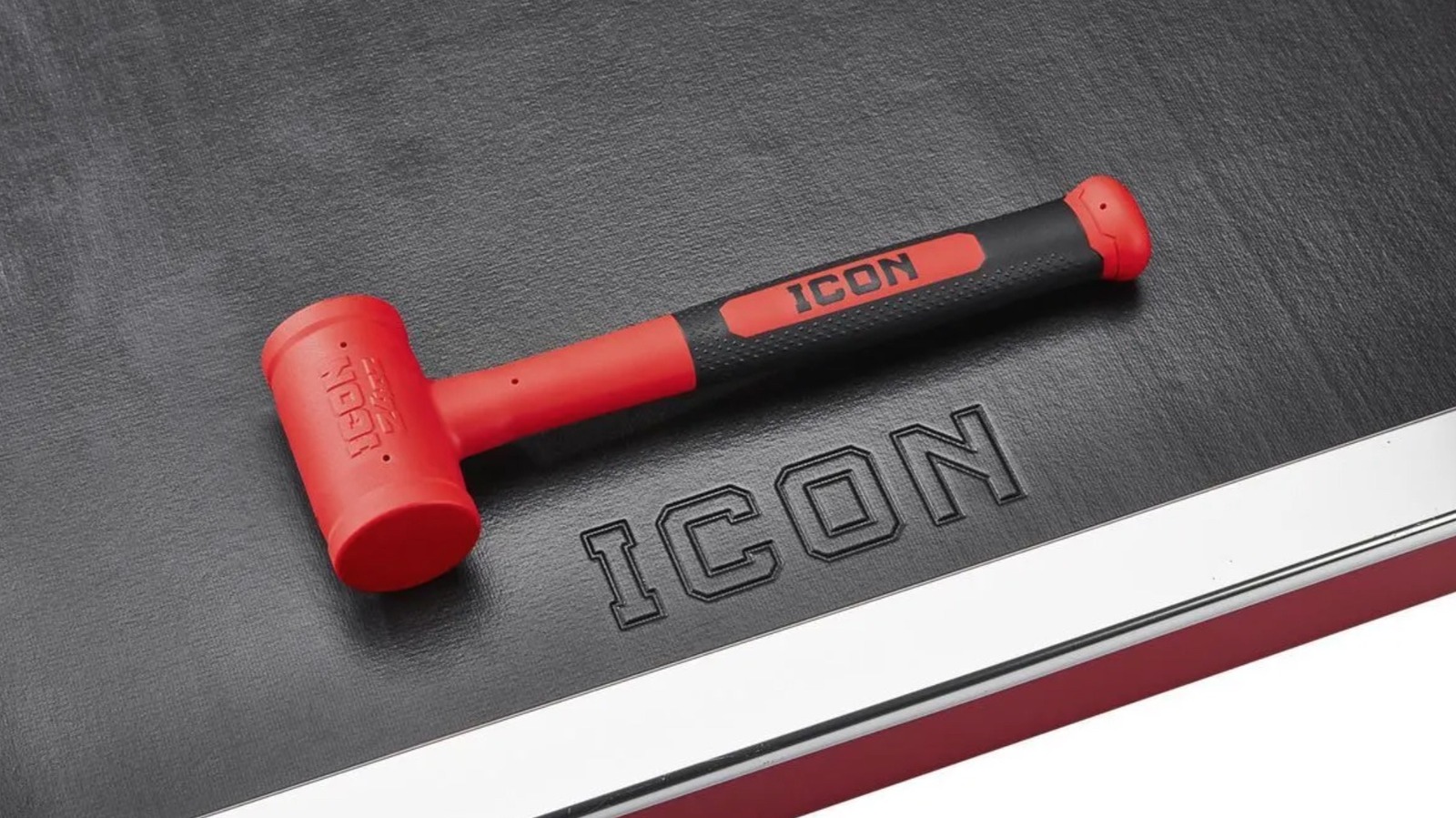
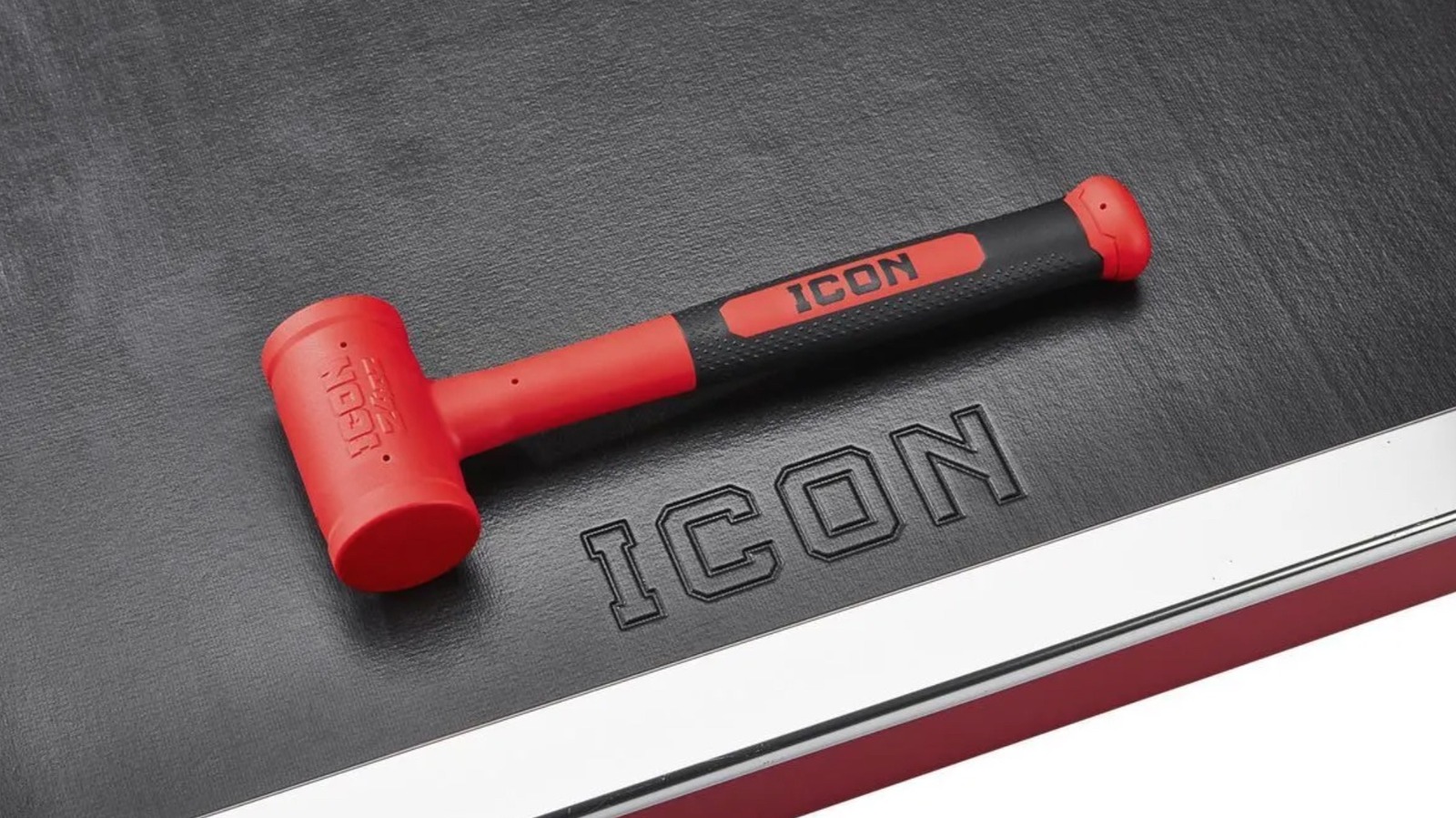
Soft Face Dead Blow Hammer – $24.99

While it can be used to perform the functions of a traditional hammer, a dead blow hammer is a strike device designed for different areas of usage. More specifically, it is a mallet-styled tool designed to reduce the level of bounce-back from each strike via a shot-filled head and a rubberized coating. The increased control makes it an ideal option for use in automotive endeavors like chassis work and suspension jobs, as well as woodworking projects and certain machining gigs. While Harbor Freight carries dead blow hammers from other brands, few are quite as well rated by customers than the 24-inch model made by Icon.

At present, a total of 274 users have chimed in on their Icon Dead Blow Hammer, bestowing upon the hammer an overall rating of 4.9-stars. As for that lone 3-star rating, the user questioned the materials used in its making to the point that they claimed it isn’t a dead blow hammer in the truest sense. Few of the other reviewers agreed, with most hailing it as a first-rate dead blow option that is ideal for automotive work and easy to manage in hand. One even hailed the hammer as, “the best product Icon sells.”

Apart from the shot-filled head and rubberized face, they also boast a steel shank and are covered in Polyurethane materials that make them resistant to many chemicals common to garages and workshops. The hammer is also backed by Icon’s lifetime warranty, and can be purchased for just $24.99. As YouTuber Last Best Tool points out, that considerably less than a similar Snap-On hammer for about the same quality.

35-Piece Locking Flex-Head Ratchet and Bit Set – $34.99

We already covered a well-rated socket set from Icon, so it seems fitting that we also cover a ratchet and bit set. This 35-Piece Ratchet and Bit Set features far more pieces than the other, of course. To that end, it understandably costs more, with Harbor Freight pricing it at $34.99. For the record, the kit is also not quite as highly rated as the socket set, though its 4.9-star rating is, arguably, more impressive as it is based on a whopping 2,387 user reviews.

Not all of those reviews are positive, with complaints ranging from soft bits and rusting to faulty parts and design and excessive back-drag from the ratchet head. Some of the positive reviews also note similar issues, by the way, even as the bulk of users and YouTube reviewers praise the kit for being durable and effective. Many Harbor Freight shoppers claim the inclusion of so many bits makes the kit incredibly versatile too. Several also claim its size makes it not only ideal for engine work, but easy to stow away in your car or even a motorcycle.

If you’re breaking down the cost, the $34.99 basically prices each piece of the kit at $1. So, if you’re curious as to what is included, the 1/4-inch chrome-vanadium steel Flex Head Ratchet is the biggest piece, though the kit also includes a 4-inch extender. As for the S2 steel bits, there are 11 TORX bits, 2 slotted bits, 3 Phillips bit sizes, 13 hex bits, and 3 Pozidrive bits, all of which fit inside a handy carrying case.

11-Piece SAE Professional High-Torque T-Handle Hex Key Set – $44.99

As previously noted, screwdrivers are a legitimately essential part of any tool kit, but not every fastener is fit with either a slotted or Phillips head. And yes, if you find yourself staring at a head with a hexagonal opening, neither type of driver will do you much good. In fact, only a hex key will suffice in that scenario, and even then, only the exact right size of hex key can move that fastener.  It stands to reason, then, that if you often deal with hexagonal fasteners, it might be wise to have several sizes of hex tipped drivers on hand when you need to tighten or loosen them.

Enter Icon’s 11-Piece T-Handle Hex Key Set, which is currently selling for $44.99 through Harbor Freight Tools. The keys in that set are designed for fasteners in SAE measurements, and range in size from 5/64-inch, 3/32-inch, 7/64-inch, 1/8-inch, 9/64-inch, 5/32-inch, 3/16-inch, 7/32-inch, 1/4-inch, 5/16-inch, and 3/8-inch. Each of those hex keys is made from black oxide coated steel for durability, and the T-Handle design allows for a short hex tip on the end of the ergonomic handle, as well as a longer shafted tip for heavier torquing jobs.

Users are overwhelmingly impressed with the set as well, rating it at 4.8-stars through Harbor Freight. Of the happy users, many praise the set for its variety as much as they do for the overall quality and design of the tools, noting that the T-handles are not only comfortable to use, but allow for extra torque. They also love the lifetime warranty that comes with them.

How we got here

In assembling this list, we scoured the Harbor Freight Tools website to examine every tool bearing the Icon branding that is currently listed with a sticker price under the $50 marker. We also limited our selections to Icon tools that have earned a user rating of at least 4.8-stars and currently show reviews from at least 50 Harbor Freight customers. Whenever appropriate, some reviews may have been cited directly to ensure accuracy. If possible, additional reviews were also consulted to prop up the consumer point of view. 


Source link