5-Year, $24K Mustang Restoration Ends With Owner’s Car Returned In Pieces


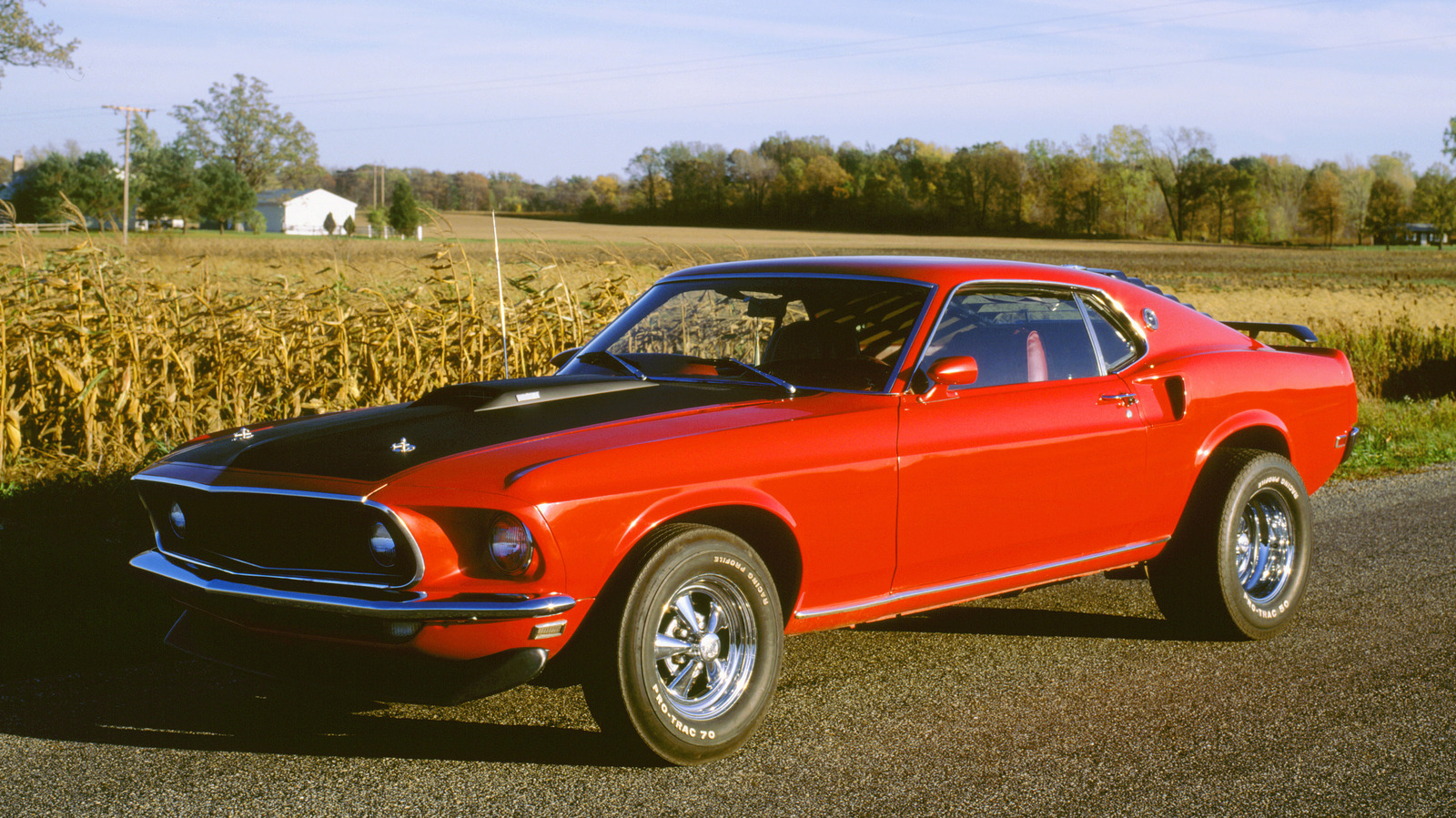
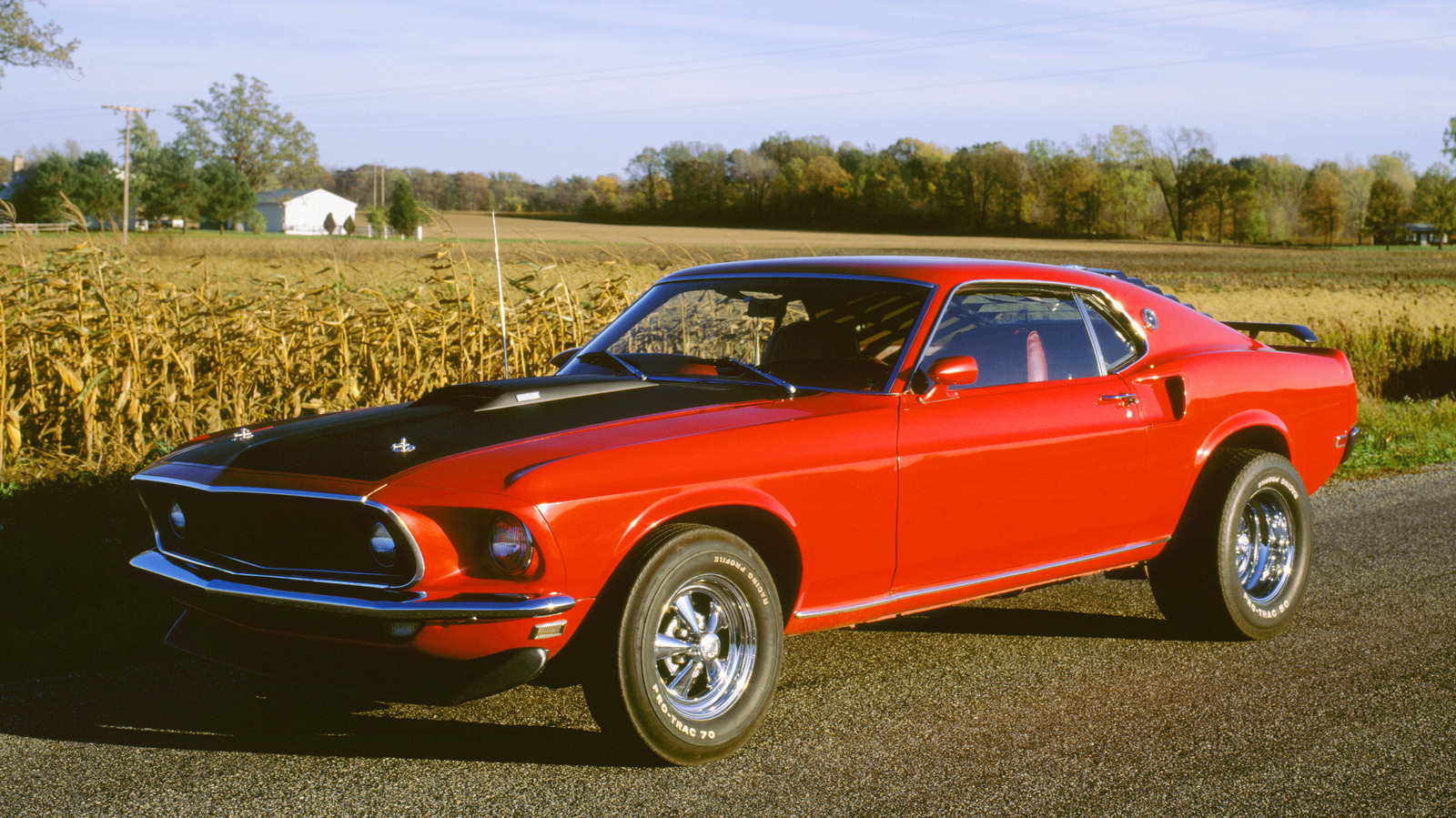
A vintage Ford Mustang was returned five years late and with its parts stripped in a restoration project gone wrong. Kevin Bickley ended up going to court to get his 1969 Mustang Mach 1 — yes, like the one in John Wick — back from Miller’s Performance and Restoration in Tennessee after the $24,000 repair turned into a disaster. 

Bickley brought the Mustang to the shop back in October 2020. He wanted new wheels, a new orange-accented interior, a new steering wheel, a new transmission, and to get it painted Grabber Orange. The owner, Corey Miller, told him that it would take about six months — on the faster side of the average time it takes a shop to do a restoration. But over $24,000 and five years later, Bickley was without his prized Mustang. 

In December 2025, Bickley went to court to get his car back from Miller. What he saw was quite shocking: “The car is in worse shape than when I gave it to him. He stripped it. He kept the car doors. He kept the hood. He took the rear axle off. He took the front suspension off. I got none of that back,” Bickley told WATE 6 On Your Side. Many car enthusiasts believe that the Mustang’s parts were sold by the shop. 

How a shop keeps a 1969 Mustang Mach 1 for five years

It’s been a tough five years for Bickley ever since he dropped the Mustang off at Miller’s Performance and Restoration. Miller seemed trustworthy at first — Bickley described him as nice and knowledgeable. But he started to notice that the work wasn’t getting done. “I went to Corey’s shop about a dozen times,” he said to WATE 6 On Your Side. “I worked for free to help speed up the process.” Meanwhile, Miller continued to text Bickley to say he was sick. “He was in the hospital five or six times with pneumonia,” said Bickley. 

By 2023, Bickley had to get lawyers involved. His lawyer and Miller’s lawyer exchanged emails, with the shop agreeing to prioritize the Mustang. In October 2023, Miller was found guilty of unlawfully and knowingly controlling personal property, including automobiles and belongings, not only for Bickely but also for three other people. No trial happened for two years, so Bickley sued Miller to get his Mustang back once and for all. 

WATE 6 On Your Side was able to get a statement from Miller, who claimed Bickley hadn’t paid for the additional parts he needed after discovering more damage in the Mustang. According to Miller, Bickley was told to pick up the Mustang in 2023. “It’s Kevin Bickley’s fault,” said Miller. This is not the first time a shop has been accused of fraud. If you’re looking at restoring a classic car, you might be safer doing the restoration project yourself.


Source link

Leave a Reply

Subscribe to Our Newsletter

Get our latest articles delivered straight to your inbox. No spam, we promise.

Recent Reviews


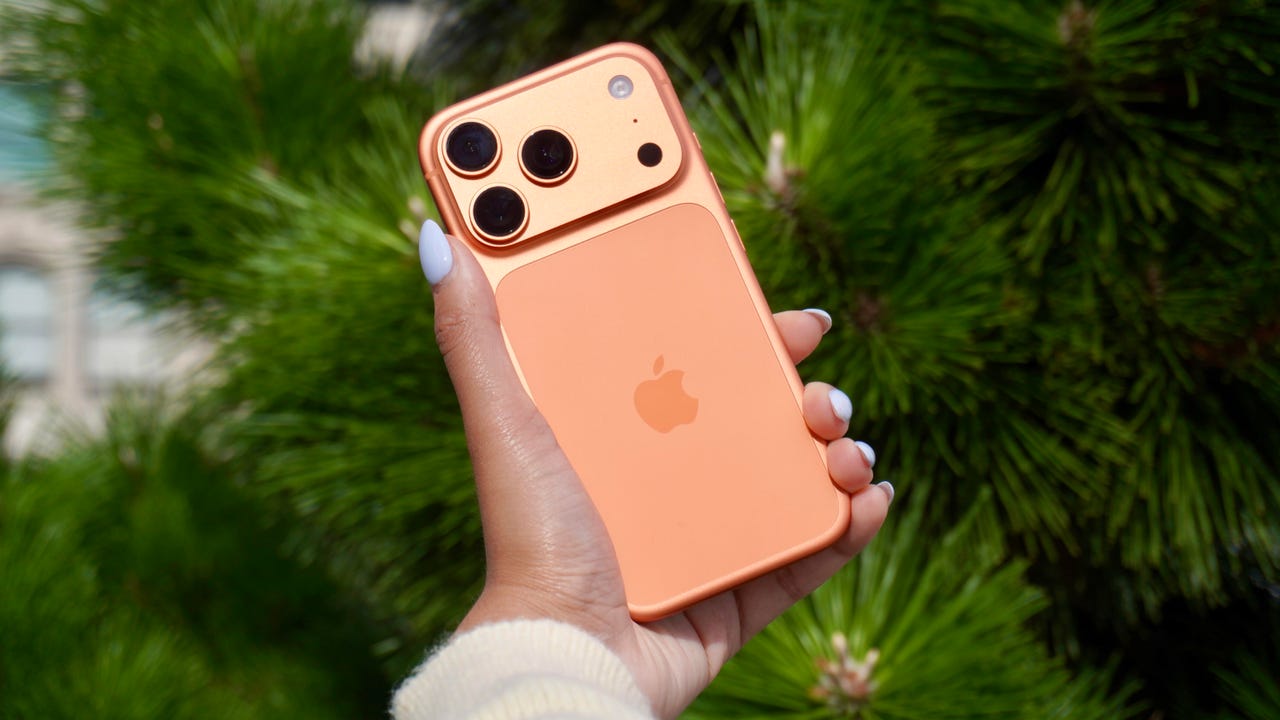
iPhone 17 Pro

Kerry Wan/ZDNET

Follow ZDNET: Add us as a preferred source on Google.


ZDNET’s key takeaways

  • Back Tap lets you trigger actions with double or triple taps.
  • You can customize it to open apps, controls, or shortcuts.
  • It works on most iPhones and even through many cases.

The iPhone has a button on its back. You can’t see it, but with a double or triple tap on the Apple logo, you can open an app, access a system menu, or launch a shortcut. This feature is called Back Tap, and it’s actually been available since iOS 14. The best part is it’s completely customizable. You can set it to do whatever you want, and change it at any time.

I first tried Back Tap years ago, and it quickly became one of those features I use every day. Instead of swiping through menus or hunting for apps, I just tap the back of my phone. It’s one of the fastest ways to get things done.

How to use Back Tap on iPhone

What you’ll need: An iPhone 8 or newer running the latest version of iOS.

1. Go to Accessibility in Settings

Elyse Betters Picaro / ZDNET
2. Open the Touch menu

Elyse Betters Picaro / ZDNET

Scroll to the bottom and select Back Tap. Now you can start customizing the back button on your iPhone.


Show more

3. Select Back Tap

Elyse Betters Picaro / ZDNET

You’ll see two options: Double Tap and Triple Tap. You can use one or both, and assign different actions to them.


Show more

Choose Double Tap or Triple Tap

Elyse Betters Picaro / ZDNET

There should be a long list of actions available under Double Tap and Triple Tap, including system controls, accessibility features, and even some apps. Pick one, and it’ll instantly be active. Just tap the back of your phone to trigger it.

Tip: Tap directly on the Apple logo (or near the center of the back of your phone if you’re using a case), and be quick and deliberate with your taps.


Show more

5. Assign an action

Elyse Betters Picaro / ZDNET

What can I do with Back Tap?

Back Tap supports a wide range of actions, but the best setup really depends on how you use your phone.

At a basic level, you can control system features, like opening Control Center and Notification Center. You can also trigger a screenshot, lock rotation, or adjust volume. Accessibility features are available as well, including VoiceOver, Zoom, AssistiveTouch, and Background Sounds. Popular apps are supported, too, including ChatGPT, Snapchat, Amazon, and more.

Also: Your iPhone’s USB-C port is so versatile – 14 features beyond charging

The most powerful option is probably Shortcuts. If you create a custom shortcut, Back Tap can run it instantly. That means you can combine multiple actions into one tap. For example, you could open ChatGPT and start a voice session, or take a screenshot and save it to a specific folder. This is where Back Tap goes from convenient to genuinely useful and fun to customize.

You get both double tap and triple tap, so you can use them differently. For example, you might use double tap for something you do constantly, like opening Snapchat, and triple tap for something less frequent, like triggering a shortcut.

Back Tap shortcuts

Elyse Betters Picaro / ZDNET

Will Back Tap work with the case on my iPhone?

Yes. It works through most cases, including thicker ones, though sensitivity can vary slightly. If you have a PopSocket or another grip covering the back of your phone, however, you likely won’t be able to trigger Back Tap.

Also: How to turn on Lockdown Mode on iPhone

Why is Back Tap not working for me?

Your taps need to be quick and deliberate. Slower taps, or tapping too lightly, can prevent Back Tap from triggering.

Is there any feedback when Back Tap activates?

There is no haptic feedback, but you can enable a banner notification in the Back Tap menu to confirm it has been triggered.

Also: How to free up your iPhone storage almost immediately

How do I turn Back Tap off?

Go back to the Back Tap menu in Settings and set both Double Tap and Triple Tap to “None.”


Show more


Source link