6 Of The Best Soundbars For Audiophiles, According To Audiophiles


We may receive a commission on purchases made from links.

For many users, soundbars are likely the sweet spot when it comes to getting enjoyable audio when watching TV and movies. Modern TV speakers are generally disappointing, with TVs’ thin bodies necessitating tiny, downward-pointing speakers that rarely offer decent, let alone impressive, audio. Conversely, going with proper speakers can be quite a hassle, especially with passive setups that require dedicated amps and a bunch of wiring.

Soundbars sit in between the two, offering a significant upgrade over the built-in speakers of your typical TV yet without the complexity, size, and sheer weight of proper home-theater setups. They’re easy to use, usually connecting to a TV via HDMI eARC, and offer good value for those on a tighter budget. Audiophiles, however, will most likely choose speakers over soundbars, as they can often offer better audio quality.

However, that doesn’t mean that you can’t get some high-quality soundbars that should be able to satisfy — if not necessarily wow — those of the audiophile persuasion. After all, not all soundbars are value-oriented; higher-end units can easily fly past the $2,000 mark and provide suitably impressive sound quality to go with their eye-watering prices. Some of these come from major soundbar brands like Samsung, while others hail from brands more usually associated with hi-fi gear, proving that companies have started taking the soundbar very seriously indeed.

Sennheiser Ambeo Max

The Sennheiser brand is arguably inseparable from the concept of high-end audio, as proven by products like the Sennheiser HD 660S2 and HD 600, which are often considered some of the best wired headphones for audiophiles. But the German brand’s audio efforts extend beyond the pleasures of head-fi, as the Ambeo Max soundbar shows.

This isn’t some half-hearted attempt to break into a seemingly-lucrative consumer market, either. While Sennheiser isn’t against targeting mainstream consumers with products like the USB-C-equipped HD 400U headphones, the 5.1.4-channel Ambeo Max soundbar is as far removed from the average consumer as a big-brand soundbar can get. The Ambeo Max debuted in 2019 for a whopping $2,500 and still costs $2,000 or so more than half a decade on, making it quite a big financial commitment for all but the most wealthy home-theater enthusiasts.

What does that sort of money get you, however? Quite a lot, judging by reviews. It’s definitely geared toward 3D audio and movies, with several levels of Ambeo processing available for listeners to choose from, but it handles stereo music well, too. The Ambeo’s bass is one of its primary strengths, with reviews generally highlighting its strong low end. That said, it’s far from a one-trick pony, and the rest of the sound spectrum is also presented very impressively. It’s perhaps not quite on par with a proper high-end hi-fi setup, as Stereonet would have it, but even that outlet had to admit that it got very close. Thus, audiophiles who, for whatever reason, don’t have the space for separates may find a lot to like here all the same, despite its age.

JBL Bar 1300 mk2

The JBL brand has a long and storied history in the hi-fi and audiophile world, with quite a few of its classic speakers — like the legendary JBL 4344 — being highly-sought after and commanding eye-watering prices. While the Samsung-owned JBL of today is admittedly far removed from the brand that James B. Lansing founded in the 1940s, the modern company still has quite a few capable products in its portfolio, like the JBL Bar 1300 mk2.

The 1300 mk2 is quite affordable as far as high-end soundbars go, with the 11.1.4-channel package — consisting of a sub and a soundbar with two detachable wireless speakers that you can position as rear speakers — available for around $1,300. Despite that, it’s a strong performer, with reviewers highlighting its impressive ability to present human voices, thanks to its PureVoice 2.0 digital signal processing tech. PureVoice 2.0 isn’t just handy for ensuring clarity of dialogue in movies and TV shows, either; it also makes the 1300 mk2 great for all sorts of music, as well, especially vocal-oriented material.

It does a good job with stereo sources, but particularly excels with Atmos-encoded music — provided you crank the volume, as What Hi-Fi? discovered. Pair it with an Atmos-capable streaming service like Tidal or Apple Music, then, and it seems like you’ll have a lot of listening fun for a reasonable outlay (by this list’s standards, at least). What makes it an even better deal is that those detachable ends function as standalone Bluetooth speakers that you can take out and about — and sound great while doing it, too.

KEF XIO

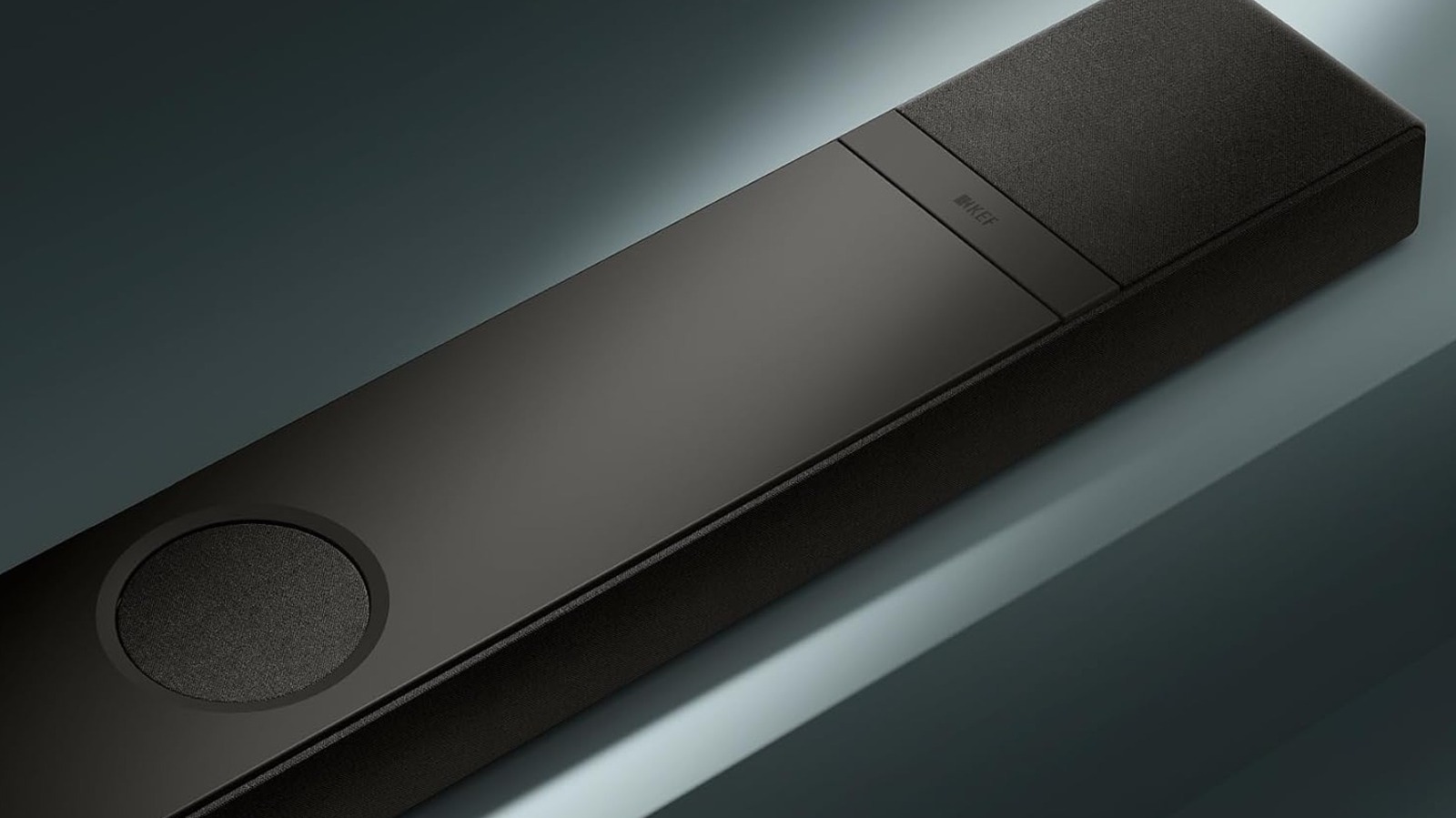
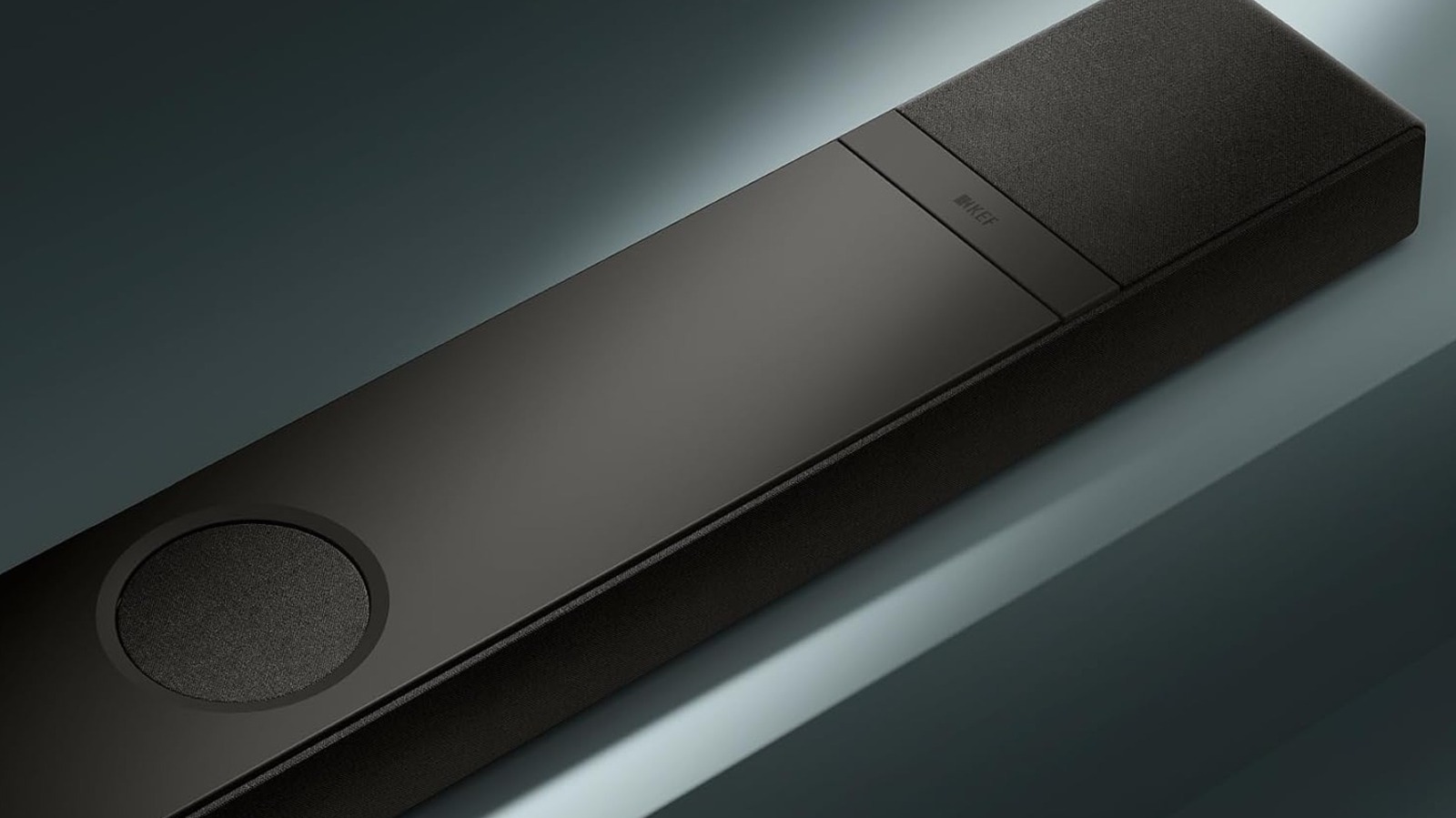
KEF is a brand known for making great speakers, such as the LSX II that many users consider some of the best wireless speakers for audiophiles. Thus, it’s probably not that huge a surprise that the brand’s maiden soundbar effort, the XIO, ranks as one of the most impressive on the market. Thus, those who consider themselves audiophiles would do well to check the KEF XIO out first if they’re looking for an upgrade — provided, of course, that they can stomach the $2,499 MSRP.

That price seems to be well worth it, though, if reviews are anything to go by. The 5.1.2-channel soundbar lives up to KEF’s reputation, with journalists praising its performance for movies and music alike. It earned plaudits for its power, authority, and massive sound in the former, with big bass and clear high-frequency details alike. Those traits extend to music, too, with lively and detailed sound that What Hi-Fi? thought was good enough to serve as a listener’s only music playback system — which, as the outlet pointed out, is far from common among soundbars.

The XIO also shows the audio company’s mastery of the digital side of the equation, with a great KEF Connect app that gives access to all the usual settings such as EQ and mode selection and allows you to control the many streaming services it supports. The XIO natively supports for high-res streaming services like Qobuz and Highresaudio, more usual fare like Spotify and Tidal, and even Tencent-owned QQMusic — further adding to the XIO’s credentials as an all-in-one music solution.

Yamaha True X Surround 90A

Yamaha possibly isn’t the first name that comes to mind for audio-visual and hi-fi gear; the brand, of course, is probably more recognizably attached to motorcycles and musical instruments, for example. Despite that, it has a solid reputation for making highly-regarded components like speakers and amps, and the company seems to have drawn on some of that when developing the Yamaha True X Surround 90A soundbar package.

Stereonet’s review of the Yamaha 90A makes that link clear, with the site’s reviewer likening the 90A’s music capabilities to be a direct continuation of (and even an improvement on) the classic Yamaha house sound. Thus, expect a bright and clean reproduction of music, with excellent details and impressive soundstage that places all the necessary sonic elements where they need to be across the stereo field. Yamaha also includes an AI-powered surround sound feature for those who really want immersive audio, although reviewers weren’t that keen on using it with music.

The Yamaha’s ability to handle stereo music is already plenty impressive, but it’s true defining feature is how it presents movie audio. Reviewers raved about how big it sounds, with heaps of volume on tap and, provided you set it up right, excellent overhead audio and vertical soundstage from the upward-pointing speakers. You will pay a lot for the privilege of this sound quality, though, with the package — consisting of a soundbar, a wireless subwoofer, and two wireless surround speakers that double as portable Bluetooth speakers — costing about $2,800 or so, but nobody said the pursuit of high-end audio was cheap, did they?

Samsung HW-Q990F

Samsung has soundbar offerings available at almost every price point imaginable, including a few that compete well against some of the best sub-$200 soundbars out there. While one might think that that breadth may serve to dilute the brand’s strengths, soundbars like the 11.1.4-channel HW-Q990F show that the Korean manufacturer can compete well at both ends of the market.

The Samsung HW-Q990F is, as is common in this high-end segment of the market, a multi-component system: You get a main soundbar, a wireless subwoofer, and two wireless surround speakers. It has a range of AI-powered features that can tailor the sound output based on the audio content, enhance dialogue, and manage the bass frequencies. Like many other Samsung soundbars, the Q990F also supports the brand’s Q-Symphony feature. This lets you sync the soundbar and your Samsung TV’s speakers, using the latter to supposedly offer a fuller sound — although your mileage will vary when it comes to the feature’s effectiveness.

Samsung’s soundbar generally excels with movies and TV content, where its sizeable complement of speakers and software trickery allows for an impressive, engrossing, and convincing Atmos experience. While movie lovers will likely get the most out of the Samsung, it’s still a strong option for music, too, with reviews praising the way it handled vocals and mid-range frequencies. While it won’t replace a strong dedicated hi-fi system, as Sound and Vision opined, it still acquits itself very well and offers an enjoyable listening experience, especially for those moments when critical listening isn’t on the table — and even audiophiles will want to do some casual, laid-back listening from time to time.

Devialet Dione

French company Devialet first made waves in the U.S. with the Phantom, a $2,000 speaker that turned heads (and impressed reviewers) when it debuted in 2016. That’s a pretty crazy price for a speaker, of course, especially considering would have needed two of them for a proper stereo setup. Thus, the fact that the 5.1.2-channel, surround-capable Dione soundbar is available for a shade over $2,000 seems a bit of a bargain in comparison.

Now, to be clear, the Devialet Dione is, in some respects, a bit of a disappointment. It has a single HDMI port, can’t decode DTS, and doesn’t support voice commands. The latter two were already issues for some reviewers when it debuted in 2022, and are likely just as (if not more) annoying now that a few years have passed. It also doesn’t have any EQ. If you want a versatile, do-it-all soundbar, then, this probably isn’t it.

If you want a soundbar for music, though, this is one to consider. For one, it has eight subwoofers, which Devialet claim allow the Dione to reach down to a furniture-rattling 24 Hz. It’s not just marketing speak, either: Sound and Vision’s testing showed that it can indeed present audible content at those frequencies. That said, it’s not only about the bass; its design, plus a host of fancy engineering, results in tuneful and balanced music playback, from natural bass through to a sweet midrange and detailed high-frequency response. That said, reviews have also noted that the Dione’s bass response in movies can be inconsistent, so those who prioritize movies and TV may be better served by other products.

Our methodology

There are plenty of soundbars on the market, many of which are genuinely excellent. However, not all of them are necessarily audiophile-tier — even if that, as with any enthusiast-based criteria, is a very subjective measure. Thus, to identify a handful of soundbars that would satisfy audiophiles, we had to be more selective in the reviews and outlets we consulted.

So, instead of basing our picks on reviews from tech- and gadget-focused outlets, we focused exclusively on products that received positive reviews from publications known for evaluating and focusing on high-end audio-visual gear. Thus, there’s a better likelihood of these reviewers having higher, and potentially even audiophile-grade, standards.


Source link

Leave a Reply

Subscribe to Our Newsletter

Get our latest articles delivered straight to your inbox. No spam, we promise.

Recent Reviews


gettyimages-2237093321

Moor Studio/Getty Images

Follow ZDNET: Add us as a preferred source on Google.


ZDNET’s key takeaways

  • Spyware can track you, record calls, and steal phone data.
  • Watch for odd behavior, data spikes, unknown apps, and battery drain.
  • Use antivirus software, update regularly, and avoid untrusted app sources.

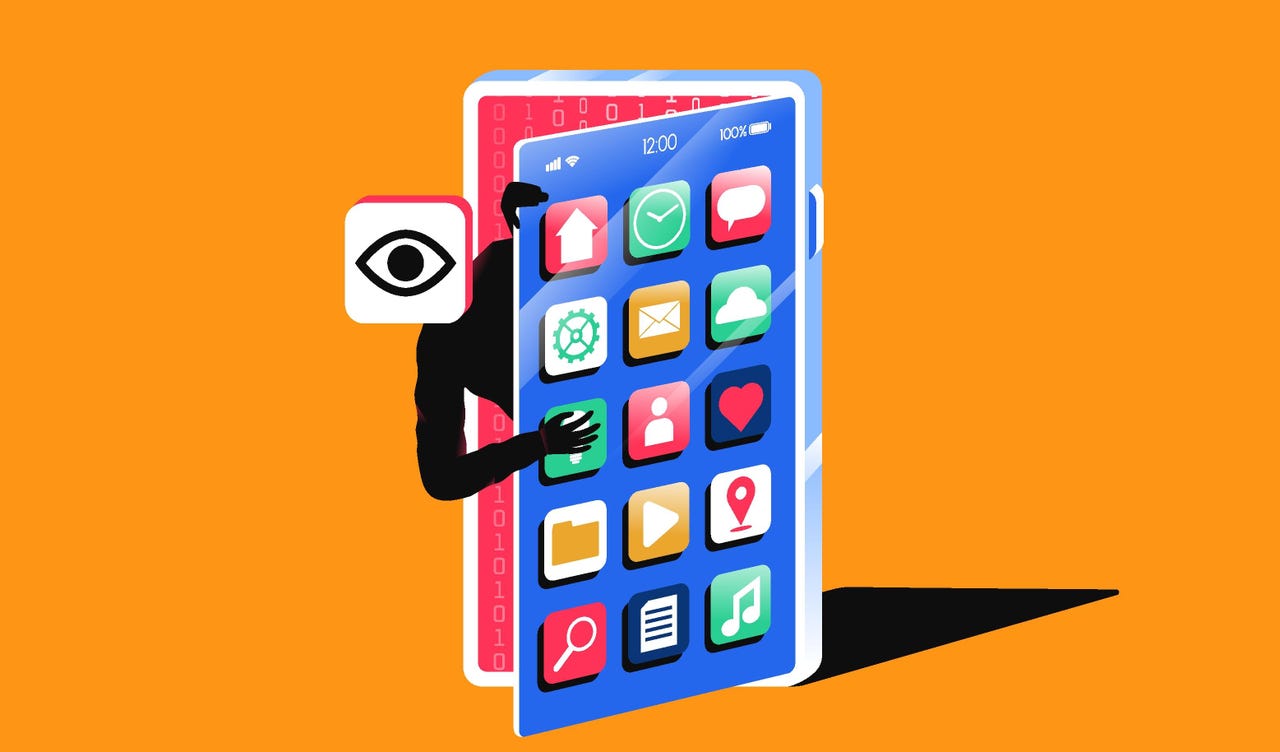
Spyware is one of the biggest threats to your mobile security and can severely impact your phone’s performance if you are unlucky enough to become infected. It is a type of malware that typically lands on your iPhone or Android phone through malicious mobile apps or through phishing links, emails, and messages.

While appearing to be a legitimate software package or useful utility, spyware will operate quietly in the background to monitor your movements, spy on your activities, and may also record your conversations, whether they are phone calls or social media threads. You may find your actions screenshotted, your call records logged, and even your physical location tracked via GPS. 

Also: 7 ways to lock down your phone’s security – before it’s too late

This information is then sent to a remote server and into the hands of someone else without your permission.

Similarly, a remote monitoring app promoted for parental use or work purposes could be abused and become a privacy invader rather than a legitimate service. 

Let’s explore the different types of spyware you might encounter, the warning signs of infection, and how to quickly remove it from your smartphone.

Spyware explained

It’s helpful to know the basic differences among types of spyware before you tackle infections on your handset.

Nuisanceware is bundled with mobile apps. It interrupts your web browsing with pop-ups, changes your homepage or search engine settings, may try to force you to watch videos, and may collect your browsing data to sell to ad agencies and networks. Although considered malvertising, it is generally not dangerous, as it focuses on generating illicit revenue by forcing ad views or clicks.

Also: As ransomware recedes, a new more dangerous digital parasite rises

There’s also generic mobile spyware. It steals operating system data, clipboard data, and anything of value, such as cryptocurrency wallet data or account credentials. Spyware isn’t always targeted and may be used in spray-and-pray phishing attacks.

Spyware may land on your device through phishing, malicious email attachments, social media links, fraudulent SMS messages, or physical device tampering.

Advanced spyware, sometimes also classified as stalkerware, is a step up from basic spyware. This malware is unethical and dangerous. It is sometimes found on desktop systems but is now more commonly installed on handsets. Stalkerware is typically used to spy on an individual and monitor what they do, say, and where they go, and is often linked to cases of domestic abuse.

Spyware and stalkerware may be used to:

  • Monitor emails, SMS, MMS messages, and other forms of communication sent and received, including Facebook and WhatsApp.
  • Intercept live cellular calls or Voice over IP (VoIP) applications.
  • Hijack camera functions to take photos and videos.
  • Screenshot mobile device screens and send them to a controller.
  • Track victims via GPS.
  • Conduct keylogging, account compromise, and data theft.

Finally, there’s government-grade commercial spyware, with Pegasus among the best-known variants. Unless you’re part of a group of specific interest to ethically challenged governments, it’s unlikely that it will impact you due to the expense of targeting victims.

Spyware warning signs

There aren’t always indicators of an infection attempt in real time, but the following scenarios could be warning signs that you are being targeted:

  • Receiving odd or unusual SMS messages, social media messages, or emails.
  • Strange permission, download, or software installation requests appear on your handset.
  • If your phone goes missing or is out of your possession for a period of time and then reappears with settings or changes you do not recognize, this may indicate that your device has been tampered with.
  • When it comes to stalkerware, initial infection messages may be more personal and tailored to the victim. Physical access to a handset may be necessary.

Also: I clicked on four sneaky online scams on purpose – to show you how they work

There are also signs you can watch for that may indicate your phone has been compromised. The most common are:

  • Power: You may experience unexpected handset battery drain, overheating, or sluggish performance.
  • Behavior: Strange behavior, such as GPS or camera functions turning themselves on and off without your input, or random reboots and unexplained crashes.
  • Pop-ups: If you are being bombarded with pop-ups, it’s likely that some form of adware is hidden on your handset. You may also find that your preferred search engine has been changed.
  • Increased cellular data usage: Information exfiltrated from your smartphone or hidden, active remote connections will use data.
  • Distortion: You may hear unusual noises or distortion during phone calls. Although this could simply be due to poor reception, it may also be a sign of interception.
  • On and off: You may also have trouble completely turning off your device, as more advanced spyware might prevent you from doing so.
  • Financial transactions: If spyware has obtained sufficient permissions, it may have signed you up for services or premium SMS plans you didn’t ask for.

Android

One telltale sign on an Android device is a setting that allows apps to be downloaded and installed outside of the official Google Play Store. If this setting is enabled, it may indicate tampering or jailbreaking without your consent. Not every form of spyware and stalkerware requires a jailbroken device, however.

Also: Your Android phone’s most powerful security feature is off by default and hidden – turn it on now

This setting is found in most modern Android builds in Settings > Security > Allow unknown sources. (This varies depending on the device and vendor.) You can also check Apps > Menu > Special Access > Install unknown apps to see if anything is unfamiliar.

Some forms of spyware also use generic names and icons to avoid detection. For example, they may appear to be useful utility apps such as calendars, calculators, utilities, or currency converters.

iOS

iOS devices that aren’t jailbroken are generally harder to infect with malware than Android handsets, unless a spyware developer is exploiting an unpatched vulnerability.

Also: How to lock down your iPhone to the extreme – so even the FBI can’t get in

However, the same principles apply. With the right tool, exploit, or software, your device could be compromised either with physical access or remotely. You may be more susceptible to infection if you have not updated your iPhone’s firmware to the latest version and you do not run frequent antivirus scans.

How to remove spyware from your smartphone

Spyware is often hard to detect and can be difficult to remove. It is not impossible in most cases, but it may take some drastic steps on your part.

When spyware, especially stalkerware, is removed, operators may receive an alert indicating that the victim’s device has been cleaned. Should the flow of your information suddenly stop, this would be another clear sign to the attacker that the malicious software has been removed. Do not tamper with your device if doing so would risk your physical safety.

Also: How to turn ChatGPT into a scam detector using the new Malwarebytes integration – for free

Instead, reach out to law enforcement and supporting agencies. Otherwise, here are some removal options:

  • Run a malware scan: There are mobile antivirus solutions available that can detect and remove spyware. This is the easiest solution available, but it may not be effective in every case. Cybersecurity vendors, including Malwarebytes.
  • Use a dedicated spyware removal tool: You can also use software specifically designed to detect and remove spyware. However, be careful to download tools only from reputable firms and official sources, as one of the most common ways to distribute malware is to disguise it as antivirus software. Check out the spyware removal apps offered by Bitdefender, Avast, and Malwarebytes.
  • Delete suspicious apps: Examine the list of installed apps on your handset and remove any you don’t recognize.
  • Check device administration controls: In advanced security settings, you can see if any suspicious apps have admin permissions. If so, you can try removing them, although this may require restoring your handset to factory settings.
  • Reboot in Safe mode: Restarting your smartphone in Safe mode prevents third-party software from running. On Android handsets, you can usually do this by long-pressing the power-off button and selecting Safe mode. This can allow you to safely uninstall apps — but it is not a failsafe solution against advanced spyware variants.
  • Update your operating system: It may seem obvious, but when an operating system releases a new version, which often includes security patches and upgrades, it can — if you’re lucky — cause conflicts and problems with spyware. Keep it updated.

Also: Rebooting your phone daily is your best defense against zero-click attacks – here’s why

If you have found suspicious software on your handset, consider changing your passwords and enabling biometrics.

If you suspect account compromise, change the passwords for every important account you have. Many of us have one or two central “hub” accounts, such as an email address linked to all of our other services. Remove access to any such hub services you use from a compromised device. 

For added security, consider changing your account passwords on a PC, forcing a logout on other devices, and enabling biometric authentication to prevent physical handset tampering.

An important point to mention is that sometimes spyware or other forms of malicious software might end up on your device via an initially benign app. There have been cases of developers releasing a genuine, useful app in official repositories, such as a currency converter or weather app, and then, after a large user base has been gathered, the developers twist the app’s functions into a Trojan through a software update.

If you recently downloaded a mobile app and now your phone is displaying odd behavior, consider removing it and running a malware scan.

Keeping spyware and stalkerware off your device

Unfortunately, no mobile device is completely protected against the scourge of spyware. However, we have provided some tips below to mitigate the risk of future infections:

  • Protect your device physically: Your first line of defense is to maintain adequate physical controls. Modern smartphones let you set PIN codes and patterns or use biometrics such as fingerprints or retina scans to prevent your handset from being physically tampered with.
  • Update your operating system: Install OS updates as soon as they are available. They contain security fixes and patches and are one of the most important lines of defense against malware.
  • Use antivirus software: Mobile antivirus solutions can detect and remove spyware. Running frequent scans will help protect your handset.
  • Only download apps from official sources: Most spyware and malware are found outside Google Play and the App Store, so be cautious about installing apps from third-party websites. Sometimes, malicious apps still slip through the net, so check reviews and app descriptions before installing anything new.
  • Enable app security: Enable built-in scanners that check any new app installs. On Android, you can find this setting in Security and privacy > App security.
  • Check permissions: You should monitor what permissions have been issued to which apps and when. If you haven’t used an app with extensive permissions for a while, consider deleting it. If any apps appear more intrusive than necessary, remove them and refuse to provide permissions on install.
  • Watch out for malicious links: Mobile malware is often spread through phishing and malicious links. These links may urge you to download apps from outside Google Play or the App Store and may be disguised as everything from antivirus software to streaming services.
  • Do not jailbreak your device: Jailbreaking not only voids your warranty but can also allow malicious apps and software to gain a deep foothold in your operating system, making removal extremely difficult.
  • Enable multi-factor authentication (MFA): When account activity and logins require further consent from a mobile device, this can also help protect individual accounts. (However, spyware may intercept the codes sent during 2FA protocols.)

If all else fails: Factory reset

Performing a factory reset and clean install on the device you believe is compromised may help eradicate some forms of persistent spyware. Make sure to back up important content first, as this process can’t be reversed. 

  • On Android platforms, the reset option is usually found under Settings > General Management > Reset > Factory Data Reset. 
  • On iOS, go to Settings > General > Transfer or Reset Phone.

Google’s guide to factory resetting your device can be found here, and Apple has also provided instructions on its support website.

Unfortunately, some malware may survive factory resets. Failing that, consider restoring to factory settings and then disposing of your device.

Parental control or employee monitoring apps: spyware?

There are cyberthreats around every corner, and while children often want a smartphone and to be on social media at a young age, parents want to monitor what they are viewing and who they are interacting with online in order to protect them.

This is a responsible position to take, but at their core, parental control apps are designed for surveillance — as are many “employee productivity” apps.

The main issue is the potential for abuse, turning what may have been a product developed with good intentions into invasive software used for purposes beyond protecting a minor or ensuring employee time is used wisely.

Also: The best employee monitoring software of 2026: Expert tested

A balance between a right to privacy and protection has to be maintained. With this in mind, both Apple and Google have introduced parental controls for their devices. These features focus on restricting screen time, locking and unlocking devices, managing permissions lists, restricting web content and app downloads, and approving purchases.

Regarding employee monitoring apps, don’t install them on your personal handset. If your employer insists on using them, then it should issue you a work laptop and phone.

Most common consumer monitoring apps

As we mentioned earlier, many apps may be advertised as parental control monitors or simple trackers, but their use can be unethical. Other app developers freely market their products for full device control and surveillance. 

Also: 5 ways to avoid spyware disguised as legit apps – before it’s too late

Apps often use the phrases ‘spy,’ ‘monitor,’ or ‘parental control,’ but they may also disguise themselves on a device as a utility, a game, or otherwise as an innocent piece of software.

Are Google and Apple protecting devices from spyware?

Google and Apple are generally quick to remove malicious apps that manage to evade the privacy and security protections in their respective official app stores. When individuals are considered particularly at risk, you can enroll in Google’s Advanced Protection Program, which provides additional security for your Android device.

Google has also banned spyware and stalkerware ads, and the firm’s Threat Analysis Group is constantly publishing research on new commercial spyware strains and their potential targets.

Apple has cracked down on parental control apps, citing privacy-invading functions as the reason for removal. The company offers its own parental device control service called Screen Time for parents who want to limit their child’s device usage.

Furthermore, the company does not allow sideloading — that is, installing third-party apps from sources other than Apple’s App Store — and is quick to remove any iOS apps that exhibit privacy-eroding functionality.

Apple also provides Lockdown Mode, an optional setting you can enable on your iOS device for extreme security. However, unless you don’t mind a heavily restricted smartphone, you should only consider this option if you are worried about commercial-grade spyware.


Consider checking out ways to remove yourself from the internet and ZDNET’s recommended data brokers of 2026.


Source link