iPhone Straining Your Eyes? This Feature Could Help


According to my iPhone, I spend about 3 hours a day looking at it. I’m sure I hold my iPhone close to my face at times, especially at night, and that might be why my eyes hurt sometimes. Luckily, there’s a hidden iPhone feature called Screen Distance that could help all of us take better care of our eyes.

CNET Tips_Tech

CNET

The feature warns you when you’re holding your iPhone or iPad too close to your face, sort of like having a parent tell you to sit farther back from the television or computer screen. Although having a screen near your face might not harm your eyes, it could stress and irritate them, according to health care organization Cedars-Sinai. But this iPhone feature aims to help reduce eyestrain. According to Apple, it could even lower the risk of myopia, or nearsightedness.

Here’s how to turn Screen Distance on and give your eyes a break.

Turn on Screen Distance

1. Open Settings.
2. Tap Screen Time.
3. Tap Screen Distance

Two screenshots showing different screens when enabling Screen Distance on iPhone.

These screens appear the first time you access Screen Distance.

Apple/CNET

Then you’ll see two screens that explain what Screen Distance is and how it works. Tap Continue on both screens, and Screen Distance automatically turns on after these screens. Both screens appear only the first time you go into Screen Distance.

An iPhone screen that's been blocked by the Screen Distance feature, and a screen once the iPhone is away from your face.

When you hold your iPhone too close to your face for too long, Screen Distance blocks your screen.

Apple/CNET

Now, after holding your iPhone too close to your face for a few minutes, your screen gets blocked by a message reading, “iPhone May Be Too Close.” 

Your screen remains blocked until you hold your iPhone farther away. Then, your screen shows a checkmark, and you have to tap Continue to remove the block. 

Read more: How to Beat Eyestrain, According to Optometrists

Turning off Screen Distance

Screen Distance is a useful iOS feature that may reduce eyestrain and even decrease the risk of nearsightedness. However, if you find the warnings more annoying than helpful, here’s how to turn Screen Distance off.

1. Open Settings.
2. Tap Screen Time.
3. Tap Screen Distance.
4. Tap the toggle next to Screen Distance.

Now you can go back to holding your iPhone as close to your face as you want without interruption from your phone — or your parents. 

For more iOS news, here’s what to know about iOS 26.4 and iOS 26.3. You can also check out our iOS 26 cheat sheet for other tips and tricks.

Watch this: iPhone in Space: The Many Apple Products That Left Earth


Source link

Leave a Reply

Subscribe to Our Newsletter

Get our latest articles delivered straight to your inbox. No spam, we promise.

Recent Reviews


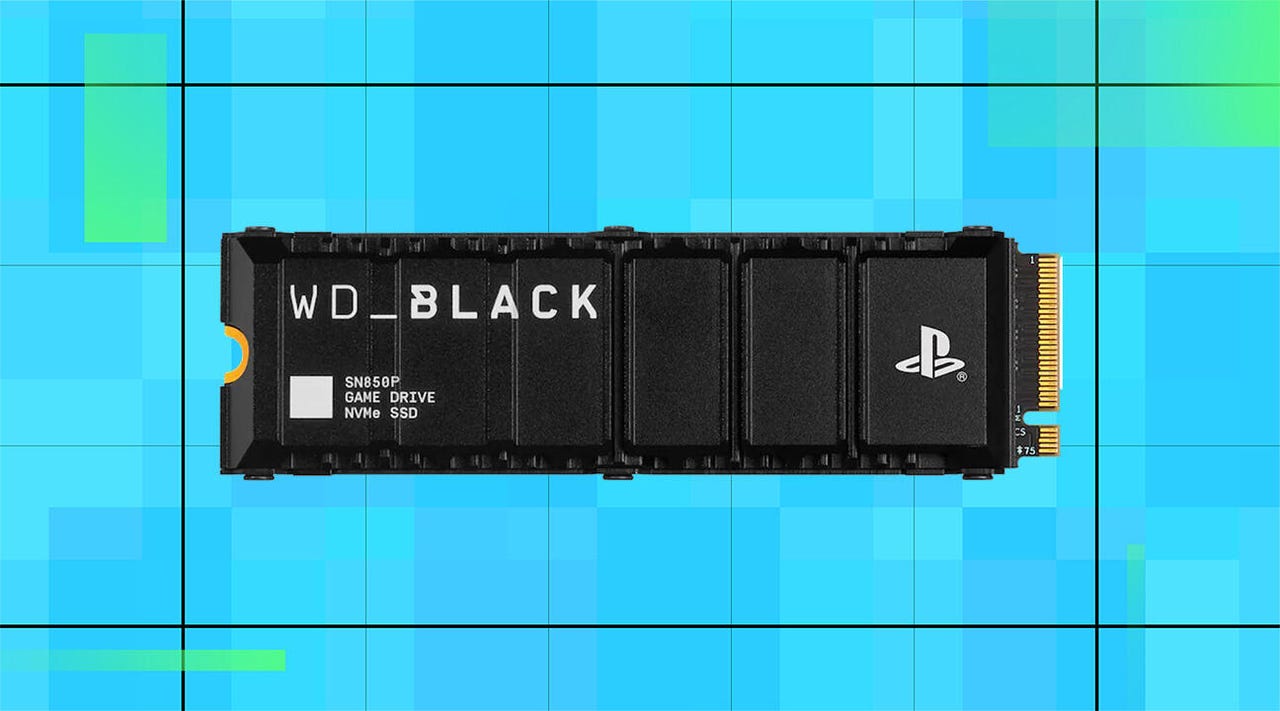
A WD Black SN850P SSD on a blue background

WD/ZDNET

High SSD prices got you down? Right now during Best Buy’s Tech Fest sale, you can save up to $2,800 on the WD Black SN850P storage drive. And while it’s officially licensed for use with PlayStation 5 consoles, it’s easy to reconfigure for use in gaming laptops and desktops for a boost in storage capacity. 

Also: The best Amazon Spring Sale deals: Save on streaming, Apple, Samsung, and more

Available in capacities from 1TB to 8TB, the WD Black SN850P can double, or even quadruple, your available storage space, giving you plenty of room for large game downloads, save files, screenshots, highlight reels, and more. With read and write speeds up to 7300 and 6600 MB/s, respectively, you’ll get much faster loading times than traditional HDDs as well as quicker access to your favorite apps, games, and programs.

Also: SSD vs HDD: What’s the difference, and which should you buy?

The integrated heatsink helps keep everything running at optimal temperatures to prevent data loss or corruption due to overheating. It can also be removed for easier installation in smaller PCs. 

By using flash memory rather than traditional mechanical platters, the WD Black SN850P can provide you with years of reliable data access with much less risk of internal damage due to shocks and bumps.

How I rated this deal 

Prices for RAM and SSD storage drives have skyrocketed as AI companies buy up available stock to power LLMs. And while this particular model is licensed for use with the PS5, you can quickly reconfigure it for use in laptops and desktop PCs. The 2TB model is marked down to $400, bringing it closer to pre-AI pricing, and the 8TB version is almost $2,800 off. While it’s still very expensive, it’s the lowest price I’ve seen on a high-end SSD in a long time. That’s why I gave this deal a 5/5 Editor’s rating.

Deals are subject to sell out or expire anytime, though ZDNET remains committed to finding, sharing, and updating the best product deals for you to score the best savings. Our team of experts regularly checks in on the deals we share to ensure they are still live and obtainable. We’re sorry if you’ve missed out on this deal, but don’t fret — we’re constantly finding new chances to save and sharing them with you at ZDNET.com


Show more

We aim to deliver the most accurate advice to help you shop smarter. ZDNET offers 33 years of experience, 30 hands-on product reviewers, and 10,000 square feet of lab space to ensure we bring you the best of tech. 

In 2025, we refined our approach to deals, developing a measurable system for sharing savings with readers like you. Our editor’s deal rating badges are affixed to most of our deal content, making it easy to interpret our expertise to help you make the best purchase decision.

At the core of this approach is a percentage-off-based system to classify savings offered on top-tech products, combined with a sliding-scale system based on our team members’ expertise and several factors like frequency, brand or product recognition, and more. The result? Hand-crafted deals chosen specifically for ZDNET readers like you, fully backed by our experts. 

Also: How we rate deals at ZDNET in 2026


Show more


Source link