
Follow ZDNET: Add us as a preferred source on Google.
ZDNET key takeaways
- If you have limited mobile data, pay attention.
- This feature could save you money.
- You control whether apps can use data in the background.
For some people, the idea of saving and controlling data usage on a phone isn’t really an issue. If you don’t happen to have an unlimited data plan, it’s a different story. I’ve been in situations before when my phone warns me that I’ve exceeded 2GB of data (I can’t remember how much data my plan gives me). When that happens, I tend to put the brakes on.
When those instances happen, I’m glad Android makes it easy for me to take control of data use. In conjunction with stopping Android apps from running in the background, you’ll have more control than you ever thought you could enjoy.
Also: How to easily encrypt your files on an Android phone – for free
If that sounds like something you could use, read on, and I’ll show you how easy it is.
How to use Data Saver mode on Android
The first thing you’ll want to do is enable the Data Saver mode, which prevents some apps from sending and/or receiving data in the background. What does that mean? For instance, if Data Saver is enabled and you go to a website in your browser, images won’t be loaded until you tap them. As well, videos and audio will not automatically play.
Here’s how you enable the Data Saver feature.
Open the Settings app by either pulling down the Notification Shade twice and then tapping the gear icon at the bottom right. Another option is to open the App Drawer, search for the Settings launcher, and tap it.
Also: How I share audio from my Android phone to multiple earbuds (and why it’s a big deal)
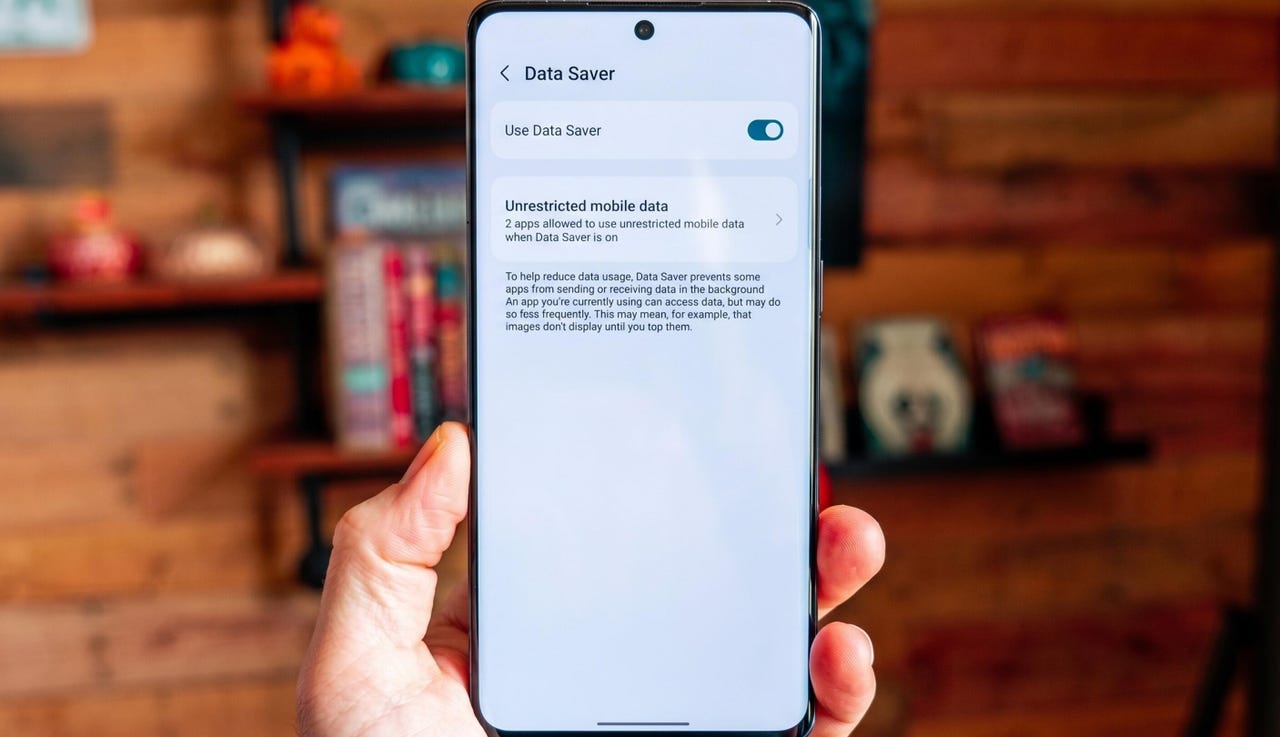
From within the Settings app, go to “Network & internet.” On that page, locate and tap Data Saver. Note: On some Android phones, the feature is found in Settings > “Mobile network.”
Always remember to turn Data Saver off when it’s not needed.
Jack Wallen/ZDNET
On the resulting page, tap the On/Off switch for Use Data Saver until it’s in the On position.
At this point, Android will restrict background data usage, so you shouldn’t have to worry so much about going over your limit.
How to control background data usage on Android
Here’s the kicker. When you enable Data Saver, every app you’ve installed will fall under the restrictions. That’s great, but you could run into apps that don’t function properly. Should that happen, you’ll need to allow that app to bypass that data usage restriction.
Also: Samsung Wallet just got a travel feature that I hope Google Wallet copies ASAP
This is quite simple. On the Data Saver page, you’ll see an option labeled “Unrestricted mobile data.” Tap that entry.
You should now see a listing of every app you have installed on your phone. Scroll through that list, find the app that needs to ignore the restriction, and tap the associated On/Off slider until it’s in the On position.
Make sure to enable all apps that will only function properly without the Data Saver feature enabled.
Also: How to use Google Messages’ new Trash feature to recover texts you accidentally deleted
One thing to keep in mind is that you should remember to disable Data Saver when you’re no longer in danger of exceeding your data limit.
And that’s all there is to saving data and controlling data usage on Android.