
We may receive a commission on purchases made from links.
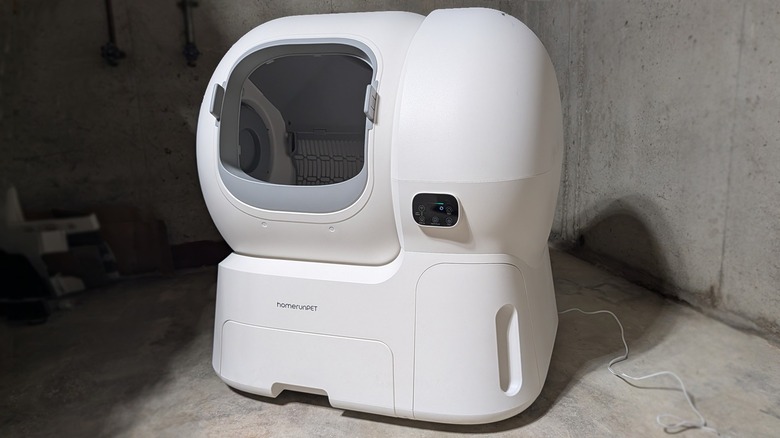
For years I’ve wondered whether it’d be sensible to bring a self-cleaning automatic kitty litter box into my home. My immediate family has been a multi-cat family for well over a decade, and I’ve long considered the potential pros and cons of owning a smart device that cleans up after itself. The time for testing is now — and the device we’re testing is the HomerunPet Self‑Cleaning Litter Box (model CS106).
This device’s primary function is holding and sorting kitty litter — and doing so safely. Any responsible cat owner knows that when it comes to their most feline family member and electronics, there’s no accounting for curiosity and chaos. As such, even before we dove into testing the litter part of this system, we made sure to check the safety features more than a few times.
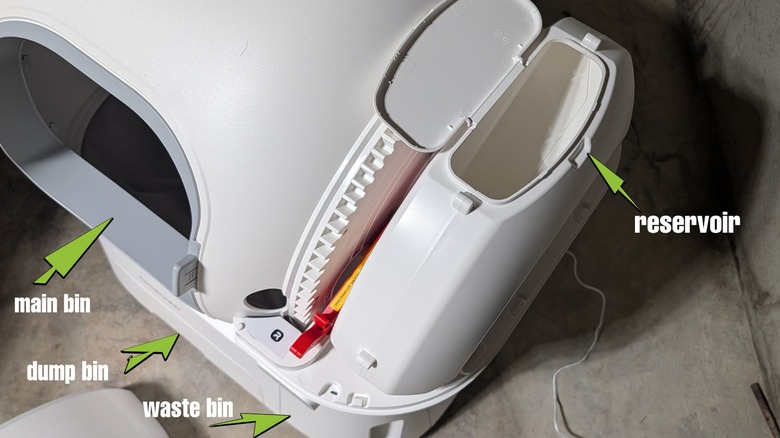
This automatic litter box works with a main litter bin, a reservoir for automatic refilling of litter, a dump bin, a waste bin, weight and movement sensors, and a mechanical movement system that sifts out and dumps clumped litter. The litter sorting system is simple, the safety system is advanced. This was exactly the right application of compute power on the part of the creators of this smart machine.
What’s the big deal?
Automatic (self-cleaning) litter boxes have been on the market for several decades. The first rudimentary designs used rakes and motors to sift litter — a few other designs scooped and flipped and shook their way into homes under a variety of brand names like PetSafe, Casa Leo, and Whisker. A lot of these machines have worked well for pet owners for years, without major incident. But we’ve entered the age of off-brands.
If you’ve researched automatic litter boxes before, chances are you’ve run into some news and/or rumors about robotic litter machines run amok. Given the vast array of litter-cleaning machines on the market today, it’s safe to assume that quality isn’t a constant across the board.
The machine we’ve been testing makes a point to put safety up front and center in its PR and product listings online. The brand’s main product page for the CS106 Self-Cleaning Litter Box makes it quite clear: a pair of physical safety bumpers, 4 weight sensors, and a front-facing “entrance radar” make the whole machine safe to a fault.
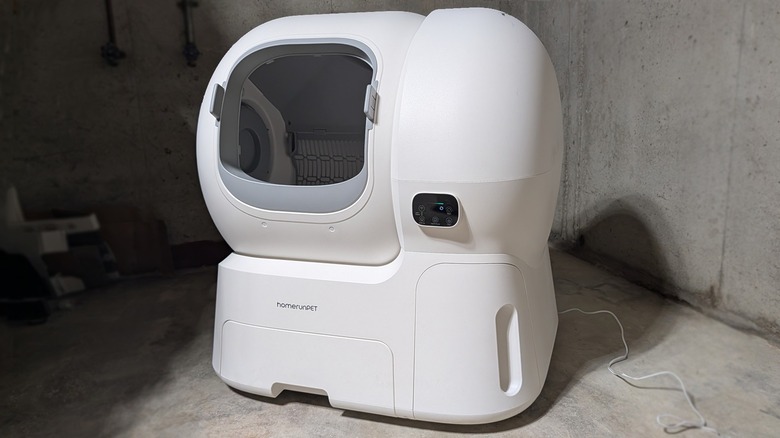
The one big drawback to this machine is also one of its selling points: its size. The brand says this device is “XXXL” at 27.44 × 23.62 × 28.07 inches in size. It’s great for a sizeable cat (up to 25 pounds large), but it is also a considerable commitment of space. At that size, I can’t easily hide this machine from my dog* like I could with a tiny cat litter box that’d fit under cupboard.
*Per the title of this article: Yes, the cats are convinced and satisfied with this device, but my dog doesn’t trust any machine that moves on its own. We’d have safety-tested it either way, but my dog made clear we needed to be wary.
Safety Testing
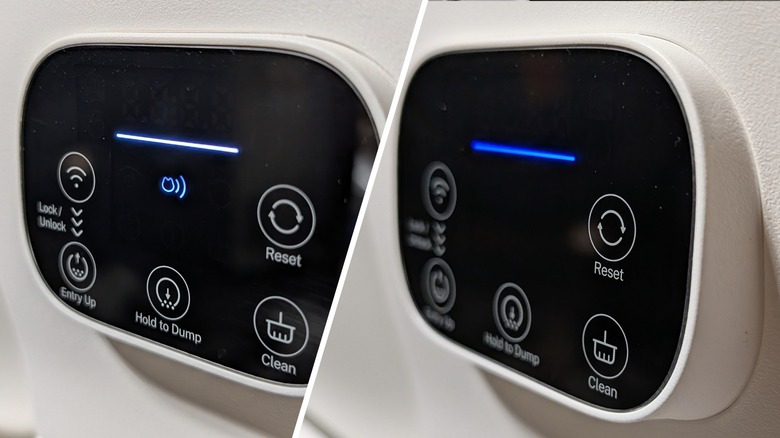
I’ve done more safety-specific testing on this machine than I’ve done on almost any other device I’ve reviewed. While I’ve certainly worked with more dangerous devices before, I’ve never tested a machine that has such a sensitive sensor system dedicated solely to the safety of its user.
When I first started testing the machine, I thought it was broken — I couldn’t get it to move. Turns out, I was either too close to its front-facing movement sensor or I’d been leaning on the machine when I tried to activate its cleaning system. It refused to move when it sensed my presence in its personal space.
Based on our testing over the last couple of weeks, it’s more likely that this machine is more cautious than it needs to be. While the barrel (the primary litter container) turns when its time to sift the litter, it stops whenever it senses movement.
If I put any weight on any part of this machine while it’s in motion, it stops moving. If I (or any object, really) move within a few feet of the front of the machine while it’s in motion, it stops.
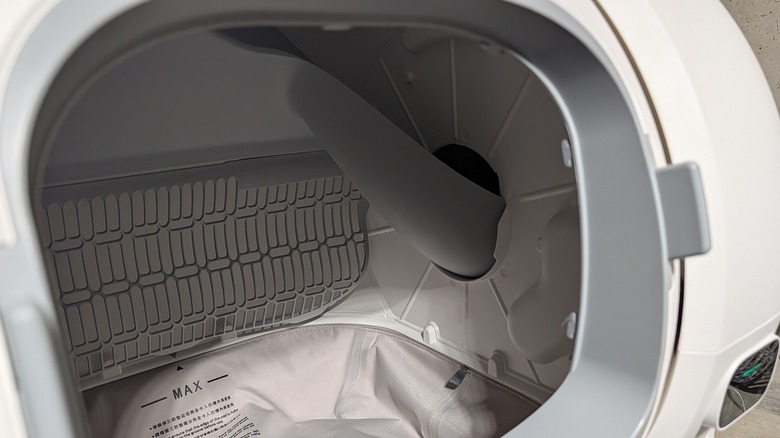
The normal functionality of this machine does not include movement which would block the entryway for the reservoir — there is no point at which the barrel should be facing downward (blocked). Despite this, an extra bit of safety is in place in the form of two “bumper” parts at the entry that would stop the turning of the barrel before it faced straight downward, blocking the entryway (in the extremely unlikely situation that the barrel would turn too far).
The device works as intended
The machine took me about 10 minutes to put together — it wasn’t pre-constructed, but it only had a few parts that needed to be properly attached, and the instructions were simple. Once I dumped the proper amount of kitty litter in the main bin, I also filled the reservoir to the right — that fills the main bin whenever enough of the main bin’s litter has been clumped and dumped into the waste bin part of the machine.
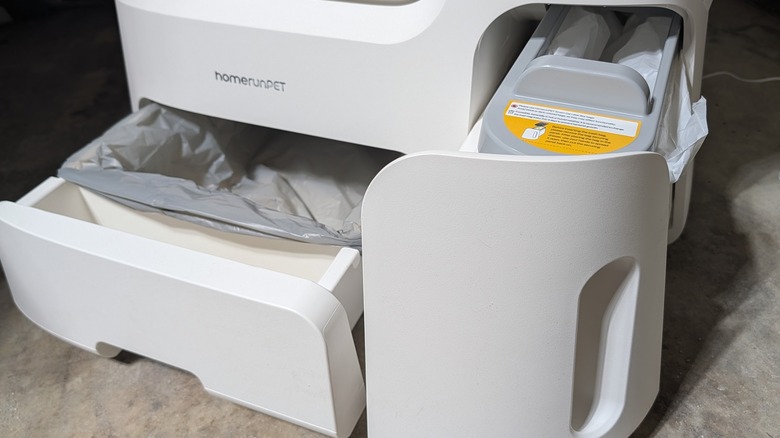
The waste bin is under the reservoir (on the right). There’s a dual drawer system that’s accessible from the front — that’s where you’ll remove a plastic bag and replace it, simply. This is leagues easier than having to sift the entirety of the litter time its necessary with a more traditional litter box.
To the cat, the only difference between this and a traditional litter box is the shape — the cat might never realize that this machine can move, so long as they’re not within a few feet of it when it begins to turn. Once your cat uses the litter and leaves the area, the machine’s barrel begins to rotate.
The rotation and gravity make the entire contents of the barrel move back through a sifting screen. The litter moves through, the clumped kitty waste is held back and moves along a slide toward the right of the barrel. As the machine turns, the clumped litter falls down the slide and makes its way to the waste bin below. The left-over litter then slides back into place as the barrel returns to its original position.
Judgement call
I knew I’d refuse to run a machine like this if there was any chance that it’d be dangerous for my cats. The testing I did before and after the machine was equipped with litter proved to me (and my family’s cats) that it’s a piece of hardware that’s safe enough to use — and it achieves what it’s meant to achieve, too.
There are smart functions I didn’t mention here because I found them largely unnecessary. You can track your cat’s use of the machine, you can monitor the movement of the litter, you can do all sorts of stuff if you really want to — you can look at what’s going on with an app on your phone. But even without all that, this litter machine is worth what it’ll cost you to own it.
This is a machine that’s saved me time and effort. Compared to using plain old basic litter boxes (no electronics included), it’s made the whole environment a lot cleaner (and the air a lot easier to breathe). It’s easy to work with, I can remove the clumped litter bag and re-fill the reservoir with little effort. As such, I’d recommend the HomerunPet Self‑Cleaning Litter Box (model CS106) to any cat owner with the will, the space, the cash, and the desire to keep their kitty’s litter environment clean, automatically.
You’ll find the HomerunPed Self-Cleaning Litter Box (model CS106) at the HomerunPet online store now on sale for right around $700. You can also find this machine in the HomerunPet Store on Amazon for approximately $800.

Stephan is the sports journalist for the Maple Grove Report.