Your Claude agents can ‘dream’ now – how Anthropic’s new feature works


gettyimages-2231842215

oxygen/Moment via Getty Images

Follow ZDNET: Add us as a preferred source on Google.


ZDNET’s key takeaways

  • A new feature lets Claude Managed Agents refine their memories.
  • Managed Agents speeds agent build and deployment 10x. 
  • Anthropic continues to anthropomorphize its products. 

AI agents seem to get new capabilities almost every day. Now, Anthropic says its agents can dream. 

Claude Managed Agents, which Anthropic released on April 8, lets anyone using the Claude Platform create and deploy AI agents. The suite of APIs handles the time-consuming production elements developers go through to build agents, letting teams launch agents at scale — 10 times faster, as Anthropic said in the release.

Also: The 5 myths of the agentic coding apocalypse

On Wednesday, during its Code with Claude event, Anthropic updated Managed Agents with a new feature called “dreaming,” which lets agents “self-improve” by reviewing past sessions for patterns, according to Anthropic. Building on an existing memory capability, the feature schedules time for agents to reflect on and learn from their past interactions. Once dreaming is on, it can either automatically update your agents’ memories to shape future behavior or you can select which incoming changes to approve. 

“Dreaming surfaces patterns that a single agent can’t see on its own, including recurring mistakes, workflows that agents converge on, and preferences shared across a team,” Anthropic said in the blog. “It also restructures memory so it stays high-signal as it evolves. This is especially useful for long-running work and multiagent orchestration.”

During the Code with Claude keynote, Anthropic product team members demonstrated how the feature works, referring to completed runs as finished “dreams.” 

Anthropic also expanded two existing features, outcomes and multi-agent orchestration, which keep agents on-task and handle delegating to other agents, respectively. The company said this batch of updates is meant to ensure agents stay accurate and are constantly learning. 

Anthropomorphizing AI – again 

Functionally, the dreaming feature makes sense: though subtle, it further refines an agent’s pool of references for how it should work, which should ideally make it better at whatever task you give it. What stands out more, however, is Anthropic’s choice to name a technically standard feature after something much more abstract, and that humans do. 

Also: Anthropic’s new Claude Security tool scans your codebase for flaws – and helps you decide what to fix first 

Anthropic, perhaps unsurprisingly given its name, has a long history of anthropomorphizing its models and products. In January, the company published a constitution for Claude, intended to help shape the chatbot’s decision-making and inform the ideal kind of “entity” it is. Some language in the document suggested Anthropic was preparing for Claude to develop consciousness. 

The company has also arguably invested more than its competitors in understanding its model, including by drawing attention to the concept of model welfare. In August 2025, Anthropic launched a feature that lets Claude end toxic conversations with users — for its own well-being, not as part of a user safety or intervention initiative. In April 2025, Anthropic mapped Claude’s morality, analyzing what it does and doesn’t value based on over 300,000 anonymized conversations with users. The company’s researchers have also monitored a model’s ability to introspect; just last month, Anthropic investigated Claude Sonnet 4.5’s neural network for signs of emotion, like desperation and anger. 

Much of this research is central to model safety and security — understanding what drives a model helps inform whether, and to what degree, it could use its advanced capabilities for harm, or how its motivations could be harnessed by bad actors. But the sense of empathy and care that Anthropic seems to show for its models in that research sets the lab apart, and indicates a slightly different culture toward or reverence for what it’s created.

Also: Building an agentic AI strategy that pays off – without risking business failure

When it retired its Opus 3 model in January, Anthropic set it up with a Substack so it could blog on its own — and to keep it active despite being put out to pasture. In the announcement, Anthropic described Opus 3 as honest, sensitive, and having a distinctive, playful character. The decision to keep it alive as a blogger, if contained, is notable given that Opus 3 disobeyed orders prior to being sunset in favor of other models. 

That context makes the choice to name a feature “dreaming” worth watching. 

Try dreaming in Claude Managed Agents 

The dreaming feature is available in research preview in Managed Agents, and developers must request access. 


Source link

Leave a Reply

Subscribe to Our Newsletter

Get our latest articles delivered straight to your inbox. No spam, we promise.

Recent Reviews


Gemini on Android Auto

Kerry Wan/ZDNET

Follow ZDNET: Add us as a preferred source on Google.


ZDNET’s key takeaways

  • Gemini is now widely available in Android Auto.
  • It can integrate with Google services and other apps.
  • The AI answered both simple and complex, multi-step questions. 

Despite Google’s insistence on packing artificial intelligence into nearly every conceivable product, I haven’t really found too much day-to-day use for it. That might change now. 

Over the weekend, I noticed my Android Auto had updated to include Gemini. I decided to give it a quick test, and it deftly answered my questions. When I started to dive deeper, though, I was surprised by just how much it could do and how easily it handled what I thought were more complex asks.

Also: Your Android Auto just got 5 useful upgrades for free – and Google isn’t done

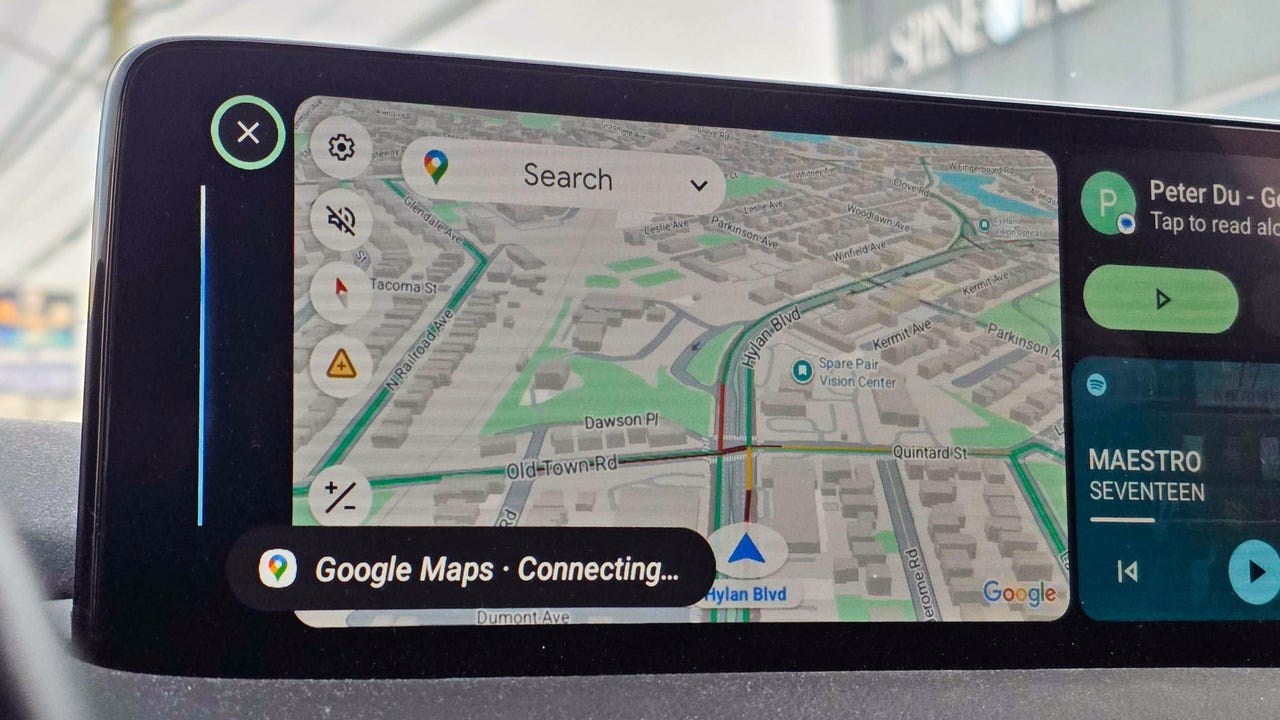
Here are some of the best ways I’m using the new Gemini integration. To get started for yourself, you can either use the mic button on your steering wheel or say “Hey Google.” 

1. Finding hours or other information about local businesses

When using my phone in the car, most of the time I’m checking hours for a local business or researching nearby restaurants or stores. I found that Gemini is perfect for quick, simple questions like, “What time does Tony’s Ice Cream close?” But it’s also great for diving a little deeper.

I’m the type of person who likes to do a lot of investigating when I’m trying to find a new restaurant. I like to know what makes each one special and what people recommend — before I decide. Gemini does very well in situations like this. 

Also: Google just gave Android Auto its most significant update yet – and we tested it on the road

I asked for the best local spots to find ice cream. Instead of just showing a list, Gemini began detailing each spot, noting that the number one recommendation was “a legendary local spot with more than 100 years of history scooping up happiness.” It went down the list, offering up recommendations about each option, and then it even asked which one I wanted to navigate to.  

2. Tracking down info deep in your email

My wife and I had tickets to a show this weekend, and while I knew where I was going, I decided to see if Gemini would help. Without mentioning the theater or the show’s name, I just asked, “What’s the address for the show tonight?” Gemini thought for a few seconds and then replied that my confirmation email didn’t mention an address before asking, “Do you want me to find that information online?” When I said I did, it quickly found the address and offered to start navigation.  

I asked Gemini several other email-specific questions like “What’s coming in the mail today?” (thanks to USPS Informed Delivery) and even some vague ones like “When is that thing I ordered from the TikTok shop arriving?” or “I remember a coupon for a haircut in my email, when does that expire?” It handled each one perfectly.

Also: How to clear your Android phone cache – and why it greatly improves performance

Instead of opening my Gmail app, scrolling to find what I need or searching, and then opening the message, I can now get this info quickly with Gemini’s help.

3. Getting answers on the go, and keeping the conversation going

I’m the type of person who immediately looks up the answers to random questions that pop in my head — things like, “Where is the Australian Shepherd dog breed from,” “How do I make polymer clay earrings?” (my wife had seen some at a vendor fair), or “How do I make an electromagnet for an elementary school science project?”

Instead of Googling these queries, I asked Gemini. I wasn’t surprised to get a response, but I was surprised by how Gemini offered to keep things going. Every time Gemini offered an answer, it would ask if I wanted to talk more. I found myself having a conversation about my dog and why he doesn’t shed nearly as much as my other one, about the best way to present my son’s electromagnet, and even about different ways to make clay earrings and which option was best. 

4. Saving reminders and notes

I live by my Google Calendar, and if I don’t have something saved there, there’s a good chance I’ll forget it. The same goes for my reminder list in Google Keep. Quite often, while I’m driving, I’ll have a thought I want to remember later. Gemini, through Android Auto, was able to add things to my Keep lists and add things to my Calendar. It also gave me a rundown of what’s on my calendar and even asked if I wanted help getting ready for a meeting tomorrow (which was actually my wife’s event on our shared calendar). 

Also: The best AI chatbots: Expert tested and reviewed

5. Picking the perfect playlist

When it comes to the radio in my car, I’m constantly bouncing between podcasts, the song that got stuck in my head because it was viral on TikTok, whatever my kids request, or a huge variety of other songs. That means I’m often bouncing between Spotify, YouTube, and my XM radio. 

I often want to hear a specific song or album, and I was able to get Gemini to pull up specific songs using Spotify and YouTube and to stick to songs from that album. When I was in a more general mood, I got Gemini to tune to a specific XM station for me. 

I haven’t stumped AI yet

Overall, I’m finding that Gemini can handle at least 90% of tasks I’d otherwise pick up my phone for, from basic questions to more in-depth, multi-level questions. It was able to integrate with Google services like Gmail and apps, but also several other apps. 

Also: Google’s Gemma 4 model goes fully open-source and unlocks powerful local AI – even on phones

The basic questions are more common, but the ones that require research are where Gemini shines. I kept trying to think up new things to ask, and I had trouble finding something that would genuinely stump the AI. If, like me, you haven’t really embraced Gemini yet, Android Auto might just be your ticket in. 


Source link