
Follow ZDNET: Add us as a preferred source on Google.
ZDNET’s key takeaways
- Adaptive charging aims to reduce battery wear by keeping charge speeds low.
- The Anker Nano 45W is the best adaptive charger available.
- You could get most of the benefits by using a low-power charger for overnight charging.
Whether you’re using a cheap $10 charger or something that costs an awful lot more, the modern USB charger is simply an amazing bit of tech. It may look like just a box plugged into a wall outlet with a cable going to another box. But behind the scenes, there’s a lot going on.
The moment you connect a charger to your device — whether it’s a smartphone, tablet, laptop, or power bank — the charger wakes up, and the two gadgets quickly negotiate the best and safest voltage and current combo to use before getting on with charging. Then, both the charger and the device being charged continuously monitor voltage, current, and temperature to ensure the charging is safe and nothing blows up or catches fire.
Also: 10 useful cables and connectors I use everyday (and they’re affordably priced)
Gone are the days when a charger would just push as much power into the device as possible.
Once the gadget is close to being fully charged, the charger ramps down the voltage until the battery is full, at which point charging stops.
And if a malfunction causes an overcurrent or overvoltage spike, or a short circuit in the cable or device, the charger steps in and cuts power.
But what if chargers could be even smarter?
This is where smart adaptive chargers come into play. As with most new technologies, this technology goes by various names. Anker calls it Care Mode, while other manufacturers use “intelligent” charging, “smart regulated,” and sometimes “AI” for good measure. They’re different terms for a similar thing.
What is adaptive charging?
Over the past few years, USB charger power outputs have exploded (pun intended). Back when you got barely half an amp out of a USB-A charger, we needed all the power the charger could muster. But now that chargers can handle 140W or more without breaking a sweat, that power needs to be controlled.
A USB power meter is invaluable for keeping an eye on charging.
Adrian Kingsley-Hughes/ZDNET
In a perfect world, you need a fast charge to bring the device from flat to about 20%, a steady charge to do the bulk of the charging to 80%, and then have the charger switch to a trickle charge for the final 20%.
Ideally, you’d also want a way to turn this feature off if you wanted to blast as much charge into the device as quickly as possible.
Also: My new favorite Anker charger has a useful smart display (and won’t break the bank)
This is exactly what adaptive chargers do. The charger communicates with the device being charged, the two negotiate how best to carry out the charging, and then the device goes through the different charging stages. The Anker Nano 45W will start off at the 45W output before ramping that down to 20 to 30W for the bulk of the charge, and then dropping all the way down to 10W for the final top-off.
This is the perfect way to charge a device like a smartphone and keep the battery in as good a condition as possible, and is the ideal charging protocol for when a phone is attached to the charger overnight or for extended periods.
Does adaptive charging work?
I was initially skeptical about adaptive chargers. After all, charging protocols such as Power Delivery do a good job of keeping things safe, and pretty much every charger now supports them. And I’ve seen a lot of buzzwords in my time, so I know that talk is cheap.
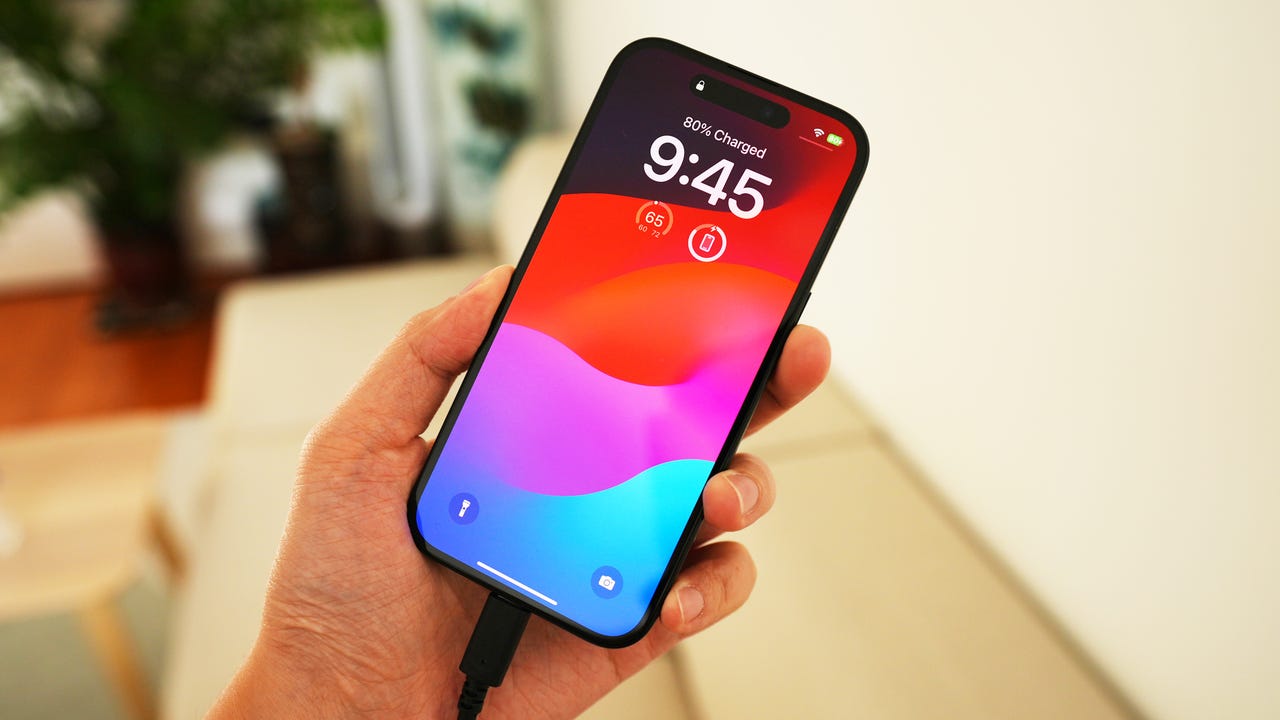
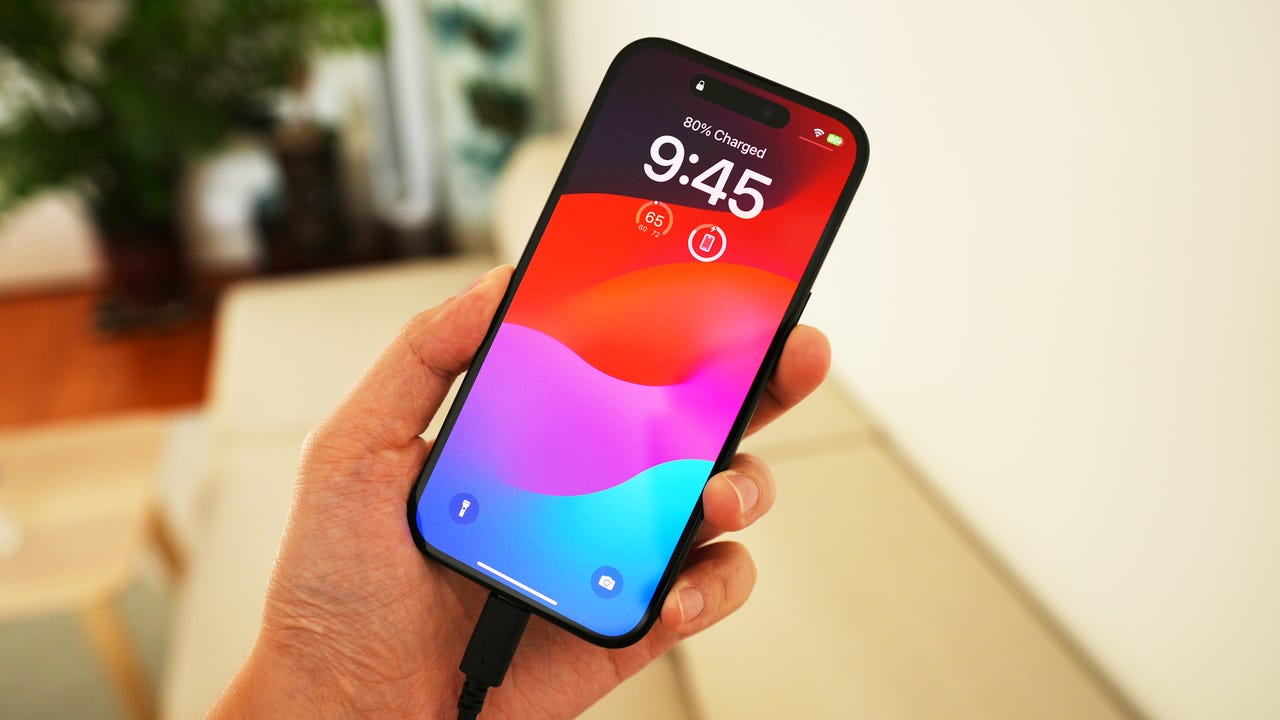
Modern smartphones can get surprisingly hot.
Adrian Kingsley-Hughes/ZDNET
However, based on the testing I’ve carried out, monitoring power draw and temperatures, I’ve seen a noticeable drop in both overall charger and device temperatures (around 25°F and 6°F, respectively), which is a good thing when it comes to the longevity of a modern smartphone.
Also: A common charging habit was quietly killing my iPhone’s battery – here’s the fix
But (yes, there’s always a but): Adaptive power doesn’t break or even bend the laws of physics. The only way you can have less heat when charging is to reduce the power output, and this, in turn, will extend charging times.
Does it work with every device?
Full adaptive charging, like Anker’s Care Mode, doesn’t work with every phone. In fact, I’ve only seen support for the iPhone 17, 16, and 15 series, along with iPad Pro models since 2020. This is because the charger needs to know what device it’s charging, and so far, the number of devices that can do this is limited.
There’s more to the Anker Nano 45W than knowing what smartphone it’s connected to!
Anker
This is the biggest limitation. However, considering how many hundreds of millions of iPhones support this kind of charging, along with the fact that some companies are working to add more smartphone support, things are looking good for the future.
Don’t want to buy a new charger with adaptive features? I suggest that you use a low-power charger for overnight charging — something in the 20W range is perfect for this — and keep your fast chargers for day-to-day topping up and for bigger things like laptops and power banks.
Do you need it?
This question is sure to generate debate.
Ultimately, how quickly a battery charges is controlled by its own BMS (battery management system). One could argue for pushing all the power a charge allows into a device and letting the BMS decide how much the battery gets. It’s a fair point, but given how hot modern handsets can get, I’m not sure this is the best idea when it comes to longevity. Heat and aggressive charging are, after all, the top contributors to battery wear, and whatever you can do to minimize this should get you more from your battery.
And when modern smartphones can cost $1,000 and beyond, this isn’t a bad thing.
Also: After testing this Anker, I wish every wireless charger had a thermoelectric cooler
However, if you’re worried about heat while charging, you could always take a different approach and invest in a wireless charger that features built-in cooling, like the Anker MagSafe 3-in-1 charging station. This unit did an amazing job of cooling my iPhone.
The Anker Prime MagSafe 3-in-1 charger keeps the back of the iPhone nice and cool.
Adrian Kingsley-Hughes/ZDNET
What should you buy?
The best choice for an adaptive charger is the Anker Nano 45W. It’s cheap — $29 — and its modest power output makes it ideally suited to overnight charges. This model has a TUV-certified Care Mode that perfectly handles that initial fast charge, then shifts into a lower-power mode for the bulk of the charging, before finally downshifting into a trickle mode.
Also: The best earbuds: Expert tested and reviewed
The Ugreen Uno 100W is another good choice. This one doesn’t have the same three changing modes, but it does do a very good job of shifting into trickle mode when the bulk of the charging is done.




