


Every modern kitchen needs a refrigerator. Without it, trips to the local chain grocery stores would be daily, and on a hot summer day, you won’t be able to enjoy any ice cream or cold drinks. Even worse, the risk of foodborne illness would increase. Given how miserable one’s life can be without the convenience of a refrigerator, if you’ve had yours for a number of years, it’s quite important to know when it’s time for an upgrade and how to prolong its lifespan. After all, when your fridge finally gives up, you’ll not just waste lots of food, but you might also cough up a lot of cash when replacing it.
According to experts, you can expect a refrigerator to last an average of 12 years. That’s not always the case, however, as some models can break down sooner, while others can last up to 20 years. It all depends on the brand’s quality, the type of fridge, and your usage and maintenance habits. For instance, some expensive high-tech refrigerators with lots of bells and whistles have shorter lifespans than basic top-freezer models. Why? These fancy refrigerators have complex, advanced technologies like built-in ice makers, integrated air purifiers, and water dispensers that can easily run into problems.
Similarly, a low-quality, budget-friendly fridge won’t last as long as a high-quality one from a major refrigerator brand like Sub-Zero. However, that’s not to say that all models from top brands are reliable. There are some refrigerators you’ll want to avoid because they’ll encounter issues after five years of use.
How to keep your refrigerator running longer
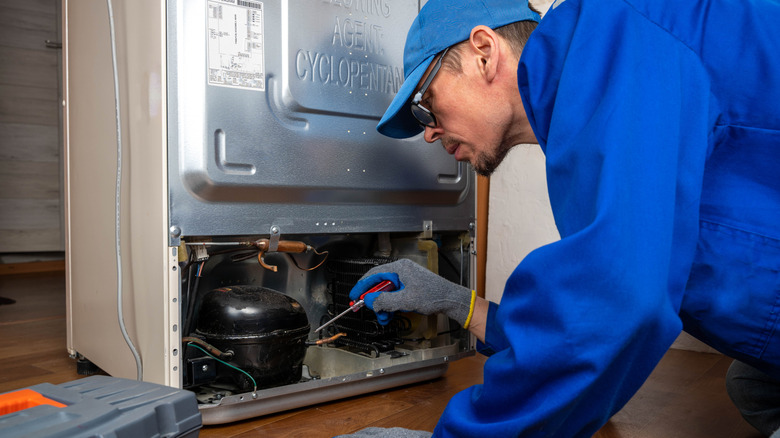
You don’t need to spend thousands of dollars on a modern refrigerator to guarantee that it will last. Instead, find the most reliable model that best fits your personal requirements and budget. Even if you’re prioritizing refrigerators from the most reliable kitchen appliance brand, don’t forget to scan customer reviews for red flags.
After choosing the right refrigerator for your kitchen, there are a few things you’ll want to do to ensure its longevity. First, stay on top of regular cleaning. If you rarely clean your fridge, sauce drips and food bits will accumulate on door gaskets, allowing cold air to leak out. This, in turn, will force your unit to work harder, and sooner or later, your compressor will fail, and utility bills will skyrocket. In addition to cleaning your fridge weekly, you’ll want to clean the condenser coils once or twice a year. This way, you will prevent grime and dust buildup that can restrict airflow, impair your machine’s performance, and shorten its lifespan. It’s also a good idea to clean and change all the filters.
Where you place your refrigerator matters, too; you’ll want to choose a spot that’s free of heat sources or direct sunlight. On top of that, make sure the fridge has enough clearance on all sides for proper ventilation, and make sure that its top is always clear. Lastly, don’t overcrowd your refrigerator.
Key signs that your refrigerator is about to fail

Refrigerators don’t come with expiration dates. As such, it’s quite important that you know the telltale signs of aging to avoid future disappointments like dealing with spoiled food and higher utility bills. A healthy refrigerator will produce a low-level hum or buzz noise that won’t disturb your peace. However, if it starts to produce unappealing rattling, squealing, or grinding noises, that’s a clear sign that something is amiss beneath the surface.
Another common sign is inconsistent cooling. When your refrigerator fails to keep your drinks cold or your fresh food spoils faster than it should, it could mean your appliance isn’t as efficient. Several factors could contribute to this issue, including a damaged compressor, broken door seals, a damaged thermostat, or dirty condenser coils. If you notice these signs, have the equipment looked at by a professional to avoid costly repairs.
Your refrigerator will naturally get warm on the back side. If it emits too much heat or certain sections become too hot to touch, it usually means your condenser coils are excessively dirty and need to be cleaned, or your compressor is failing. If a professional determines the compressor is dying, buying a brand-new model is often the most cost-effective option, given that a compressor replacement averages $700 to $1,250 according to HomeGuide.

Stephan is the sports journalist for the Maple Grove Report.