RefreshOS is a top contender for new Linux users – here’s why


RefreshOS

Jack Wallen/ZDNET

Follow ZDNET: Add us as a preferred source on Google.


ZDNET’s key takeaways

  • RefreshOS 3.0 is a brilliant Linux distribution.
  • This OS has ease-of-use, beauty, performance, and stability.
  • You can install and use RefreshOS for free.

I’ve tested so many Linux distributions over the years that I can safely say that I’ve forgotten more than most users have tried. Since I started my path as a writer covering Linux and open source, my main goal has been to find ways to introduce people to the Linux operating system. To do that, I’ve spent decades keeping tabs on distributions that make sense for new users. That journey has led me to the likes of Ubuntu, elementary OS, Linux Mint, and so many others.

Also: 7 things every Linux beginner should know before downloading their first distro

Recently, I was reminded of RefreshOS, which I once proclaimed was the Linux distro even a Windows user could love. That was version 2.0. Recently, version 3.0 was released, and it seriously ups the user-friendly game. 

The developers have stuck with the Debian/KDE Plasma combination and have opted to use more recent versions (Debian 13 and KDE Plasma 6.3.6). Although RefreshOS doesn’t go with the most recent releases, it’s very much on par with the likes of Debian and Ubuntu.

RefreshOS also uses the Wayland compositor, which is a change from version 2.0’s use of X11. You also get kernel 6.12, so you know it starts with a rock-solid foundation.

But what makes RefreshOS 3.0 so special that I would consider it a top contender for new Linux users?

It starts with what people in the Linux community refer to as “sane defaults.” Simply put, sane defaults are options that are applied to the OS out of the box that make sense for users. 

For example, instead of having to build or install anything after installing the OS, RefreshOS arrives fully prepared for you to do what you need. You get drivers and firmware for your hardware, codecs for multimedia, logical audio settings and power management, and a carefully selected collection of applications, such as VLC, LibreOffice, GIMP, Kdenlive, Thunderbird, Elisa, PhotoQt, KWave Sound Editor, KolourPaint, Pluma, Weather, Brave web browser, KDE Connect, KMouth, and more.

The Reload Menu

Another addition to the RefreshOS desktop is the Reload Menu. This is a new desktop menu, specific to RefreshOS. There are two primary differences between the stock KDE Plasma menu and the Reload Menu: Categories have been moved to the right side, and the ability to pin the menu has been added.

Also: You can try Linux without ditching Windows first – here’s how

What does it mean to be able to pin the menu? If you click the pin icon, the Reload Menu stays open even after launching an app. This feature comes in handy when you need to open multiple apps and don’t want to have to keep going back and opening the menu.

RefreshOS

This menu pinning is genius.

Jack Wallen/ZDNET

You also get custom system styling with three RefreshOS themes: RefreshOS Hybrid, RefreshOS Light, and RefreshOS Super Dark. By default, the Hybrid theme is chosen, which uses a combination of the light and dark themes (dark for the panel and menu, light for applications). Although I’m not a fan of dark themes, the Hybrid theme is a great compromise. 

Also: This Linux distro makes openSUSE accessible to all – even newbies should take a look

I immediately switched to the RefreshOS Light theme, because I prefer light themes, and it looks quite lovely. After that, I switched the Window Decorations to BackWin-Light, enabled the floating panel, and wound up with a gorgeous desktop.

RefreshOS

With just a couple of tweaks, I had RefreshOS looking exactly how I wanted.

Jack Wallen/ZDNET

Bravo to the RefreshOS team.

Performance

On the performance front, I have zero complaints with RefreshOS. After all, it’s Debian and KDE Plasma… what more could you ask for in a speedy desktop OS? Apps opened quickly, and animations were smooth. I even enabled several desktop effects to see if it would hinder performance, and still the desktop worked like a champ.

Universal package manager

RefreshOS also includes the Flatpak package manager by default. However, the one thing that is missing is KDE Discover/Flatpak integration. Even from within Settings, there’s no visible way to make the connection.

Also: The best Linux distributions for beginners in 2025: Expert tested and reviewed

To remedy that, I opened Discover and installed “Discover – Flatpak backend.” Even then, I discovered that Flatpak wasn’t set up to use Flathub. So, I issued the command:

sudo flatpak remote-add –if-not-exists flathub https://flathub.org/repo/flathub.flatpakrepo

Once that was taken care of, Flatpak was ready to go. To my surprise, it was also automatically set as the default in Discover > Settings (over the previous default, Snap).

RefreshOS

I find a universal package manager to be a must on Linux.

Jack Wallen/ZDNET

Would I recommend RefreshOS?

You bet I would. RefreshOS is a beautiful, easy-to-use distribution that could easily be adopted by anyone, regardless of whether they have any Linux experience or not. RefreshOS’s sane defaults really are sane, the Reload Menu makes perfect sense, and the curated apps are just what you need to get going.

And with the combination of Debian’s stability, KDE Plasma’s performance, and the RefreshOS team’s design choices, this is a distribution that everyone should consider.

If I’ve piqued your interest, download an ISO of RefreshOS now.


Source link

Leave a Reply

Subscribe to Our Newsletter

Get our latest articles delivered straight to your inbox. No spam, we promise.

Recent Reviews


2026 has shaped up to be a big year for Milwaukee, and the company shows no signs of slowing down as it expands its product line. For example, it has announced that some solid new Milwaukee hand tools and organizers will be arriving throughout the summer, but that’s not all. At the end of the day, you need somewhere to put all of this stuff, and while the Milwaukee Packout storage system is deep and varied as is, the company will expand the line in the summer months.

More methods for organizing your tools are on the way, too, with the Milwaukee Packout line set to introduce some new entries this summer. They vary in size, purpose, and price point, but they’re all compatible with the wider Packout line. That means they can connect to each other, making transportation easier. In some cases, they’ll be able to help keep tools and other items secure and organized while on the move. Additionally, all of these new Packout products are covered by Milwaukee’s Limited Lifetime Warranty.

So, what new products does Milwaukee have to offer from its Packout line this summer? Here are the drops you can look forward to throughout June and July 2026.

Milwaukee compact crate

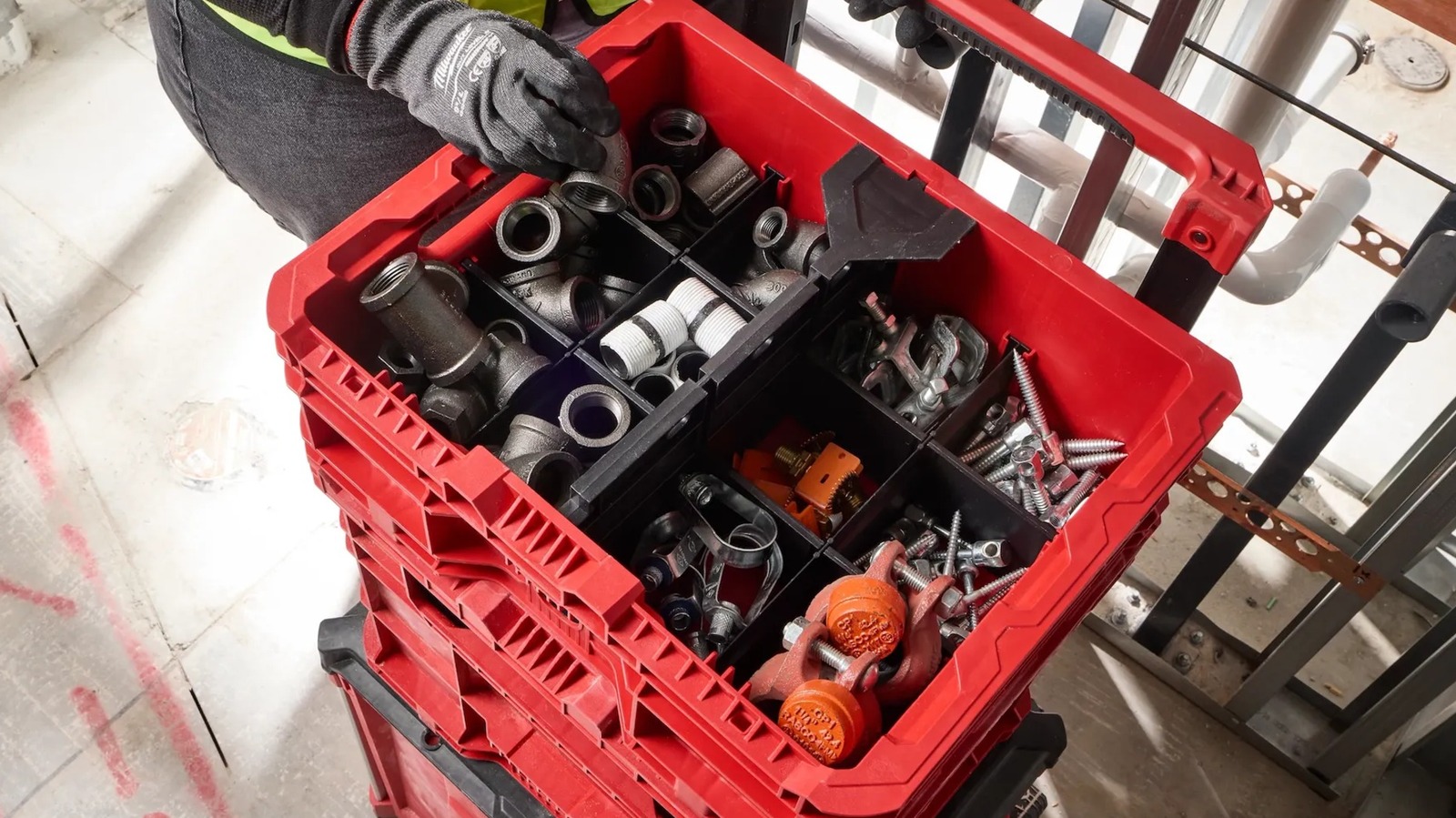
Sometimes, a massive Packout crate isn’t a necessity, which is why the line has its share of smaller options. Yet another will be coming to the Milwaukee catalog in the form of the Milwaukee Packout compact crate, which is set for a June 2026 release and will cost $39.97. It has a 30-pound weight capacity, comes in at 8.75 inches tall, 9.5 inches wide, 15.5 inches long, and 3.75 pounds, and includes two removable dividers to create up to three sections within the crate. The dividers can also be customized by cutting them to size along the pre-made score lines.

This compact crate features a wide front opening for easy access to its contents while on the job, as well as a metal top handle to carry it around on its own. Should you want to add it to your current Packout stack, you can use the connection points at the top and bottom of the crate. Speaking of durability, Milwaukee notes that it has an impact-resistant body along with weep holes to prevent water collection. At the same time, there is some nuance regarding the waterproof nature of Milwaukee Packout products, so keep that in mind before letting this crate get soaked.

Milwaukee Packout low-profile crate

A shorter but equally mighty Milwaukee Packout container is also on its way to customers this summer. The Milwaukee Packout low-profile crate is the shortest of the new releases at just 6.625 inches tall, though it makes up for what it lacks in height with a 15-inch length and an 18.625-inch width. Even though it’s slightly heavier than the compact crate at 4.85 pounds, it wins out in weight capacity with a 50-pound limit. It will be released in June 2026 and will cost $44.97.

For added modularity, the low-profile crate includes three different divider types: eight short, two long, and one for the middle of the container. When combined, they form up to 12 individual sections for tool and accessory organization. In terms of connecting to other Packout containers, it can do so from the top and bottom. Alternatively, built-in side handles are integrated into the design to make it easier to carry the crate on its own. The crate has weep holes for water drainage and an impact-resistant body.

Milwaukee Packout XL crate

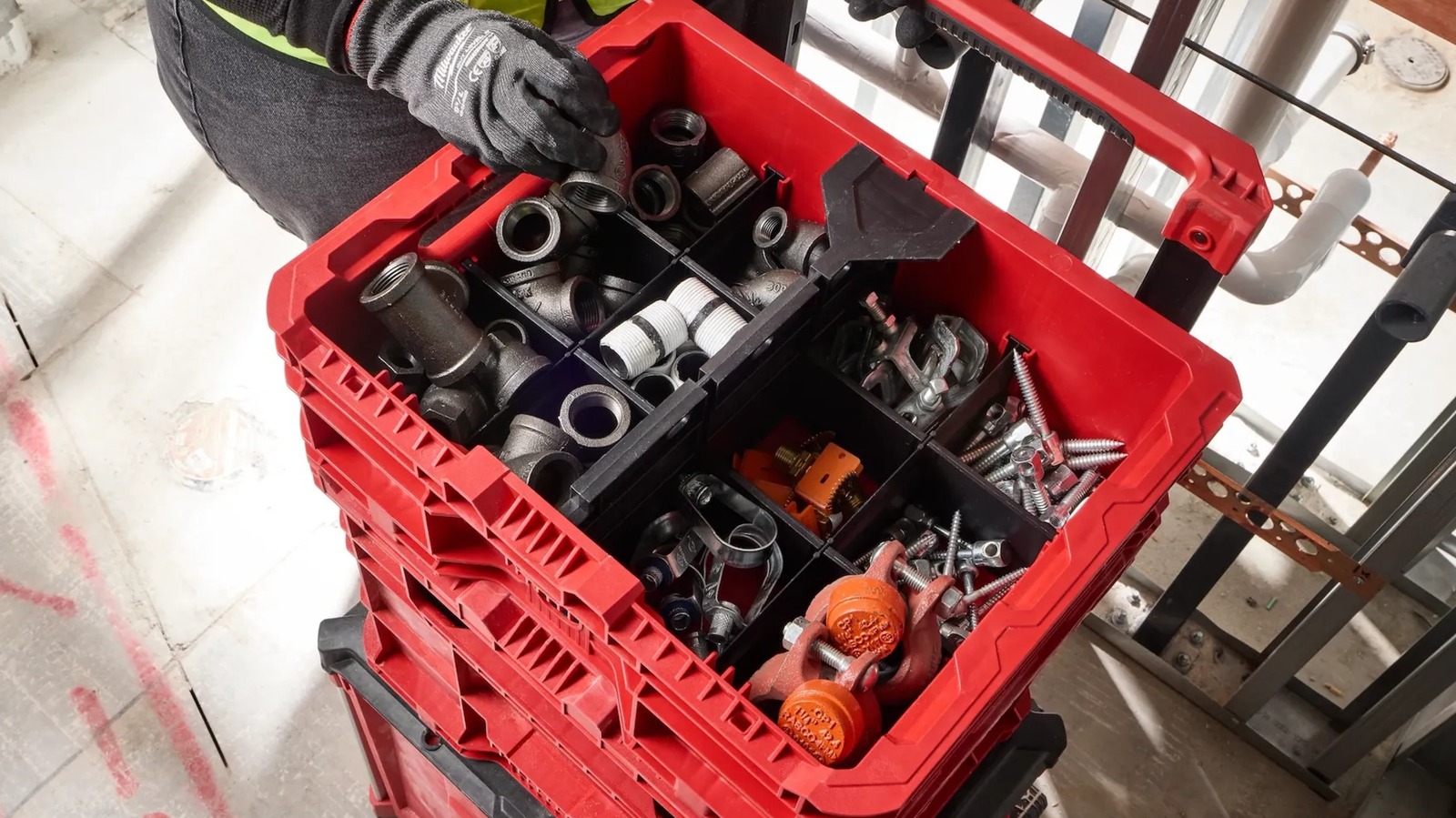
Moving on to one of the larger upcoming Milwaukee Packout releases — even if it ultimately lands somewhere in the middle of the smallest and largest Packout containers for sale — there’s the aptly-named Milwaukee Packout XL crate. This release will hit shelves in June 2026 and comes with a $69.97 price tag. The 8.03-pound crate can take on some serious tools with its 75-pound weight capacity. It measures 15 inches tall, 15.75 inches long, and 18.625 inches wide. Despite its size, it can be hung up on a wall like most other Packout containers.

While some may hang this crate in their workshop, many will use it as part of their mobile Packout stack. You can connect it to your existing setup via the top and bottom connection points. It can also be used with Milwaukee toolbox attachments to hold smaller tools and batteries with connection points on the sides. Alternatively, you can move the crate around using its built-in side handles. It’s advertised as having an impact-resistant body along with anti-water collection weep holes. Suffice to say, there’s more to this seemingly simple crate than initially meets the eye.

Milwaukee Packout Wire Pulling XL Crate

For the most part, the Milwaukee Packout line is so popular because of its versatility. While most entries can be used for just about anything, there are those that come with a specialized function. Case in point, the forthcoming Milwaukee Packout Wire Pulling XL crate, which is designed for dispensing wire. This involves inserting and locking in spools of the user’s needed material, threading the wire through the wire retention slots, and using the fold-down panel to keep the end of the wire from rolling back into the box.

Overall, this crate has the same dimensions and weight capacity as the previously covered Packout XL crate, though it is the heavier of the two at 9.85 pounds. It can accommodate up to six spools, can be stacked onto other Packout containers or hung up, and has an impact-resistant body. This is the most expensive of the new Packout releases at a hefty $119.97, and it’s set to release during July 2026. Alongside the best Milwaukee power tools for electrical work, this crate seems like a vital piece for any Milwaukee-enthusiast electrician’s kit.

New Milwaukee Packout inserts are coming, too

That’s it for the new Milwaukee Packout containers set to debut this summer, but there are more new releases yet to cover. To pair with some of these containers and improve their levels of organization and function, come two new insert sets. First is the divider for the Milwaukee Packout XL crate, which splits the container into two sections. It simply slides down the middle of the crate and fits snugly into place, while retaining its ability to connect with smaller Packout attachments. It will be released in July 2026 for $29.97.

Alongside the Packout XL crate divider is the set of Packout wire pulling inserts for the XL crate. You’ll need these if you end up buying an XL crate and later want to use it as a wire-pulling crate. These inserts allow you to convert it instead of having to buy a new designated wire pulling crate. They attach to two of the inner sides of the crate via T-25 screws and include wire puller guards as well. The Milwaukee product listing says these inserts are meant for 1/2-inch EMT conduit. This insert set also comes out in July and will cost $49.97. 


Source link