How Kia’s New Logo Confused Drivers Around The World


A perfect logo sparks instant recognition around the world. Millions of us can easily identify Apple, Nike, Coca-Cola, and McDonald’s, for example, and the best logos keep it simple but still convey a purposeful meaning. Nike’s swoosh, for example, is meant to convey the wings of the Greek goddess of victory. Logos are an integral part of a brand’s identity, which is why changing them can be risky.

There have been plenty of logo-related missteps over the years. Gap abandoned its iconic blue square logo in 2010 and faced backlash, quickly reverting to its old logo. Tropicana learned the same lesson a year earlier when it temporarily replaced its classic orange with a new minimalist design. The most famous logo redesign debacle of the 2020s, however, is probably Kia — or should we say, KN?

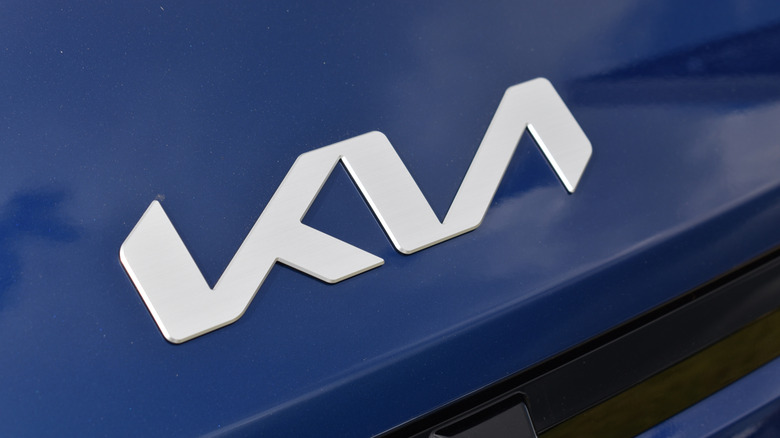
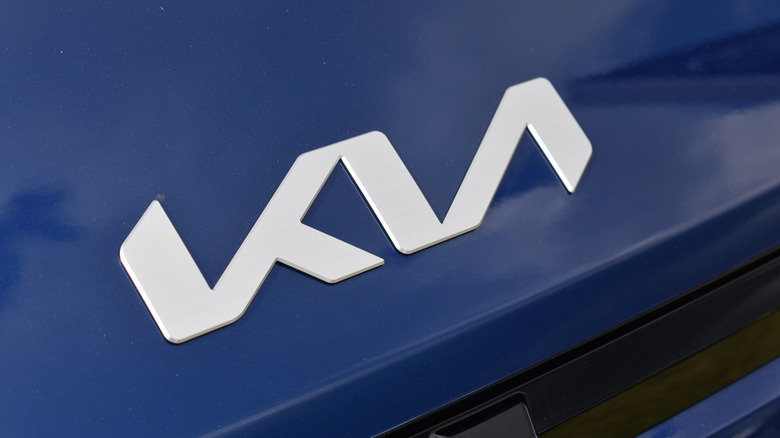
Kia has used five logos over the years, but in 2021, it turned away from the recognizable red oval to embrace the electric era — which, it decided, required a bold new look. The new logo was a continuous, angular design that, crucially, didn’t feature a crossbar for the letter “A.” It was meant to represent the company’s forward-thinking direction, but it only proved that lofty ideas sometimes confuse consumers instead. Instead of seeing the word “Kia,” many people read the new logo as “KN.” In fact, soon after the logo debuted, up to 30,000 Americans were Googling “KN car” every month, and search activity hasn’t abated at all in the years since.

What went wrong, and did it really go wrong?

Any seasoned graphic designer will tell you that a great logo is simple and legible. While Kia’s redesigned logo certainly nailed the former, it missed the latter almost entirely. The straight lines and missing crossbar on the letter A blend the two final letters together, creating a logo that is easy to misread. Some have proposed a slight change to the design to make it more readable, including simply adding a crossbar to the A or breaking the letters up.

The automaker does not appear to have any plans for another redesign, however, and the confusing logo looks to be here to stay. Perhaps it’s a case of any attention is good attention — after all, thousands of consumers did end up Googling the brand. Ultimately, the rebranding misstep, if it was one, didn’t hurt sales at all: Kia set three straight annual sales records in the U.S. starting in 2022, and sold more than 800,000 units for the first time in 2025.

Kia’s sales success is likely partly due to a diverse lineup of vehicles that includes sedans such as the very stylish K4, SUVs like the top-selling Sportage, and several hybrid and electric options. But the automaker’s vehicles are also cheap, with plenty boasting starting MSRPs under $30,000. With a range of good and affordable vehicles helping sales climb year over year, Kia’s new logo, confusing as it is, might actually be a resounding success instead.


Source link

Leave a Reply

Subscribe to Our Newsletter

Get our latest articles delivered straight to your inbox. No spam, we promise.

Recent Reviews


Google is experimenting with a new policy restricting the amount of free storage provided to some accounts. New Google accounts (including new Gmail accounts) created in certain regions will be limited to 5GB of free storage when they’re first set up. That’s only one-third of the amount of storage that has been typically offered. There is a way of increasing the amount of free storage you get when setting up a new account, though: you can unlock it by linking your phone number.

When approached for comment by Android Authority, a Google spokesperson confirmed that the new policy was being tested to “help us continue to provide a high-quality storage service to our users, while encouraging users to improve their account security and data recovery.” The statement didn’t clarify which regions the policy is being tested in, nor for how long the testing period will last.

Notably, a Google One Help support page about account storage has been updated to state that each Google account contains “up to 15 GB of storage”, as noted by 9to5Google. Previously, the page didn’t say “up to”; it simply stated that accounts come with 15 GB of storage. So far, the experiment doesn’t appear to stretch to pre-existing accounts.

Per a screenshot shared by Reddit user Sungusungu on R/DeGoogle (a subreddit dedicated to finding alternatives to Google services and products) Google is collecting phone numbers to make sure that the full 15 GB of storage is only redeemed once per person. Of course, that’s easily evaded by using a burner phone to set up multiple accounts, should you want to. The pop-up directs users to a webpage to learn more about storage management. However, at the time of writing, the link redirects to the help center landing page instead.

How to link your Google account with a phone number

If you’re in the process of setting up a new Google account in an impacted region, then you might be prompted with the option of unlocking an extra 10 GB of storage using your phone number via a simple pop-up menu. If so, you can go ahead and follow those steps. However, if you want to link your phone number with a pre-existing Google account, then here’s what you need to do. Using your computer, you need to:

  1. Open your browser and head to myaccount.google.com, then navigate to “Security and sign in” on the left-hand toolbar. This should open a list of security options.

  2. Select “Use your phone to sign in” and then “Set it up”. 

  3. Add a phone number using the “Recovery phone” option.

  4. Follow the on-screen steps to verify your number and finish linking it to your account.

Your options might look a little different if you already have a recovery number set up with your account.

Alternatively, you can connect a phone number to your Google account from your Android device, iPhone, or iPad. Much like on a computer, you connect your number by adding it as a recovery phone. First, head over to myaccount.google.com. Then select “Personal info”, followed by “Phone”. From there, you should be able to add or edit your phone number by navigating to the “Recovery phone” section.


Source link