What’s The Difference Between Bifacial And Monofacial Solar Panels?


Unless your electric bill is included in your rent, you’ve probably noticed that electric rates have been steadily increasing over the last several years. According to the U.S. Energy Information Administration, rates have increased faster than inflation since 2022. On average, rates increased by 13% between 2022 and 2025, but some areas of the U.S. saw even higher price hikes. If you cringe every time you see your electric bill in the mailbox, you may be considering solar panels.

Solar requires an upfront investment, and it can be difficult to calculate how much you’ll save. You should talk to a few local companies for estimates on both installation costs and potential savings. EnergySage, an online comparison marketplace, estimates that you could save between $37,000 and $154,000 over 25 years. Once you start researching solar panels or talking to experts, you’ll probably come across two terms you may not have heard before: bifacial and monofacial. 

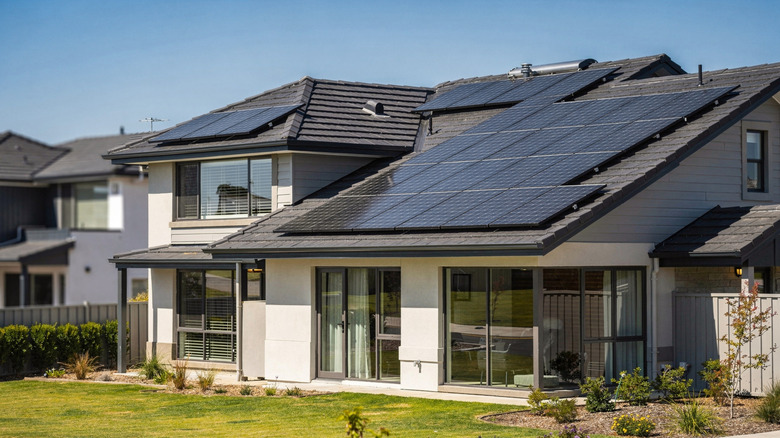
Monofacial solar panels only absorb sunlight from the front side. These types of panels have been around for decades and are still the most commonly used. Bifacial panels, on the other hand, absorb sunlight from both sides of the panel. The back side captures light reflecting from the roof, ground, or even nearby surfaces. Selecting the right solar panel option for your home can make a world of difference when it comes to energy production and return on investment, so here’s what you should know.

The pros and cons
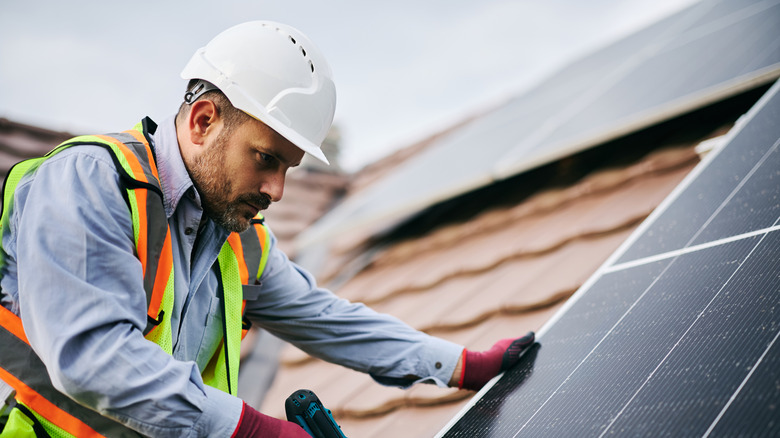
Like with most things in life, there are advantages and disadvantages to both types of panels. Monofacial solar panels are typically less expensive to install, while bifacial panels are more expensive, at least at first, averaging about 15% to 25% more upfront. When you take a closer look at overall savings over the life of the panels, however, bifacial panels come out ahead. The levelized cost of electricity (LCOE) over 25 years is about 25% lower for bifacial panels than monofacial systems.

Monofacial solar panels are typically easier to install and tend to weigh less than bifacial panels, which have a more complicated installation process and require more elevation and spacing to more easily capture reflected light. Bifacial panels also work best on light-colored roofs, whereas monofacial panels can be installed on any type of roof. Both types of panels are typically very durable, though the glass-on-glass design of bifacial panels is more resilient. Bifacial panels also typically have slightly longer power and product warranties than monofacial panels.

When it comes to performance, monofacial solar panels are very predictable, while bifacial panels are more dependent on reflectivity. These types of panels may be best if you have limited space, a bigger upfront budget, and long-term goals. Monofacial panels work better on large rooftops and are a great choice if you have a more limited budget.


Source link

Leave a Reply

Subscribe to Our Newsletter

Get our latest articles delivered straight to your inbox. No spam, we promise.

Recent Reviews


Google is experimenting with a new policy restricting the amount of free storage provided to some accounts. New Google accounts (including new Gmail accounts) created in certain regions will be limited to 5GB of free storage when they’re first set up. That’s only one-third of the amount of storage that has been typically offered. There is a way of increasing the amount of free storage you get when setting up a new account, though: you can unlock it by linking your phone number.

When approached for comment by Android Authority, a Google spokesperson confirmed that the new policy was being tested to “help us continue to provide a high-quality storage service to our users, while encouraging users to improve their account security and data recovery.” The statement didn’t clarify which regions the policy is being tested in, nor for how long the testing period will last.

Notably, a Google One Help support page about account storage has been updated to state that each Google account contains “up to 15 GB of storage”, as noted by 9to5Google. Previously, the page didn’t say “up to”; it simply stated that accounts come with 15 GB of storage. So far, the experiment doesn’t appear to stretch to pre-existing accounts.

Per a screenshot shared by Reddit user Sungusungu on R/DeGoogle (a subreddit dedicated to finding alternatives to Google services and products) Google is collecting phone numbers to make sure that the full 15 GB of storage is only redeemed once per person. Of course, that’s easily evaded by using a burner phone to set up multiple accounts, should you want to. The pop-up directs users to a webpage to learn more about storage management. However, at the time of writing, the link redirects to the help center landing page instead.

How to link your Google account with a phone number

If you’re in the process of setting up a new Google account in an impacted region, then you might be prompted with the option of unlocking an extra 10 GB of storage using your phone number via a simple pop-up menu. If so, you can go ahead and follow those steps. However, if you want to link your phone number with a pre-existing Google account, then here’s what you need to do. Using your computer, you need to:

  1. Open your browser and head to myaccount.google.com, then navigate to “Security and sign in” on the left-hand toolbar. This should open a list of security options.

  2. Select “Use your phone to sign in” and then “Set it up”. 

  3. Add a phone number using the “Recovery phone” option.

  4. Follow the on-screen steps to verify your number and finish linking it to your account.

Your options might look a little different if you already have a recovery number set up with your account.

Alternatively, you can connect a phone number to your Google account from your Android device, iPhone, or iPad. Much like on a computer, you connect your number by adding it as a recovery phone. First, head over to myaccount.google.com. Then select “Personal info”, followed by “Phone”. From there, you should be able to add or edit your phone number by navigating to the “Recovery phone” section.


Source link