
The 2026 World Cup is here, and if you’re still thinking about buying a new TV to watch the tournament in, we’d like it if you could take a beat and consider these five key features.
Big sports tournaments are usually when retailers bring out the big discounts, but before you snap up the cheapest deal you can find, we’ve laid out five features to give some thought to before you hit buy.
From size to HDR performance to motion processing, taking these five areas into consideration will help you in your search, and hopefully lead to you having the best AV experience to watch the tournament in.
Size

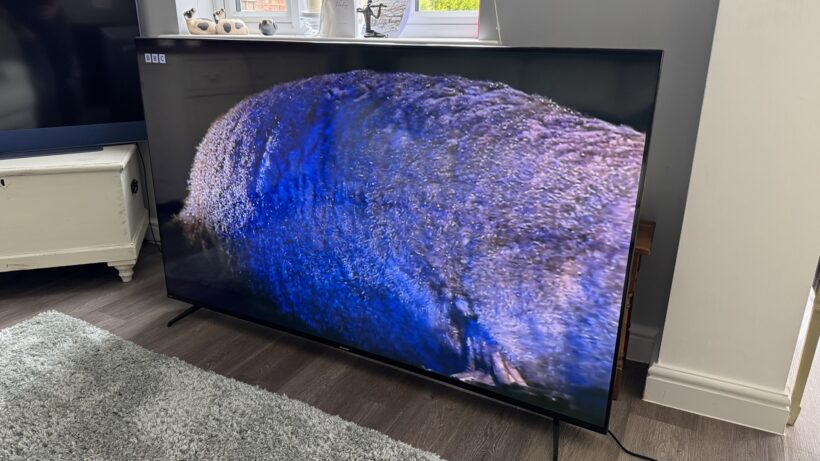
Bigger is, genuinely, better. Unless you’re not able to fit a bigger screen in your living room, we’d always recommend that you go for a bigger size than you currently have.
The scale is the obvious benefit. Jumping from 55- to 65-inches reaps positives in terms of immersion. And of course, if you have multiple people around for a watch party, then having a bigger screen means you aren’t all cramming for space on the sofa and craning your necks to see what’s happening.
The last few years have seen a rise in the number of affordable, large-screen TVs. TCL’s 98-inch C7K is available for £1999, but for something considerably less expensive but still plenty big, Sharp’s 70GK4245K could be yours for less than £450.
Sound

George Lucas once said that sound is 50% of the experience. He was talking about films of course, but we’d say the same applies to anything, especially if we’re talking about sports.
Hearing the roar of the crow, feeling the intensity when something happens on (or off) the pitch, or the hush of the silence before a penalty is taken – sound matters and brings immersion to the experience of sports. So don’t buy a TV with tinny sound.
That’s easier said than done when even TVs that rack £3000 asking price have a sound that’s average. And a TV that has good sound might not have as good picture. As always, if you know (from reading our reviews, of course) that TV sound is on the weaker side, give it a boost with an external sound system.
We’d also avoid most of the built-in audio modes on TV, such as sports. Very rarely do they provide the kind of all-encompassing, immersive experiences they suggest they can.
HDR

While not every sports tournament is produced and broadcast in 4K, the last few football tournaments have been in available in HDR. For the 2026 World Cup, you can view the tournament in 4K HLG HDR on the BBC iPlayer.
More expensive TVs offer a better HDR experience because they can hit higher levels of brightness and produce a better colour experience. If you want to watch the World Cup in the best way possible, we’d suggest having a look at 4K TVs priced within the £1000 to £2000 price range for a better HDR experience. We have you covered with out best 4K TV list.
Picture mode

Leading on from the previous point is picture mode. Vivid (or Dynamic) is an option for some, but we find that too garish in terms of brightness and colours; and also brings in issues with the motion processing negatively affecting picture quality.
Film (or Movie) may offer the best, most accurate colours; but this mode is often for watching in the dark or when the curtains are drawn (considering some of the match times, this might be more useful).
The picture mode we’d suggest you watch the World Cup in, is Standard mode. Standard mode gives blues and greens a boost – helpful for bringing that rich green tone of the grass – and while it adds some processing to the mix, it’s less heavy on the picture than it would be with Vivid.
It’s also brighter than Film modes and will have more of impact if you’re watching during the day, but a lot of the matches at the World Cup will be on evening/night-time in the UK.
Motion Processing

If you’re going to use Standard picture modes (or any mode other than Film/Cinema), your TV is going to automatically add some motion processing unless you dive into the settings and disable.
If you prefer motion processing for your sports, there are some TVs that do it better than others. Sony, Panasonic, LG are towards the top of the list; Samsung not far behind without tweaking the settings a little bit, with the likes of TCL and Hisense behind and a little less consistent.
Motion processing performance can vary depending on the price. Some cheaper TVs do away with it completely (Roku models tend not to have it), but sometimes it’s better to have an affordable TV that doesn’t do it, than one that does it poorly.

Stephan is the sports journalist for the Maple Grove Report.