
ZDNET key takeaways
- PorteuX Linux is a portable Linux distro based on Slackware.
- With plenty of options for app installation, it’s far more flexible than others.
- You can choose from several desktops when using PorteuX.
There have been several times over the past few months that I’ve thought, “Man, I wish I had Linux to run on this machine.” Maybe I’m in someone’s office where they’re having networking issues, and the only machines available are Windows 11 — which I do not like nor want to use.
Also: 10 things I always do immediately after installing Linux – and why
Or maybe I’m at a friend’s house and want to show them what Linux looks like and what it can do.
When those situations arise, I’m always grateful to have a portable Linux distribution on a USB drive that I can boot from and use.
I’ve tried many, many portable Linux distributions over the years, but PorteuX may well be the best.
What makes PorteuX so good?
To start with, running PorteuX is incredibly easy. You don’t even have to run the usual process for creating a Live Linux device, because you can simply copy the contents of the ISO image to media storage, change into the /boot folder (on the USB device), and run either porteux-installer-for-linux.run (on Linux) or porteux-installer-for-windows.exe (on Windows), and the USB drive will be created so it’s bootable.
It’s that simple.
Keep in mind that if you use a tool like Rufus, uNetBootin, or Etcher, the bootable unit will be set to read-only, so there’ll be no persistent storage.
What else sets PorteuX apart from the rest? In addition to being very user-friendly, it also offers support for several Linux desktop environments, including Cinnamon, COSMIC, GNOME, KDE, LXDE, LXQt, MATE, and Xfce.
Also: 5 reasons why Pop!_OS is my favorite Linux distro
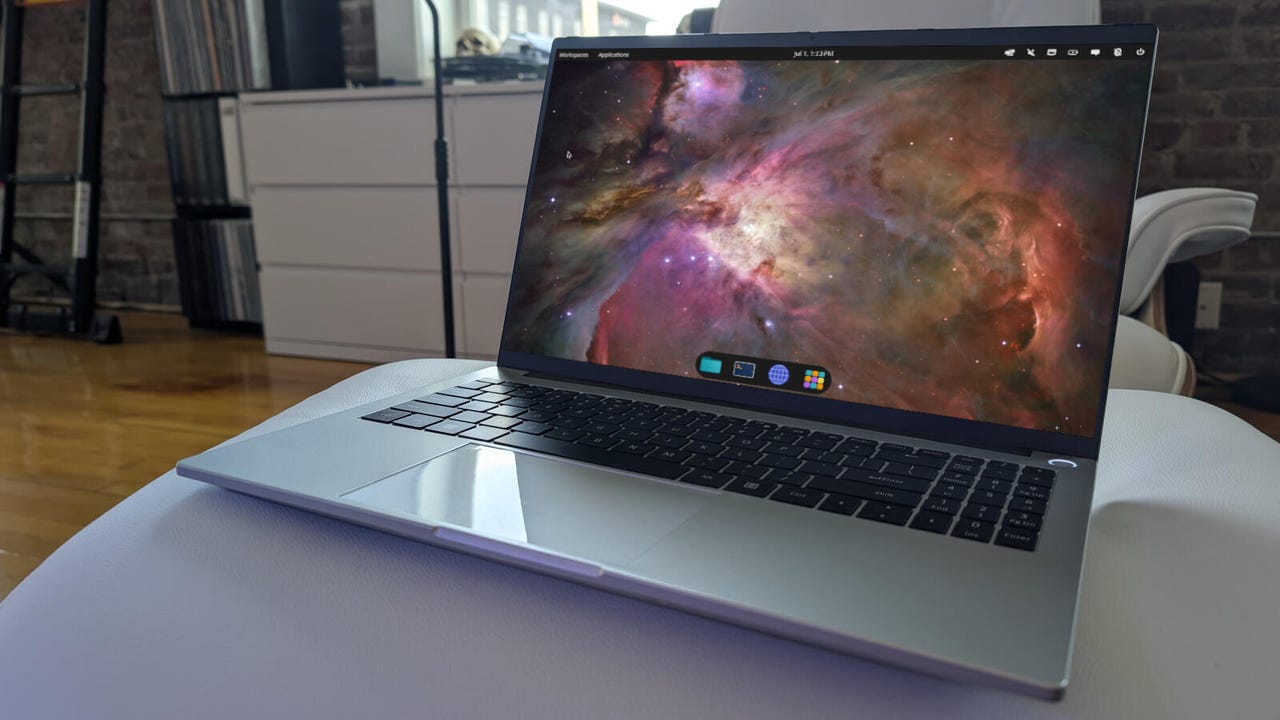
I opted to test the COSMIC version of PorteuX, and I was impressed.
I do love System76’s COSMIC desktop.
Screenshot by Jack Wallen/ZDNET
Another thing that impressed me about PorteuX was the ability to install apps. Some portable Linux distributions are locked down enough that you can’t install apps, but PorteuX goes the other route.
If you click the desktop menu, you’ll find an entry called PorteuX App Store, which lets you install web browsers, virtual machines, drivers, office suites, graphics tools, games, messengers, and utilities. The list isn’t exhaustive, but there’s enough to satisfy most users.
The PorteuX app store is limited in what’s available; fortunately, there’s the command-line tool.
Screenshot by Jack Wallen/ZDNET
One thing to keep in mind is that, when installing applications, you’ll be prompted for the root password, which is toor. If you need, the standard username/password is guest/guest.
Also: How to choose the right Linux desktop distribution for you
If the app you need isn’t on the list, you can install it via the command line with the getpkg tool, like so:
getpkg -m gimp
You could even install Flatpak like so:
getpkg -m flatpak
After installing Flatpak, you have to set up a directory where Flatpak can write. Let’s create /flatpak for that purpose. First, create the directory with:
sudo mkdir /flatpak
Next, run the setup process like this:
sudo flatpak –force-setup /flatpak
You can now add the Flathub repository with:
flatpak remote-add –if-not-exists flathub https://dl.flathub.org/repo/flathub.flatpakrepo
Now that Flatpak is installed, you can add even more applications, like this:
sudo flatpak install spotify
Note: Normally, you don’t install Flatpaks with sudo elevation, but on PorteuX, it’s necessary. I resolved that issue by creating the flatpak directory in /home/guest.
How does PorteuX perform?
Even though PorteuX runs totally in RAM, it’s very snappy. In fact, you’d never know that the OS is running in memory. Of course, the speed at which PorteuX runs depends on your system’s specs and the desktop environment (DE) you choose. On older machines, I would recommend running LXQt, LXDE, or Xfce. If your system has plenty of CPU and memory to spare, go with any one of the DEs, and the performance will be impressive.
Don’t go the VM route
I typically test Linux distributions as virtual machines on either KVM/Virt Manager or VirtualBox, which is exactly what I did with PorteuX. Given the distro is available as an .iso image, I assumed it would be fine. It’s not. PorteuX is designed to run on portable storage, like USB drives. When running as a VM, the directories are mounted read-only, which causes issues with installing software (such as via Flatpak) and modules (via the PorteuX app store).
Another issue with running PorteuX as a VM is due to the nature of VM storage. With a virtual machine, storage grows as needed. For example, when you create a virtual machine with an 80 GB virtual drive, that drive isn’t automatically 80 GB in size. Instead, the virtual drive will expand in size as needed (but not beyond the 80 GB limit you’ve set).
I will say this: running PorteuX as a VM in VirtualBox was much easier and more reliable than it was in KVM/Virt-Manager.
Another issue with the VM route is that the second you shut it down, you’ll have to recreate the VM, as it won’t be able to find a bootable device. That issue was isolated to KVM/Virt-Manager, as I was able to boot, shut down, and reboot with VirtualBox.
After experiencing these issues, I decided to skip the VM route and use PorteuX as suggested, and all of my issues vanished.
Lesson learned.
Drawing my conclusion
Even with that issue, it was easy to conclude that PortueX is one of the best portable Linux distributions that I’ve used. PorteuX is faster than a lot of portable distros I’ve used, and with the ability to more easily install it as a live USB distribution (on either Linux and Windows), it gets the nod over other distributions.
You can bet that I now have a USB flash drive with PorteuX Linux ready to go. I carry it with me everywhere, just in case I need to boot Linux on any PC.