How Does Google Make Its ‘A’ Series Pixel Phones So Cheap?


The launch of the Pixel 10 in 2025 marked a decade since the series first debuted, and all these years gave Google an opportunity to find its footing in the extremely crowded industry of smartphones. Pixels are pretty infamous when it comes to performance or battery life, but they’re easy recommendations to those looking for a phone with clean software and an excellent camera setup. Google’s lineup is also pretty streamlined — you have the base Pixel model each year, alongside Pro and Pro XL variants. The most expensive model is a foldable. Then there’s the budget-friendly option that often gets announced half a year later, bearing the “a” suffix.

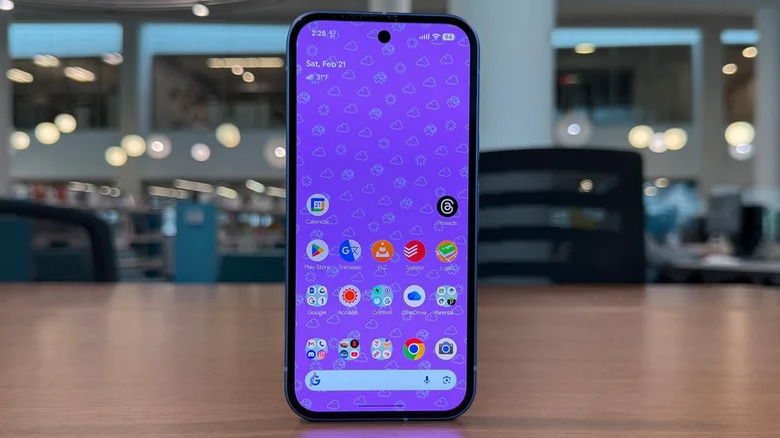
The Pixel 10a starts at $500 for the 128GB version. By comparison, the regular Pixel 10 is priced at $800 and the 10 Pro at $1,000 — and both come with the same capacity. In order to achieve a price difference as large as this, Google makes some compromises. You start noticing differences as soon as you pick the Pixel 10a up. Though it uses the same aluminum frame as the Pixel 10, it swaps its glass back for a composite plastic panel. You also lose the telephoto camera on the rear, which can come in handy for capturing subjects that are far away.

The Pixel “a” series also cuts the usual corners by packing in a less powerful chip, slower wireless charging, and a slightly inferior display. Yet, these regularly rank as some of the best budget-friendly phones around.

Google’s winning forumula for its budget-oriented phones
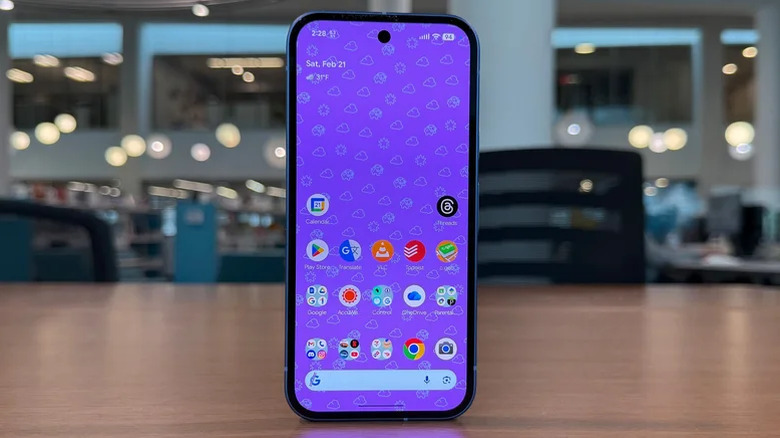
The Pixel 3a was the first budget-friendly smartphone to have been introduced to the Pixel family. With a lower-end chip and a display with a standard refresh rate, it was a stripped-down version of the Pixel 3. Google has followed the recipe ever since, offering a substantially cheaper model by dialing back on build materials, performance, and camera hardware. As time has passed, the Pixel a-series has caught up in several key areas, but Google has managed to keep costs down by reusing older processors and reserving a couple of features for its flagship models.

Take the Pixel 10a that we previously reviewed, for instance. It’s powered by 2024’s Tensor G4 chip, 8GB of RAM, 128GB of storage, and offers a 120Hz pOLED display, a dual-camera setup, and a 5,100 mAh battery. The Pixel 9a, released in 2025, packs in the exact same hardware. Iterative upgrades are quite common in the smartphone space, but Google has arguably taken the component recycling strategy further than most OEMs. While day-to-day performance with the Tensor G4 and 8GB of RAM is solid, the Pixel 10a loses out on a few features like Magic Cue that require on-device AI models.

Pixelsnap, Google’s version of the iPhone’s MagSafe, is also missing here. The plastic back means you get wireless charging, albeit at slower speeds of up to 10W. The Pixel 10a also replaces the faster ultrasonic fingerprint scanner found in the premium models with an optical sensor.

The Pixel 10a plays it very safe

It probably helps that the Pixel a-series devices usually launch six months after the regular models do, which gives Google a good opportunity to repurpose existing components for a more affordable device. Despite being less powerful than the Pixel 10, the Pixel 10a uses the same camera hardware for its primary and ultrawide lenses. It drops the 5x telephoto lens, though.

Then there’s the homegrown Tensor G4 that powers the experience. Although it’s the same SoC that Google used for its flagship Pixel 9 and 9 Pro devices, Tensor chips have never been known for delivering class-leading performance. While the Tensor G4 is better suited for a budget-oriented smartphone, it still falls behind Qualcomm’s and Apple’s latest mid-range chips. For example, the OnePlus Nord 6 that’s exclusive to Asian markets is powered by the Snapdragon 8s Gen 4, which delivers up to 50% better AnTuTu scores than the Tensor G4 — and it’s priced at roughly $450.

Google is also one of the only mainstream brands that is still offering smartphones with a base capacity of 128GB. For being such a camera-centric device, you might end up requiring cloud storage services much sooner than you would on an iPhone 17e. Despite all its limitations, the consensus among Pixel 10a users is that the phone has more positives than negatives. It even enjoys the same seven-year software update commitment as other Pixels do.


Source link

Leave a Reply

Subscribe to Our Newsletter

Get our latest articles delivered straight to your inbox. No spam, we promise.

Recent Reviews


Google’s latest Android update takes aim at the growing problem of imposter scam calls. It also expands Circle to Search functions and AirDrop compatibility to more Android devices, and introduces safety features for kids. The new capabilities are starting to roll out now.

The update comes on the heels of a larger Android 17 update that Google unveiled last month, which bakes AI even deeper into the operating system. Called Gemini Intelligence, it’s designed to turn AI agents into true assistants that proactively lend a hand without needing to be asked.

This month’s Android updates are a bit less flashy but arguably more practical — especially as scam calls become more sophisticated. Here’s what’s in store.

Fake call detection

Android’s fake call detection feature, which is baked into the Phone app, will alert you if it appears someone is impersonating one of your contacts. For instance, if you get a call from “Mom” and the system flags it as a scam, you’ll see an alert reading, “This may not be Mom. Someone may be pretending to call from your contact’s number.” This can be an especially handy feature as AI makes it easier to replicate the voices of friends and family members, leading to more sophisticated — and detrimental — scams. 

Fake call detection works by conducting a real-time check of both phones to gauge whether the caller is who they say they are. When your actual mom is calling, for instance, her verified device will send an end-to-end encrypted private confirmation signal over RCS. But when the scammer impersonating your mom calls — likely using an internet spoofing dialer and an AI voice cloner — their device won’t have that confirmation signal. Your phone will then check with your mom’s phone to confirm she didn’t place the call. You’ll get the alert and a prompt to hang up. 

The feature is rolling out globally this month in Phone by Google on devices with Android 12 and higher, starting with Pixel devices. Both the contact and the person receiving the call need to be using Google’s Phone app. Fake call detection also requires RCS capability in Google Messages.

Watch this: Android’s Biggest AI Update: Everything to Know About Gemini Intelligence

Book Insights in Google Play Books

Another new feature called Book Insights helps you refresh your memory or dig up information about what you’re reading on Google Play Books. You can tap “Catch me up” to get a recap of where you left off (similar to the Story So Far feature on Amazon’s newer Kindle models). You can also highlight a passage to ask questions or dig deeper into specific themes or characters. Book Insights is rolling out in the Google Play Books app and is available on certain titles in English. 

AirDrop across more Android devices

Perhaps one of the most anticipated features to arrive in recent months is support for Apple’s AirDrop in Quick Share. Finally, it’s easy to seamlessly share photos, videos and other media across iPhones and Android phones with a few taps

AirDrop compatibility is already available on certain phones including the Google Pixel 9 and 10, and the Samsung Galaxy S26 series. Now, it’ll work on more Android devices, including the Galaxy Z Fold 7, Z Flip 7, Z TriFold, S24 series, Z Fold 6 and Z Flip 6. It’ll also be supported on the OnePlus 15, Xiaomi 17T Pro, Honor Magic V6 and Vivo X300 and X300 Pro.

See also: How to Use Apple’s AirDrop on Samsung Galaxy S26 Phones

Circle to Search’s outfit feature expands

Google’s Circle to Search feature quickly pulls up details about what’s on your device’s screen. It got a fashion-forward boost earlier this year with the addition of Find the Look, which, as the name suggests, helps you find an entire outfit from a photo or screenshot. You can also see how that outfit might look on you using an AI-powered virtual try-on feature. Find the Look is now available on all devices that support Android 14 and up with Circle to Search.

Sift through your own wardrobe in Google Photos

Another outfit-oriented feature lets you mix and match pieces you own and try them on virtually. Called Google Photos Wardrobe, it’ll catalog what you’re wearing throughout your photo library and turn those outfits into images you can sift through to piece together your next look. This is rolling out next week to certain users in the US, India and Brazil with Android 10 and up.

Kids can tap into Personal Safety app features

New safety features are arriving soon for kids under 13. They’ll be able to access features in the Personal Safety app such as displaying medical information and featuring emergency contacts on their lock screen. They can also turn on car crash detection, which automatically contacts emergency services and texts emergency contacts if there’s an accident. The Personal Safety app is available globally.  

Cook up some fun emoji combos

And lastly, you’ll be able to combine emoji to better match what you’re feeling. Emoji Kitchen in Gboard includes new sticker combinations, like a mouse with a pink heart, that you can send to your friends for a more creative and whimsical touch. 


Source link