I loved ChatGPT Desktop until OpenAI gutted it to make room for Codex and Work


img-9896

David Gewirtz/ZDNET

Follow ZDNET: Add us as a preferred source on Google.


ZDNET’s key takeaways

  • OpenAI added agentic tools and removed everyday features.
  • ChatGPT Work arrived, but the ChatGPT desktop app got worse.
  • ChatGPT still works best in the browser for most users.

Plans change. My initial plan for this article was to write a comparison between Claude Cowork and the brand new ChatGPT Work. But that wasn’t to be, because getting started with ChatGPT Work turned out to be an adventure.

What fresh hell is this?

I primarily use ChatGPT on my Mac. On the Mac, there are two main ways (not counting all the third-party apps and extensions) to use ChatGPT: in the browser and as an app. I use both because each has its own features. For example, the Mac app has never been able to define and edit GPTs, but it can run them. You can create GPTs in the browser.

(Disclosure: Ziff Davis, ZDNET’s parent company, filed an April 2025 lawsuit against OpenAI, alleging it infringed Ziff Davis copyrights in training and operating its AI systems.)  

Also: OpenAI’s GPT-5.6 and ChatGPT Work aim to beat Anthropic on price, speed, and productivity

Mostly, I use the ChatGPT desktop app. Because it’s a separate app, it’s convenient when I have 100 browser tabs open. Plus, one of the great unsung features of the ChatGPT desktop app — until now — has been the ability to take screenshots from within the app and immediately drop them into chat. You can see the process in the image below, at the bottom of the screen:

take-screenshot

Screenshot by David Gewirtz/ZDNET

During this process, the screenshot was dropped into the chat. This approach saved the step of loading your screenshot program and using it to take and place an image. Here’s what that step looked like:

screenshot-in-chat

Screenshot by David Gewirtz/ZDNET

I found this approach incredibly useful and convenient, especially when working with ChatGPT to diagnose some system issue or another. I would rapid-fire screenshots right into the chat, and this step became almost a rhythm. But now, that feature is gone.

Also: How to use ChatGPT: A beginner’s guide to mastering OpenAI’s chatbot in 2026

But that’s not the only ChatGPT Desktop feature I relied upon that’s gone. The ChatGPT desktop app used to have another incredibly helpful tool called “Work with“. This feature would allow ChatGPT to see the contents of the current window of apps like Notion, Notes, and TextEdit, as below:

work-with-button

Screenshot by David Gewirtz/ZDNET

You could tap the Work With button and then give ChatGPT a prompt. Its context would then include everything in the associated app’s current window. That was another incredibly powerful, time-saving interface that’s now gone.

In fact, for all intents and purposes, the ChatGPT desktop app is gone. It’s been replaced by a hacked version of Codex, with an astonishingly fugly pop-up window reminiscent of the worst third-party apps floating around in the App Store.

Also: I connected ChatGPT to my bank, and it’s my go-to finance app now

A Windows version of the reconstituted ChatGPT Desktop app will be coming soon. So you Windows users aren’t safe from inevitable, feature-destroying, disappointing, unnecessary, and generally more expensive changes, either. But I’m not bitter.

What were they thinking?

Actually, I know what they were thinking. Chat mode is the cheap seats. Folks using just ChatGPT chat use the free plan, or possibly the $8/mo Go plan or the $20/mo Plus plan. That’s the tier I’m on.

Also: I tested ChatGPT Plus vs. Gemini Pro to see which is better

But vibe-coding Codex users can’t get much done unless they sign up for at least the $100/mo Pro plan. Agentic AI takes a lot of tokens. 

You know what else uses agents? ChatGPT Work. Yep, the lower-tier plans will likely throttle down quite rapidly after using Work for just a short while. So the more people use Work, the more money OpenAI makes. Those massive data centers nobody wants in their neighborhood are pretty costly.

Here’s where it gets weirder and more hellish. The updated ChatGPT app isn’t the ChatGPT app at all. It’s the Codex app. When you run it for the first time after upgrading, you get this splash screen:

splash

Screenshot by David Gewirtz/ZDNET

Notice that the tool even encourages you to use the Codex icon instead of the ChatGPT one. And no, I didn’t confuse my apps. When you pull up the about screen for this Codex-claiming-it’s-ChatGPT usurper app, it does, in fact, say that it is ChatGPT:

codex-about

Screenshot by David Gewirtz/ZDNET

At (1), it says Codex. But at (2), it says ChatGPT. This is the new default interface for the app. The list of tasks on the left was the last things I did in VS Code with Codex, as part of my urgent spam mitigation project

Also: Claude Cowork heads to the cloud as data shows 90% of sessions aren’t for coding

I’m not saying Codex is bad. Codex is the programming tool that lives in my development environment. Codex is not the tool I have been using to help fix my prescription for glasses. I want that tool back.

You can easily switch from Codex to the new agentic ChatGPT Work mode (which, to be clear, is not ChatGPT) in this desktop app interface. Just click Codex and select ChatGPT Work from the drop-down menu. Here’s what you get:

switch-to-work

Screenshot by David Gewirtz/ZDNET

As you can see, it’s the same screen. You’re just in Work mode. The ChatGPT Work desktop app is basically still the Codex app with a new mode. Some months back, OpenAI started integrating non-coding agent work and desktop control into Codex:

work-interface

Screenshot by David Gewirtz/ZDNET

As you can see (at 1), even the list of projects is the same as it was in Codex. Notably, none of my normal ChatGPT history is there. You get that history by tapping the tiny little Chat button (at 2).

So where is the chat part of ChatGPT?

Hovering over the Chat button shows you the five most recent ChatGPT queries. In my most recent ones, I was trying to find out if there’s a kitchen scale I can talk to over Bluetooth with my app. Everyone’s chat history is different:

hovering-over-chat

Screenshot by David Gewirtz/ZDNET

If you click the Chat button, you get this little pop-up window:

new-chat-interface

Screenshot by David Gewirtz/ZDNET

Yep, it’s a little pop-up window that looks like one of the many pop-up prompts third-party apps offer. But what happened to the robust ChatGPT interface? You can click the tiny ‘Open’ icon in a new window. If you do, you get this:

chat-in-a-new-window

Screenshot by David Gewirtz/ZDNET

Where’s my carefully curated chat sidebar? You can make the window wider, but all you’ll get is a wider window. If you click See all, you still won’t get a sidebar:

no-sidebar

Screenshot by David Gewirtz/ZDNET

Instead, you’ll get a history of your previous chats taking up the whole window. No list of projects. No list of GPTs. No Library. Nothing. Worse, my favorite productivity tools in ChatGPT, the Take Screenshot and Work With options, are gone. These tools are also not in the Codex or Work interface.

screenshot-gone

Screenshot by David Gewirtz/ZDNET

The bottom line here is pretty simple and very unfortunate. If you were an avid user of the ChatGPT desktop app, you probably won’t want to be any longer. Yes, Work and Codex add value, but it’s not the same thing.

Also: How ChatGPT Lockdown mode protects you from data theft

The Codex app is (and has been) pretty great for what it’s meant to do. Codex, on its own, actually rocks. Adding the agentic Work mode is fine. But did OpenAI have to kill the ChatGPT desktop functionality to do that? Couldn’t they have added the feature in another tab or with a third mode switch? It’s not like they don’t have any agentic coding tools to help make that happen.

All is not lost

ChatGPT does live on, in the browser interface. All the pinned items, projects, and chat history still exist in the sidebar. The growing list of ChatGPT-specific features, such as GPTs and Library, also live on in the sidebar:

chatgpt-lives-on

Screenshot by David Gewirtz/ZDNET

If you switch to the Work tab, you can use Work to do multi-step agentic projects in the cloud. The feature won’t run things on your desktop, but that’s what the desktop app is for.

Also: This simple ChatGPT trick helps you spot scams before you click

So, the good news is that if you are used to using ChatGPT in the browser, you can keep on keeping on. The bad news is that if you relied on ChatGPT Desktop, you’re screwed.

I’ve reached out to OpenAI about this change, asking whether the company plans to fix its desktop app so regular ol’ ChatGPT users can use it the way they’ve become accustomed. I’ll let you know what OpenAI says.

I also do intend to take both the cloud and local versions of ChatGPT Work for a spin, and compare them to Claude Cowork. Stay tuned. That’s coming up once my bereavement period concludes.

Is ChatGPT Work valuable enough to justify replacing the traditional desktop experience? Let us know in the comments below.


You can follow my day-to-day project updates on social media. Be sure to subscribe to my weekly update newsletter, and follow me on Twitter/X at @DavidGewirtz, on Facebook at Facebook.com/DavidGewirtz, on Instagram at Instagram.com/DavidGewirtz, on Bluesky at @DavidGewirtz.com, and on YouTube at YouTube.com/DavidGewirtzTV.



Source link

Leave a Reply

Subscribe to Our Newsletter

Get our latest articles delivered straight to your inbox. No spam, we promise.

Recent Reviews


The McCarthy Road opened as a passage to the greatest copper strike the world has ever known. More than one billion pounds of copper once traveled down this corridor from the Kennecott Mines to the coast. Today, travelers head the opposite direction—up the road—to experience staggering scenery, deep wilderness, and some of Alaska’s most authentic adventures inside America’s largest national park.

The road is as notorious as it is remote, with some sources recommending satellite phones as routine safety gear. We’re here to share not only what we learned firsthand from driving the McCarthy Road ourselves, but also insights from Neil Darish, McCarthy’s outspoken statesman and longtime steward of the area. He told us that from the 1970s until about 2006 McCarthy Road was a real struggle for most people. It’s simply not like that anymore but the old stories abound. We wanted to find out for ourselves.

Wilderness adventures always carry some level of risk. But understanding what you’re getting into—and how to prepare—can turn the McCarthy Road from an intimidating unknown into one of Alaska’s most rewarding journeys.

How Long Is the McCarthy Road?

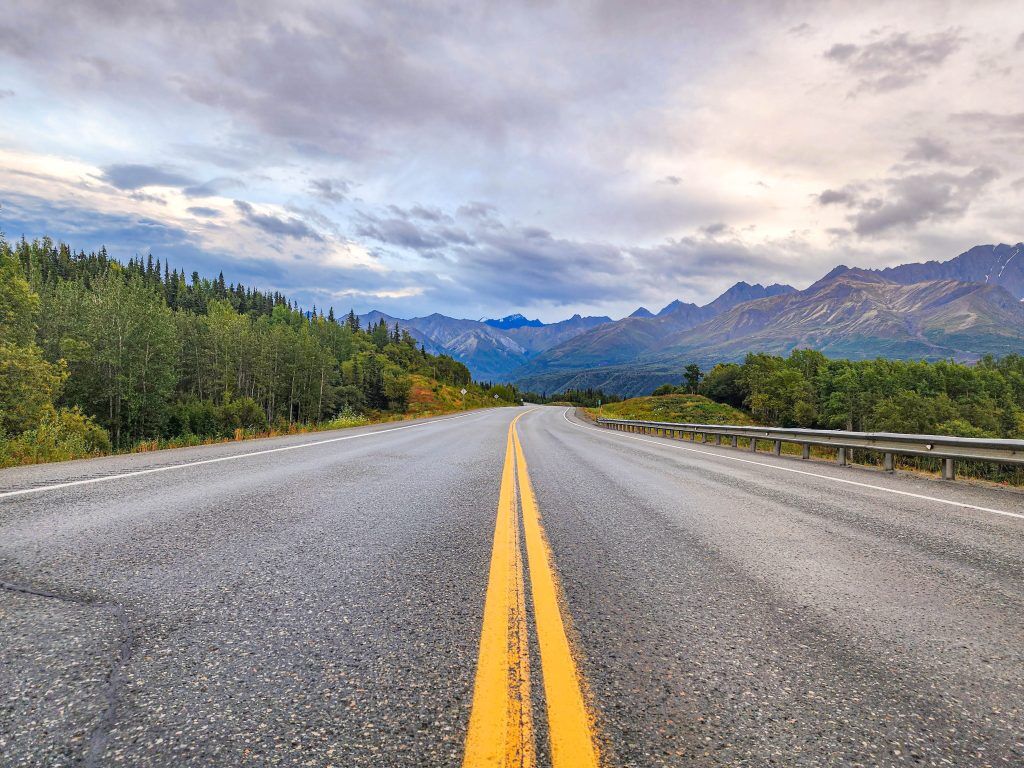
Yellow line on highway on the way to Road to McCarthy Alaska
Photo Credit: Jenn Coleman.

The McCarthy Road runs 59.4 miles from the State Wayside in Chitina (pronounced “Chit-na”) to the McCarthy Footbridge across the Kennicott River. It follows the route of the former 196-mile Copper River & Northwestern Railway, which once connected the mines to the port of Cordova.

When the mines closed in 1938, much of the track was salvaged for scrap. Floods, earthquakes, and time itself took out many bridges, leaving Kennecott and McCarthy isolated—preserved in a kind of remote time capsule that still defines the experience today.

Is the McCarthy Road Paved?

Signage on Road to McCarthy Alaska
Photo Credit: Jenn Coleman.

Mostly, no.

The McCarthy Road is primarily gravel, but for travelers willing to leave the pavement behind, it provides access to some of the most dramatic natural and historic landscapes in Wrangell–St. Elias National Park, including McCarthy and Kennecott.

Reconstruction began in earnest in the 1970s, when modern steel and concrete bridges replaced their wooden predecessors and fresh gravel was laid atop the old rail bed. What remains is rough but intentional, functional enough to reach the end, and wild enough to remind you where you are.

What Are the Road Conditions Like?

Blue bronco driving on Road to McCarthy Alaska
Photo Credit: Jenn Coleman.

The McCarthy Road is narrow and winding but relatively flat. The first few miles from Chitina toward the Copper River are paved, with occasional paved sections on steeper grades to reduce rutting.

Ironically, some of the worst potholes appear in those paved stretches, while the gravel sections are often smoother—albeit dusty and washboarded. According to the National Park Service, “under normal summer conditions, most passenger vehicles can make the trip.” That said, conditions can change quickly with weather.

How Long Does It Take to Get to McCarthy?

Highway on the way to McCarthy - Road to McCarthy Alaska
Photo Credit: Jenn Coleman.

Plan on 2–3 hours to drive from Chitina to the McCarthy Footbridge if you’re moving steadily and traffic is light. Summer weekends, especially around the Fourth of July, bring heavier traffic. It’s not gridlock, but passing opportunities are limited, and you’ll often move at the pace of the slowest vehicle.

Our advice? Drive patiently. Leave space. And when the dust gets thick, it’s often better to pull over for a photo than to white-knuckle it behind a convoy.

From Anchorage, it’s about 4.5 hours to Chitina without stops, but you’ll want to fuel up before committing to McCarthy Road. Once you park at the footbridge, it’s about a 20-minute walk into McCarthy proper.

What Is the Closest Gas Station?

Gas station - Road to McCarthy Alaska
Photo Credit: Jenn Coleman.

The closest gas station to McCarthy is in Chitina. It’s a 24-hour, credit-card-only pump with no additional services.

There is a full service station in Kenny Lake, about 90 miles from McCarthy (180 miles round trip), which offers a more comfortable fuel buffer for most vehicles. Glennallen is the last full-service town, but at 250 miles round trip, it leaves little margin unless you plan carefully, or only use it as one of the mandatory gas stops.

Can I Take a Rental Car on McCarthy Road?

Alaska 4x4 counter at Anchorage Airport
Photo Credit: Jenn Coleman.

Most national rental car companies prohibit driving to McCarthy altogether. We rented from Alaska 4×4 at the Anchorage airport and had no issues.

Not only was it permitted, but we ended up with a sweet Bronco that had excellent clearance and fresh tires. We never needed four-wheel drive, but it was reassuring to have a vehicle built for roads like this. It also made the washboard roll on the gentle cycle.

Darrish said that his guests at McCarthy Lodge Resort get scared by the warning signs at the start of McCarthy Road, but their fear isn’t justified. He said in 2006 the state DOT removed the railroad spikes by using a magnetized trailer behind a grader. When you see or read stories about taking extra tires, it’s based on 2006 and before information.

Also he said, when you see the warning sign at the beginning of McCarthy Road, telling you to take emergency equipment with you; and warning you not to travel this road because it’s “not advised” it’s important to note that’s a winter based sign!! not relevant for summer visitors!!

Is There Cell Service Along the Road?

Big bridge on Road to McCarthy Alaska
Photo Credit: Jenn Coleman.

Officially, coverage is “very limited.” Some sources go so far as to recommend carrying a satellite phone.

In practice, we had surprisingly usable Verizon service during our fall 2025 drive, though we wouldn’t count on it being consistent—or available in an emergency. Treat any cell signal as a bonus, not a plan and pay heed to the sections on car and wilderness emergency kits. Also, be sure to notify somebody you trust that you’re heading out into the wilderness, be it for hiking or driving the McCarthy Road. Darish confirmed that he finds that Verizon works on most of McCarthy Road.

What Can You See Along the Way?

Copper River Rest Area Road to McCarthy Alaska
Photo Credit: Jenn Coleman.

The McCarthy Road isn’t something to endure on the way to a destination—it is the destination.

Almost immediately after leaving Chitina, you pass through the Rock Cut, a former rail tunnel that’s now open to the sky which feels like a threshold between civilization and something wilder. At first, the road hugs the Copper and Chitina Rivers with expansive views, culminating at the Copper River Bridge.

Next, you’ll pass a chain of small lakes before reaching the single-lane Kuskulana River Bridge, often the most nerve-wracking moment for first-time drivers as you pass 238 feet above the raging Kushkulana River. The Chokosna, Gilahina, and Lakina Rivers are especially photogenic, with remnants of historic railroad trestles near the Gilihina Bridge. Long Lake lives up to its name, stretching alongside the road for more than two miles before you get your first views of the rocky Kennicott Glacier.

Darish gave us his best pro tip to truly enjoy McCarthy Road. Leaving the population centers like Anchorage Denali or Fairbanks while everyone is still asleep is a total Alaska Travel pro-tip. You’re far more likely to see wildlife along the way when the roads are empty. In addition, you’ll arrive on the McCarthy Road around 11am instead of 4pm- there’s less traffic – and you’re less likely to be behind another vehicle, even in peak July traffic.

What Services Are Available?

Available services - Road to McCarthy Alaska
Photo Credit: Jenn Coleman.

There are no service stations along the McCarthy Road, so self-sufficiency is key.

A small trading post in Chokosna sells limited snacks and drinks about halfway through the drive. Once you reach the end of the road, you’ll find espresso, food, and parking before the Kennicott River. Along the way, wayside pullouts appear roughly every 10 miles, offering parking, picnic tables, and vault toilets.

What Should You Pack in a Car Emergency Kit?

Blue bronco on Road to McCarthy Alaska
Photo Credit: Jenn Coleman.

The best emergency plan is prevention: drive slowly, check fluids, inspect tires, and make sure you have enough gas and windshield washer fluid to handle 120 dusty miles.

At minimum, you should carry:

  • A full-size spare tire
  • A working jack
  • Knowledge of how to change a tire
  • Phone charger

If you’re traveling Alaska backroads regularly, an expanded kit is wise:

What Should You Pack in a Wilderness Survival Kit?

Wilderness Survival Kit - Road to McCarthy Alaska
Photo Credit: Jenn Coleman.

With regular summer traffic, a true breakdown shouldn’t leave you stranded more than 24 hours, but preparation still matters.

Essentials include:

  • One gallon of water (for you or the vehicle)
  • Warm clothing and blankets (do not idle your car for heat)
  • No unsecured food—bear safety matters even in your vehicle (a good idea for parking too)
  • Toilet paper and a shovel
  • Essential medications
  • First-aid kit

If you’re unsure about how to keep food safe from bears, it’s best to err on the side of no food at all.

Is There an Interactive Map?

Google maps on phone
Photo Credit: Jenn Coleman.

We’re unapologetic map geeks at Coleman Concierge, so we built a custom McCarthy Road map with every stop mentioned here, and then some. We used native Google pins whenever possible for better metadata and crowd-sourced photos.

For next-level planning, open it in Google Earth to explore the terrain in 3D or drop into Street View for snapshots of the road from years past. On your phone, it works as a live navigation companion. Pair it with the National Park Service audio tour for an even deeper experience:
https://www.nps.gov/wrst/learn/photosmultimedia/audio-tours.htm

How Do You Get Into McCarthy?

Road sign on the road to McCarthy Alaska
Photo Credit: Jenn Coleman.

First: Google Maps lies.

You cannot drive directly into McCarthy proper unless you have access to a private bridge. Park at the end of the McCarthy Road and cross the footbridge on foot.

Paid parking is available at Base Camp Kennicott and McCarthy River Tours. McCarthy River Tours is slightly cheaper but farther away. Pro tip: drop passengers and luggage at the bridge first, then park. Carts are available to move bags across the bridge.

Shuttles operate from the far side of the bridge to McCarthy and Kennecott. Some activities include transportation and sometimes parking such as flightseeing with Wrangell Mountain Air, some wilderness adventures with St. Elias Alpine Guides, and stays at the Kennicott Glacier Lodge. McCarthy Lodge offers shuttle service for a fee on a per ride or per day basis. You can also walk the scenic ¾-mile road into town.

How Long Should You Stay?

Dog in McCarthy Alaska
Photo Credit: Jenn Coleman.

Our rule of thumb: stay at least as long as it takes to get there.

From Anchorage, that’s a full day each way, so plan for at least two nights in McCarthy. Fortunately, there’s more than enough to fill that time.

Two days allows for a flightseeing tour paired with rafting or hiking one day, and a glacier hike plus the Kennecott Mill tour the next. Leave time to wander Kennecott, soak up the history, and experience the Golden Saloon, the only saloon located inside a national park.

You can learn more about what to do in McCarthy from our practical guide or our photo heavy inspiration piece. You can even read both. We double dog dare you.

Are There Alternatives to Driving?

McCarthy Airport
Photo Credit: Jenn Coleman.

If the McCarthy Road still doesn’t feel right, you have options.

Flying is the easiest—scheduled service runs from Gulkana and Chitina, with charter flights available from Anchorage. It’s also the most expensive and comes with weight limits. While scenic, it doesn’t replace the experience of a dedicated flightseeing tour.

Shuttles from Chitina are another option and cost less than flying, though you still need to reach Chitina. Still, for travelers willing to leave the pavement behind, driving the McCarthy Road offers the best value—and one of Alaska’s most memorable journeys. It doesn’t just take you somewhere wild. It asks you to meet Alaska on its terms.

Disclosure: A big thank you to Alaska 4×4 for providing our awesome rental! For more Alaska 4×4 travel inspiration, check out their Instagram and Facebook accounts.

As always, the views and opinions expressed are entirely our own, and we only recommend brands and destinations that we 100% stand behind.

Ready to Book Your Trip? These Links Will Make It Easy:

Airfare:

Insurance:

  • Protect your trip and yourself with Squaremouth and Medjet
  • Safeguard your digital information by using a VPN. We love NordVPN as it is superfast for streaming Netflix
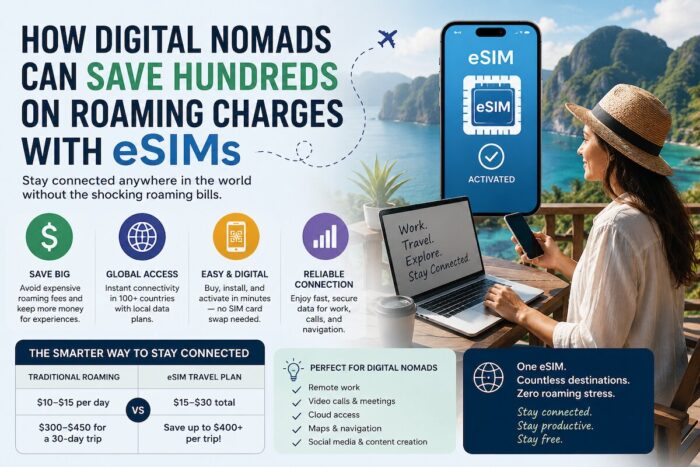
  • Stay safe on the go and stay connected with an eSim card through AloSIM

Our Packing Favs:

  • We LOVE Matador Equipment for their innovative products and sustainability focus. Their SEG45 is a game changer when you need large capacity while packing light.
  • Travel in style with a suitcase, carry-on, backpack, or handbag from Knack Bags
  • Packing cubes make organized packing a breeze! We love these from Eagle Creek

Like it? Pin it for later on Pinterest!

Hi! We are Jenn and Ed Coleman aka Coleman Concierge. In a nutshell, we are a Huntsville-based Gen X couple sharing our stories of amazing adventures through activity-driven transformational and experiential travel.


Source link