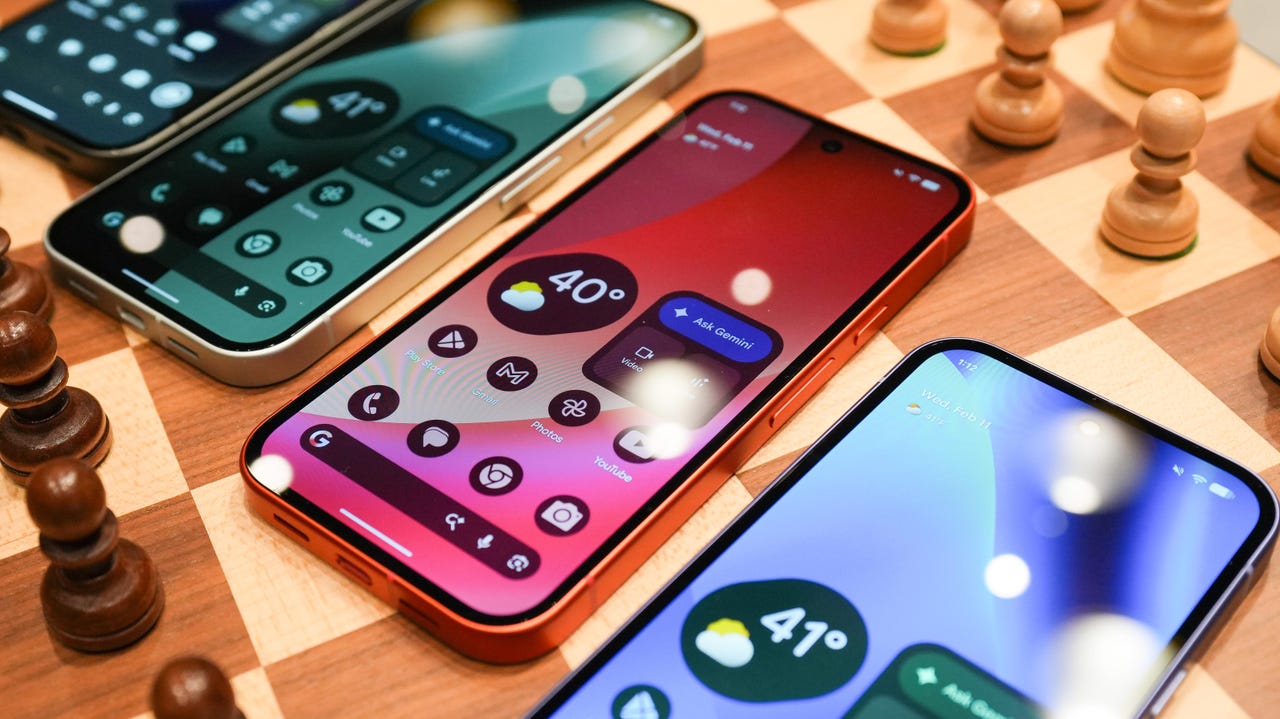
Android 17 is out now, with a fresh Pixel Drop for June – here’s what’s new


Google Pixel 10a

Kerry Wan/ZDNET

Follow ZDNET: Add us as a preferred source on Google.


ZDNET’s key takeaways

  • Android 17 is here, along with the June Pixel Drop.
  • The OS is rolling out to Pixel devices first.
  • Users are getting upgraded productivity, security, and more.

Android 17 is officially here, and it’s a doubly good day for Pixel users, as it’s bringing the June Pixel Drop with it.

Google has rolled out its annual OS update and its latest collection of Pixel-exclusive features at the same time, and the updates pack not only some practical features that will make an impact on how you use your phone daily, but also security protections, some new translation tricks, and more. Pixel Watches — the 2 and later — are included, too, with a potentially life-saving feature addition.

Also: I’m a devoted iPhone user but Android 17 is tempting me with its new video and social features

Here’s a look at what’s new in Android 17, which starts rolling out today to Pixel phones first and then to other devices “throughout 2026,” along with what’s new in the June 2026 Pixel Drop.

What’s new in Android 17?

Since many manufacturers now offer longer update windows, usually 4 to 7 years, a wide range of devices are eligible. The updated OS starts rolling out today to Pixel 6 phones and newer. Samsung’s Galaxy S23 series and newer will get it as One UI 9, along with the Flip 5 and newer, Galaxy A24 and newer, and Tab S9 series. OnePlus will bring Android 17 to the OnePlus 11 and newer.

1. App Bubbles

Perhaps the most useful feature is Bubbles, which lets you turn any app into a floating bubble on your main screen. All you have to do is long-press an app, and it becomes an easy-to-access bubble. If you consistently switch back and forth between apps or need to access a certain app often, like a map or airline app while you’re on a trip, you can now find what you need more quickly.

Pixel Folds are getting a special Bubble Bar at the bottom of the screen that lets you organize, move, and access your recent bubbles from one dedicated space.

2. Additional security

Android 17 is also bringing boosted security. 

To start, you can now grant an app temporary access to your exact location and share only specific contacts. 

Additionally, an enhanced “Mark as lost” feature, located in Find Hub, lets you lock a missing phone with your biometrics, so even if a thief has your passcode, they can’t access anything on your device or turn off tracking. 

Improvements to Live Threat Detection block more suspicious apps and scams, Google explained, and enhanced Advanced Protection mode helps keep you safe from sophisticated threats. Lastly, Google is reducing the number of times someone can attempt to guess your PIN and adding longer wait times between failed attempts.

Also: How to clear your Android phone cache – the 30-second routine every user should be doing

3. Screen reactions and more

Also new is Screen Reactions, which lets you take a selfie video overlaid on a screen recording in lieu of a green screen; a 50/50 gaming mode with a dynamic pad for foldables; and built-in parental controls beyond Pixel devices, so you can set screen time limits and content filtering with a PIN, even if you don’t link your Google Account.

What’s in the June Pixel Drop?

Beyond Android 17, Pixel users are getting several Pixel-specific upgrades in the June Pixel Drop.

1. Custom greetings for Take a Message

Introduced in 2025, Take a Message expands on the Pixel call screening feature and gives you a real-time transcript of what the caller is saying, along with AI-generated follow-up steps. Now, Take a Message has custom greetings, letting you record a personalized outgoing message instead of the default voice.

2. New AI models

Two new AI models are making their way to Android phones. The first is Gemini Omni, a new way to create and edit videos. Gemini Omni lets you type in a prompt and get a custom, high-quality video. This is available on all devices with the Gemini app for Gemini Pro users only.

Also: Everything we saw at Google I/O: Gemini 3.5, Android XR glasses, Spark, and more

Also on the way is Lyria 3, which lets you create original tracks using text prompts or images as inspiration. You can prompt Gemini with the style, vocals, and tempo you want. This is coming to all Android 17 Pixel phones and Folds.

3. Voice Translate for the Pixel 10a

One of the Pixel 10 series’ exclusive features is Voice Translate, which provides a real-time translation on phone calls in the speaker’s voice. ZDNET’s Sabrina Ortiz tried the feature last fall, noting how quickly the feature worked and how well it copied her voice. Voice Translate is getting a small expansion, coming to the Pixel 10a.

Also: iOS 27 envy? 4 features you can already use on an Android phone (including Samsung models)

4. Android Quick Share expansion and more

Pixel users are also getting an expansion of Android Quick Share compatibility with AirDrop, coming to the Pixel 9a and Pixel 8a, and an expansion of Magic Cue to more apps, coming to the Pixel 10 series.

What’s new for Pixel Watches?

Pixel Watches are only getting one new feature, but it’s a potentially big one. Core detection features, including Car Crash Detection, Fall Detection, and Loss of Pulse Detection, are getting emergency sharing. If a severe event is detected, Google explains, your Pixel will call emergency services and notify your chosen contacts. You can toggle emergency contacts on or off for each type of event.

Also: This silent Android feature scans your photos for ‘sensitive content’ – how to uninstall it

Fall Detection is coming to the Pixel Watch, plus the 2, 3, and 4, while Car Crash Detection is coming to the Pixel Watch 2, 3, and 4. Loss of Pulse Detection is only coming to the last two generations, the Pixel Watch 3 and 4.





Source link

Leave a Reply

Subscribe to Our Newsletter

Get our latest articles delivered straight to your inbox. No spam, we promise.

Recent Reviews


When to watch Chelsea vs. Tottenham

  • Tuesday at 3:15 p.m. ET (12:15 p.m. PT).

Where to watch

  • Chelsea vs. Tottenham will air in the US on NBC Sports Network and Peacock Premium.

73% off with 2yr plan (+4 free months). Now only $3.49/month


See more details

See at Fubo

Fubo

Watch the Premier League in Canada

Fubo Canada

Chelsea will look to deal a major blow to Tottenham’s Premier League survival hopes on Tuesday as these two fierce London rivals clash in a mouthwatering derby. 

With relegation rivals West Ham United suffering a heavy defeat away to Newcastle on Sunday, Spurs now need just one point from its final two matches to secure its top-flight status. Despite its hosts’ recent poor form, earning any kind of result at Stamford Bridge will require Roberto De Zerbi’s men to defy recent history; Tottenham’s last win at this ground was more than eight years ago. 

Having suffered a narrow defeat to Manchester City in Saturday’s FA Cup final, Chelsea will meanwhile be determined to bounce back in its final home game of the season. A win here against its neighbors would keep the Blues’ hopes of European qualification alive, but pushing its bitter local rivals closer to relegation may prove an even sweeter reward for the Chelsea faithful.

Chelsea takes on Tottenham Hotspur on Tuesday at Stamford Bridge in west London, with kickoff set for 8:15 p.m. BST. That makes it a 3:15 p.m. ET or 12:15 p.m. PT start in the US and Canada, and a 5:15 a.m. AEST kickoff in Australian Wednesday morning. 

Calum McFarlane, Interim Manager of Chelsea, looking onwards.

Interim boss Calum McFarlane will take charge of Chelsea for the final time at Stamford Bridge today, with former Real Madrid boss Xabi Alonso set to take over the Blues in the summer. 

Alex Pantling/Getty Images

How to watch Chelsea vs. Tottenham in the US without cable

Tuesday’s clash at Stamford Bridge will be broadcast on NBC and streaming service Peacock. To catch the game live on Peacock, you’ll need a Peacock Premium or Premium Plus subscription. NBC Sports Network is available on platforms like YouTube TV.

Peacock offers two Premium plans, and after recent price increases, the ad-supported Premium plan costs $11 a month and the ad-free Premium Plus plan costs $17 a month.

How to watch the Premier League 2025-26 with a VPN

If you’re traveling abroad and want to keep up with English Premier League action while away from home, a VPN can help enhance your privacy and security when streaming.

It encrypts your traffic and prevents your internet service provider from throttling your speeds, and can also be helpful when connecting to public Wi-Fi networks while traveling, adding an extra layer of protection for your devices and logins. VPNs are legal in many countries, including the US and Canada, and can be used for legitimate purposes such as improving online privacy and security. 

However, some streaming services may have policies that restrict VPN use to access region-specific content. If you’re considering a VPN for streaming, check the platform’s terms of service to ensure compliance.

If you choose to use a VPN, follow the provider’s installation instructions to ensure you’re connected securely and in compliance with applicable laws and service agreements. Some streaming platforms may block access when a VPN is detected, so verify whether your streaming subscription allows VPN use.

James Martin/CNET

Price $78 for two yearsLatest Tests No DNS leaks detected, 18% speed loss in 2025 testsJurisdiction British Virgin IslandsNetwork 3,000 plus servers in 105 countries

ExpressVPN is our current best VPN pick for people who want a reliable and safe VPN, and it works on a variety of devices. It’s normally $120 a year for its most popular plan (Advanced), but if you sign up for an annual subscription for $90, you’ll get three months free. That’s the equivalent of $6 a month.

Note that ExpressVPN offers a 30-day money-back guarantee.

73% off with 2yr plan (+4 free months). Now only $3.49/month

Livestream Chelsea vs. Tottenham in the UK 

This Tuesday evening clash is exclusive to Sky Sports and will be shown on its Sky Sports Premier League channel. If you already have Sky Sports as part of your TV package, you can stream the game via its Sky Go app. Cord-cutters will want to set up a Now account and a Now Sports membership to stream the game. 

Now TV

Sky’s standalone streaming service Now offers access to Sky Sports channels with a Now Sports membership. You can get a day of access for £15 or sign up to a monthly plan from £35 a month right now.

Livestream Chelsea vs. Tottenham in Canada 

If you want to livestream EPL games in Canada this season, you’ll need to subscribe to Fubo. The service has secured exclusive rights to the Premier League and is broadcasting all 380 matches live. 

Fubo

Fubo is the go-to destination for Canadians looking to watch the EPL, with exclusive streaming rights to every match. It currently costs CA$27 for the first month, then CA$31.50 per month thereafter.

Livestream Chelsea vs. Tottenham in Australia 

Livestreaming rights for the EPL are now with Stan Sport, which is showing all 380 matches live, including this game.

Stan

Stan Sport will set you back AU$20 a month (on top of a Stan subscription, which starts at AU$12). It’s also worth noting that the streaming service is currently offering a seven-day free trial.

A subscription will also give you access to Premier League, Champions League and Europa League action, as well as international rugby and Formula E.


Source link


