Can’t Find Hibernate in Windows? Here’s How to Locate It


Remember Hibernate mode? For longtime PC users, Hibernate was a mainstay of the Windows shutdown menu, alongside the Restart, Sleep and Shut Down commands, as a way to save power without losing your work or exiting the operating system entirely.

But in recent years, as Windows 11 has become the most widely used version of the software and most modern laptops use solid-state hard drives, also called SSDs, Hibernate has quietly disappeared from most power-down menus. It’s still in Windows 11 and can be enabled through the Power settings, but it no longer appears by default in the power menu alongside Sleep, Restart and Shut Down.

recent blog post from the website XDA’s Chandraveer Mathur points to the high amount of wear that Hibernate could put on SSDs as a potential culprit for why the feature is no longer front and center.

“Unlike the spinning platters of older (hard disk drives), which could theoretically tolerate indefinite writes, the NAND flash has a finite service life since every write operation degrades the oxide layer trapping electrons within each cell,” Mathur writes.

A Windows 11 settings menu under the System / Power category shows options including Energy Recommendations, Power Mode and Screen, sleep & hibernate timeouts

The Hibernate option is still available in Windows 11 system settings under the Power category, but for many users, it’s no longer shown in the Start Menu’s Power options alongside Sleep, Restart and Shut Down.

Omar Gallaga/CNET

While Sleep mode writes your current PC state to RAM and keeps the PC active enough to run updates and other low-power activities, Hibernate writes to a file on the hard drive, creating a more durable save point for extended periods away from the computer. 

Mathur’s theory is that all that hard drive writing on a system that frequently hibernates could cause the SSD to fail sooner. That could be concerning given the high price of SSDs. Replacing a worn-down drive can be a very expensive proposition.

Microsoft responds

“We have no plans to remove support for Hibernate,” a spokesperson for Microsoft told CNET.

The company still sees the mode as useful for long breaks. It uses almost no power, which may be attractive for those looking to keep their energy bill in check.

The trade-off, aside from potential hard drive wear, is that sleep mode allows the system to run background maintenance or apply Windows updates, and it typically resumes more quickly. 

Systems that use sleep, the Microsoft representative said, “have significantly faster resume times and better support for wake functionality, allowing users to get started more quickly.”

Microsoft acknowledged that data writing does affect SSD wear, but says the company has worked to mitigate some of that activity. 

“Hibernate requires writing data to the SSD, which by nature can result in wear over time,” the representative said. “To reduce this, Windows minimizes wear by only saving the portion of memory in use at the time of Hibernate, which is furthermore compressed before writing it to disk.”

Those methods, the spokesperson said, significantly reduce the amount of data being written to the SSD for typical workloads. These combine to result in a significant reduction in data written to disk for typical workloads.

For most, it won’t be an issue. 

“Windows prioritizes Sleep as the default experience, but Hibernate remains an option for those that choose it,” the spokesperson said. 


Source link

Leave a Reply

Subscribe to Our Newsletter

Get our latest articles delivered straight to your inbox. No spam, we promise.

Recent Reviews


How to get Siri AI - join the waitlist today

Apple / Elyse Betters Picaro / ZDNET

Follow ZDNET: Add us as a preferred source on Google.


ZDNET’s key takeaways

  • Siri AI requires the iOS 27 developer beta and a waitlist.
  • A free Apple Developer account is enough to install the beta.
  • Apple says Siri AI will launch in beta later this year.

Apple finally gave Siri the major update everyone has wanted for years, moving it from the voice assistant era to the intelligent AI era.

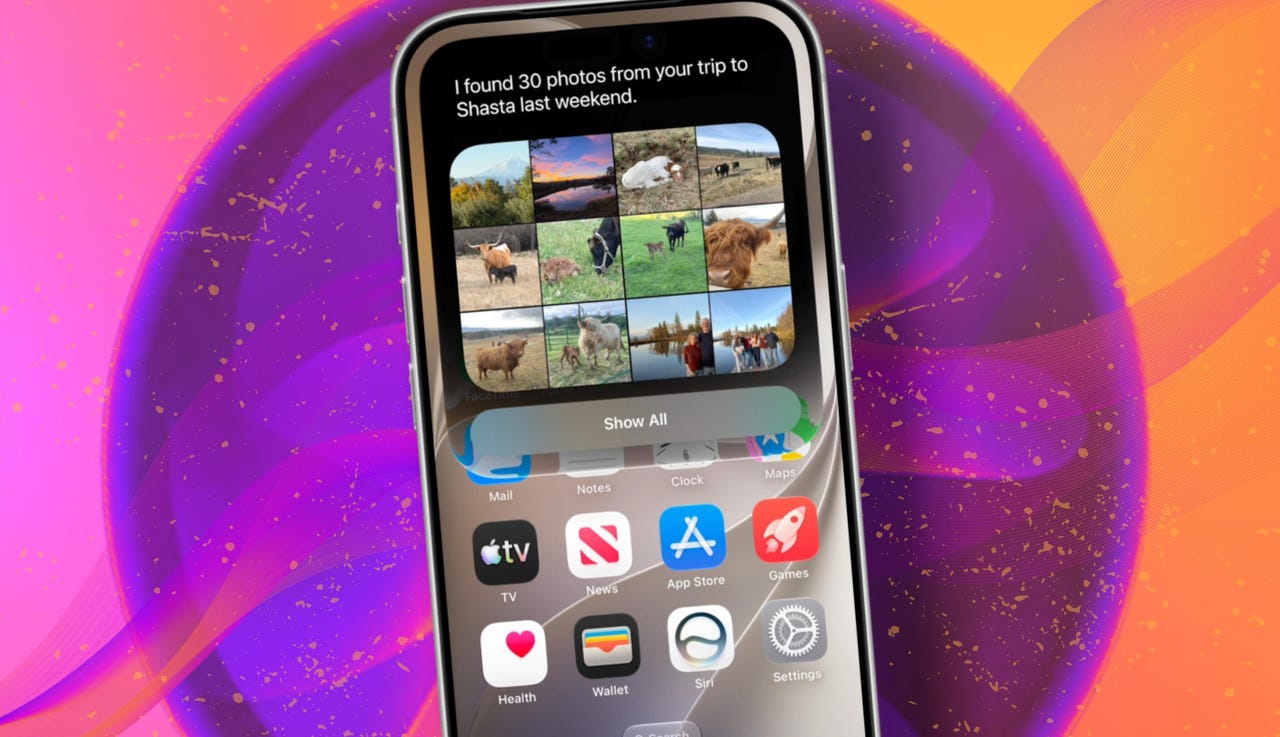
At WWDC 2026 in June, the company introduced Siri AI, a new version of Siri “powered by Apple Intelligence.” Apple said Siri AI is more conversational, understands personal context, can answer broader questions, and can take action across apps. It can also use my information from messages, emails, photos, notes, and the screen itself to get more done on my behalf.

Also: The two biggest iOS 27 features at WWDC for me had nothing to do with Siri AI

The catch? (There’s always one, right?) The iOS 27 developer beta needs to be installed first, and even then, there is a waitlist.

How to get Siri AI

What you’ll need: An iPhone 15 Pro or Pro Max, any iPhone 16 model, or any iPhone 17 model running the iOS 27 developer beta.

Install the iOS 27 developer beta on a secondary device, but be sure to back it up first. Remember, developer betas are unfinished software. Apps can crash or glitch, battery life can drain, and features can disappear.

The good news is Apple no longer requires a $99-a-year Apple Developer Program membership just to get access to beta software. A free Apple Developer account is enough. To join, if you haven’t before, simply go to Apple’s Developer website or use the Apple Developer app, sign in, and agree to the developer terms.

Also: 3 new MacOS 27 features make it worth upgrading right away for me – Siri included

Once that’s done, any new developer beta will automatically appear for the iPhone associated with that Apple Account. To check for iOS 27 and install it now, open Settings > General > Software Update > Beta Updates. From there, select iOS 27 Developer Beta, go back to the Software Update screen, and install the update.

Need help? Check out ZDNET’s guide on installing the iOS 27 developer beta.


Show more

Install the iOS 27 developer beta

Elyse Betters Picaro / ZDNET

After the iOS 27 developer beta is installed, the iPhone will reboot, but Siri AI will not automatically be available to try. Apple is using a waitlist. To join it, open the Settings app, go to Apple Intelligence and Siri, and select “Try New Siri.” Follow the prompts to opt in. Once a spot opens, a notification will appear saying New Siri is available.

Also: Getting real about WWDC and Siri AI – Video

Apple has not confirmed how long the wait will take, but it has said Siri AI will be available in beta “later this year.”


Show more

Join the Siri AI waitlist

Elyse Betters Picaro / ZDNET

Should you wait to try Siri AI?

Maybe. The iOS 27 developer beta is the only route to Siri AI right now. But it’s meant for developers testing apps and APIs, not for most people who need a stable daily phone. Only install it on an iPhone that’s not used every day, or wait for the iOS 27 public beta. That’s expected in July and is easy for anyone to try. An official release for the general public isn’t expected until this fall.

Also: How Data Can Improve Your Health and Wellness

As for me? I joined. I have a spare iPhone running the iOS 27 developer beta right now, and the first thing I did was get on the waitlist to try Siri AI. But that’s because I’m usually excited to try AI tools, and I want to play with the new Siri and be able to write about it. 

Should you join Siri Ai waitlist?

Elyse Betters Picaro / ZDNET

What can Siri AI do?

Apple said the new Siri AI is “a dramatically more capable and conversational assistant” that can help you “find information and get things done throughout the day.” That’s nice, but what, specifically, can it do? According to Apple, the new Siri AI can:

Also: Will your iPhone support Siri AI? The answer is complicated

  • Access “broad world knowledge for up-to-date answers” on any topic.
  • Provide “detailed responses” and “natural back-and-forth conversation.”
  • Use “personal context” in messages, emails, and photos to help find what you need.
  • Find details like restaurant tips, hotel confirmations, and trip photos.
  • Understand what’s on screen and answer questions about it.
  • Use “Visual Intelligence” in Camera and screenshots.
  • Take actions across apps, including drafting emails and editing or sharing photos.
  • Let you ask about images, files, and text from context menus.
  • Generate, rewrite, and proofread text systemwide.
  • Match punctuation and tone in Mail and Messages based on how you usually write.
  • Save “conversation history” in a dedicated Siri app.
  • Offer more expressive voices and better dictation.
  • Help split bills with Apple Cash.
  • Run across iPhone, iPad, Mac, Apple Watch, CarPlay, AirPods, and Vision Pro.
  • Work from Spotlight on iPad and Mac.

When will Siri AI be available?

Apple said it will be available in beta “later this year,” starting in English.

Which iPhone models support Siri AI?

The answer is complicated, but here’s my best guess:

  • iPhone 15 Pro and iPhone 15 Pro Max
  • All iPhone 16 models
  • Any later iPhone models

Apple hasn’t provided a supported device list, but its iOS 27 page shows Siri AI requires “an Apple Intelligence-enabled device.” Apple’s support page for Apple Intelligence also lists “iPhone 15 Pro models, and iPhone 16 models or later.” Apple’s iOS page uses similar wording for Apple Intelligence in iOS 27, as well: “all iPhone 16 models and later, iPhone 15 Pro, iPhone 15 Pro Max.”

There are also regional limits. Apple said Siri AI will “not initially” be available in the EU on iPhone and iPad.


Show more


Source link