Harbor Freight Is Finally Getting The Mini Bucket Buyers Have Been Asking For


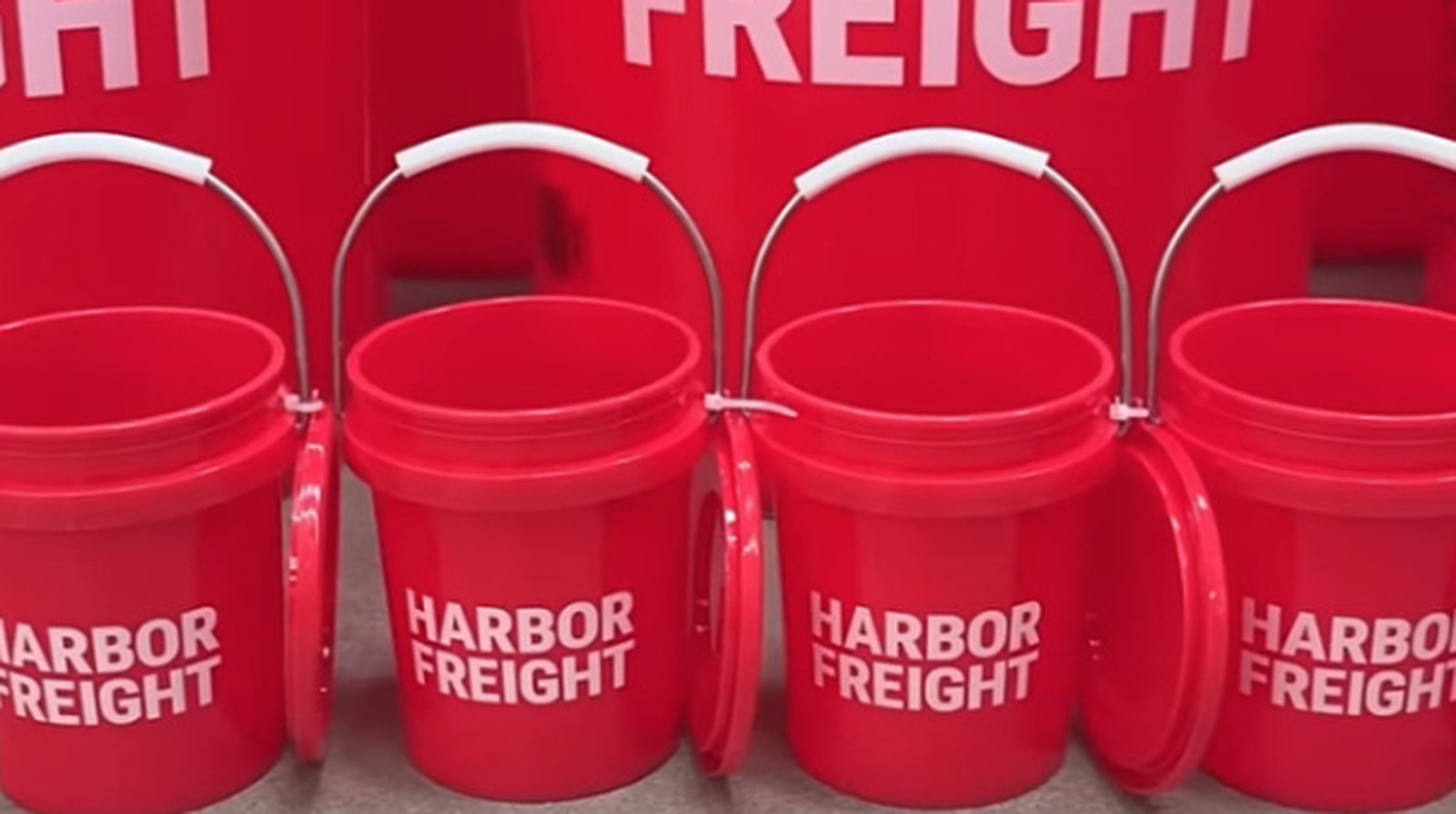
Harbor Freight has made it internet official: America’s #1 discount tool store is joining in on the mini bucket trend. Posted across all its socials on June 1st, 2026, the company says these little red containers will be hitting stores “soon.” (That means no official date yet. We’ll be sure to let you know when we know.)

You may remember those viral mini steel toolboxes from Harbor Freight brand U.S. General back in 2024 and 2025. Well, naturally, this upcoming mini bucket drop is the next step in keeping the mini mania going. People online have been asking for these from Harbor Freight going back at least a couple of years now, so whenever they do arrive in stores, they’re likely to go pretty fast. They’re surprisingly pretty practical, too. These buckets are the perfect size to store loose nails, screws, nuts, bolts, washers, Allen keys, and all those other little items that always seem to get lost during DIY projects.

Harbor Freight is the latest to take part in the growing trend

This mini Harbor Freight bucket comes after several other hardware stores released mini buckets of their own in recent months. It’s such a massive trend, in fact, Lowe’s even introduced a mini bucket holiday mug last winter. No matter how late to the mini bucket party the store might be, people are still just as hyped up for these Harbor Freight versions.

Over on Reddit, one user said their wife is especially excited. They also answered what may be your most pressing question: According to them, most of these buckets are food safe. (Perfect for “making silly drinks & cocktails in them,” as they said.) Another Reddit user felt a little jaded about the announcement: “With my mini tool boxes (plural) and my mini tool sets, I can add in some mini buckets and … [make] a mini paycheck!” But regardless of if you’re psyched or rolling your eyes, it looks like Harbor Freight is betting on this trend sticking around for a little longer.


Source link

Leave a Reply

Subscribe to Our Newsletter

Get our latest articles delivered straight to your inbox. No spam, we promise.

Recent Reviews


Google is experimenting with a new policy restricting the amount of free storage provided to some accounts. New Google accounts (including new Gmail accounts) created in certain regions will be limited to 5GB of free storage when they’re first set up. That’s only one-third of the amount of storage that has been typically offered. There is a way of increasing the amount of free storage you get when setting up a new account, though: you can unlock it by linking your phone number.

When approached for comment by Android Authority, a Google spokesperson confirmed that the new policy was being tested to “help us continue to provide a high-quality storage service to our users, while encouraging users to improve their account security and data recovery.” The statement didn’t clarify which regions the policy is being tested in, nor for how long the testing period will last.

Notably, a Google One Help support page about account storage has been updated to state that each Google account contains “up to 15 GB of storage”, as noted by 9to5Google. Previously, the page didn’t say “up to”; it simply stated that accounts come with 15 GB of storage. So far, the experiment doesn’t appear to stretch to pre-existing accounts.

Per a screenshot shared by Reddit user Sungusungu on R/DeGoogle (a subreddit dedicated to finding alternatives to Google services and products) Google is collecting phone numbers to make sure that the full 15 GB of storage is only redeemed once per person. Of course, that’s easily evaded by using a burner phone to set up multiple accounts, should you want to. The pop-up directs users to a webpage to learn more about storage management. However, at the time of writing, the link redirects to the help center landing page instead.

How to link your Google account with a phone number

If you’re in the process of setting up a new Google account in an impacted region, then you might be prompted with the option of unlocking an extra 10 GB of storage using your phone number via a simple pop-up menu. If so, you can go ahead and follow those steps. However, if you want to link your phone number with a pre-existing Google account, then here’s what you need to do. Using your computer, you need to:

  1. Open your browser and head to myaccount.google.com, then navigate to “Security and sign in” on the left-hand toolbar. This should open a list of security options.

  2. Select “Use your phone to sign in” and then “Set it up”. 

  3. Add a phone number using the “Recovery phone” option.

  4. Follow the on-screen steps to verify your number and finish linking it to your account.

Your options might look a little different if you already have a recovery number set up with your account.

Alternatively, you can connect a phone number to your Google account from your Android device, iPhone, or iPad. Much like on a computer, you connect your number by adding it as a recovery phone. First, head over to myaccount.google.com. Then select “Personal info”, followed by “Phone”. From there, you should be able to add or edit your phone number by navigating to the “Recovery phone” section.


Source link