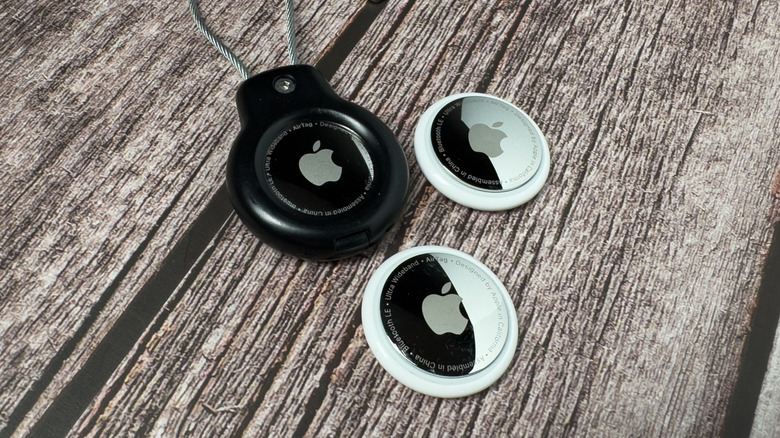

If you’ve ever misplaced your car keys or your wallet and spent hours trying to find them, then you know just how frustrating it can be. That very scenario is why many people use Apple AirTags, as they can drastically reduce the search time, or even eliminate it altogether. You can use up to 32 Find My items with one Apple Account, and those can include AirTags.
AirTags work with Apple’s Find My app, which can help you keep track of personal belongings. However, keep in mind that there are some things you shouldn’t track with an AirTag. Though AirTags are among the best-known devices that use the app, the 32-item limit actually applies to other compatible devices as well. The trick is that some of those devices can count as more than one item. For example, newer AirPods use separate tracking for individual earbuds and the charging case itself. This means that while you can find your lost AirPods case thanks to the app, one set of AirPods could count as three items.
If you do reach the 32-item limit, you could get a warning message on your iPhone. If that happens, you can go into the Find My app to manage your account. From there, you’ll see a list of the items and accessories that are using the app, and if you want to make some changes, you can. Just remove the items you no longer need to track, and then add the new items to the list.
Making the most of your AirTag
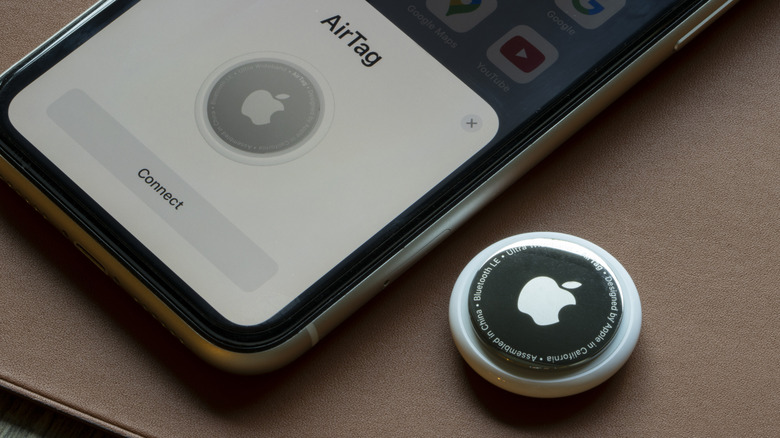
To add an AirTag to your Apple Account, you can do so in a couple of different ways. You can hold a new AirTag near your iPhone or iPad and just follow the automatic setup prompts once you see them on-screen. Or you can manually add the tag instead through the Find My app by selecting the Items tab and then choosing Add AirTag or Other Item. Compatible third-party gadgets can be found using the app as well, making it easier to track different kinds of items at once.
Apple’s second-generation AirTag arrived in January 2026, featuring several upgrades designed to make lost items even easier to find. This version includes Apple’s updated Ultra Wideband chip, which improves the Precision Finding feature. This allows Precision Finding to work from up to 50% farther away than the previous model. The Bluetooth hardware has been upgraded as well, allowing you to detect the second-generation AirTag from a greater distance.
The new AirTag also has a redesigned internal speaker that is 50% louder, which makes it easier to hear when you’re searching for a lost item. Additionally, the new AirTag works with the Share Item Location feature, which lets you temporarily share an item’s location with participating airlines to help find lost bags. You can also share the location with other supported third-party organizations, and once you recover your belongings, you can turn off the feature.

Stephan is the sports journalist for the Maple Grove Report.