
Follow ZDNET: Add us as a preferred source on Google.
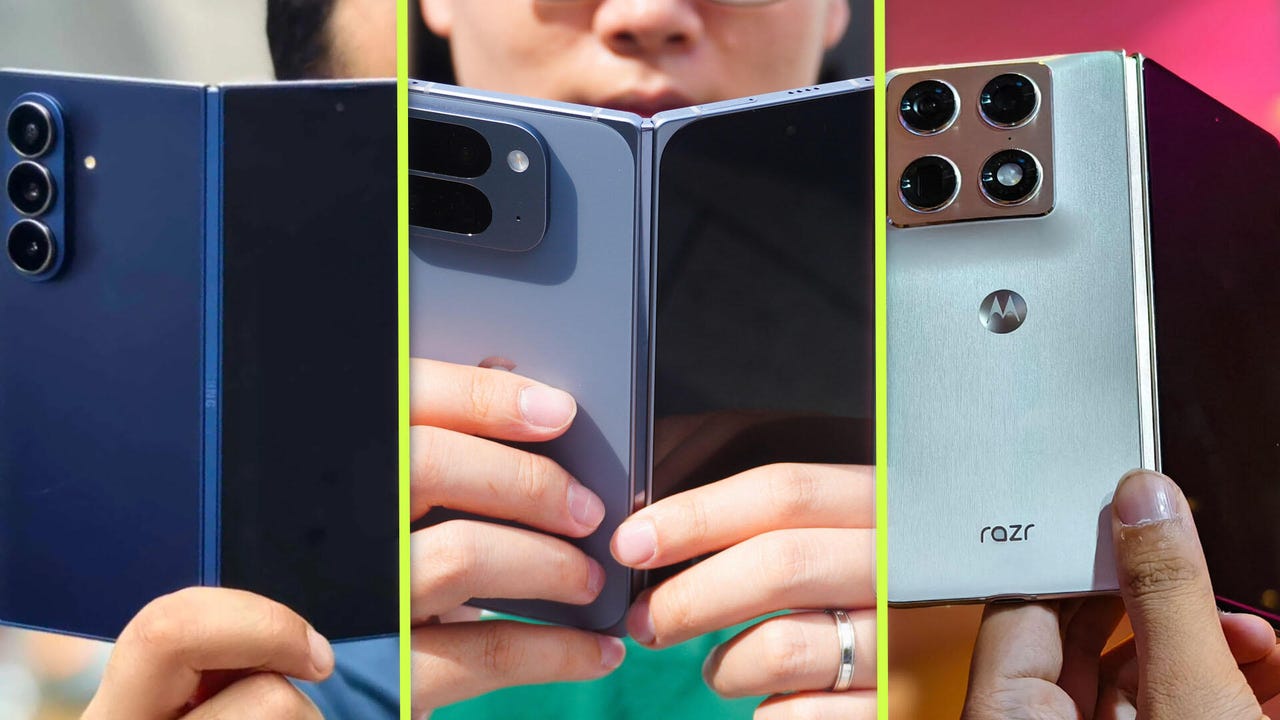
Motorola’s first-ever book-style foldable is finally here. After checking it out at CES and MWC earlier this year, I was curious to see the price tag and how it compares to two popular models from Samsung and Google. I have tried all three foldables and have some thoughts.
Also: Motorola Razr Fold review
Each one of them has its unique appeal, but that doesn’t mean all three hold equal value. Some might prefer a thin, lightweight design, while others might want a more durable form factor. Here’s how the new Motorola Razr Fold compares to the Samsung Galaxy Z Fold 7 and Google Pixel 10 Pro Fold. And which one’s perfect for you.
You should buy the Samsung Galaxy Z Fold 7 if…
1. You want the slimmest and lightest foldable phone
Samsung surprised me with the Galaxy Z Fold 7 last year. While I’m looking forward to what it does with the Fold 8, the current-gen. foldable remains the best-looking foldable in the US right now. The updated slim and lightweight design is more comfortable to hold and use than larger flagship phones like the iPhone 17 Pro Max and Samsung’s Galaxy S26 Ultra.
Also: Own a Samsung phone? I changed 10 settings to greatly improve its performance
At 215 grams, it is one of the most comfortable big phones on the market right now. The Google and Motorola foldables don’t stand a chance if you want a folding screen form factor but are used to a slab phone design. At just 8.9mm thin when folded and 4.2mm when unfolded, Samsung’s Galaxy Z Fold 7 is the closest a folding phone has gotten to a slab phone.
2. You like the One UI experience
I love whatever Samsung has been doing with One UI lately. It is one of the most polished Android skin experiences on any smartphone, and its multitasking capabilities are only enhanced by Fold 7’s big screen. You can split-screen with gestures, swipe from the side bar to add a pop-up app, add transparent widgets, and expand its capabilities with the Good Lock app.
I like it better than barebones Pixel UI and slightly more than Motorola’s clean UI.
Samsung also offers a suite of Galaxy AI features, where some of them are actually useful. I like AI Select, which is just one swipe away and a damn good object eraser tool. You can also run Gemini features and avail free six months of Gemini AI Pro to try Veo 3, NotebookLM, etc., with the Samsung foldable.
You should buy the Google Pixel 10 Pro Fold if…
1. You need dust-tight durability
While the Samsung and Motorola are IP48 and IP49 rated for dust and water resistance, the Google Pixel 10 Pro Fold remains the only foldable phone with a dust-tight design. It is IP68-rated, meaning it is truly dust-resistant.
In comparison, IP48 means protection against solid particles larger than 1 millimeter, but dust particles are smaller than 1 millimeter, so dust and pocket lint can penetrate the Fold 7 and the Razr Fold’s hinge gaps. This is an important factor to consider if you live in or work in a dusty area. The Pixel 10 Pro Fold will serve you better in that regard.
2. You want PixelSnap and Pixel-exclusive AI features
If you are an Apple user looking for a foldable phone, you likely already have MagSafe accessories. The Pixel 10 Pro Fold is the only of these three foldables that will support your magnetic accessories, thanks to PixelSnap, which is essentially MagSafe for Android.
It lets you mount MagSafe-compatible accessories to your Pixel phone. It comes in handy when you need to quickly connect charging pads, power banks, or even tripods.
Also: The best Google phones in 2026: How does the Pixel 10 Pro Fold stack up?
This is paired with an OS that delivers the latest and greatest Gemini AI features as soon as they’re released. Google is also offering a year’s worth of Gemini AI Pro subscription for free with its Pixel 10 Pro series. So, you can claim access to features like access to Gemini 2.5 Pro, Veo 3 for AI-generated videos, 2TB of cloud storage, and previews of upcoming AI tools.
Then there’s Pixel-exclusive Magic Cue, which automatically populates responses, helpful context, and more based on your on-screen content. I love it, but I wish it were more consistent.
You should buy the Motorola Razr Fold if…
1. Your screen time is regularly more than 8 hours
I haven’t faced battery life issues with the Samsung and Google foldables on moderate use, but they can’t stand my heavy phone use days. For those of us with more than nine hours of screen time, the Motorola Razr Fold might be a better bet.
Also: I’ve tested every Razr and Galaxy Flip: 3 reasons Motorola crushes Samsung at foldables
It packs a 6,000mAh cell that’s considerably larger than the Galaxy Z Fold 7’s 4,400mAh capacity and the Pixel 10 Pro Fold’s 5,015mAh cell. Motorola also gave it 80W fast wired and 50W fast wireless charging, which can top up the phone quicker than its rivals. If you prioritize battery life, the new Razr Fold would better suit your needs.
2. You need a stylus for the big canvas
Samsung removed S Pen support from the Fold 7, which annoyed a few Galaxy fans. If you’re one of them who like to jot down notes on their folding phone (or like to draw on the big canvas), the Razr Fold is the best alternative.
It has the Moto Pen Ultra (sold separately), which works on both the phone’s 6.6-inch external display and its 8.1-inch inner screen. The Pen’s fine tip delivers high-pressure sensitivity, low latency, and tilt detection for shading and adding texture. You can use it to sketch, annotate, clip, move text or images, capture screenshots, and more.
Writer’s choice
While I like Google’s dust-tight design and Motorola’s dependable new foldable, I prefer the Galaxy Z Fold 7 for its slim and light form factor. There’s something enjoyable about having a folding phone in the slab phone form factor inside my pocket that the other two foldables can’t replicate… yet.
It is not a perfect phone, and I wish it had a bigger battery, but there’s not much to fault experience-wise. I’ve loved using the Fold 7.