
Follow ZDNET: Add us as a preferred source on Google.
ZDNET’s key takeaways
- It’s easy to reduce the efficiency of a wireless charger without realizing it.
- Proper tools and charging gear ensure your devices charge quickly and safely.
- Investing in at least a 20W wall adapter is a good starting point.
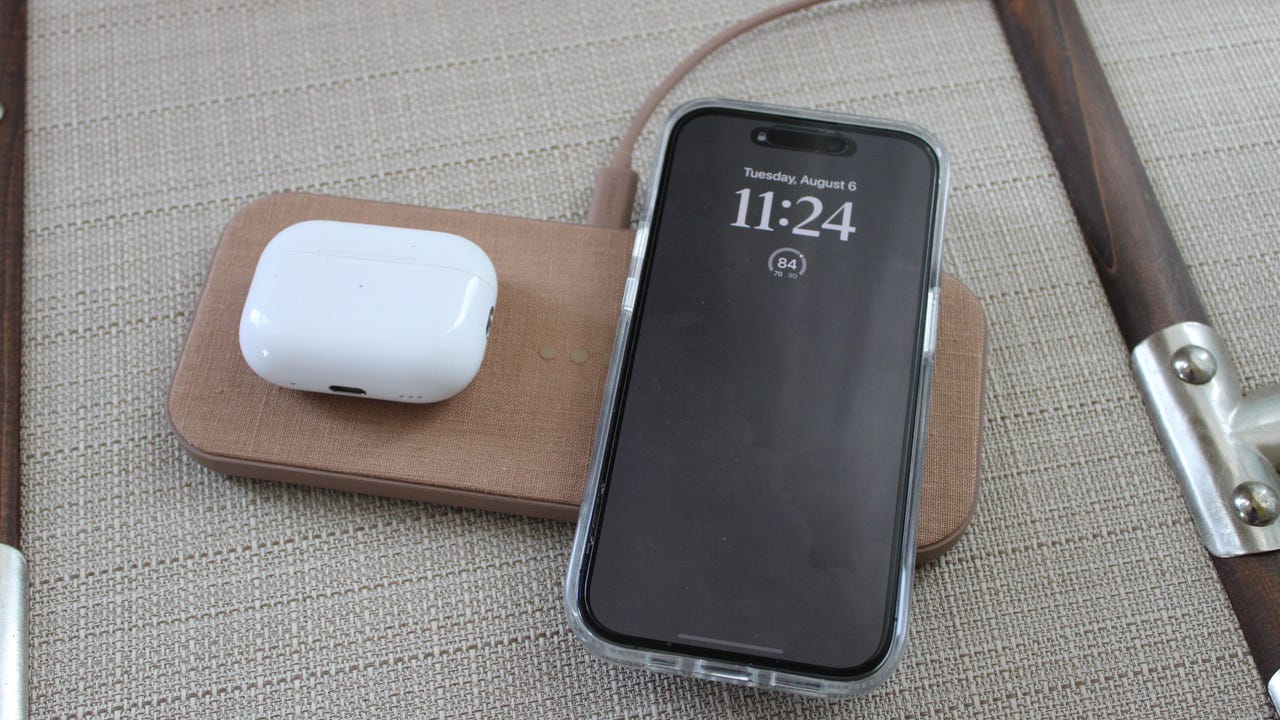
Wireless charging (often enhanced by MagSafe compatibility these days) is one tech development that I can say has improved my daily routine. These chargers are great for reducing cord clutter, charging multiple devices at once, and streamlining the look of your desk, table, or nightstand.
While wireless chargers are practical, it’s easy to miss out on their benefits without even realizing it. You could be using the wrong cables and wall adapters, turning your hands-free charger into a useless puck. Here’s how to fix that.
Also: My new favorite Anker charger has a useful smart display (and won’t break the bank)
Since wireless charging isn’t 100% efficient, during charging, your device(s) may lose some power to heat and magnetic field leakage. To compensate for this, it’s best to use the cords and adapters that come with your wireless charger, or invest in a wall brick with a higher wattage than your charging setup.
Why your wireless charger isn’t charging fast
Here’s an example. If you plug a 15W wireless pad into a lower-wattage wall brick (especially one that’s not certified or purchased at sites like Temu, which raise safety concerns), your charger will likely work, but not at optimal levels. It’s more likely that this setup will throttle your charging speed from 15Ws to something lower, prolonging the time to charge fully and downgrading your setup from fast charging to something not quite as fast.
My ZDNET colleague, Editor-in-Chief Kerry Wan, says this degraded charging experience happens often in his home, as it’s easy to flip-flop cords and wall bricks without noticing.
My colleague Adrian Kingsley-Hughes reading the output on this 65W Ugreen wall brick while charging a device.
Adrian Kingsley-Hughes/ZDNET
Wan says he and his partner have a collection of random power adapters in their home office, and oftentimes use the wrong one for their wireless chargers in other areas of their home. “Switching to a higher-output Anker one or using the original charging brick for the pads (which usually deliver five watts more than needed) made things noticeably quicker,” Wan says. Oftentimes, you can see these changes reflected in how your device charges, too.
Also: This handy USB meter tells you what’s actually going on with your ports – and it’s only $20
Wan says when his Samsung phone is charging with the correct wireless setup, it properly indicates “fast wireless charging” on his lock screen with a shorter estimated charge time. As a mobile gadget and accessories expert, I’ve seen this happen first-hand, too.
I’m lucky to have plenty of fast chargers or gallium nitride (GaN) chargers lying around my house, so it’s not often I pick up a faulty setup. But it happens, especially with USB-C compatible accessories. While it seems like every USB-C device is interchangeable, there’s a reason why your iPhone doesn’t charge the same when you’re using the included cord or brick from a random Amazon gadget as it does when you’re using a certified setup, and the same goes for wireless charging.
The “Plus Five” Rule
As a general baseline to avoid reduced charging efficiency, use a power adapter that provides 5W more than your wireless charger’s maximum output. In general, for iPhone fast charging, you’ll need a USB-C wall brick with at least 20W of power. Apple currently has a guide for power adapters, but standard charging requires a 5W USB or a 15W USB-C port. Many wireless chargers (often MagSafe options) now offer 15W Qi2 fast charging, so a 20W wall brick is a great idea.
Also: I cracked open cheap charging gadgets from Temu – and it was worse than I expected
We’ve tested several wall bricks and adapters, including options that can travel around the globe. I prefer 45W options for most of my everyday devices, except for my MacBook Pro, which I use a 67W or higher adapter for, as recommended by Apple. Lately, I’ve been using Anker’s newest 45W GaN charger, which features a built-in digital display.
It’s also important to consider how you’re using wall bricks, too. If you charge multiple devices from the same adapter, the wattage is likely split. This reduces the wattage to each device and, in fast charging, likely drops your expected 15W speedy boost into a slow-to-go slurp. I recommend keeping at least one wall adapter dedicated to your wireless charging setup, so you never have to worry about unintentionally downgrading your charging.
For wall adapters that the ZDNET team has tested and recommended, here are a few of our picks.